Temp Mail for Facebook
Using a temporary email for Facebook registration is a privacy tactic that shields your primary inbox from spam and potential data breaches. While it offers immediate anonymity, this method carries significant risks, including effortless account suspension by Facebook and complete loss of recovery options. It’s a tool best understood for its specific, limited applications rather than a primary account creation strategy.
So, you’re thinking about signing up for Facebook but don’t want your main email inbox flooded with notifications, promotional stuff, or, let’s be honest, the potential for a data leak. You’ve heard about “temp mail” or “disposable email” services as a quick fix. The idea is seductive: a random email address that lives for 10 minutes, an hour, a day—just long enough to click the verification link and then poof, it’s gone. No strings attached. But before you dash off to the first temp mail site you Google, let’s have a real talk about using temp mail for Facebook. It’s a path littered with pitfalls, and understanding the full picture is crucial.
In this guide, we’re going to unpack everything. We’ll start with the basics of what temp mail even is. Then, we’ll dive deep into the specific, often fraught, relationship between these disposable inboxes and a social media giant like Facebook. I’ll walk you through the actual steps if you still want to try, but more importantly, we’ll cover the very real risks that can lead to a locked or deleted account. Finally, we’ll explore smarter, safer alternatives that actually respect your privacy without sacrificing your access. Think of this not as a “how-to” endorsement, but as a comprehensive warning and navigation map for a tricky digital territory.
Key Takeaways
- Temp mail creates a disposable inbox: It generates a random, short-lived email address and inbox that self-destructs, leaving no trace linked to your identity.
- Facebook actively blocks known temp mail domains: The platform’s security systems routinely blacklist disposable email providers, making sign-up with them often impossible or temporary.
- The primary risk is permanent account loss: If Facebook detects or suspects a temp mail, it will disable the account, and you cannot recover it without access to the original email.
- It provides zero long-term security: While it hides your email during sign-up, any activity, posts, or connections made with that account are still publicly visible on Facebook.
- Legitimate use cases are extremely narrow: Temp mail for Facebook is really only justifiable for testing a throwaway profile you intend to abandon, not for any genuine, lasting use.
- Safer alternatives exist for privacy: Using a dedicated secondary email from a reputable provider (like ProtonMail or a separate Gmail account) offers better durability and recovery options.
- Facebook’s real goal is authentic identity: The platform’s verification systems are designed to link accounts to real, persistent people, a goal fundamentally at odds with temporary email.
📑 Table of Contents
- What Exactly is “Temp Mail”?
- Why People Consider Temp Mail for Facebook
- The Critical Reality: Facebook vs. Disposable Email
- Step-by-Step: The Temp Mail Sign-Up Process (And Where It Fails)
- Risks and Consequences You Must Understand
- Safer, More Effective Alternatives for Privacy
- Best Practices for a Privacy-Conscious Facebook Presence
- Conclusion: The Shortcut That Leads to a Dead End
What Exactly is “Temp Mail”?
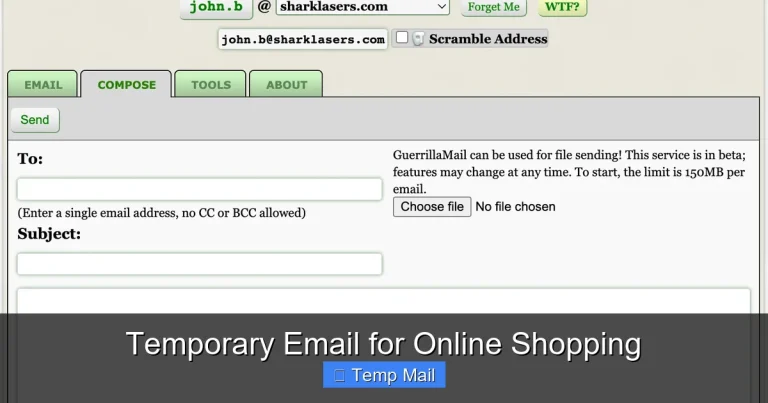
Let’s start from zero. Temporary email, often called temp mail, disposable email, or throwaway email, is a service that provides you with a random email address and a corresponding inbox for a very short period. You don’t need to register, create a password, or provide any personal information to get one. You simply visit a website like Temp-Mail.org, 10MinuteMail.com, or Guerrilla Mail, and a new address—something like xyz789@domain.com—is instantly generated for you.
How It Works Under the Hood
These services operate on a simple principle. Their domains are set up to accept emails for any address at that domain. When an email arrives for your randomly assigned address, the service displays it in a web-based inbox that you can access on their site. The inbox is tied to your browser session or a unique token. After a predetermined time (10 minutes, 1 hour, 1 day), the address and all its emails are permanently deleted from their servers. There’s no archive, no recovery. It’s designed to be ephemeral.
The Intended Purpose vs. Common Misuse
Temp mail has legitimate uses! Developers use it to test email functionality in apps. People use it to download a one-time whitepaper or access a gated article without joining a spam list. It’s a shield against unwanted newsletters and a tool for maintaining a clean primary inbox. The misuse comes when people try to use it for services that require ongoing, verified communication—like banking, essential account recovery, or, as we’re discussing, major social media platforms. These platforms are built on persistent identity, which is the exact opposite of what temp mail provides.
Why People Consider Temp Mail for Facebook
The temptation is understandable. Facebook is a data-hungry entity. Signing up means providing your phone number (often), your real name, and your primary email. That email becomes the key to your entire digital identity on the platform. It’s used for login, for password resets, for security alerts, and for all those annoying “friend suggestion” and “memory” emails. Using a temp mail seems like a way to:
Visual guide about Temp Mail for Facebook
Image source: imag.malavida.com
- Contain Spam: Keep Facebook’s promotional emails out of your primary inbox.
- Limit Data Exposure: If Facebook (or a third-party app linked to it) suffers a breach, your main email isn’t in the database.
- Maintain Anonymity: Create a profile that isn’t directly, email-wise, tied to your core identity.
- Test the Waters: Make a quick, no-commitment account to check something out before using your real info.
These are valid concerns. Privacy is important. But the method chosen—temp mail—is fundamentally incompatible with how Facebook operates and secures its user base.
The Critical Reality: Facebook vs. Disposable Email
This is the core of the issue. Facebook, like all major platforms, has sophisticated, automated systems dedicated to detecting and blocking fake, fraudulent, or low-quality accounts. One of the first and easiest signals for these systems is the email domain used during registration.

Visual guide about Temp Mail for Facebook
Image source: imag.malavida.com
Facebook’s Blacklist is Massive and Active
Facebook maintains a constantly updated list of known disposable and temporary email domains. When you attempt to sign up, their backend checks the domain of the email you enter against this blacklist. If it matches—which it almost certainly will for any popular temp mail service—the sign-up will be blocked immediately. You’ll get an error message like “Invalid email address” or a prompt to use a different email. They don’t even need to wait for you to click a verification link; the domain itself is a red flag.
Even If You Succeed, You’re on Thin Ice
Let’s say, for a fleeting moment, you find a very obscure temp mail domain that isn’t yet on Facebook’s radar and you complete sign-up. Congratulations? Not really. Your account is now built on a foundation that will vanish. The moment that temp inbox expires and you can’t receive the “confirm your email” or “click to verify your device” prompts, your account is in jeopardy. Facebook’s security algorithms will flag the non-responsive, non-existent email as a major risk. The next time you try to log in from a new device, or even just periodically, they may require email verification. You won’t be able to comply. Your account will be locked, and the only “recovery” path is the defunct temp email. It’s a house of cards.
Step-by-Step: The Temp Mail Sign-Up Process (And Where It Fails)
For completeness, here is the technical process someone would follow. Follow along to see exactly where the friction and failure points are.
Visual guide about Temp Mail for Facebook
Image source: docdroid.net
- Generate a Temp Address: Go to a temp mail site. A random address is provided. Copy it.
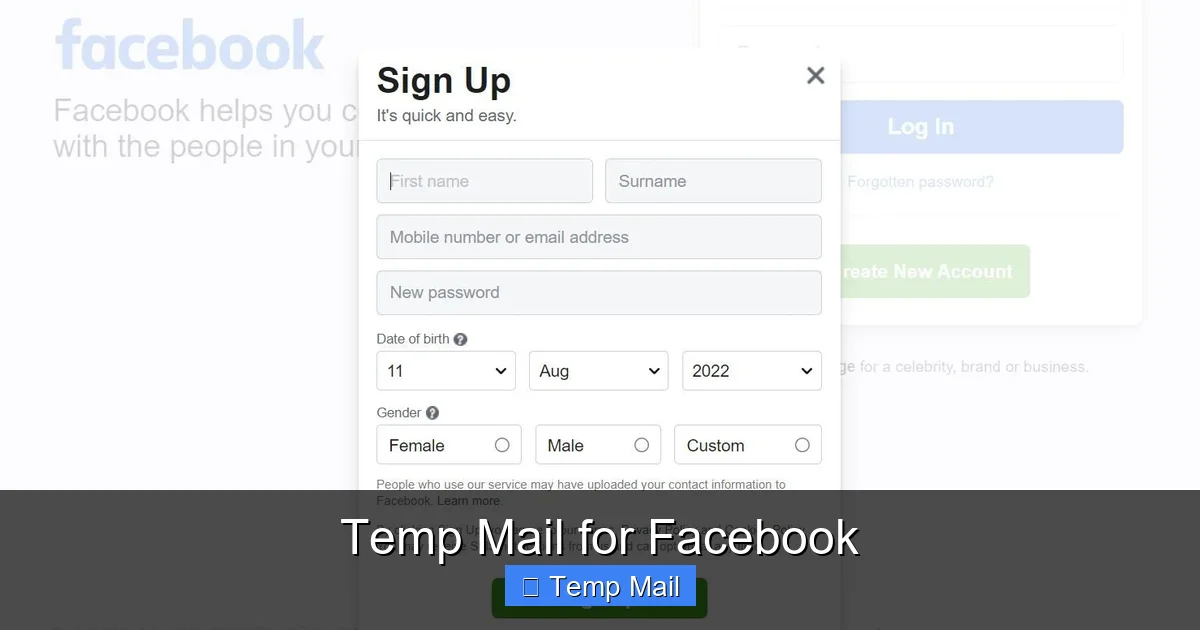
- Start Facebook Sign-Up: Go to Facebook’s sign-up page. Enter the temp email, a fake name, a password, and your birthdate.
- The First Hurdle – Domain Block: Click “Sign Up.” The most likely outcome is an immediate error: “Please enter a valid email address.” Facebook’s system has rejected the domain. You must start over with a different provider or a different email entirely.
- The Verification Email: If, by chance, the domain passes, Facebook sends a verification email. You switch back to the temp mail tab and click the link inside. This verifies the email *for now*.
- The Inevitable Expiration: You now have a “verified” Facebook account linked to an inbox that will disappear in 1 hour (or 1 day). You can log in and use the account.
- The Lockout: Hours or days later, you try to log in. Facebook may send a “new device” verification email to your temp address. The inbox is gone. The email bounces. Facebook sees this as a compromised or fraudulent account. Your login is denied. You may be prompted to verify via a phone number (if you provided one), but if not, you’re locked out permanently.
- The Final Nail – Suspension: After failed verification attempts, Facebook’s automated systems will disable the account for “policy violation” or “suspicious activity.” There is no human appeal process because you have no way to prove ownership. The account is gone.
Risks and Consequences You Must Understand
Using temp mail for Facebook isn’t just an inconvenience; it’s a high-stakes gamble with your digital presence. The consequences are severe and absolute.
1. Guaranteed Account Loss
This is not a possibility; it is a certainty. The temporary email will expire. You will lose access to the verification channel. Facebook will lock and then disable the account. All friends, posts, photos, and connections associated with that account are lost forever. There is no customer support to call, no “forgot password” that works, no alternative email to switch to because you never set one up.
2. Wasted Time and Effort
Building any kind of profile—finding friends, joining groups, curating a feed—takes time and effort. Investing that in an account you know is on a countdown timer is a profound waste. That 50 hours you spent setting up a hobby group? Gone in an instant when the temp mail dies.
3. Potential for Broader Platform Restrictions
Facebook’s systems are interconnected. A suspicious account on one platform (Facebook) can trigger flags on its sister services (Instagram, Messenger). If you ever tried to link that same temp email to an Instagram account, you could face restrictions there as well, all stemming from the flagged Facebook account.
4. No Security or Recovery Net
The entire purpose of providing an email is for security: password resets, login approvals, alerts about unauthorized access. With a temp mail, you have none of this. If someone hacks your Facebook password, you cannot reset it. If you get locked out for any other reason, you’re stuck. You have built a beautiful digital house with no doors or windows—you can get in once, but you can never get back in if you leave.
Safer, More Effective Alternatives for Privacy
Okay, so temp mail is a bad idea. But you still want to separate your Facebook life from your primary inbox. What should you do? Here are practical, sustainable strategies.
1. Use a Dedicated Secondary Email Address
This is the gold standard. Create a new email account with a reputable provider (Gmail, Outlook, ProtonMail, Tutanota) that is used for *nothing else* except Facebook and perhaps other social media. This keeps all Facebook-related emails in one isolated inbox. You maintain full control, can reset passwords, and have a persistent, recoverable channel. The “privacy” comes from compartmentalization, not ephemerality.
2. Leverage Facebook’s Own “Email” Setting
Within Facebook settings, you can set a “contact email” that is different from your “login email.” You could use your secondary email for login (security) but set your primary, public-facing contact email to something else, or even leave it blank. This controls what email is visible to others on your profile.
3. Aggressively Manage Notification Settings
Don’t just accept the default firehose of emails. Go to Facebook Settings > Notifications and Email. Turn off *everything* you don’t absolutely need. You can disable friend suggestions, memories, event updates, and most promotional material. You can choose to only get emails for security and login issues. This drastically reduces the volume, making a single email address much more manageable.
4. Use an Email Alias Feature (If Available)
Some email providers, like FastMail, ProtonMail, and even Gmail (with a plus sign trick, e.g., youremail+facebook@gmail.com), allow you to create aliases. These are unique email addresses that all deliver to your main inbox but can be filtered or identified separately. You can give Facebook an alias, and if that address ever starts getting spam, you can simply disable that alias without affecting your main account. This is a powerful, professional-grade privacy tool.
Best Practices for a Privacy-Conscious Facebook Presence
If your goal is a more private Facebook experience, focusing on the email is a small piece of a much larger puzzle. Here’s what actually moves the needle.
- Audit Your “Apps and Websites”: Go to Settings > Apps and Websites. Remove every single third-party app you no longer use or recognize. Each one is a potential data leak.
- Review “Your Facebook Information”: Use the “Download Your Information” tool to see what data Facebook has on you. Then, go through the “Privacy Checkup” and “Ad Preferences” to limit ad targeting and post audience settings (e.g., “Friends” instead of “Public”).
- Never Use Your Real Name (If Anonymity is the Goal): Facebook’s real-name policy is strict. Using a pseudonym is a bannable offense. If you need anonymity, understand that Facebook is the wrong platform. Consider other, more privacy-focused networks instead.
- Assume Everything is Public: Do not post anything you wouldn’t want on a billboard. Assume that even “Friends Only” posts can be screenshot and shared. Your digital footprint on Facebook is permanent, regardless of your email address.
- Use a Strong, Unique Password & 2FA: The best thing you can do for any important account is to use a password manager to generate a long, unique password and enable Two-Factor Authentication (2FA), preferably using an authenticator app (like Google Authenticator or Authy), not SMS.
The quest for privacy on a platform built on sharing is an ongoing, active process. It requires constant vigilance, not a one-time trick with a disappearing email.
Conclusion: The Shortcut That Leads to a Dead End
So, where does this leave us? The idea of using temp mail for Facebook is a classic example of a technical shortcut that ignores the business and security realities of a major platform. It’s a solution that solves a minor problem (email clutter) by creating a catastrophic one (total account loss). Facebook’s entire model depends on persistent, verifiable user accounts. Disposable email is the antithesis of that model, and their systems are expertly tuned to reject it.
If you need a separate identity for Facebook, invest 10 minutes in creating a dedicated secondary email account. That small effort provides a durable, recoverable foundation that a temp mail can never offer. The peace of mind from knowing you won’t lose access to your account, your photos, and your connections is worth infinitely more than the fleeting anonymity a 10-minute inbox provides. Use the right tool for the job. For Facebook, that tool is a real, persistent email address, coupled with rigorous privacy settings and smart compartmentalization. Don’t gamble your digital presence on a disappearing act.
Frequently Asked Questions
Is using temp mail for Facebook against the rules?
Yes. Facebook’s Terms of Service require you to provide accurate and up-to-date information, including a valid email address that you regularly access. Using a disposable email violates this term and gives Facebook grounds to suspend your account immediately upon detection.
Can Facebook detect a temp mail address during sign-up?
Almost certainly. Facebook maintains a dynamic blacklist of thousands of known disposable email domains. When you enter the address, their automated systems check it against this list in real-time. In most cases, the sign-up will be blocked right at that step with an “invalid email” error.
What is the main risk of using a temp email for Facebook?
The absolute and irreversible loss of your account. Since you cannot access the verification or password reset emails after the temp inbox expires, you will be permanently locked out. Facebook will eventually disable the account for suspicious activity, and there is no way to recover it without access to the original email.
What’s a better alternative to temp mail for Facebook privacy?
Create a dedicated, free secondary email address (e.g., a new Gmail or Outlook account) used exclusively for Facebook and social media. This keeps your primary inbox clean while providing a permanent, recoverable login method. You can further enhance privacy by using email aliases or a secure provider like ProtonMail.
If my Facebook account is locked due to a temp email, can I get it back?
No. Account recovery requires you to verify ownership via the original email address or a confirmed phone number. Since the temp email no longer exists and you likely didn’t add a phone number, Facebook has no way to verify you are the legitimate owner. The account suspension is final.
Are there any legitimate uses for temp mail with Facebook at all?
Only in the most extreme, temporary testing scenarios—for example, a developer testing a Facebook integration for an app might use a temp email for the test account. For any personal or sustained use, it is not legitimate and will lead to failure. It is not a tool for creating a real, lasting profile.