Temporary Email for Website Testing
Using temporary email for website testing revolutionizes QA processes by providing disposable addresses that safeguard personal data and streamline signup flows. It eliminates inbox clutter, enables scalable testing, and ensures compliance with privacy regulations. Developers can automate email verification checks without compromising security or managing multiple real accounts.
Let’s be honest: how many times have you cringed at the thought of using your personal Gmail or work Outlook to test a website’s registration form? You know the drill. You enter your real email, click “Sign Up,” and then wait. And wait. Then you check your inbox, delete the confirmation email, and maybe reset the password later. It’s a messy, manual chore that clutters your primary inbox with automated noise. Worse, if you’re testing a feature that sends multiple emails—like a notification system or a password reset flow—your inbox quickly becomes a testing graveyard. There’s a smarter, cleaner way: leveraging a temporary email for website testing. This isn’t just a hack; it’s a professional best practice that streamlines quality assurance, protects privacy, and scales your testing efforts without the baggage.
In the fast-paced world of web development, where Agile and DevOps rule, efficiency isn’t just nice—it’s necessary. Every minute spent manually managing test emails is a minute not spent building features. Every stray test email in your real inbox is a potential privacy leak or compliance risk. This guide will walk you through everything you need to know about using disposable email addresses specifically for website testing. We’ll cover how they work, why they’re a game-changer for developers and QA engineers, practical use cases you can implement today, how to choose the right tool, and the critical best practices to avoid pitfalls. By the end, you’ll wonder how you ever tested without them.
Key Takeaways
- Privacy Protection: Temporary emails prevent your personal or company inbox from being flooded with test emails and expose no real user data during development.
- Workflow Efficiency: They automate and simplify testing of email-dependent features like sign-ups, password resets, and notifications by providing instant, no-login inbox access.
- Cost-Effective Scalability: Generate hundreds of unique addresses for load testing or user journey simulations without purchasing multiple email accounts or managing credentials.
- Enhanced Security Testing: Safely simulate attack vectors like account takeover or spam filtering without risking production accounts or personal information.
- Compliance Simplified: Avoid GDPR and CCPA violations by ensuring no real user PII is used or stored in test environments.
- Tool Selection is Key: Choose services offering API access, sufficient inbox longevity, and domain variety to integrate seamlessly into CI/CD pipelines.
- Mind the Limitations: Never use temporary emails for production user accounts, sensitive transactions, or long-term communication due to their ephemeral nature.
📑 Table of Contents
- The Testing Dilemma: Why Real Email Addresses Fall Short
- What Are Temporary Emails and How Do They Work?
- Core Benefits for QA and Development Teams
- Top Use Cases in Development and QA
- Choosing the Right Temporary Email Service for Testing
- Best Practices and Potential Pitfalls to Avoid
- The Evolving Landscape: The Future of Email in Automated Testing
- Conclusion: Embracing Disposable Efficiency
The Testing Dilemma: Why Real Email Addresses Fall Short
Before we dive into the solution, let’s fully diagnose the problem. Using a genuine email address for website testing creates a cascade of issues that slow down teams and introduce unnecessary risks.
Privacy Risks and Data Exposure
Your personal email is a key to your digital identity. When you use it to test a third-party service, an unfinished app, or a client’s website, you’re handing over that key. Even in a test environment, that email address gets logged. It might be stored in a database, appear in logs, or be captured by analytics tools. If that test environment isn’t as secure as production (and let’s face it, test environments often have lower security), you’re exposing your primary contact point to potential data breaches. For companies, using an employee’s work email for testing can violate internal security policies and create an audit trail nightmare. A temporary email for website testing completely severs this link. The disposable address is a dead-end; once testing is done, it vanishes, taking any associated data with it.
Inbox Clutter and Management Overhead
Imagine running a full regression suite that tests user registration, password recovery, and weekly newsletter sign-ups. Each test cycle generates emails. With a real inbox, you’re forced to create complex filters, labels, or rules to segregate these automated messages. You still have to periodically clean them out. This management overhead eats into productive time. More importantly, it’s easy to miss a critical email—maybe a real client’s message gets buried under a pile of “Welcome to TestApp!” notifications. The mental load of context-switching between real and test communications is a hidden productivity killer. Temporary email services solve this by providing isolated, auto-expiring inboxes that require zero maintenance on your part.
Compliance and Legal Headaches
Regulations like GDPR (General Data Protection Regulation) and CCPA (California Consumer Privacy Act) are strict about personal data. Using a real person’s email address—even your own—in a test database can be considered processing personal data. If that test data is ever leaked, or if an auditor discovers real user information in a non-production environment, your organization could face fines. The principle of data minimization dictates that you should only use the minimum necessary data. A dummy email that doesn’t identify a real person is perfectly compliant. Adopting a temporary email for website testing strategy is a straightforward way to embed privacy-by-design into your development lifecycle.
What Are Temporary Emails and How Do They Work?
At its core, a temporary email service provides a random, disposable email address and a corresponding inbox that exists for a short, predefined period—usually 10 minutes to 48 hours. No registration, no password, no personal details required.
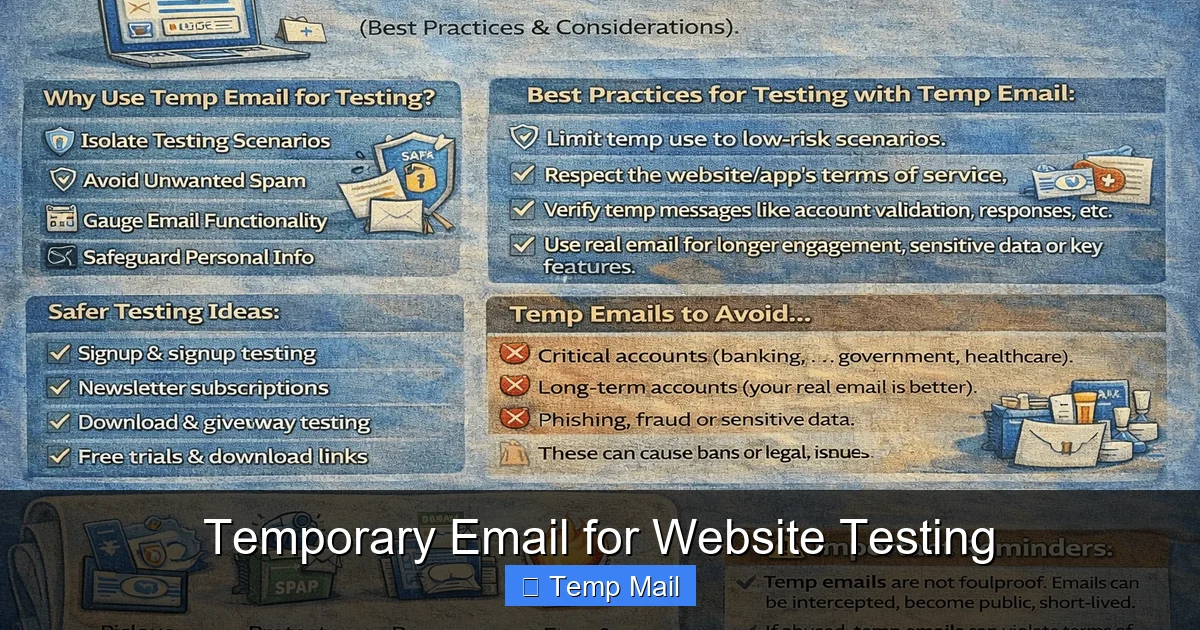
Visual guide about Temporary Email for Website Testing
Image source: testingdocs.com
The Technical Mechanics: Disposable Addresses Explained
When you visit a service like Temp-Mail.org or 10minutemail.com, the server generates a random email address (e.g., abc123@domain.com) and creates a unique inbox session tied to your browser or IP address. Any email sent to that address is captured by the service’s mail servers and displayed in a web-based inbox interface. The magic is in the impermanence. After the time limit expires, the address and all stored emails are permanently deleted from the server. Some services allow you to extend the time manually. From a tester’s perspective, you simply copy the generated address, paste it into the website you’re testing, and then refresh the temporary inbox page to see if the email arrived. It’s that simple. Advanced services offer APIs, allowing you to generate addresses and fetch emails programmatically within your test scripts.
Types of Temporary Email Services
Not all disposable email services are created equal, especially for testing purposes. They generally fall into two categories:
- Web-Based, Manual Services: These are the common websites you visit to get an instant inbox. They are perfect for ad-hoc, manual testing. You interact through the browser UI. Examples include Temp-Mail, 10MinuteMail, and Guerrilla Mail.
- API-Driven, Programmatic Services: These are built for automation. They provide REST APIs or SDKs that let your test scripts generate a new disposable address, wait for an email, parse its content (like a verification link), and then discard the address—all without human intervention. Services like Mailinator (with paid plans), MailSlurp, and Temp-Mail’s API fall into this category. For serious, scalable temporary email for website testing, an API-first service is essential.
Key Features to Look For in a Testing Tool
When selecting a service, prioritize these features:
- Inbox Longevity: Can you extend the default 10-minute window? For complex test flows, you might need an address to last several hours.
- API Access & Webhooks: Can your automation framework talk to the service directly? Webhooks can notify your test suite the moment an email arrives.
- Domain Variety: Does the service offer multiple domain names (e.g., @tempmail.com, @dispostable.com)? Some websites block known disposable domains. Having a pool of domains helps bypass these blocks.
- Email Content Parsing: Can the API extract text, links, or attachments? You often need to click a verification link within the email.
- Privacy Guarantees: Does the service claim not to store or sell email content? For compliance, you need assurance that test data isn’t being misused.
Core Benefits for QA and Development Teams
Integrating a temporary email for website testing into your workflow isn’t just a convenience; it delivers tangible, measurable benefits across the development lifecycle.
Visual guide about Temporary Email for Website Testing
Image source: temp-email.io
Unmatched Privacy and Security
This is the most immediate benefit. By using a disposable address, you create a sterile barrier between your real identity and the application under test. If the test database is compromised, the attacker only gains access to a meaningless, soon-to-be-deleted email address. There’s no risk of credential stuffing attacks against your personal accounts because the test email has no password and isn’t linked to anything else. For companies, it means employees aren’t putting their work emails at risk when testing external integrations or client demos. It’s a fundamental step in securing the software supply chain.
Streamlined Workflow and Efficiency
Think about the steps involved in testing an email-based flow with a real address: 1) Navigate to sign-up. 2) Enter your real email. 3) Submit. 4) Switch to your email client. 5) Find the confirmation email (maybe in spam). 6) Click the link. 7) Return to the app. Now, do that for 20 different test scenarios. With a temporary email, steps 4-7 collapse. You have the test inbox open in a separate browser tab. The moment you submit the form, you can refresh and see the email. You can even automate this entire sequence. Test cycles that took minutes now take seconds. This speed boost compounds across hundreds of test cases, freeing up QA engineers for more exploratory testing.
Cost-Effective Testing at Scale
Need to test if your system can handle 10,000 concurrent user registrations? With real emails, you’d need 10,000 valid inboxes. That’s impractical and costly. Temporary email services, especially API-driven ones, allow you to generate thousands of unique addresses on-demand, often for a low monthly fee or even for free within generous limits. You’re not paying for email storage or licenses; you’re paying for the convenience of ephemeral addresses. This makes large-scale performance and load testing of email-dependent features feasible for teams of any size.
Improved Test Isolation and Reliability
When you use a single real email for all tests, you introduce variables. A previous test’s “password reset” email might interfere with a new test’s “welcome” email. The state of your inbox becomes messy and unpredictable. With a temporary email for website testing, each test case—or each test run—gets a brand new, pristine inbox. There’s zero cross-contamination. This isolation leads to more reliable, repeatable test results. You know that any email found in that specific disposable inbox was sent during that specific test execution, making debugging infinitely easier.
Top Use Cases in Development and QA
Where exactly do these disposable addresses shine? Virtually anywhere an email address is an input or an output in your application.

Visual guide about Temporary Email for Website Testing
Image source: cdni.iconscout.com
Testing Email Verification and Onboarding Flows
This is the most common use case. You need to verify that:
- A confirmation email is sent immediately after user registration.
- The email contains the correct personalized greeting and a valid, unexpired verification link.
- Clicking the link correctly activates the user’s account.
- Resend verification email functions work.
- Password reset emails are sent to the correct address and contain secure, single-use tokens.
With a temporary email, you can script this entire flow. Your test automation would: 1) Generate a new disposable address via API. 2) Use it to register a test user. 3) Poll the temporary inbox API for a new message. 4) Parse the email body for the verification URL. 5) Send an HTTP request to that URL to confirm the account. 6) Assert the user’s status is now “active.” All without a human touching a real inbox.
Spam Filter and Deliverability Testing
How do you know if your transactional emails (e.g., order confirmations, receipts) are landing in the inbox or the spam folder? You can’t easily test this with a single Gmail account because its spam filter is tuned to your personal behavior. By using a suite of temporary email addresses from different providers (some known to have aggressive spam filters), you can send test emails to each and programmatically check the “folder” they land in. Many disposable services expose this metadata via API. This helps you tweak email content, SPF/DKIM records, and sending reputations before hitting real users.
Security and Penetration Testing Scenarios
Ethical hackers and security testers love disposable emails. They allow you to:
- Test for Account Enumeration: Does the “forgot password” feature reveal whether an email is registered? Use a temp address to see if it says “If this email exists…” vs. “Check your inbox.”
- Simulate Account Takeover: Can an attacker who intercepts a password reset email (via a man-in-the-middle test) use the token? You can test token expiry and single-use enforcement safely.
- Check for Email Header Injection: Submit forms with malicious payloads in the email field and see if they appear in the headers of the sent email, which could indicate a vulnerability.
- Verify Rate Limiting: Rapidly request password resets to the same temp address to see if the system locks it out or throttles requests.
All these attacks are contained within a disposable, meaningless address.
Third-Party Integration and Service Testing
Integrating with services like SendGrid, Mailgun, Amazon SES, or SparkPost? You need to test their APIs and webhook deliveries. A temporary email provides a reliable endpoint for these services to send their test or webhook emails. You can verify that the webhook payload contains the correct event data (e.g., “delivered,” “bounced”) by parsing the email that arrives in your disposable inbox. It’s a clean, controlled way to validate your email infrastructure integrations.
Choosing the Right Temporary Email Service for Testing
Not all tools are suited for professional testing. Here’s how to evaluate them.
Must-Have Features for Automated Test Suites
Forget the basic web interface. For integration into automated testing, your service must offer:
- A Stable, Documented API: Look for clear REST API documentation with endpoints for creating addresses, listing inboxes, fetching messages, and deleting addresses. Authentication should be via API key, not a flaky session cookie.
- Webhook Support: The gold standard. Your test script can register a webhook URL. The service will POST data to that URL the moment an email arrives for a specific address. This eliminates polling and makes tests event-driven and faster.
- Predictable Email Delivery: Some free services have delays or drop emails under load. You need reliability. Check service status pages or reviews for uptime.
- Custom Domain Support: If your application blocks known disposable domains (a common anti-abuse measure), you’ll need a service that lets you use your own domain or provides less-common domains.
- Message Content Extraction: The API should return parsed text, HTML, and a list of extracted links/URLs. You shouldn’t have to regex through raw MIME data.
Comparing Popular Tools: Temp-Mail, MailSlurp, and Others
Temp-Mail (temp-mail.org): Offers a free web interface and a paid API. The API is robust, allowing address generation, inbox polling, and message deletion. Good for both manual and automated testing. Domains rotate, helping bypass blocks.
MailSlurp (mailslurp.com): Built specifically for developers and testers. It’s API-first with excellent SDKs for Java, JavaScript/Node, Python, C#, etc. Features include custom domains, inbox forwarding, and advanced waiters that block your test until an email arrives. Pricing is based on monthly inbox limits.
Mailinator (mailinator.com): Famous for its public inboxes, but its paid “Private Inboxes” product is designed for teams. Offers API, custom domains, and better privacy (emails aren’t publicly visible). A solid enterprise option.
10MinuteMail / Guerrilla Mail: Primarily web-based, manual tools. Their APIs, if existent, are often limited or unofficial. Best for quick, one-off manual tests, not for CI/CD integration.
Integration Tips for Popular Test Frameworks
You can plug a temporary email service into almost any framework:
- Selenium / Cypress (UI Testing): Use the service’s API in your test setup (e.g., in a beforeEach hook) to generate a new email. Store the address in a variable. After triggering the email-sending action (like a form submit), use the API to poll for the message and extract the link to click.
- JUnit / TestNG / PyTest (API/Unit Testing): Directly call the temporary email API from your test methods. This is the cleanest integration. For example, in PyTest, create a fixture that generates a new inbox and yields the address, then cleans up after the test.
- Postman / Newman: Use pre-request scripts to call the email API and save the address to an environment variable. Then use test scripts to wait for and validate the received email.
- Jenkins / GitLab CI: Store the service’s API key as a secret variable. Your pipeline script can generate an address, run the deployment/test, fetch the email, and pass verification data to the next stage.
Best Practices and Potential Pitfalls to Avoid
Using a temporary email for website testing is powerful, but it’s not a silver bullet. Follow these guidelines to avoid common mistakes.
Do: Use Them Exclusively in Non-Production Environments
The cardinal rule: never let a temporary email address make it into your production database as a user’s primary contact. Your application logic should distinguish between test and production modes. In test environments, you can relax email validation or even use a mock email service that doesn’t send real emails. But if you are testing the full email pipeline, use temp addresses only in staging, QA, or development environments. Implement safeguards, like a configuration flag, that prevents registration with a disposable domain in production.
Don’t: Rely on Them for Security-Sensitive Flows in Production
While great for testing, you would never want a real user to use a disposable email. They can’t receive emails after the inbox expires. This would lock them out of their account. Your production application must enforce the use of permanent, user-controlled email addresses. The temporary email strategy is purely a quality assurance tool, not a user-facing feature.
Do: Automate Cleanup and Handle Expiry Gracefully
Even though inboxes auto-delete, it’s good practice for your test suite to explicitly delete an address via the API once the test completes. This keeps your account’s address list clean and avoids hitting service limits. More importantly, your test automation must handle the case where an expected email doesn’t arrive before the inbox expires. Implement timeouts and clear error messages like “Verification email not received within 5 minutes.” This prevents false negatives where a slow email service causes a test to fail even though the feature works.
Don’t: Use Them for Testing Long-Term Communication
If you’re testing a weekly newsletter or a sequence of marketing emails over 30 days, a 24-hour temporary inbox won’t cut it. For these scenarios, consider setting up dedicated, long-lived test email accounts on a real provider (like a shared company Gmail) that you clean periodically. Or, use a service that offers longer-lived disposable addresses (some provide 7-day or 30-day options). Match the tool to the test’s temporal needs.
Do: Be a Good Internet Citizen
Disposable email services exist to help developers, not to facilitate spam or abuse. Do not use them to:
- Create fake accounts on public websites for malicious purposes.
- Bypass paywalls or registration walls unscrupulously.
- Send unsolicited bulk email.
- Engage in any activity that violates the service’s Terms of Use.
Abuse can lead to entire domains being blacklisted, which ruins the service for everyone, including legitimate testers like you. Use these tools responsibly and ethically.
The Evolving Landscape: The Future of Email in Automated Testing
The way we think about email in testing is changing. It’s moving from a manual checkbox to a fully automated, API-driven component of the test pipeline.
Shift-Left Testing and Early Integration
Modern development practices encourage “shifting left,” meaning testing earlier in the cycle. Temporary email APIs fit perfectly here. A developer writing a new user registration endpoint can write a unit test that mocks the email service. But for integration testing, they can use a real temporary email address in the same commit to verify the entire flow works end-to-end. This catches email-related bugs before they ever reach a dedicated QA environment.
AI and Predictive Email Testing
Artificial Intelligence is starting to play a role. Imagine an AI test generator that analyzes your user stories and automatically creates test cases for all email-dependent features. It could then provision temporary email addresses, run the tests, and even analyze the email content for correctness (e.g., “Does the welcome email contain the user’s full name as expected?”). While nascent, tools that use AI to intelligently parse email content and suggest test scenarios are on the horizon.
The Rise of Email Testing Platforms
We’re seeing a consolidation of tools into comprehensive “email testing platforms.” These go beyond just providing disposable inboxes. They offer:
- Email template preview and testing across clients (Outlook, Gmail, mobile).
- Spam score analysis.
- Deliverability monitoring.
- Full-featured APIs for every aspect of email management.
For teams heavily reliant on email, investing in an all-in-one platform that includes robust temporary email capabilities may be more efficient than piecing together separate tools.
Conclusion: Embracing Disposable Efficiency
The humble temporary email for website testing represents a perfect storm of simplicity and power. It solves age-old problems—privacy invasion, inbox clutter, compliance risk—with a elegantly simple concept: an address that lives only as long as you need it. By incorporating these tools into your development and QA workflows, you gain speed, security, and scalability. You free your personal inbox from automated tyranny and build more reliable, privacy-conscious applications.
Start small. Next time you need to test a sign-up flow, open a new tab, grab a disposable address from a service like Temp-Mail, and use it. Feel the relief of not having to log into your real email. Then, explore the API of a service like MailSlurp. Integrate it into one automated test script. Experience the magic of a test that automatically clicks its own verification link. This is the future of efficient, professional software testing. It’s time to leave the manual email management in the past and embrace the disposable, dynamic, and dedicated inbox.
Frequently Asked Questions
Is it legal to use temporary email for website testing?
Yes, absolutely. Using disposable emails for legitimate testing, development, and quality assurance is perfectly legal. The illegality arises only when such services are used for fraud, spam, or to circumvent terms of service maliciously. Always use them responsibly within your own test environments or for authorized testing of applications you own or have permission to test.
Can temporary emails receive attachments?
It depends on the specific service. Many basic web-based temporary email services do not support attachments, or they strip them out for security and storage reasons. However, most API-driven, professional services designed for testing (like MailSlurp) do support receiving and parsing attachments via their API. Always check the feature list of your chosen provider if attachment handling is critical for your test cases.
How long do temporary email addresses typically last?
Lifespan varies by provider and sometimes by user choice. Common defaults are 10 minutes, 1 hour, or 24 hours. Many services allow you to extend the time manually (e.g., by clicking a “Keep Alive” button). API-driven services often let you specify the desired lifetime when generating the address, giving you full control for longer test sequences.
Is it safe to use temporary emails for password resets on real websites?
No, it is not safe or practical. A temporary email inbox will expire, meaning you will lose access to the password reset email and be unable to complete the reset. You would be locked out of the account. Furthermore, using a disposable email for a production account violates most websites’ terms of service and prevents you from receiving important account notifications. Always use a permanent, accessible email for any real user account.
Can I use temporary emails in automated test scripts like Selenium?
Yes, and this is one of the most powerful use cases. You can integrate a temporary email service’s API directly into your Selenium, Cypress, or Playwright test scripts. Your script would call the API to generate a new address, use it in the UI test, then use the API to wait for and fetch the sent email (e.g., to extract a verification link and click it). This creates a fully automated, end-to-end test without any manual inbox checking.
What are the main alternatives to temporary email for testing?
The primary alternative is setting up your own dedicated test email domain and server (e.g., using a catch-all address on a domain you own). This gives you full control and longevity but requires maintenance, can be flagged as spam, and doesn’t offer the same ease of generating infinite unique addresses. Another alternative is using email mocking services that simulate an SMTP server entirely in software—they capture emails in memory without sending them. This is great for unit tests but doesn’t test the actual email delivery pipeline. For full end-to-end testing, a real (but disposable) email service is often necessary.