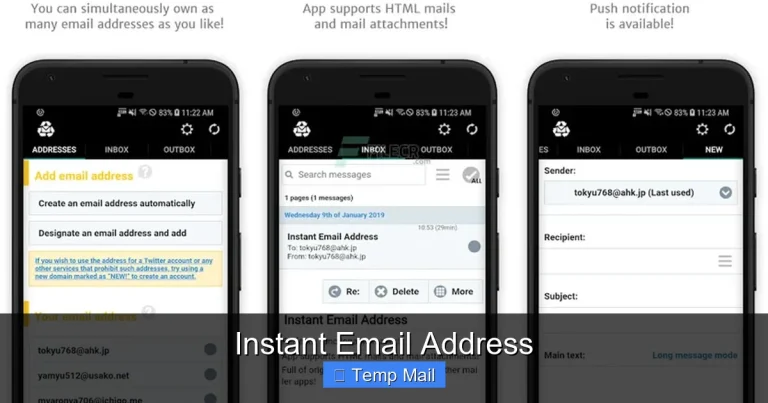
Temporary Email for Developers
Temporary email services provide developers with disposable inboxes for registration, testing, and verification without exposing personal or primary work addresses. They are essential tools for maintaining clean project environments, preventing spam, and safeguarding privacy during development and QA processes. This guide covers their mechanics, top platforms, and ethical implementation strategies.
Let’s be honest: as developers, our email inboxes are often a chaotic mix of project alerts, client communications, newsletter subscriptions we forgot we made, and the occasional “You’ve won a prize!” spam. When you’re building, testing, or prototyping, the last thing you want is to muddy your primary digital identity with transient sign-ups, test verifications, or one-time access codes. This is where the humble yet powerful concept of a temporary email for developers comes into play. It’s not just about avoiding clutter; it’s about workflow hygiene, privacy, and maintaining clean, reproducible development environments.
Think of it as a digital hazmat suit. You’re diving into a potentially messy or unknown system—a new SaaS API, a beta forum, a content gateway. You need to get in, do your job, and get out without leaving a trace or bringing any digital pests back to your main workstation. A disposable inbox provides exactly that: a sacrificial, ephemeral address that lives for 10 minutes, an hour, or a day, and then vanishes without a trace. For the modern developer, whether you’re a frontend engineer testing a third-party auth provider or a DevOps engineer validating a monitoring tool’s alert emails, this tool has become indispensable.
This guide will walk you through everything you need to know about leveraging temporary email services effectively and ethically. We’ll explore the underlying mechanics, survey the best tools in the ecosystem, dive deep into practical implementation for various dev scenarios, and outline the crucial best practices that separate a pro from a novice. By the end, you’ll understand not just how to get a temporary email, but why and when to use one, and how to integrate it seamlessly into your development lifecycle.
Key Takeaways
- Core Purpose: Temporary emails isolate development and testing activities from personal/professional inboxes, preventing clutter and security risks.
- Primary Use Cases: Ideal for user registration tests, API/service verification, QA workflows, and accessing gated content without commitment.
- Spam & Privacy Shield: They act as a firewall, stopping promotional emails and potential data leaks from reaching your main identity.
- Cost-Effective & Accessible: Most services are free, require no setup, and are instantly available via web browser or simple API.
- Integration is Key: Many tools offer browser extensions, APIs, and developer-friendly features like custom domains and email forwarding.
- Security & Ethics: Use them responsibly; they are for legitimate development, not for fraudulent sign-ups or bypassing legitimate paywalls.
- Not for Critical Comms: Never use temporary emails for password recovery, official accounts, or any service requiring long-term access.
📑 Table of Contents
- What Exactly is a Temporary Email Service?
- Why Developers Specifically Need Temporary Email
- Top Temporary Email Services for Developers: A Comparison
- Practical Implementation: How to Use Them in Your Workflow
- Best Practices and Ethical Considerations
- The Future: Beyond Simple Disposability
- Conclusion: Embrace the Ephemeral Inbox
What Exactly is a Temporary Email Service?
At its core, a temporary email service is a web-based platform that generates a random, unique email address on demand. This address is tied to a temporary inbox that you can access directly through the service’s website. The defining characteristics are:
- No Registration Required: You typically do not need to create an account, provide a password, or verify a phone number to use the inbox.
- Ephemeral Lifespan: Inboxes and their messages are automatically deleted after a set period (e.g., 10 minutes, 1 hour, 1 day) or after a certain number of messages.
- Public/Private Options: Some services generate a random address that anyone could theoretically guess or access if they know the URL pattern (public). Others generate a unique, unguessable URL for your private session (private).
- Inbox Auto-Refresh: The web interface constantly polls for new messages, simulating a live inbox experience.
The Technical Underpinnings: How Do They Work?
You might wonder how these services can provide a functioning email address without you owning a domain. They operate through a few common technical models:
1. Catch-All Domain Model: This is the most prevalent. The service owns a domain (e.g., `tempmail.dev`, `10minutemail.com`). They configure the domain’s MX records to point to their mail servers and set up a “catch-all” mailbox. This means any email sent to anything@theirdomain.com will land in a single, massive queue. When you visit the site, it generates a random string (e.g., `x7k9p2@tempmail.dev`) and displays only the emails destined for that specific address by filtering the catch-all queue based on the recipient address. Once your session expires, the filter is discarded.
2. Subdomain/Unique Inbox Model: More advanced services (like some offering APIs) create a unique subdomain or unique inbox identifier for each user session. This provides better isolation and security than a simple catch-all, as your inbox is truly separate from others at the system level.
3. Forwarding Services: Some services act as a proxy. They provide you with a temporary address, but all incoming mail is automatically forwarded to a real email address you do control, but with a unique identifier stripped out. The service then deletes the original. This gives you the benefit of a temporary address with the reliability of your own inbox, but it means the service has access to your real email.
For developers, the catch-all model is the most common and sufficient for most testing needs. The API/unique inbox model is superior for automated scripts and CI/CD pipelines, which we’ll cover later.
Why Developers Specifically Need Temporary Email
It’s not just about avoiding spam from that one time you downloaded an ebook. For developers, temporary email solves acute, daily pain points in the software creation process.

Visual guide about Temporary Email for Developers
Image source: liarsliarsliars.com
1. Clean, Isolated Testing Environments
Imagine you’re building a user registration flow. You need to test email verification, password reset, and notification emails. If you use your real Gmail address for every test iteration, you’ll quickly drown in a sea of “Verify your email for Project X test #47” messages. Your real inbox becomes a contaminated testing ground. With a temporary address, each test cycle gets a fresh, disposable inbox. You can verify the email content, link functionality, and timing without any residual noise. This is critical for QA reproducibility. A new tester can start with a clean slate instantly.
2. Safeguarding Personal & Professional Privacy
How many times have you signed up for a new framework’s forum, a beta testing platform for a hot new tool, or a competitor’s service to see how they do something? Each sign-up is a data point that can be sold, scraped, or leaked. Using your primary work email (`john.doe@company.com`) exposes your employer and your professional identity. Using your personal email exposes your private life. A temporary email creates an air-gapped identity for these exploratory activities. If the service is shady or suffers a breach, only the disposable address is compromised, not your real identity or your company’s domain.
3. Bypassing Gated Content & Rate Limits
Many valuable resources—documentation PDFs, whitepapers, tool downloads—require an email address. Often, you just need the resource once for a specific problem. Providing your real email means you’re now on their marketing list forever. A temporary email lets you ethically access the content without a long-term commitment. Similarly, some free-tier APIs have strict rate limits per email address. For a quick stress test or prototype, a fresh temporary address can give you a clean rate-limit slate (though be sure to read the ToS).
4. Streamlining CI/CD and Automated Scripts
This is a massive, often overlooked use case. Your integration tests might need to simulate a user receiving an email and clicking a link. Your deployment script might need to fetch a one-time password from an email to access a protected repository. Hard-coding a real email address into your CI pipeline is a security risk and a maintenance nightmare if it gets spam. By integrating a temporary email API (from services like MailSlurp, Temp-Mail, etc.), your automated tests can:
- Generate a new disposable address via API call.
- Use that address as the recipient in the test flow.
- Poll the API for incoming messages to that specific address.
- Extract verification links or codes and complete the flow.
- Discard the address after the test, leaving no trace.
This creates fully automated, isolated, and repeatable test suites for any email-dependent functionality.
5. Avoiding “Email Already Exists” Errors in Development
When building a user system, you constantly need to test the sign-up process. If you use your real email, after the first successful sign-up, every subsequent test will fail with “email already registered.” You’re forced to use variations (`john.doe+test1@gmail.com`), which can get messy and aren’t truly fresh. A temporary email gives you a guaranteed new, unique address every single time, eliminating this friction entirely.
Top Temporary Email Services for Developers: A Comparison
Not all disposable inboxes are created equal. For casual, manual use, almost any service will do. For development, automation, and reliability, you need to be more selective. Here’s a breakdown of popular options, categorized by primary use case.

Visual guide about Temporary Email for Developers
Image source: play-lh.googleusercontent.com
For Quick, Manual Browser-Based Testing
- Temp-Mail (temp-mail.org): A classic. Simple, no-frills interface. Generates a random address, shows inbox, auto-refreshes. Lifespan is typically 10 minutes to 1 hour. Good for a quick manual test. Has a browser extension.
- 10MinuteMail (10minutemail.com): The original. The address and inbox are guaranteed for exactly 10 minutes, with a clear countdown timer. Very straightforward. No account needed.
- Guerrilla Mail (guerrillamail.com): Offers a bit more control—you can choose your inbox name from a list, and the inbox lasts 60 minutes. Also includes a basic “send email” function, which can be handy for quick forwards.
- MailDrop (maildrop.cc): Minimalist. Just an address and inbox. No countdown timer shown, but emails are purged after a few hours. Very clean UI.
For Developers & Automation (API/Programmatic Access)
This is the crucial category for serious development work. These services provide RESTful APIs, SDKs, and features designed for code.
- MailSlurp (mailslurp.com): The industry leader for dev-oriented disposable email. Offers a powerful REST API and SDKs for JavaScript, Python, Java, C#, Go, etc. You can create, manage, and query inboxes programmatically. Features include: custom inbox names, email forwarding rules, attachment downloads, webhook notifications for new emails, and even SMS verification codes (in paid plans). Inboxes can be set to last from minutes to days. Excellent documentation.
- Temp-Mail API (temp-mail.io): Provides a free API tier with limited requests. Allows creating inboxes, fetching messages, and deleting them. Simpler than MailSlurp but functional for basic automation. Good for small projects or learning.
- Mailinator (mailinator.com): Primarily known as a public inbox service (anyone can view emails to `anything@mailinator.com`), it also offers a paid “Private Inboxes” tier with API access. These are true private, isolated inboxes. The free public version is not suitable for any sensitive data or private testing since all emails are public.
- SimpleLogin/AnonAddy (simplelogin.io, anonaddy.com): These are primarily email alias services, not pure temporary mail. They let you create unique forwarding aliases for your real inbox. You can delete aliases at any time. This is a fantastic semi-permanent solution for services you might need long-term access to but don’t want to expose your main email. For pure temporary needs, the inboxes are tied to your real account.
Feature Comparison Table
| Service | Best For | API Access | Inbox Lifespan | Cost |
|---|---|---|---|---|
| Temp-Mail | Quick manual checks | No | 10 min – 1 hr | Free |
| 10MinuteMail | Ultra-short manual tests | No | 10 min | Free |
| MailSlurp | Dev/API/CI-CD automation | Yes (REST, SDKs) | Configurable (min to days) | Freemium |
| Mailinator (Private) | Team/private automation | Yes (Paid) | Configurable | Paid |
| SimpleLogin | Semi-permanent aliases | Yes | Until alias deleted | Freemium |
Practical Implementation: How to Use Them in Your Workflow
Knowing the tools is one thing; weaving them into your daily routine is another. Here are concrete, actionable scenarios.
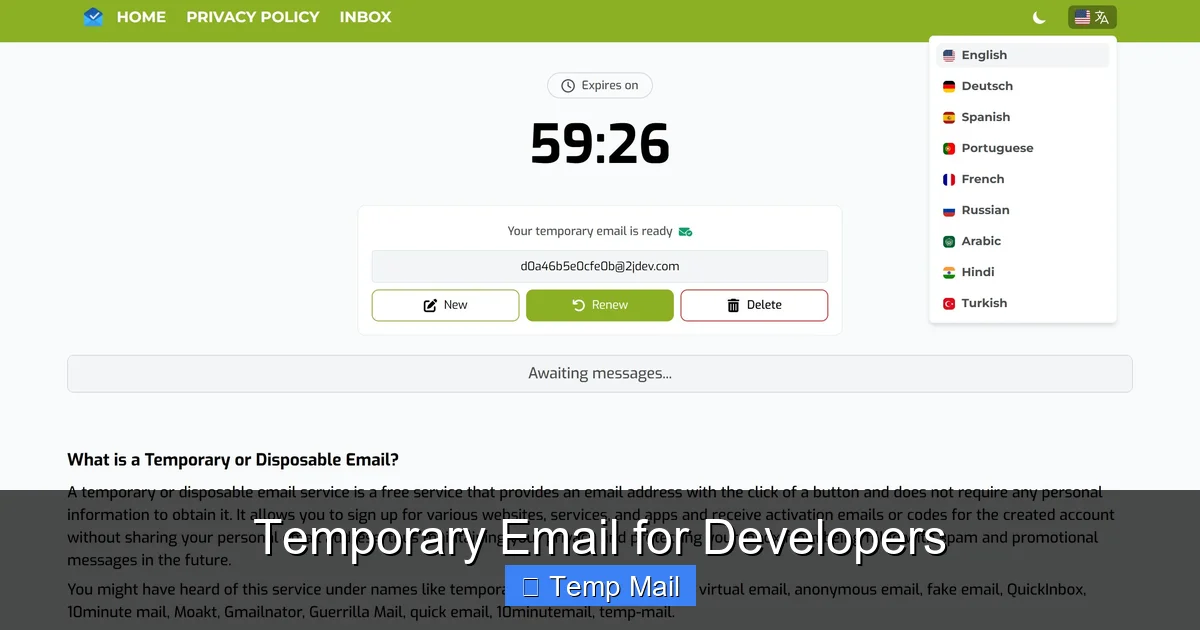
Visual guide about Temporary Email for Developers
Image source: codester.com
Scenario 1: Testing a User Registration & Email Verification Flow
Manual Approach:
1. Navigate to your app’s sign-up page.
2. Open a new tab to `temp-mail.org` (or your preferred service). Copy the generated address.
3. Paste it into the sign-up form, fill other details, submit.
4. Switch back to the temp mail tab. Wait for the “Verify Your Email” message. Click the link.
5. Confirm the user is activated in your app. Close the temp mail tab. Inbox will auto-delete.
Automated Approach (with MailSlurp API):
// Pseudo-code example
const inbox = await mailslurp.createInbox(); // API call creates new inbox
const emailAddress = inbox.emailAddress;
// Use emailAddress in your test's sign-up POST request
await testClient.registerUser(emailAddress, "password123");
// Poll MailSlurp API for messages to this inbox
const email = await mailslurp.waitForLatestEmail(inbox.id, 30000);
const verificationLink = extractLinkFromBody(email.body);
// Visit link to complete verification in test
await testClient.visit(verificationLink);
// Test passes. Inbox will auto-delete based on your settings.
This is clean, repeatable, and leaves zero footprint.
Scenario 2: Accessing a Gated Resource (e.g., a PDF)
You find a fantastic research paper on a tech site requiring an email. Instead of using your real one:
- Open a temporary email tab.
- Get the address.
- Enter it on the resource form.
- Check the temp inbox for the download link.
- Download the file.
- Close the tab. The marketing emails that follow will die with the inbox.
Scenario 3: Managing Multiple Social/Tool Accounts for a Project
Building a social media aggregation tool that needs 5 different Twitter/X, 3 GitHub, and 2 Reddit accounts for testing? Creating these with your personal accounts is messy and risks suspension. Use a different temporary email for each account creation. This keeps the test accounts completely isolated from your real identity and from each other. If one gets flagged, only that disposable identity is affected.
Scenario 4: CI/CD Pipeline for Email-Dependent Features
Your GitHub Actions workflow tests a “invite user” feature that sends an email with an acceptance link.
# .github/workflows/email-test.yml
jobs:
  test-invite:
    steps:
      - name: Create disposable inbox
        run: |
          INBOX_ID=$(curl -X POST https://api.mailslurp.com/inboxes -H "x-api-key: ${{ secrets.MAILSLURP_KEY }}" | jq -r '.id')
          echo "inbox_id=$INBOX_ID" >> $GITHUB_ENV
      - name: Run test that sends invite
        run: npm run test:invite -- --email ${{ env.INBOX_EMAIL }}
        # Your test script fetches INBOX_EMAIL from the API using INBOX_ID
      - name: Fetch and click invite link
        run: |
          # Wait for and fetch email from MailSlurp using inbox_id
          # Extract link, curl it to accept invite
      - name: Cleanup (optional, auto-deletes)
        run: echo "Inbox will auto-delete"
This makes your email-dependent tests first-class citizens in your pipeline.
Best Practices and Ethical Considerations
With great power comes great responsibility. Using temporary email is a tool, and like any tool, it can be misused. Here’s how to be a responsible developer citizen.
The Golden Rule: Use for Legitimate Development & Testing Only
Do not use disposable emails to:
- Create fraudulent accounts on platforms to spam, scrape, or evade bans.
- Bypass legitimate paywalls or subscription models you cannot afford. If you need access for evaluation, request a developer trial or contact the company.
- Sign up for services where you need to recover access. If you forget your password, you’re locked out forever because the inbox is gone. This includes critical services for your project (e.g., cloud provider accounts, domain registrars). Use a real, monitored email for anything requiring account recovery.
- Harvest or abuse free trials by repeatedly signing up with new temp emails to get unlimited free service. This violates Terms of Service and is unethical.
Security Hygiene with Temporary Inboxes
Even though the inbox is temporary, the data within it during its lifespan can be sensitive.
- Never use a temporary email for two-factor authentication (2FA) on an important account. If you need to set up 2FA, use an authenticator app (TOTP) or your real, secure email.
- Be cautious with links. While the inbox is isolated, the websites you visit from those links are not. The temp email service itself could be malicious (stick to reputable names from this guide).
- Don’t paste real passwords or API keys into forms that will email them to you in plain text. If a service emails you your password upon sign-up, that service has terrible security; avoid it entirely.
- Use private/unique session URLs when available, not the public catch-all type, to prevent anyone else from stumbling into your test inbox if they guess the address.
Integration Tips for a Smooth Experience
- Bookmark Your Go-To Service: Keep a bookmark folder for “Dev Tools” with your preferred 2-3 temporary email sites.
- Use Browser Extensions: Services like Temp-Mail offer extensions that put a disposable address generator in your toolbar. One click, copy, paste.
- For Teams: If your team is doing coordinated testing (e.g., testing a new shared feature), coordinate inbox usage to avoid collisions. Better yet, use an API-based service where each tester/CI job gets a unique, programmatically generated inbox.
- Document in Your Project README: If your project requires testers to sign up for a third-party service, note in the setup guide: “Use a temporary email address for registration. Do not use your personal or work email.”
- Know When to Upgrade: If you find yourself needing more control (longer inbox life, custom domains, webhooks), it’s a sign to move from free public services to a paid API plan like MailSlurp. The cost is worth the reliability and features for professional development.
The Future: Beyond Simple Disposability
The landscape is evolving. The next step beyond “temporary” is intelligent, programmable identity management.
Email Aliasing Services (like SimpleLogin, AnonAddy, Firefox Relay) represent a mature middle ground. They don’t delete after 10 minutes; they create a unique, forwardable alias that you can delete at will. You can use `myproject-alias@simplelogin.co` for a service, receive emails in your real Gmail, and one-click revoke the alias if spam starts. This is perfect for long-lived test accounts or services you use occasionally but don’t trust with your main email. The alias acts as a revocable firewall.
Dedicated “Dev” Email Domains Some advanced teams register a cheap domain (e.g., `myproject-dev.com`) and use it with a catch-all mailbox exclusively for development and testing. They can then use addresses like `testuser1@myproject-dev.com`, `api-test@myproject-dev.com`. This provides full control, no third-party reliance, and a professional look. The downside is management overhead.
The trend is towards developer experience (DX). Tools are adding built-in support for disposable emails. Some CI/CD platforms and testing frameworks are beginning to integrate with services like MailSlurp directly. The goal is to make creating and managing these ephemeral identities as simple as a single function call in your test suite, removing all manual friction.
Conclusion: Embrace the Ephemeral Inbox
The temporary email for developers is more than a spam-fighting convenience; it’s a fundamental component of a secure, organized, and professional development practice. It enforces separation of concerns between your personal identity and your professional experimentation. It protects your privacy in an era of data harvesting. It unlocks reliable, automated testing for email-centric features that was previously clunky and insecure.
Start by adopting a simple browser-based service for your manual sign-ups today. If you write automated tests or manage CI pipelines, invest a few hours in integrating an API-based service like MailSlurp. The initial time investment pays for itself immediately in cleaner inboxes, more reproducible tests, and greater peace of mind.
Remember the ethics: use this power to build and test, not to deceive or abuse. By doing so, you not only improve your own workflow but contribute to a healthier, more secure internet for everyone. Now, go forth and test fearlessly—your real inbox will thank you.
Frequently Asked Questions
Is using a temporary email legal?
Yes, using a disposable email service is completely legal. These services operate openly and are used by millions for legitimate privacy and testing purposes. The legality depends on how you use it; using it for fraud, hacking, or violating a service’s Terms of Service is illegal, not the tool itself.
Are temporary emails secure and private?
Reputable services are secure for their intended purpose. Your temporary inbox is typically isolated from others. However, you must trust the service provider not to log your activity. Never use them for highly sensitive communications (e.g., sharing passwords, financial info). The “privacy” is in the ephemeral nature—the data disappears—but the service operator could theoretically see emails in transit. For sensitive dev work, use a private-inbox API service with a good reputation.
What’s the best temporary email service for automated testing?
For automated testing and CI/CD, MailSlurp is widely regarded as the best. It offers a robust REST API, multiple SDKs, webhook support, and configurable inbox lifespans. It’s built specifically for developers. Temp-Mail.io’s API is a good free-tier starting point for simpler needs.
Can I reuse the same temporary email address?
Generally, no. Most services generate a unique, random address per session. Once you close the browser tab or the session expires, that specific address is usually purged and cannot be retrieved. Some services with account systems (like SimpleLogin) let you reuse aliases you’ve created, but true “temporary” inboxes are single-use.
How do I integrate a temporary email API into my JavaScript test?
Sign up for an API service like MailSlurp to get an API key. Use a standard HTTP client (axios, fetch) to call their `createInbox` endpoint. Store the returned `emailAddress` and `id`. Use the address in your application’s sign-up flow. Then, poll the `getMessages` endpoint using the `id` to wait for the verification email, extract the link, and complete the test. Their documentation provides exact code snippets.
Should I use a temporary email for my personal website’s contact form?
No. For any permanent service, project, or account where you need to receive important, long-term communications (like your own website’s contact form, cloud service alerts, or domain renewals), always use a real, monitored email address that you control permanently. Temporary emails are for transient, test, or one-time-access scenarios only.