Temporary Email Secure Login
Temporary email secure login uses disposable email addresses to sign up for websites without revealing your primary email. This powerful privacy tool helps you bypass spam, reduce data exposure, and protect your identity online. By understanding its proper use and limitations, you can significantly enhance your digital security footprint while maintaining anonymity for non-critical accounts.
Have you ever hesitated to sign up for a free online tool, a newsletter, or a forum because you didn’t want to hand over your primary email address? You’re not alone. In today’s digital landscape, our email addresses are often the master key to our online identities—and a prime target for spam, data brokers, and phishing attacks. This is where the concept of a temporary email secure login enters the picture as a strategic privacy-enhancing tool. It’s not about being paranoid; it’s about being prudent. Think of it as using a burner phone for a specific, short-term task instead of giving out your personal mobile number. This comprehensive guide will walk you through everything you need to know about using disposable email addresses for secure, anonymous logins, from how they work to the critical safety rules you must follow.
Key Takeaways
- Anonymity First: Temporary emails create a shield between your real identity and online services, preventing your primary inbox from being flooded with promotional or malicious emails.
- Spam and Phishing Defense: They act as a dedicated filter, containing all unwanted correspondence to a disposable address that can be instantly discarded.
- Security is a Double-Edged Sword: While they protect your main identity, the temporary inbox itself often lacks robust security, so never use them for banking, primary social media, or any account containing sensitive personal or financial data.
- Ephemeral by Design: These addresses are short-lived, typically expiring after a set period (e.g., 10 minutes to 24 hours) or a limited number of emails, making them unsuitable for long-term account recovery.
- Provider Reliability Varies Widely: The security of your temporary login depends entirely on the provider’s practices. Choose services with clear no-logs policies, HTTPS encryption, and transparent data retention policies.
- Not for Critical Verification: Many essential services (like government portals, major banks, or password recovery for your main email) explicitly block known temporary email domains, recognizing their use for circumventing accountability.
- Best Used Strategically: The ideal use case is for one-time sign-ups, downloading free resources, accessing gated content, or testing services where you require an email but have zero intention of maintaining a lasting relationship with the platform.
📑 Table of Contents
- What Exactly is a Temporary Email Secure Login?
- How the Temporary Email Login Process Works: A Step-by-Step Guide
- Top Use Cases: When to Reach for a Disposable Email
- Critical Security Considerations and Potential Risks
- Choosing a Reliable Temporary Email Provider
- Best Practices for Safe and Effective Usage
- The Future and Ethical Considerations
- Conclusion: A Powerful Tool in the Right Hands
What Exactly is a Temporary Email Secure Login?
A temporary email secure login refers to the process of using a disposable, throwaway email address—generated instantly from a specialized web service—to register for an online account or verify an email address. The “secure” part of the phrase is nuanced. The security isn’t in the temporary inbox itself (which is often minimalist and lacks features like strong passwords or 2FA), but in the privacy and isolation it provides for your permanent digital identity.
The Core Principle: Digital Segregation
At its heart, this practice is about creating a clean, isolated compartment. When you use a temporary email from a provider like Temp-Mail, 10MinuteMail, or Guerilla Mail, you are creating a new, unique email address that:
- Is Not Linked to You: It has no connection to your name, your primary email, your phone number, or your other online accounts.
- Is Short-Lived: It will self-destruct after a predetermined time (often 10 minutes, 1 hour, or 1 day) or after receiving a set number of messages.
- Has No Value Beyond Its Task: Once its purpose is served—say, you’ve clicked the verification link for that free ebook—you simply close the browser tab. There is no account to delete, no password to change. The address and all its history vanish into the digital ether.
This is fundamentally different from creating a “secondary” email account with a provider like Gmail or Outlook. A secondary account is still a permanent, secure, and feature-rich email address tied to a login you must manage. A temporary email is a single-use tool, more akin to a digital receipt that you throw away immediately after use.
How the Temporary Email Login Process Works: A Step-by-Step Guide
The mechanics are beautifully simple, which is part of their appeal. Here is the typical workflow for a temporary email secure login:

Visual guide about Temporary Email Secure Login
Image source: yoast.com
Step 1: Generation
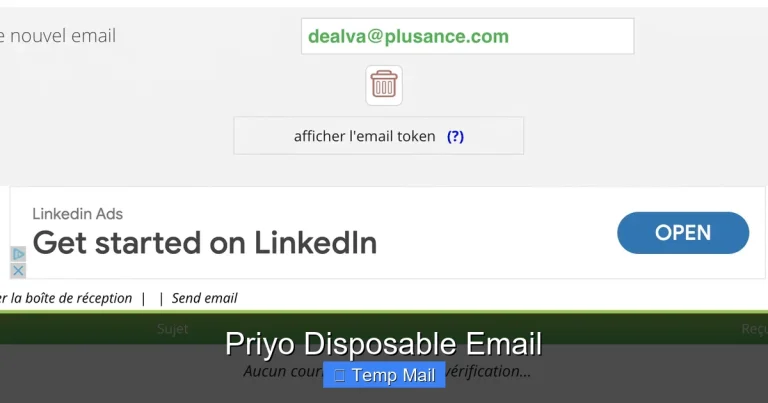
You navigate to a temporary email service website. Upon loading, the site automatically generates a random email address for you (e.g., abc123@tempmail.demo) and displays it prominently. It also opens a web-based inbox interface right on the same page. No registration, no CAPTCHA, no personal details required.
Step 2: Usage
You copy this generated address and paste it into the sign-up or verification form of the website or service you want to access. You then proceed to complete the registration with any other required (but non-sensitive) information.
Step 3: Verification
The service you signed up for sends a verification email to your temporary address. Because the inbox is already open on the temporary email provider’s site, you will see the new email appear in real-time. You click the verification link directly from that inbox, thereby activating your new account on the target site.
Step 4: Inbox Monitoring (If Needed)
If the service sends a welcome email or a download link, you can access it from the temporary inbox. Once you have what you need, you simply stop interacting with the temporary inbox.
Step 5: Automatic Expiration
The temporary email address and all contained messages are automatically deleted by the provider after the allotted time. The address is then recycled and given to a new user. Your digital trace on that specific service is now isolated to a non-existent email address.
Practical Example: Imagine you find a fantastic free template on a design website that requires an email sign-up. You don’t want their weekly newsletter cluttering your main inbox. You go to a temp mail site, get an address, sign up, receive the download link, grab the file, and close the tab. An hour later, that email address is gone. The design site has an active account linked to an address that no longer exists, effectively severing the communication channel.
Top Use Cases: When to Reach for a Disposable Email
Knowing when to use a temporary email is just as important as knowing how. Its value is maximized in specific, low-stakes scenarios.

Visual guide about Temporary Email Secure Login
Image source: anonymmail.net
1. Accessing Gated Content and Lead Magnets
This is the most common and perfectly suited use case. Blogs, consultants, and SaaS companies often require an email address to unlock an ebook, whitepaper, webinar recording, or discount code. Using a temporary email allows you to respect their gate while protecting your inbox from their marketing sequences.
2. One-Time Sign-Ups for Trials or Tools
You want to try a new software, app, or online service with a free trial. Providing your primary email often leads to a barrage of upgrade prompts and newsletters even after you cancel. A disposable email contains this noise to a single, discardable channel.
3. Forum or Community Registration
Some online forums or comment sections require email verification. If it’s a community you plan to engage with actively and trust, use your real email. If it’s a one-off question on a technical forum or a temporary discussion group, a temp mail address is ideal.
4. Downloading from File-Sharing or “Suspicious” Sites
Sites that host files with aggressive download buttons and multiple redirects often harvest emails for spam. Using a temporary address lets you get the file without signing up for a lifetime of unwanted emails.
5. Testing Email Functionality
Developers and QA testers use temporary emails to test registration flows, password resets, and notification systems without polluting real user accounts or needing to create countless test accounts.
What to AVOID Using Temporary Email For:
- Primary Email Accounts: Your main Google, Apple, Microsoft, or ProtonMail account.
- Financial Services: Banks, PayPal, cryptocurrency exchanges, stock trading platforms.
- Critical Password Recovery: Never use a temp mail as the recovery email for any important account. If you lose access to your main account, you’ll be locked out forever because the recovery address no longer exists.
- Government or Official Services: Tax agencies, healthcare portals, official document services.
- Any Service You Want Long-Term Access To: Social media profiles you care about, professional networking sites, subscription services you intend to keep.
Critical Security Considerations and Potential Risks
While powerful for privacy, temporary email services are not a silver bullet for security. Understanding their limitations is non-negotiable for safe usage.

Visual guide about Temporary Email Secure Login
Image source: muracare.com
The Illusion of “Secure” in the Inbox
Most temporary email providers do not offer end-to-end encryption for the inbox itself. The emails are stored in plaintext on their servers. A malicious actor who compromises the provider’s system could, in theory, read all emails passing through. Furthermore, many providers display your inbox publicly on a unique URL; if someone else gets that URL, they can see your verification emails. Always close the browser tab after you’re done.
No Sender Authentication (SPF/DKIM/DMARC)
Because the domain is temporary and not properly configured, emails from these addresses often fail SPF (Sender Policy Framework) and DKIM (DomainKeys Identified Mail) checks. Some sophisticated receiving servers may flag or block these emails as potential spoofing attempts, causing your verification email to never arrive.
Data Retention and Logging Policies
This is the biggest wild card. While the address is deleted from public rotation, the provider may keep logs of IP addresses used to access the inbox and the emails received for a period of time, depending on their jurisdiction and privacy policy. A provider based in a country with strict data retention laws could be compelled to hand over logs. Always check the provider’s privacy policy—look for clear statements about “no logs” of email content and access.
The Man-in-the-Middle Risk on Insecure Connections
If you access a temporary email service over HTTP instead of HTTPS (look for the padlock in your browser), your connection is unencrypted. Anyone on your local network (like public Wi-Fi) could intercept the session and see the emails you receive. Only use providers that enforce HTTPS.
Choosing a Reliable Temporary Email Provider
Not all temp mail services are created equal. Some are ad-laden and poorly maintained, while others prioritize user privacy. Here’s what to look for:
Essential Features for a “Secure” Provider
- HTTPS-Only Access: Mandatory. No exceptions.
- No Registration Required: The entire point is anonymity. If they ask for an email or phone to “create an account,” run away.
- Clear Privacy Policy: Must explicitly state they do not log, store, or share email content. They should also state how long they retain metadata (like IP logs), with a preference for immediate deletion.
- Domain Variety: Good providers offer multiple domain options (e.g., @tm-mail.com, @guerrillamail.com). If one domain gets blocked by a site you’re trying to sign up for, you can switch to another.
- Reasonable Lifespan: 10 minutes is too short for many verifications. 1 hour or 1 day is a good range. Some offer “custom” expiration if you need a bit more time.
- Ad-Free or Minimal, Non-Tracking Ads: If the site is supported by ads, they should be static and not loaded with invasive tracking scripts. Excessive pop-ups and video ads are a red flag for a low-quality, potentially malicious service.
Popular Providers and Their Profiles
Temp-Mail: One of the most user-friendly. Offers multiple domains, a browser extension, and an API. Generally reliable for basic use. Guerilla Mail: The veteran. Very simple, includes a basic compose function (to reply), and has been around for years. Its simplicity is its strength and weakness. 10MinuteMail: The original. Extremely straightforward—10-minute timer is its defining feature. Good for very quick tasks. Maildrop: Focuses on simplicity and privacy. No frills, clean interface, clear privacy stance.
Pro Tip: Keep 2-3 trusted providers bookmarked. If a website blocks the domain from one, try another. This is a common tactic sites use to combat spam.
Best Practices for Safe and Effective Usage
To master temporary email secure login, adopt these habits:
1. Never Use for Anything Important
This cannot be overstated. The rule of thumb: if you would be upset if you lost access to the account, do not use a temporary email. No exceptions for financial, identity-linked, or primary communication accounts.
2. Use a Separate Browser or Incognito Window
To maximize anonymity, open your temporary email service in a fresh incognito/private browsing window. This prevents any existing cookies or browser fingerprints from your regular browsing from being associated with the temporary session. For the ultra-paranoid, use a separate browser profile dedicated solely to temp mail activities.
3. Copy, Paste, and Forget
Once you’ve received the verification email and completed the necessary action (clicked the link, downloaded the file), close the entire browser tab or window containing the temporary inbox. Do not leave it open in the background. This prevents accidental exposure if you share your screen or if someone walks up to your computer.
4. Check the Provider’s Domain Blocklist First
Some services maintain public lists of blocked temporary email domains. Before you go through the sign-up process, you can sometimes check if the domain you plan to use (e.g., @guerrillamail.com) is blocked by the target site. This can save you time.
5. Combine with a VPN for Enhanced Anonymity
Using a reputable VPN service masks your real IP address from the temporary email provider. This adds a layer of anonymity, preventing the provider (or anyone who might later access its logs) from seeing your approximate geographic location or ISP. This is a best practice for any privacy-conscious activity online.
6. Understand the “Reply” Functionality
Some temporary services allow you to send replies from the disposable address. Be cautious. The reply will come from the temporary domain, which the recipient may immediately recognize as disposable. This can be fine for a one-off query but is unprofessional for business communication. More importantly, the reply path is not secure and should not be used for sensitive information.
The Future and Ethical Considerations
The arms race between privacy tools and platforms seeking accountable users is ongoing. As temporary email services evolve, so do the countermeasures:
Advanced Blocking Techniques
Websites now employ more sophisticated detection methods beyond simple domain blacklists. They analyze email address patterns, check MX (mail exchange) records in real-time, and use behavioral analysis (e.g., does the email address resolve to a real, active inbox within seconds?). This means some newer or less reputable temp mail services may simply not work with certain modern platforms.
The Accountability Argument
Critics argue that disposable emails facilitate abuse: spam, fraud, malicious account creation, and evading bans. This is a valid concern. Platforms have a legitimate interest in having a verifiable, persistent point of contact to enforce Terms of Service and communicate important security updates. This is why critical services will never accept them.
The Privacy Advocate’s View
For privacy advocates, the temporary email is a fundamental tool for data minimization—a core principle of regulations like GDPR. It allows users to exercise their right to protect their personal data (their primary email address) from unnecessary collection and processing. The ethical use lies in employing it for its intended purpose: low-stakes, non-committal interactions where the user has no intention of forming an ongoing relationship with the service provider.
The future will likely see more robust, privacy-centric email forwarding services that offer better security (like PGP encryption) and longer, user-controlled lifespans, blurring the line between a “temporary” and a “secondary” secure email. For now, the classic disposable inbox remains a vital, if blunt, instrument in the privacy toolkit.
Conclusion: A Powerful Tool in the Right Hands
A temporary email secure login is not about hiding malicious activity; it’s a pragmatic defense against the relentless data harvesting and attention economy that defines the modern web. It’s a way to say, “I’ll give you an email to access this thing, but I’m not giving you the keys to my digital house.” By understanding its mechanics—the simple generation, the automatic expiration—and its critical limitations—the lack of inbox security and the prohibition for important accounts—you can wield this tool effectively.
Incorporate it into your digital hygiene routine. Before you click “Sign Up” on any website that feels even slightly promotional or non-essential, pause. Ask yourself: “Do I want this entity to have my permanent email?” If the answer is no, reach for a temporary email. Use it, get what you need, and let it vanish. In doing so, you take a small but significant step toward reclaiming control over your online identity and keeping your primary inbox a sanctuary for communication that truly matters.
Frequently Asked Questions
Is using a temporary email address legal?
Yes, using a disposable email service is completely legal in virtually all jurisdictions. It is a legitimate tool for privacy protection. However, using it to commit fraud, evade legal obligations, or send illegal content is, of course, illegal regardless of the email type used.
Can a temporary email be traced back to me?
Generally, no direct trace exists because you don’t provide personal information to create it. However, indirect traces like your IP address may be logged by the temporary email provider. If you access it over a non-secure connection or without a VPN, your ISP and network owner can see you accessing that specific service. For high anonymity, use HTTPS and a VPN.
What happens if I need to reset a password for an account I signed up with a temporary email?
You will be unable to reset the password. The password reset email will be sent to the temporary address, which by then will be expired and deleted. This is why the cardinal rule is: never use a temporary email for any account you need to keep long-term or that contains valuable data.
Do temporary email services store my emails or IP address?
It depends entirely on the provider’s privacy policy. Reputable services state they do not store email content after deletion and may keep minimal access logs (like IP addresses) for a very short period for abuse prevention. Always review the policy of your chosen provider. Assume that any access to the inbox could be logged.
Why would a website block a temporary email domain?
Websites block disposable email domains to combat spam, fake account creation, fraud, and abuse. They want a persistent, accountable user. By blocking known temp mail domains, they raise the friction for users who want to remain anonymous, ensuring that sign-ups come from people using real, monitored email addresses.
Are there any truly secure temporary email services?
“Truly secure” is a high bar. No temporary email offers the robust security of a paid, encrypted email service like ProtonMail. The best you can find are providers that enforce HTTPS, have a clear no-logs policy for email content, and offer multiple domains. Their security model is based on ephemerality and isolation, not encryption of the mailbox itself. For true security, use a dedicated secure email service, not a disposable one.