Temporary Email Web App
A temporary email web app is your digital bodyguard. It creates a short-lived, anonymous email address to shield your primary inbox from spam, data breaches, and unwanted marketing. Use it for any online service you don’t fully trust, keeping your real identity and mailbox clean and secure with zero setup required.
Key Takeaways
- Privacy Shield: A temporary email web app acts as a protective barrier, preventing your primary email address from being collected, sold, or exposed in data breaches.
- Spam annihilation: By using a disposable address for sign-ups and downloads, you effectively cut off the main source of promotional and malicious emails to your real inbox.
- No commitment: These addresses are designed to be used once and discarded. There are no passwords to remember, no accounts to manage, and no long-term obligations.
- Simple & Instant: The entire process—from generating a new email address to receiving a message—takes seconds, requiring no software installation or personal details.
- Use with Discernment: Ideal for non-critical tasks like accessing gated content or forum registration. Never use it for essential accounts (banking, primary cloud storage) where password recovery is vital.
- Not for Illicit Activity: These tools are for privacy, not anonymity for illegal acts. Reputable services comply with legal requests and have usage policies.
[FEATURED_IMAGE_PLACEHOLDER]
📑 Table of Contents
- What Exactly is a Temporary Email Web App?
- Why You Need a Disposable Email Address: The Core Use Cases
- The Clear Advantages: Why Disposable Email Wins
- The Important Caveats and Limitations
- How to Choose a Good Temporary Email Web App
- The Future: Disposable Email in a Privacy-First World
- Conclusion: Embrace the Ephemeral
What Exactly is a Temporary Email Web App?
Let’s talk about your email inbox. For most of us, it’s a digital diary, a filing cabinet, and a communication hub all rolled into one. It holds everything: the receipt for your new coffee maker, a password reset link for an old blog, the newsletter you accidentally signed up for in 2015. It’s a mess, and that mess is largely because your primary email address is the universal key to the internet. Every website, every app, every free download asks for it. But what if you could have a different key for every lock? A key that vanishes after you’ve opened the door? That’s the core promise of a temporary email web app.
At its heart, a temporary email web app is a simple, browser-based service that provides you with a random, disposable email address for a short period—usually 10 minutes to a few hours. You don’t sign up. You don’t set a password. You simply visit the website, and an address like randomstring@service.com is generated for you. You use that address anywhere you need an email but don’t want to use your real one. Then, you can view any incoming messages directly on the service’s webpage, and when the timer expires, the address and all its messages are permanently deleted. It’s like using a burner phone, but for email.
How It Works: The Magic Behind the Disposable Inbox
The technology is surprisingly straightforward. When you visit a temporary email web app, its backend system dynamically creates a new mailbox on its mail server with a random, unique local part (the part before the @). This mailbox is isolated and has no connection to any user account because there are no user accounts. The service assigns it a domain it controls (like @tempmail.demo or @10minutemail.com) and displays the full address to you.
When an email is sent to that address, the mail server receives it, stores it temporarily in that specific, isolated mailbox, and makes it available for you to read via a web interface. The web interface is essentially a lightweight, secure viewer into that specific mailbox folder. It doesn’t use IMAP or POP3 protocols you’d use with Outlook or Thunderbird; it’s a direct, internal connection. Once the preset time limit is reached, the server’s automated scripts ruthlessly purge that mailbox and all its contents, reclaiming the storage space and making the email address unavailable for reuse. The randomness of the address generation ensures that even if someone guessed your temporary address, the window to use it is infinitesimally small.
Why You Need a Disposable Email Address: The Core Use Cases
You might be thinking, “I just use a separate ‘junk’ email for this stuff.” That’s a good start, but a dedicated temporary email web app is a different, more powerful tool. A “junk” email is still your email. It’s tied to your identity, it can be recovered if hacked, and over time, it still accumulates spam that you have to manually delete. A disposable address is ephemeral by design. Let’s explore the perfect scenarios for using one.
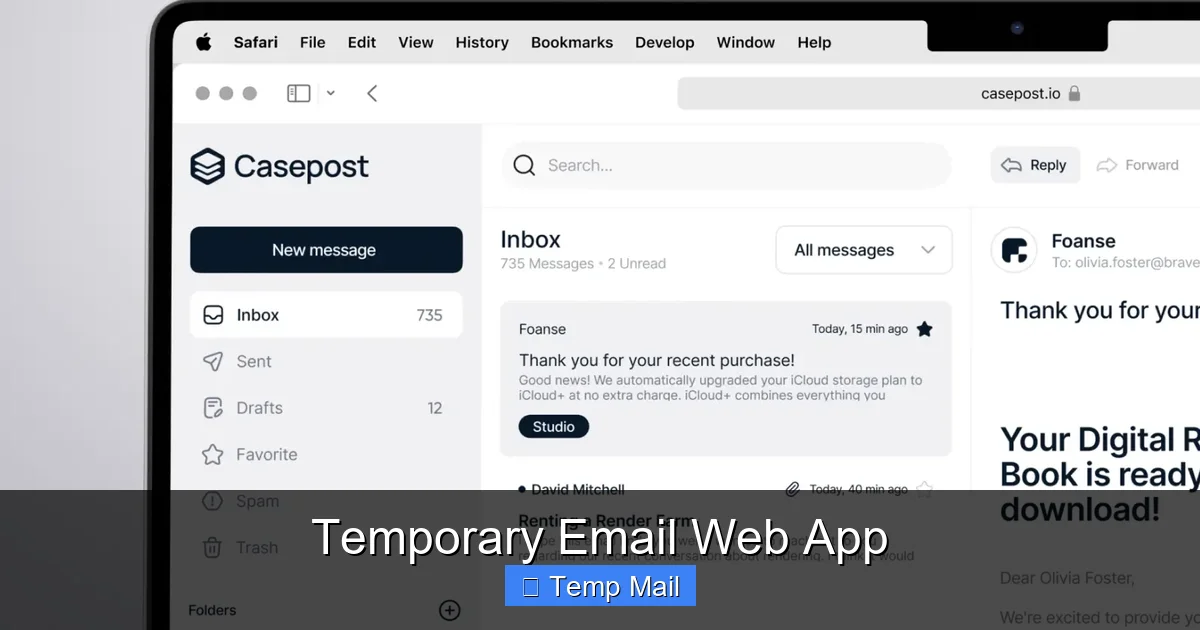
Visual guide about Temporary Email Web App
Image source: cdn.dribbble.com
1. Bypassing Gated Content & “Free” Downloads
How many times have you wanted to read a whitepaper, download a template, or access a “free” e-book, only to be stopped by a form demanding your email? These lead magnets are valuable, but the business behind them often sees your email as the primary product—to be added to a sales list. Using your main address here is a direct trade. Using a temporary email web app lets you get the content you want immediately, with zero commitment and zero risk of future spam from that specific source. The moment you’ve downloaded the file, the address has served its purpose.
2. Registering for One-Time Services or Trials
Want to test a new SaaS tool for 14 days without a sales call? Need to create an account on a forum you’ll only visit once? These sign-ups often trigger automated welcome sequences, promotional emails, and notifications you’ll never read. A disposable address catches all that initial flood of communication. When the trial ends or your forum question is answered, the address dies, and so does the associated email thread. No unsubscribe links necessary.
3. Protecting Yourself from Data Breaches and Spam Networks
This is the big one. Every time you enter your email on a website, you’re trusting that company’s security. We’ve all seen the news: a major retailer, a popular app, a gaming platform—all get hacked, and user databases, including email addresses, are leaked. Those addresses then become gold for spammers and phishing attackers. By using a unique, temporary address for each non-essential site, you contain the blast radius. If that site is breached, only that single disposable address is compromised. Your primary inbox, linked to your bank, social media, and family, remains blissfully unaware and safe. It’s a practice in digital hygiene called “email aliasing,” but without the need to set up and manage the alias through a paid service like SimpleLogin or Firefox Relay.
4. Testing and Development
For developers and QA testers, temporary email web apps are indispensable. Need to test an app’s email verification flow? A password reset process? You can trigger dozens of test emails to a temporary address without cluttering a real mailbox or worrying about cleaning up after the test run. It’s a clean, repeatable, and efficient workflow tool.
The Clear Advantages: Why Disposable Email Wins
Choosing to use a temporary email web app over your primary address or even a secondary “junk” account comes with a host of compelling benefits that directly translate to a better, safer online experience.
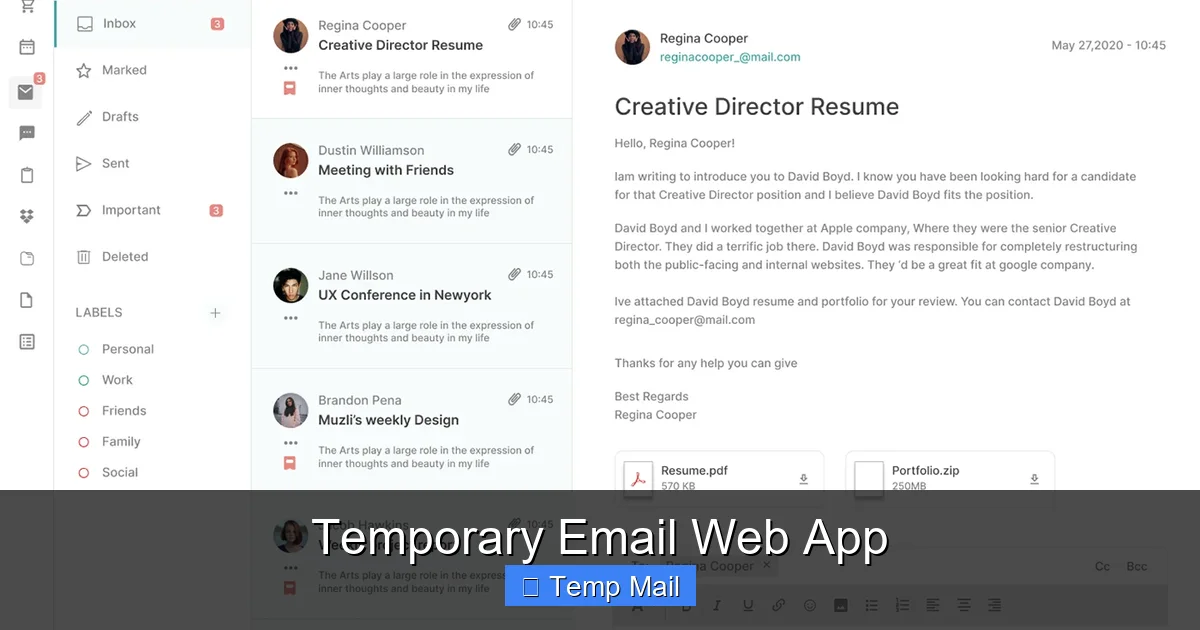
Visual guide about Temporary Email Web App
Image source: mir-s3-cdn-cf.behance.net
- Unmatched Simplicity: There is no faster way to get an email address. No CAPTCHAs, no password creation, no verification steps. Click, copy, paste. That’s it. The barrier to entry is zero.
- Absolute Inbox Zero for Your Real Address: Your primary inbox becomes what it should be: a place for communication with people and services you genuinely care about. No more sifting through “20% Off!” newsletters from a store you shopped at once in 2018.
- Enhanced Security & Privacy: You are not providing your real identity to a service that may not need it. You are creating a layer of anonymized separation. This drastically reduces your digital footprint and the amount of personal data linked to your core identity floating around the web.
- Automated Cleanup: The self-destructing nature of these addresses means you don’t have to do the cleanup. The service handles the purge automatically. No manual deletion, no unsubscribe fatigue.
- Cost-Effective: The vast majority of temporary email web apps are completely free. They are supported by minimal, non-intrusive advertising on their interface. You get a powerful privacy tool at no monetary cost.
The Important Caveats and Limitations
No tool is perfect, and a temporary email web app has very specific, intentional limitations. Understanding these is crucial for using it effectively and safely.

Visual guide about Temporary Email Web App
Image source: cdn.dribbble.com
They Are Not for Important Accounts
This is the golden rule. Never, ever use a temporary email for any account where recovery or long-term access is critical. This includes:
- Banking and financial services
- Primary cloud storage (Google Drive, iCloud, Dropbox)
- Your main social media profiles
- Government or tax-related services
- Any service where you might need to reset a password years later
If the service goes down or you get locked out, your account—and potentially your data—is gone forever because you cannot access the email to recover it. The disposable address is the key, and it has been thrown away.
Inability to Send Emails (Usually)
Most temporary email services are receive-only. They are designed as a drop-box for you to retrieve verification codes and links. You typically cannot compose and send an email from a disposable address. Some advanced services may offer limited sending, but it’s not the norm and is often restricted to prevent abuse.
Potential for Blocking
Some websites and platforms actively block known disposable email domains. They do this to prevent fraud, spam account creation, and abuse. If you try to sign up with an address from @temp-mail.org on a high-security platform like certain banking apps or major social networks, it may be rejected outright. This is a feature, not a bug, from their perspective. For the casual user, it just means you might need to try a different temporary service if one domain is blocked.
A Note on Security and Privacy of the Service Itself
While you are hiding your identity from the website you’re signing up for, you are placing trust in the temporary email provider. The provider can technically see all emails passing through their system. Reputable services have clear privacy policies stating they do not log, mine, or share the content of emails. However, it’s a matter of trust. For highly sensitive operations (like whistleblowing), a self-hosted email server or a more robust, encrypted alias service would be more appropriate. For avoiding spam on retail sites, the standard web app is perfectly adequate.
How to Choose a Good Temporary Email Web App
Not all disposable email services are created equal. While the core function is similar, user experience, reliability, and features can vary. Here’s what to look for when selecting your go-to tool.
Domain Variety and Longevity
Check how many domain options the service offers (e.g., @tempmail.com, @10minutemail.net, @guerrillamail.com). More domains mean a lower chance of a particular domain being blocked by a website you’re trying to access. Also, look at the advertised inbox lifetime. Is it 10 minutes? 1 hour? 24 hours? For most tasks, 10-60 minutes is sufficient. Longer lifetimes (like 24 hours) can be useful if you know an email might be delayed in arriving.
User Interface and Experience
A good temporary email web app should be clean, fast, and ad-light. You want to be able to see your inbox, refresh it, and click on emails to view them with minimal friction. Avoid services that bombard you with pop-ups, misleading download buttons, or adult advertisements. These not only degrade the experience but can also be security risks in themselves.
Additional Features to Consider
- Custom Local Part: Some services allow you to choose the first part of the address (e.g.,
mytest123@service.com). This can make it easier to remember or identify for a specific purpose. - Reply Functionality: Rare but useful. A few services allow you to reply to an email received at the disposable address. This is handy if a company sends a “please confirm” email and you need to send a quick “yes.”
- API Access: For developers, some services offer a simple API to generate and manage disposable addresses programmatically for testing purposes.
- No-JS Mode: For the privacy-conscious, a service that works without JavaScript (which can be used for tracking) is a plus.
Popular and Reputable Options
While I won’t endorse one over another, established names in this space include Temp-Mail, 10 Minute Mail (the original), Guerrilla Mail, and Mailinator (which offers both public and private inboxes). Stick with well-known, widely used services. They have the infrastructure to be reliable and are less likely to disappear overnight or engage in shady data practices.
The Future: Disposable Email in a Privacy-First World
The rise of the temporary email web app is a symptom of a larger shift. As data privacy becomes a mainstream concern—fueled by regulations like GDPR and CCPA—and as users become savvier about digital footprints, the demand for on-demand, throwaway identity tools will only grow. We’re already seeing this concept evolve beyond email.
Browser-based “private browsing” modes, VPN services, and password managers with built-in alias generators (like those from 1Password or Dashlane) are all part of the same ecosystem: tools that give you control. The future likely holds tighter integration. Imagine your password manager seamlessly suggesting and auto-filling a unique, disposable email address every time you encounter a sign-up form, and then automatically monitoring that inbox for you within the same secure vault. The line between a simple “temp mail” site and a comprehensive privacy suite will blur.
Furthermore, as AI-powered spam and phishing become more sophisticated, the value of isolating your primary identity from the vast, untrusted majority of the web becomes undeniable. The temporary email web app is a low-tech, high-impact solution to a high-tech problem. It’s a pragmatic, immediate action anyone can take to reclaim their inbox and, by extension, a piece of their digital peace.
Conclusion: Embrace the Ephemeral
In the grand scheme of your digital life, your primary email address is one of your most valuable assets. It’s the master key. Treating it as such—guarding it jealously and only using it for the most important, trusted relationships—is a fundamental step toward robust online hygiene. A temporary email web app is not a tool for paranoia; it’s a tool for precision. It allows you to use the internet freely, to access resources, to test services, and to engage where you want, without leaving a permanent, connected trail back to your core identity.
The next time you see an email field on a form you’re unsure about, pause. Ask yourself: “Is this relationship worth my real email?” If the answer is no, open a new tab, visit your preferred temporary email service, and generate a disposable address. Use it, get what you need, and close the tab. Let the address fade into the ether. It’s a small, effortless action that, when practiced consistently, builds a formidable fortress around your most important communication channel. Start treating your inbox like your home—you wouldn’t give your front door key to every stranger who asks for it. With a temporary email, you don’t have to.
Frequently Asked Questions
Is using a temporary email web app legal?
Yes, using a disposable email service is completely legal. These tools are privacy utilities, not instruments of crime. However, using them for illegal activities like fraud, hacking, or harassment is, of course, illegal regardless of the email address used. Reputable services have terms of service prohibiting such abuse and will cooperate with law enforcement.
Can websites detect that I’m using a temporary email?
Yes, many can and do. Temporary email services use a known set of domains. Websites can check the domain part of an email address against public or private lists of disposable email providers. If your address uses a blacklisted domain, the site may block your registration. This is why services with many rotating domains can sometimes evade simple blocks.
Are temporary emails truly anonymous?
They offer a high degree of pseudonymity, not absolute anonymity. While the service doesn’t ask for your personal details to create the address, your IP address and browser fingerprint are visible to the service provider during that session. For avoiding spam, this level is sufficient. For high-stakes anonymity (e.g., whistleblowing), a more sophisticated tool like Tor with a secure, encrypted email provider is necessary.
What happens to the emails after the address expires?
They are permanently and automatically deleted from the service provider’s servers. The mailbox is destroyed, and the email address string is released back into the pool of random combinations, making it virtually impossible for anyone else to ever receive mail for that exact address again. There is no archive or recovery.
Can I use a temporary email for password recovery on important sites?
Absolutely not. This is the cardinal rule. If you use a disposable address for a service like Google, your bank, or your main cloud storage, you will be permanently locked out the moment you need to reset your password. The recovery email will be sent to an address that no longer exists. Always use a permanent, accessible email for any account you value.
Are there security risks to using these services?
The primary risk is trusting the service provider itself. Since all emails pass through their servers, a malicious or compromised provider could read the content of your messages. For casual use (receiving a newsletter link), the risk is minimal. For sensitive information, never use a disposable email. Also, beware of fake “temporary email” sites that are actually phishing traps designed to steal the credentials you enter on the fake site itself. Stick to well-known, reputable providers.