10 Minute Mail
10 Minute Mail is a free, disposable email service that gives you a temporary inbox for about 10 minutes. It’s the perfect tool for signing up to websites or downloading files without using your primary email address, effectively shielding your real inbox from spam, data breaches, and unwanted marketing. This simple yet powerful service is a cornerstone of digital hygiene for anyone looking to maintain privacy and control over their online identity.
Have you ever hesitated to sign up for a free online course, download a useful ebook, or create an account on a forum because it asked for your email address? You knew that once you handed it over, your inbox would likely become a target for a relentless wave of promotional spam and newsletters you never wanted. This is a universal digital dilemma. The solution? A clever, minimalist tool called 10 minute mail. It’s not a full-fledged email service like Gmail or Outlook. Instead, think of it as a digital burner phone—a temporary, anonymous, and completely disposable email address that exists for one purpose: to be given out when you need an email but absolutely do not want to use your own.
In this comprehensive guide, we’re going to unpack everything about 10 minute mail. We’ll explore how this deceptively simple tool works, why it’s a critical component of modern online privacy, the perfect scenarios to use it (and the ones to avoid), and how it compares to other privacy solutions. Whether you’re a casual internet user tired of spam or someone deeply concerned about data footprint, understanding 10 minute mail is a small step that leads to a much cleaner and more secure digital life.
Key Takeaways
- Instant & Disposable: 10 Minute Mail generates a random email address that self-destructs after a short time, typically 10 minutes, leaving no trace.
- Spam & Privacy Shield: It acts as a barrier between your real email and the digital world, preventing spam, phishing attempts, and data aggregation.
- For One-Time Verification: Ideal for account sign-ups, forum registrations, or gated content where an email is required but you don’t need long-term access.
- No Registration Required: The service is completely anonymous; you don’t need to create an account or provide any personal information to use it.
- Limited Functionality: It’s not for important communications, password recoveries, or any long-term use due to its temporary nature.
- Simple Interface: The webpage displays your temporary inbox in real-time, automatically refreshing to show incoming verification emails.
- User Responsibility: Users must be aware of its limitations; using it for critical accounts can lead to being locked out once the address expires.
📑 Table of Contents
- What Exactly is 10 Minute Mail?
- Why Use 10 Minute Mail? The Core Benefits Explained
- Perfect Use Cases: When to Break Out the Temp Mail
- The Crucial Limitations and Warnings
- 10 Minute Mail vs. Alternatives: Choosing the Right Tool
- Best Practices and Pro Tips for Safe Usage
- The Future of Disposable Email and Digital Identity
- Conclusion: A Small Tool for a Bigger Digital Life
What Exactly is 10 Minute Mail?
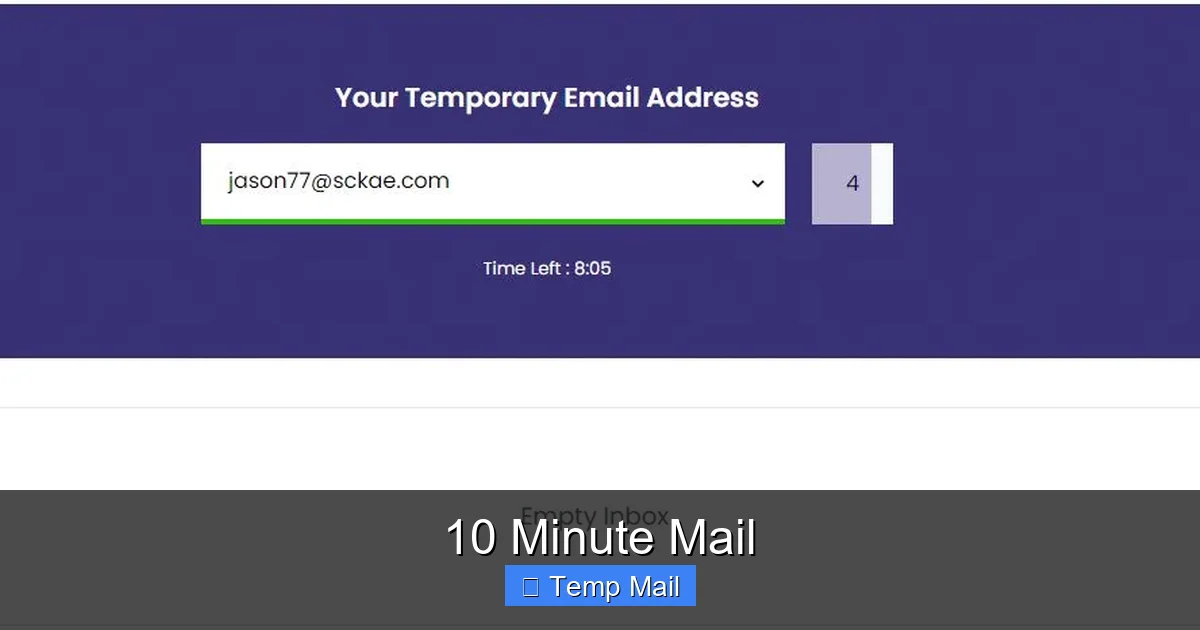
At its core, 10 minute mail is a web-based service that provides a temporary email address. The name is almost literal: you visit the website, and it instantly generates a random email address for you, like abc123@10minutemail.com. A countdown timer, usually set to 10 minutes, begins immediately. During that time, any emails sent to that address will appear in a simple inbox displayed right on the webpage. Once the timer hits zero, the email address and all received messages are permanently deleted from the server. The address is gone forever and can never be reused.
The Philosophy of Ephemeral Communication
The entire concept is built on ephemerality—the idea that not all digital communication needs to be permanent. Most of our online interactions are transactional and fleeting. You need an email to get a download link or confirm a username. Once that transaction is complete, the email address has served its purpose. Keeping it active only creates a liability. 10 minute mail embraces this philosophy. It’s designed for the single-use scenario, ensuring your primary email, which is tied to your identity, bank accounts, and important contacts, remains isolated from the vast, often spammy, corners of the internet.
How It Works: A Step-by-Step Walkthrough
The beauty of 10 minute mail is its utter simplicity. There’s no sign-up, no password, no configuration. Here’s the typical user journey:
- Visit the Site: You navigate to the 10 minute mail homepage (or one of its many mirror sites).
- Get Your Address: A random email address is automatically generated and displayed prominently. The countdown timer starts.
- Use the Address: You copy this address and paste it into the website or service that requires an email.
- Wait for the Email: You switch back to the 10 minute mail tab. The inbox will automatically refresh or you can manually refresh it. When the service sends a verification email, it will pop up in the list.
- Access & Delete: You click on the email to read its contents, copy any verification codes or links, and use them on the original site. You can also manually delete the email from the temporary inbox if needed.
- Expiration: After 10 minutes (or sometimes a slightly longer/shorter time depending on the specific service variant), the address expires. All data is wiped. If you need more time, some services offer a simple “extend” button that adds a few more minutes.
That’s it. No setup, no cleanup. It’s transactional email, perfected.
Why Use 10 Minute Mail? The Core Benefits Explained
If you’re new to disposable email, you might wonder why you’d bother. The benefits, however, are compelling and directly address major pain points of the modern internet.
Visual guide about 10 Minute Mail
Image source: 10minutemail.com
1. Slay the Spam Dragon Forever
This is the number one reason people use 10 minute mail. Every time you use your real email to sign up for a service, you’re trusting that company with your address. Even reputable companies have data breaches. Unscrupulous ones sell email lists. Using a disposable address creates a dead-end for spam. Since the address self-destructs, any future spam sent to it simply bounces into the void. Your primary inbox remains pristine, reserved for friends, family, and essential notifications.
2. Fortify Your Online Privacy
Your email address is a primary key to your digital identity. It’s often used for account recovery, two-factor authentication, and as a login username. Data brokers and trackers use it to build profiles of your online behavior. By using a different, anonymous temporary address for low-stakes websites, you break the chain of association. You prevent that site from linking that activity to your real identity. It’s a simple but powerful act of data minimization.
3. Bypass “Email Gating” with Ease
“Email gating” is the practice of requiring an email address to access content like PDFs, whitepapers, or webinar recordings. While sometimes legitimate for lead generation, it’s often an annoyance. With 10 minute mail, you can bypass this friction instantly. Get the content you want without committing your email, and without the ensuing drip campaign of follow-up emails cluttering your real inbox.
4. Test Services & Avoid Commitment
Want to quickly test a new software tool, app, or online platform? Using your real email means you’ll get all their marketing emails forever. Using 10 minute mail lets you test the service’s core functionality without leaving a permanent footprint. If you decide you love it, you can always sign up properly later with your main email.
5. Shield Against Phishing and Malware
While not a silver bullet, using a disposable address adds a layer of safety against targeted phishing. If a malicious site tricks you into entering a temp mail, the attacker has nothing of value—an address that expires in minutes. They cannot use it to launch further attacks against your real identity or accounts. It limits the blast radius of a potential mistake.
Perfect Use Cases: When to Break Out the Temp Mail
Knowing *when* to use 10 minute mail is as important as knowing how. It’s a specialized tool for specific jobs.
Visual guide about 10 Minute Mail
Image source: filepicker.io
Account Creation for Non-Essential Services
This is the bread and butter. Use it for:
- New social media platforms you’re just trying out.
- Online gaming forums or casual multiplayer game accounts.
- News websites that force registration to read a few articles.
- Loyalty programs or discount clubs you might use once.
- Any website that looks sketchy or you’ve never heard of.
Rule of thumb: If you wouldn’t be devastated if you lost access to the account tomorrow, use a disposable email.
Downloading Gated Content
As mentioned, this is a classic. Industry reports, free templates, software trial installers, and research papers are all fair game for the 10 minute mail treatment. You get the asset; the marketer gets a fake email that leads nowhere. It’s a win-win from your perspective.
Verifying a Phone Number or SMS Service
Some services require an email *before* they even let you get to the phone verification step. Using a temp mail first can help you screen these services. If the site seems legitimate after the email step, you can proceed with your real phone number cautiously. If it’s clearly spammy, you’ve already protected your email and can abandon the process.
Accessing Wi-Fi Hotspots
Many public Wi-Fi networks (in airports, cafes, hotels) require you to enter an email address to accept terms and get the password. This is a prime moment for 10 minute mail. You get online, and the network operator gets an address that will vanish before they can send you a single promotional email.
The Crucial Limitations and Warnings
10 minute mail is powerful, but it is not a universal replacement for your primary email. Misusing it can cause real problems. Understanding its limitations is non-negotiable.
Visual guide about 10 Minute Mail
Image source: 10-minutemail.com
It’s Not for Important Accounts (Ever)
This cannot be stressed enough. NEVER use 10 minute mail for:
- Banking or Financial Services: You will be locked out permanently when the address expires.
- Primary Social Media Accounts: Recovery options will be lost.
- Work or School Accounts: Critical communications and password resets will fail.
- Any Service You Might Need to Recover: If you forget your password, the reset link goes to an inbox that no longer exists.
- Subscriptions You Genuinely Want: Magazines, newsletters from brands you love—use your real email for these.
Using a disposable email for anything important is like mailing your house keys to a stranger with a “destroy after reading” note. It’s a one-way trip to account loss.
Inability to Receive from Some Providers
Some major email providers (like Gmail or Outlook) or corporate servers have filters that may block or flag emails sent to known disposable email domains. If you’re trying to sign up for a serious service and it rejects your 10 minute mail address, this is likely why. The service is actively trying to prevent fake or low-quality sign-ups.
No Long-Term Storage or Search
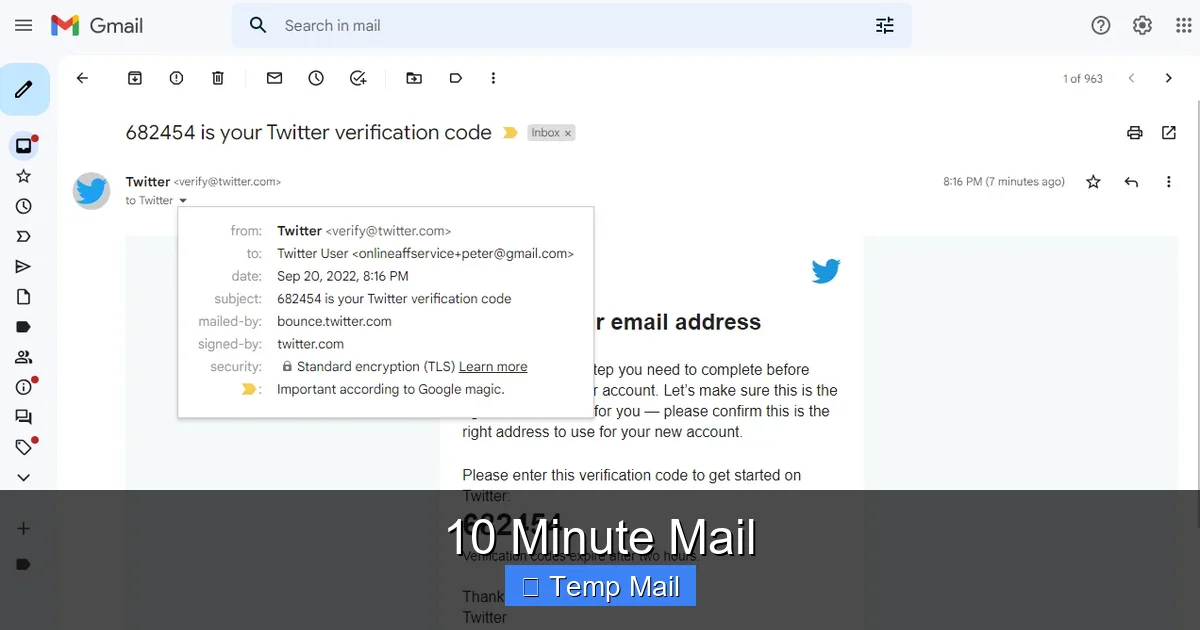
The inbox is a fleeting, in-memory display. There is no search function, no folders, and no ability to access old emails. If you close the browser tab or the timer expires, the data is gone. You must copy any needed information (like a verification code) immediately.
Potential for Abuse and Blacklisting
Because of their anonymous nature, disposable emails are often used for abuse: creating spam accounts, forum trolling, or fraudulent sign-ups. This means some websites are on high alert and may automatically block all emails from disposable domains. You might occasionally find a site that simply won’t accept your 10 minute mail address, which is their right and a reasonable security measure.
10 Minute Mail vs. Alternatives: Choosing the Right Tool
10 minute mail isn’t the only player in the privacy email game. Here’s how it stacks up.
vs. Other Disposable/Temp Mail Services (e.g., Temp-Mail, Guerrilla Mail)
These are direct competitors. The core function is identical: a random, temporary inbox. Differences are minor and include:
- Domain Variety: Some offer multiple domain choices.
- Timer Length: Some offer 30 minutes, 1 hour, or even “until browser close.”
- Extensions: Some have browser extensions for easier access.
- API: For developers, some offer APIs.
10 minute mail remains popular due to its extreme simplicity and brand recognition. For most users, any reputable temp mail service will work the same way.
vs. Dedicated “Alternative” Email Services (e.g., ProtonMail, Tutanota)
This is a different category. Services like ProtonMail provide a permanent, secure, and private email account. You create a lasting inbox with a @protonmail.com address. It offers encryption, a password, and can be used for important accounts. It’s for when you need a real email address but one that is tied to a privacy-focused company, not your Google or Microsoft account. Use a 10 minute mail for a 5-minute task. Use ProtonMail for your new, permanent, privacy-centric primary email.
vs. Email Aliasing Services (e.g., SimpleLogin, AnonAddy)
Alias services are the sophisticated middle ground. You create a permanent, central inbox (e.g., with Gmail). Then, the alias service generates unique, forwardable email addresses (aliases) that point to your main inbox. You can use a different alias for every website. The key advantage? You maintain control and permanence. If an alias starts getting spam, you simply delete that alias with one click, stopping the spam at the source while your main email remains untouched. This is superior for accounts you want to keep but manage separately. 10 minute mail is for the “use and lose” scenario; aliases are for “use and manage permanently.”
Best Practices and Pro Tips for Safe Usage
To get the most out of 10 minute mail without hiccups, follow these guidelines.
Always Keep the Tab Open
The inbox lives in the browser tab you opened it in. If you navigate away or close the tab, you may lose access if the timer runs out. Keep the tab open in the background while you fill out the form on the other site. Some services offer a “keep alive” button—use it if you need a few extra minutes.
Copy Information Immediately
Do not just open the verification email and then switch tabs. The content is not saved anywhere. Immediately copy the verification code or URL. Paste it into the sign-up form and complete the process. Only then should you close the temp mail tab.
Use It for the Intended Purpose Only
Resist the urge to use it for anything involving money, identity, or long-term access. It’s a tool for frictionless, low-stakes interactions. Respect its design limitations.
Don’t Expect 100% Uptime or Reliability
Free services can be slow, experience downtime, or have their domains blacklisted by major providers. If a critical verification email doesn’t arrive, it could be the temp mail’s fault. Have a backup plan (a second temp mail service) or be prepared to use your real email if the service is mission-critical (which, as per our rules, it shouldn’t be).
Combine with a Privacy-Focused Browser
For maximum anonymity, use 10 minute mail within a private or incognito browser window. This prevents cookie tracking from the sites you visit while using the disposable address, further decoupling the activity from your main browser profile.
The Future of Disposable Email and Digital Identity
The rise of services like 10 minute mail points to a growing user demand for control and privacy. As data breaches become routine and spam grows more sophisticated, the idea of a single, permanent email for everything is becoming antiquated. The future likely holds a hybrid model:
- Permanent, secure inboxes (like ProtonMail) for essential communications.
- Alias managers (like SimpleLogin) for managed, filterable permanence.
- True disposables (like 10 minute mail) for the most transient, low-trust interactions.
Furthermore, as browsers and operating systems integrate more robust privacy features (like email masking built into Apple’s “Hide My Email”), the need for separate third-party disposable sites may diminish. However, the simple, no-account-required, instant nature of 10 minute mail ensures it will have a place for as long as the web asks for an email at every turn. It’s the ultimate expression of “just-in-time” identity—created, used, and destroyed on demand.
Conclusion: A Small Tool for a Bigger Digital Life
10 minute mail is more than just a novelty; it’s a fundamental utility for the conscious internet user. It represents a shift from passive acceptance of data collection to active management of your digital footprint. By consciously choosing when to use your real, permanent email and when to deploy a disposable alternative, you take back power. You stop the spam at its source, you sever unwanted data trails, and you reclaim the simplicity of online interactions that shouldn’t have to come with a lifetime subscription to junk mail.
The next time you see that email field on a website you’re skeptical about, pause. Ask yourself: “Do I trust this entity with my primary digital address?” If the answer is anything less than a resounding “yes,” open a new tab, head to a 10 minute mail site, and get your temporary shield. It’s a 10-second action that can save you years of inbox headaches and bolster your privacy in a tangible way. In the battle for your attention and data, 10 minute mail is a tiny, free, and incredibly effective piece of armor. Use it wisely.
Frequently Asked Questions
Is 10 Minute Mail legal and safe to use?
Yes, using 10 minute mail is completely legal. It’s a legitimate privacy tool. The safety aspect depends on your use case. It is safe for protecting your primary inbox from spam, but it is inherently unsafe for any important account because the address is not recoverable. Never use it for banking, primary social media, or any service where account recovery is essential.
Can websites detect that I’m using a 10 minute mail address?
Yes, they can. The service uses its own domain (e.g., 10minutemail.com). Many websites maintain lists of known disposable email domains and will block sign-ups from them to prevent spam and fraud. If a site rejects your temporary address, it has likely identified it as disposable.
What happens to my emails after 10 minutes?
They are permanently and irreversibly deleted from the server. The email address itself is also destroyed and can never be used again. There is no way to recover any emails or the address after the timer expires.
Can I extend the time beyond 10 minutes?
Some versions of the service offer a manual “extend” button that adds a few additional minutes (e.g., 5 or 10 more). However, this is not a permanent solution. The address is still designed to be short-lived. For anything requiring more than 20-30 minutes, you should consider a different tool like an email alias service.
How is 10 Minute Mail different from my regular Gmail or Outlook account?
The difference is fundamental. Your Gmail/Outlook account is a permanent, personal, and recoverable identity tied to your real information. 10 minute mail is a temporary, anonymous, and disposable tool. One is for your life’s important communications; the other is for one-off, low-stakes interactions where you want zero future contact.
Will I receive spam if I use 10 Minute Mail?
You might receive spam to the temporary address during its 10-minute lifespan if you give it to a spammy site. However, this spam is completely isolated. Once the address expires, the spam stops dead. The core benefit is that this spam never reaches your real, permanent inbox.