Priyo Temporary Email
Priyo Temporary Email is a free, no-registration service that provides instant, disposable email addresses. It’s your go-to tool for signing up to websites, downloading files, or verifying accounts without ever using your primary email, effectively shielding your real inbox from spam, phishing, and data harvesting. With multiple domain options and automatic email deletion, it prioritizes user privacy and simplicity above all else.
Key Takeaways
- Zero Registration: Priyo requires no sign-up, no personal details, and no password. You generate an email address instantly.
- Complete Inbox Privacy: It creates a barrier between your primary email and the outside world, preventing spam and potential data breaches.
- Multiple Domain Choices: Users can select from various “@” domains (like @priyo.email, @tempmail.priyo.com) for added flexibility.
- Auto-Disposable System: Inboxes and all received emails are automatically deleted after a set period (usually 1-24 hours), ensuring no digital footprint.
- Simple, Ad-Supported Model: The service is free, supported by non-intrusive advertisements, making it accessible to everyone.
- No Attachment Support: For security reasons, Priyo typically blocks email attachments, focusing on secure text-based communication.
- Global Accessibility: It’s a web-based tool accessible from any device with a browser, requiring no software installation.
📑 Table of Contents
- What Exactly is Priyo Temporary Email?
- How to Use Priyo Temporary Email: A Step-by-Step Guide
- Top Practical Use Cases: When and Why You Should Use Priyo
- Security, Privacy, and Limitations: The Honest Truth
- Priyo vs. The Competition: How It Stacks Up
- Pro Tips and Best Practices for Mastery
- The Conclusion: A Niche Tool with Universal Value
What Exactly is Priyo Temporary Email?
Let’s talk about a modern-day digital headache: your primary email address. It’s the key to your social media, online banking, work tools, and shopping accounts. But every time you use it to sign up for a new service, download a PDF, or enter a contest, you’re handing over a piece of your digital identity. Companies harvest it, spammers abuse it, and your inbox becomes a warzone. This is where Priyo Temporary Email enters the picture as a simple, powerful shield.
Think of Priyo not as an email service like Gmail or Outlook, but as a digital burner phone. It generates a random, unique email address that exists for a short, defined time—often just an hour or a day. You use this temporary address for any online task where you’d otherwise hesitate to use your real email. Once its job is done, the address and all its contents vanish into the ether. It’s privacy by obfuscation, and it’s brilliantly effective.
The Core Philosophy: Privacy First, Friction Zero
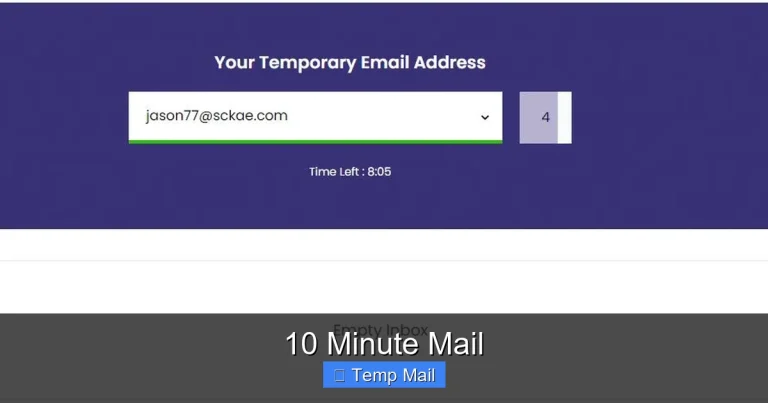
The genius of Priyo lies in its utter lack of friction. There’s no “Create Account” button to click. There are no terms to scroll through (though you should always read them!). You simply visit the Priyo website, and an inbox is born, complete with a random address like xyz123@priyo.email. That’s it. You’re ready to copy that address and paste it into any website’s sign-up field. The philosophy is clear: to protect your privacy, the barrier to entry must be lower than the barrier to spam.
How to Use Priyo Temporary Email: A Step-by-Step Guide
Using Priyo is so straightforward it feels like magic. Let’s walk through the exact process, from first click to final deletion.

Visual guide about Priyo Temporary Email
Image source: bellalhossainmondal.com
Step 1: Accessing Your Disposable Inbox
Open your web browser and navigate to the official Priyo Temporary Email website. The moment the page loads, you’ll see your new, randomly generated email address displayed prominently at the top of the screen. Below it, you’ll see a clean, empty inbox labeled “Inbox.” You don’t need to do anything else. The address is active and ready to receive emails immediately.
Step 2: Copying and Using Your Address
Highlight the email address shown and copy it (Ctrl+C / Cmd+C). Then, navigate to the website or service where you need an email—perhaps a forum registration, a software beta sign-up, or a gated content download. Paste the Priyo address into the email field and complete the sign-up or request. If the site sends a verification email, it will arrive in your Priyo inbox within seconds or minutes.
Step 3: Receiving and Viewing Emails
Keep the Priyo tab open in your browser. When an email arrives, you’ll see it appear in the inbox list. Click on the subject line to open it. The email content will be displayed in a simple, readable format. You can read verification codes, download links (if the sender included them as plain text, not attachments), or any other information. Remember, Priyo does not support file attachments for security reasons, so any email with an attachment will likely be blocked or stripped.
Step 4: The Inevitable: Automatic Deletion
This is the key feature. You do not manually delete your Priyo inbox. The system is designed to auto-destruct. The default lifespan for an inbox is typically between 1 to 24 hours from its creation or from the last received email, depending on Priyo’s current settings. After this period, the address becomes invalid, and all emails are permanently erased from their servers. There is no recovery. You simply close the tab and forget it ever existed.
Top Practical Use Cases: When and Why You Should Use Priyo
Knowing *how* to use Priyo is one thing; knowing *when* to use it is what makes it invaluable. Here are the most common and smart scenarios.
1. Dodging Spam from One-Time Sign-Ups
This is the #1 use case. You want to download a free ebook, access a research paper, or try a free SaaS trial. These sites often require an email and immediately start promotional blasts. Use your Priyo address. Get the download link or verification code, complete your task, and let the inbox expire. The spam never reaches your personal or work inbox.
2. Creating Anonymous or Pseudonymous Accounts
For forums, comment sections, or gaming platforms where you wish to maintain a separate identity, a temporary email is perfect. It separates your pseudonym from your real-world identity. Note: For critical accounts like banking or primary social media, a permanent, secure email is mandatory.
3. Testing Website and App Functionality
Are you a developer, QA tester, or just a curious user? Use Priyo to test email-based workflows—registration, password reset, notification flows—without cluttering your own inbox with test emails from your own development environment.
4. Bypassing Regional or Basic Paywalls
Some news sites limit free articles per month. Clearing cookies can work, but they often trap you by email. Using a new Priyo address each time can sometimes reset this count, allowing you to read more content. (Always respect the publisher’s terms of service).
5. Protecting Your Identity on Untrusted Networks
If you’re using a public computer at a library or airport, never enter your primary email anywhere. Generate a Priyo address on the spot for any necessary logins, ensuring no credentials are saved on that public machine.
Security, Privacy, and Limitations: The Honest Truth
Priyo is a tool, and like any tool, it has strengths and boundaries. Understanding these is crucial for using it safely and effectively.
What Priyo Does for Your Security
Primarily, it provides inbox isolation. By never giving out your real email, you prevent:
- Data Breaches: If a site you signed up for with a Priyo address gets hacked, hackers only get a defunct, disposable address, not your lifelong email.
- Phishing Correlation: Spam emails can’t be directly tied back to your main identity because the address is a dead end.
- Profiling: Ad networks and data brokers have one less data point to build a profile around your primary email address.
The service itself claims not to log or store user data beyond the temporary inbox lifespan. Since no account exists, there’s no database of users to leak.
Important Limitations You Must Know
1. Not for Important Accounts: Never use Priyo for email recovery on accounts you care about (your main email, bank, cloud storage). If the inbox expires, you’re locked out forever.
2. No Attachments: As mentioned, you cannot receive files. If a website sends a PDF invoice or a software installer as an attachment, it won’t come through. You must use your real email for such tasks.
3. Public Inboxes: Technically, if someone else generates an address with the same random string on the same domain at the exact same time (extremely unlikely but possible on shared domains), they could see your emails. Using a unique domain or the default random generator minimizes this risk.
4. Not End-to-End Encrypted: Emails are stored unencrypted on Priyo’s servers during their lifetime. Do not use it for highly sensitive communications. It’s for sign-ups and verifications, not for sending confidential documents.
5. Can Be Blocked: Some savvy websites and services actively block known temporary email domains, including Priyo’s. If your sign-up is rejected, you’ll need to use a real address.
Priyo vs. The Competition: How It Stacks Up
The temp mail space is crowded. Services like Temp-Mail, 10MinuteMail, and Guerrilla Mail are well-known. So what makes Priyo different or comparable?
The Simplicity Factor
Priyo often wins on pure, uncluttered interface. Some competitors bombard you with ads, confusing buttons, or upsell pop-ups. Priyo’s design is typically minimalist: address, inbox, refresh button. This focus on user experience is a key differentiator.
Domain Variety and Customization
Some services offer only one domain. Priyo frequently provides a choice of several domains (e.g., @priyo.email, @tempmail.priyo.com, @disroot.org). A few even allow you to create a custom, memorable prefix (like myname@priyo.email), though this is less common in the free tier and may increase predictability.
Inbox Lifespan Control
While most set a fixed timer (10 min, 1 hour, 1 day), some advanced services (often paid) let you extend the lifespan. Priyo generally sticks to a fixed, reasonable window (often 1 hour) that’s sufficient for most verification needs. The trade-off for simplicity is less control.
Speed and Reliability
In informal tests, Priyo is generally reliable for receiving standard verification emails from major platforms (Google, Facebook, Twitter). However, some highly secure or corporate systems may delay or reject emails from any temp domain. Its speed is comparable to other top-tier free services.
The Bottom Line: Priyo is an excellent, no-frills option if you prioritize a clean interface and straightforward operation. If you need advanced features like API access, custom domains, or longer lifespans, you might look at paid alternatives.
Pro Tips and Best Practices for Mastery
To get the absolute most out of Priyo while staying safe, follow these insider tips.
Always Have a Backup Plan
Assume the Priyo inbox will expire before you get the email. If you’re signing up for something important (even a free trial you intend to use), have your real email ready as a fallback. Don’t get locked out of a service you actually want to use because the verification email arrived after the inbox died.
Use It Strategically, Not Exclusively
Adopt a tiered email strategy:
- Primary Email: For family, close friends, critical accounts (bank, main cloud storage).
- Secondary/Alternative Email: For newsletters, online shopping, less-critical services you want to keep separate. This can be a free Gmail or Outlook account you check weekly.
- Priyo Temporary Email: For everything else—the digital “junk drawer” of one-time sign-ups and anonymous interactions.
Don’t Trust It for Password Recovery
This is the golden rule. If a website asks, “What’s your recovery email?” and you paste your Priyo address, you have just permanently locked yourself out of that account the moment the inbox expires. Always use a permanent, accessible email for recovery options.
Check the Inbox Manually and Refresh
Some sites send verification emails with a slight delay. After pasting your Priyo address and clicking “Send Verification,” don’t just stare at the screen. Switch to the Priyo tab, hit the refresh button manually, and wait a full minute. Emails sometimes take 30-60 seconds to route through.
Be Wary of Links in Received Emails
While Priyo itself is safe, the emails it receives can contain malicious links. Remember, you used this address on a potentially sketchy site to begin with. Treat any links in the received email with caution. Hover over them to see the true URL before clicking. It’s better to manually navigate to the service’s official website and log in than to click a potentially phished link in a verification email.
The Conclusion: A Niche Tool with Universal Value
Priyo Temporary Email is not a replacement for your everyday email. It’s not designed for ongoing conversation or professional correspondence. Instead, it is a specialized, tactical tool for the modern internet user tired of the spam-and-data-harvesting paradigm. Its value proposition is beautifully simple: trade a few seconds of convenience for long-term inbox hygiene and personal data protection.
In an online world where “if you’re not paying for the product, you are the product,” Priyo offers a way to opt-out of that equation for the countless minor interactions we have daily. It embodies the principle of data minimization—giving away only what is absolutely necessary, and nothing more. By using a disposable address for that free webinar, that random app download, or that anonymous forum post, you reclaim a tiny piece of your digital sovereignty. That’s a powerful thing.
So, next time you hesitate to enter your real email, remember the burner phone in your browser. Generate a Priyo address, get what you need, and walk away with your primary inbox pristine and your identity slightly more obscured. In the battle for online privacy, sometimes the simplest tools are the most effective warriors.
Frequently Asked Questions
Is Priyo Temporary Email safe and legal to use?
Yes, it is both safe and legal. The service itself does not harm your computer. The legality comes from how you use it. Using it for sign-ups and verifications is perfectly legal. However, using it for fraudulent activities, illegal purchases, or to evade bans on platforms that prohibit temp emails would be against the terms of service of those platforms and could be illegal depending on the action.
How long does a Priyo email inbox last?
Typically, a Priyo inbox is automatically deleted between 1 to 24 hours after its creation or after the last email is received. The exact timeframe can vary slightly based on the service’s current settings and domain used. You cannot manually extend this time.
Can I send emails from a Priyo address?
No. Priyo and most similar temporary email services are designed for receiving emails only (like verification codes and download links). They do not have an interface or SMTP server for composing and sending outgoing messages. Its purpose is to be a recipient, not a sender.
Will websites block my Priyo email address?
Many reputable websites and all major platforms (Google, Facebook, etc.) will accept emails from Priyo’s domains for verification. However, some websites, especially those dealing with finance, high-value transactions, or strict security, maintain blocklists of known temporary email domains and will reject them during sign-up. If this happens, you’ll need to use a permanent email address.
What happens if I need an email after my Priyo inbox expires?
Nothing can be done. Once the automatic deletion timer runs out, the email address is permanently deactivated and all emails are erased from the server. Any account you signed up for using that address will become inaccessible if you set it as your login or recovery email. This is why you must never use it for important accounts.
Does Priyo store my IP address or usage data?
Priyo’s privacy policy typically states that it does not require any personal information to use the service. While web servers inherently log IP addresses for brief periods for operational and security reasons (like preventing abuse), Priyo claims it does not create a long-term profile linking your IP address to your temporary inbox activity. The lack of user accounts means there’s no persistent user data to store or sell.