Temporary Email Without Phone
A temporary email without phone verification is a disposable email address that doesn’t require a mobile number to create or use. It’s a powerful tool for protecting your personal inbox from spam, safeguarding your privacy on websites with aggressive data collection, and bypassing barriers for users without phones or those concerned about SIM-swap attacks. While incredibly useful for sign-ups and downloads, it’s crucial to understand its limitations and use it responsibly for legitimate, non-malicious purposes.
Have you ever hit a wall trying to download a free e-book, sign up for a forum, or access a webinar, only to be stopped by a demand for your phone number? That frustrating moment is a common digital gatekeeping tactic. But what if you could simply bypass that step entirely? Enter the world of the temporary email without phone verification—a niche but incredibly powerful tool in the privacy-seeker’s digital arsenal. It’s not about being sneaky; it’s about regaining control. Let’s dive deep into what it is, how it works, why you might need it, and how to use it wisely.
Key Takeaways
- Privacy Shield: It creates a barrier between your real identity and online services, preventing your primary email and phone number from being harvested and sold.
- Spam & Marketing Defense: By using a disposable address for one-time sign-ups, you keep promotional emails and potential phishing attempts out of your permanent inbox.
- Accessibility & Inclusion: It provides access to essential online services for individuals without a mobile phone, those with privacy concerns, or users in regions with limited SMS services.
- No SMS Dependency: These services circumvent the need for SMS verification codes, eliminating costs, delays, and security risks associated with phone-based two-factor authentication.
- Inherent Limitations: Temp emails are not for secure communications, banking, or any account where recovery and long-term access are critical. They are inherently temporary and public.
- Ethical & Legal Use: They must be used responsibly for legitimate purposes like accessing gated content or testing forms, never for fraud, harassment, or bypassing permanent bans maliciously.
- Service Variability: Not all no-phone temp mail providers are equal. Reliability, inbox duration, and domain quality vary significantly, so choosing a reputable service matters.
📑 Table of Contents
- What Exactly is a Temporary Email Without Phone?
- The Modern Barrier: Why Phone Verification is Everywhere
- How “No-Phone” Temporary Email Services Actually Work
- The Major Benefits: Why You Might Need This Tool
- The Risks and Critical Limitations You Must Know
- How to Choose a Reliable “No-Phone” Service
- Responsible Use: The Golden Rules
- The Future: Privacy, Regulation, and the Role of Temp Mail
What Exactly is a Temporary Email Without Phone?
At its core, a temporary email (often called “temp mail,” “disposable email,” or “throwaway email”) is an email address that exists for a very short, predefined period—usually a few minutes to a few hours. Its primary purpose is to receive a single verification email or a download link and then be discarded. The “without phone” modifier is the critical modern twist. Many traditional temp mail services still required a phone number for initial sign-up to combat abuse, creating a paradox for privacy-conscious users. A true temporary email without phone service requires no SMS verification, no phone number input, and no mobile carrier involvement at any stage. You simply visit a website, are instantly assigned a random address like xyz789@domain.com, and can immediately use it.
The Evolution from Simple Disposables
Early disposable email services were simple webmail clones. You’d get an inbox, a random address, and that was it. Abuse by spammers and fraudsters led many platforms to implement SMS verification for the temp mail service itself, ironically making it less private. The modern temporary email without phone model is a response to this. These services often operate using a pool of pre-generated domains or catch-all domains that don’t require individual account creation. They focus on anonymity from the very first click, making them accessible to anyone with a web browser.
The Modern Barrier: Why Phone Verification is Everywhere
To appreciate the value of a no-phone temp mail, you must first understand why the phone number has become the internet’s preferred “second factor” for verification. It’s not primarily about your security; it’s about the platform’s data harvesting and cost-saving strategies.
Visual guide about Temporary Email Without Phone
Image source: blog.mailfence.com
Data Harvesting and the “Free” User
Most free online services don’t charge you with money; they charge you with data. Your phone number is a uniquely valuable piece of personal information. It’s often tied to your real name, physical address (via billing records), and is a persistent identifier across countless platforms (Google, Apple, Facebook, banks). By forcing a phone number for a seemingly free service, companies can:
- Enhance their advertising profiles by linking your activity on their site to your real-world identity.
- Prevent easy account creation by bots (though sophisticated bots can bypass this with virtual numbers).
- Reduce operational costs by outsourcing verification to the global telecom network.
For the user, this means your phone number—a piece of information you rarely change and that grants access to your most sensitive accounts—is now in the hands of yet another entity, often with vague privacy policies.
The Security Irony of SMS Verification
Paradoxically, SMS is one of the least secure forms of two-factor authentication (2FA). It’s vulnerable to SIM-swap attacks, where a criminal tricks your mobile carrier into transferring your number to a phone they control, thereby intercepting all your SMS codes. Using your primary phone number for low-stakes website sign-ups unnecessarily exposes it to this risk. A temporary email without phone allows you to reserve your real phone number for truly critical accounts (email, banking, primary cloud storage) where you use a more secure 2FA method like an authenticator app.
How “No-Phone” Temporary Email Services Actually Work
The magic of a service that hands out email addresses without asking for anything in return lies in clever technical architecture and a deliberate design for anonymity.
Visual guide about Temporary Email Without Phone
Image source: standsapp.org
Domain Strategies and Catch-Alls
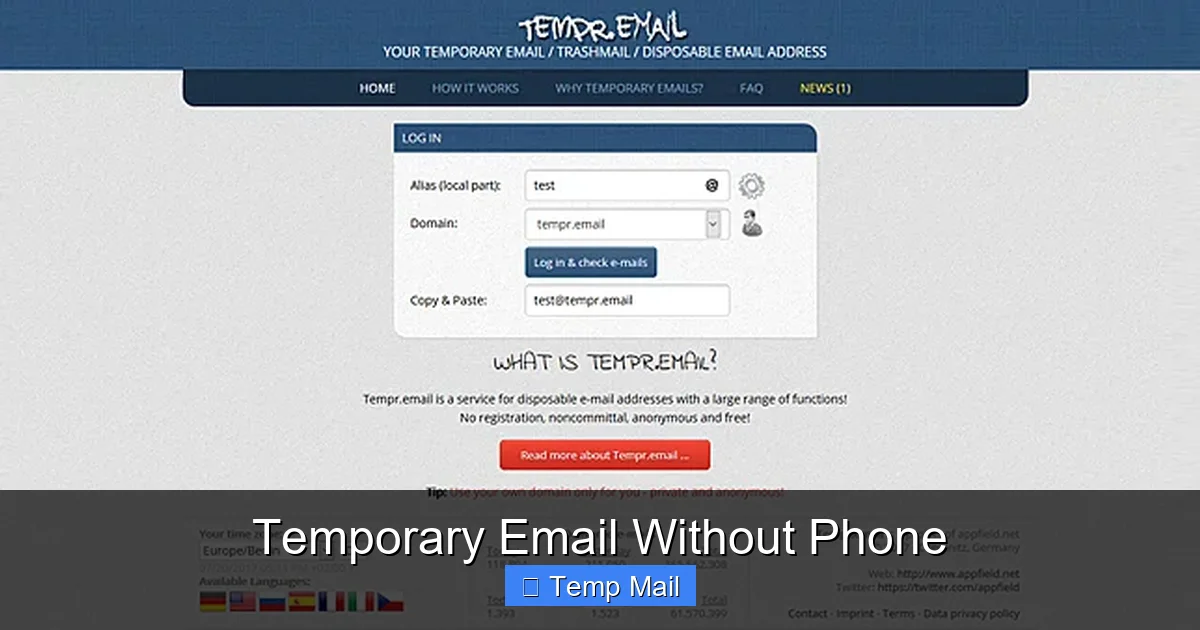
These services typically own or lease multiple domain names (e.g., tempmail.demo, disposable.inbox). Instead of creating a unique user account for each visitor, they configure their mail servers with a “catch-all” setting. This means any address sent to @theirdomain.com—even one that has never been “created”—will land in a single, shared inbox pool. When you visit the site, the front-end script randomly generates an address from that domain (e.g., a7b2c1@tempmail.demo) and displays it to you. The service’s backend then filters the massive shared inbox, showing only emails destined for the specific random string you were given. Once your session expires or you delete the address, that random string is retired, and your view of the inbox vanishes.
No Account, No Trace
Because there is no account creation, there is no database storing “user@example.com = user’s IP address, timestamp, etc.” The link between you and the temporary address exists only in your browser’s session. Once you close the tab, that link is severed from the service’s perspective. This is the fundamental difference from a regular webmail service like Gmail or even a temp mail that forces phone verification. The latter creates a persistent, traceable record tied to a phone number. The former aims to leave no such trace.
Practical Example: The Download Funnel
Imagine you want a free PDF checklist from a marketing site. The path is: Click “Download” -> Enter email -> Check inbox for link.
- You visit a temporary email without phone site. It instantly gives you w6y8s2@inbox.lol.
- You copy that address, paste it into the marketing site’s form, and click submit.
- The marketing site sends the PDF link to w6y8s2@inbox.lol.
- You switch back to your temp mail tab, refresh, and see the new email with the download link.
- You download the file. You never gave your real email. The marketing site has no way to link that download to you personally. You close the temp mail tab. The address is gone.
The Major Benefits: Why You Might Need This Tool
Using a temporary email without phone isn’t about hiding illicit activity; it’s about practicing proactive digital hygiene. The benefits are tangible for everyday internet users.
Visual guide about Temporary Email Without Phone
Image source: standsapp.org
1. Ultimate Spam Prevention for Your Primary Inbox
This is the #1 reason. Every time you use your real email for a forum, a discount newsletter, or a software trial, you’re trusting that entity not to sell your address or suffer a data breach. Using a disposable address for these low-value interactions contains the spam risk. Your primary inbox remains a sanctuary for important personal and professional communications.
2. Bypassing “Phone Wall” on Anonymous Platforms
Some platforms, like certain anonymous social networks, whistleblower tools, or privacy-focused forums, explicitly discourage the use of real identities but still use phone verification as a blunt anti-spam tool. A temporary email without phone allows you to respect their community rules (by providing an email) while maintaining your anonymity from them and from any potential data brokers they might sell to.
3. Accessibility for the Unconnected or Privacy-Conscious
Not everyone has or wants a mobile phone. Teenagers, people in developing nations, or those who have deliberately gone “phone-free” can still access essential web services. Furthermore, for anyone worried about government surveillance (e.g., activists, journalists) or corporate data aggregation, minimizing the number of services tied to a phone number is a critical operational security (OpSec) practice.
4. Testing and Development
Developers, QA testers, and marketers need to test email-based workflows (sign-up flows, password resets, notification systems). Using a real email address for this creates clutter and potential security issues. A no-phone temp mail allows for clean, isolated, and anonymous testing of these systems.
The Risks and Critical Limitations You Must Know
While powerful, a temporary email without phone is a specialized tool with very clear boundaries. Misunderstanding its limitations can lead to lost data, security breaches, or account lockouts.
1. Zero Security and Absolute Publicness
This is the most important point. The inbox of a public temp mail service is, by design, not private. Anyone who knows or guesses the random address string can potentially view the emails. Never, ever use a disposable address for:
- Password resets for important accounts (social media, banking, main email).
- Any communication containing personal, financial, or sensitive information.
- Receiving official documents, contracts, or legal notices.
- Accounts you intend to keep long-term or need to recover later.
The service provider can also see all emails passing through their system. You are trusting them not to log or misuse that data, which is why choosing a provider with a clear, privacy-respecting policy is essential.
2. Impermanence Means Irrecoverable Loss
When the timer runs out (often 10-60 minutes after the last email received), the inbox and all its emails are permanently deleted from the server. There is no “forgot password” or account recovery. If you close the browser tab and lose the address, it’s gone forever. You cannot retrieve a lost password sent to a temp mail address.
3. Blocked by Many Major Platforms
Google, Microsoft, Apple, Facebook, Twitter, and most major SaaS providers actively block known disposable email domains. They do this to reduce fraud and spam. You cannot use a temporary email without phone to create a Gmail account or a Facebook profile. Attempting to do so will result in an immediate rejection. These services are for the countless smaller websites, forums, blogs, and download portals that haven’t or can’t afford to maintain blocklists.
4. Legal and Ethical Boundaries
Using a temp mail to circumvent a website’s terms of service, create multiple accounts to evade a permanent ban, sign up for a paid service with intent to defraud, or to send harassing messages is unethical and often illegal. The anonymity provided is a shield for privacy, not a weapon for fraud. Always read and respect the Terms of Service of the site you are accessing.
How to Choose a Reliable “No-Phone” Service
With dozens of options available, selection matters. A poor service might have slow inboxes, intrusive ads, or a suspicious privacy policy.
Key Features to Look For
- No Registration Required: The hallmark. The homepage should immediately show a generated email address. If it asks for anything before showing an inbox, move on.
- Clear Inbox Duration: Does it say “Inbox active for 1 hour after last email”? Or is it vague? Transparency is good.
- Multiple Domain Options: Services that offer a choice of domains (e.g., you can pick @inbox.lol or @mail.tm) are often more robust, as if one domain gets blacklisted, you can switch.
- Manual Address Generation: Can you click a button to get a completely new random address? Essential for when you need a fresh start.
- Ad Experience: Some ads are expected to support the free service, but they should not be malicious, deceptive, or prevent you from seeing your emails. Pop-ups and redirects are a major red flag.
Red Flags to Avoid Immediately
- Any Request for Phone Number: Obvious, but worth stating. If it asks for a number at any point, it’s not a true no-phone service.
- Forced Software Download: Sites that require you to download a “browser extension” or “app” to see your email are usually distributing malware or adware.
- Extremely Short Inbox Life: 5-minute inboxes are often more trouble than they’re worth. Aim for at least 30-60 minutes of activity-based longevity.
- Poor Reputation: A quick search for “[service name] review” or “is [service name] safe” can reveal if it’s known for ad injection or data selling.
- No Privacy Policy: If they don’t state what they do with the emails passing through their servers, assume the worst.
Example of a Good Workflow: You visit Temp-Mail.org (as an example of a well-known provider). You see your address abc123@temp-mail.org immediately. You use it. An email arrives in 10 seconds. You read it, click the link, and are done. You can manually refresh the page to get a new address if needed. No barriers, no questions.
Responsible Use: The Golden Rules
possessing a tool like a temporary email without phone comes with an implicit responsibility. Its power is in privacy protection, not in enabling disruptive behavior.
Rule 1: Use It for One-Time, Low-Stakes Interactions
The perfect use case is a single transaction: “Give us your email to download this whitepaper.” Once you have the file, the address has served its purpose. Do not use it to create an account you intend to log into weekly, like a project management tool or a cloud storage service. The moment you need password recovery, you will be locked out.
Rule 2: Never Use It for Identity or Financial Matters
This cannot be stressed enough. Banks, government agencies, PayPal, Airbnb, Uber—these services require a permanent, secure, and recoverable email address. Using a temp mail here will lead to account suspension, loss of funds, or inability to receive critical legal documents.
Rule 3: Understand the Site’s Perspective
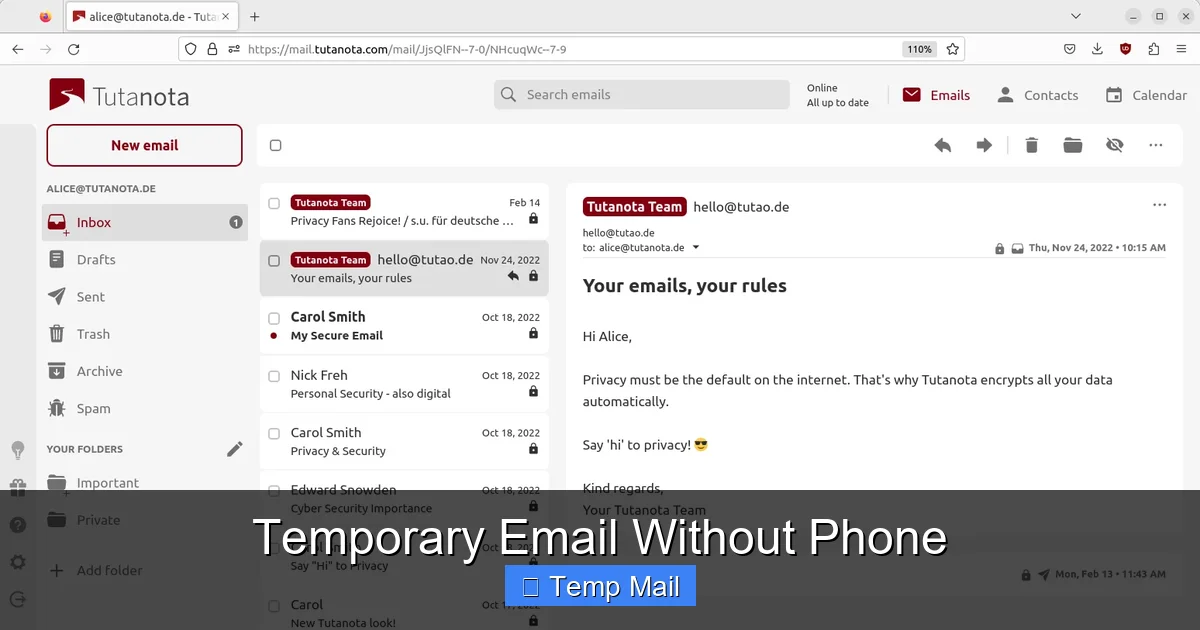
If a website is clearly a community (like a hobbyist forum) and they require email to prevent spam and send notifications, using a temp mail might undermine their community health. In such cases, consider using a dedicated “burner” real email address from a provider like ProtonMail or Tutanota, which offers more permanence and security than a public temp mail, but still segregates it from your main identity.
Rule 4: Assume Everything is Public
Treat the inbox of a temporary email without phone like a public library computer. Do not type in any personal data, passwords, or sensitive information in an email you send from it (if the service even allows sending), and assume anyone could be looking over your shoulder at the emails you receive.
The Future: Privacy, Regulation, and the Role of Temp Mail
The ecosystem of data collection and verification is constantly shifting. As global privacy regulations like GDPR and CCPA tighten (somewhat), and as users become more aware of data harvesting, the demand for anonymity tools will grow. Simultaneously, platforms will seek more invasive verification methods, potentially moving beyond SMS to things like “verified mobile app” prompts or even biometric liveness checks for low-stakes actions.
The role of the ethical temporary email without phone service will likely become more defined. We may see:
- Hybrid Models: Services that offer a free, no-phone temp mail for basic use but also provide a paid, more private, longer-lasting “shielded” email service.
- Integration with Privacy Browsers: Browsers like Brave or Firefox could build in a native, one-click disposable email generator that uses a reputable backend service.
- Increased Blocklisting: As use grows, so will the blocklists. This creates a cat-and-mouse game where providers must constantly rotate domains.
The fundamental principle will remain: your email address is a key to your digital identity. Guard it fiercely. Use a temporary email without phone as a shield for the countless minor interactions that clutter and risk that identity. Use a secure, primary email for the pillars of your digital life. This layered approach is the cornerstone of modern digital hygiene.
Frequently Asked Questions
Is using a temporary email without phone legal?
Yes, using a disposable email service is perfectly legal. The legality depends on how you use it. Using it to access a free resource or test a form is fine. Using it to commit fraud, evade bans, or send threats is illegal, regardless of the email type used.
Are temporary emails safe from hackers?
No, they are inherently less safe than a secured, private email. The inboxes are not encrypted for you alone and are often accessible via a simple, guessable URL. Never use them for password resets or sensitive communications. Their safety is only in their disposability, not in confidentiality.
How long do emails last in a no-phone temporary inbox?
It varies by provider, but typically an inbox remains active for a set time after the last email is received (e.g., 1 hour, 24 hours). Some services delete everything after a fixed session time (e.g., 10 minutes from creation). Always check the provider’s specific timer display.
What’s the difference between this and a regular anonymous email like ProtonMail?
A service like ProtonMail creates a secure, permanent, encrypted account that requires a recovery method (often a recovery email or phone). A temporary email without phone is ephemeral, requires no setup or login, and has no recovery option. ProtonMail is for a long-term private identity; temp mail is for a one-time interaction.
Why do so many websites require a phone number now?
Primarily for data collection and to create a higher barrier against automated bot accounts. Your phone number is a valuable, persistent identifier that is harder to obtain in bulk than email addresses. It also allows for SMS marketing and ties your online activity to your real-world telecom identity.
What happens if I lose the temporary email address before getting my download?
The email and the download link are permanently lost. This is why it’s critical to keep the browser tab with your temp mail open until you have successfully received and used the email. Once the session or inbox expires, recovery is impossible.