Temp Mail for Amazon
Using a temporary email for Amazon might seem like a quick fix for privacy and spam, but it comes with significant risks to your account security and longevity. While it can shield your main inbox, Amazon actively detects and may suspend accounts linked to disposable emails. This article explores the practical uses, major drawbacks, and safer alternatives to help you make an informed decision for your online shopping needs.
Key Takeaways
- Temp mail is a double-edged sword: It offers immediate privacy but jeopardizes long-term account access and recovery options with Amazon.
- Amazon’s policies explicitly discourage disposable emails: Using one violates their Terms of Service and can lead to indefinite suspension without warning.
- Account recovery becomes impossible: If you lose access to the temp mail, you likely lose access to your Amazon account, including purchased digital goods and order history.
- Legitimate uses are narrow: Temp mail for Amazon is only potentially justifiable for a single, one-time purchase with no future account needs.
- Safer alternatives exist: Using a dedicated email alias, a secondary permanent email, or email masking services provides privacy without the same level of risk.
- Security features are forfeited: Temp mail inboxes lack robust security, two-factor authentication (2FA), and encryption, making any data sent there vulnerable.
- Detection is likely: Amazon employs sophisticated systems to identify and block known disposable email domains, making such addresses unreliable for account creation.
📑 Table of Contents
- Introduction: The Temptation and the Trap of Temp Mail for Amazon
- What Exactly is “Temp Mail”? Understanding Disposable Email
- Why People Consider Temp Mail for Amazon: The Perceived Benefits
- The Critical Risks and Why Amazon Hates Temp Mail
- Legitimate (and Narrow) Use Cases for Temp Mail with Amazon
- Superior Alternatives: Getting Privacy Without the Peril
- Practical Guide: How to Safely Manage Your Amazon Email
- Conclusion: The Clear Choice for Amazon and Your Peace of Mind
Introduction: The Temptation and the Trap of Temp Mail for Amazon
You’re about to make a one-off purchase on Amazon. Maybe it’s a quirky gadget you’ll never buy from again, or you’re using a public computer. The thought crosses your mind: “Why not use a temporary email? It’ll keep my main inbox clean, and I don’t need this account for anything else.” It feels like a smart, modern hack. But is using temp mail for Amazon actually a smart move, or is it a shortcut to a major headache?
This article isn’t here to just tell you “don’t do it.” We’re going to dive deep into the world of disposable email addresses and their specific, complicated relationship with the world’s largest online retailer. We’ll unpack what temp mail is, why people consider it for Amazon, exactly how it works, the very real and severe risks involved, the few narrow scenarios where it *might* be considered, and—most importantly—the far superior alternatives that give you privacy without putting your account, your money, and your data in jeopardy. By the end, you’ll have a crystal-clear understanding of whether the short-term convenience is worth the long-term peril.
What Exactly is “Temp Mail”? Understanding Disposable Email
Before we talk Amazon, let’s get a firm grasp on the tool itself. Temp mail, also called disposable email, throwaway email, or fake email, is a service that provides you with a random, temporary email address and inbox. These addresses are typically generated automatically when you visit a temp mail website. They don’t require registration, a password, or any personal information.
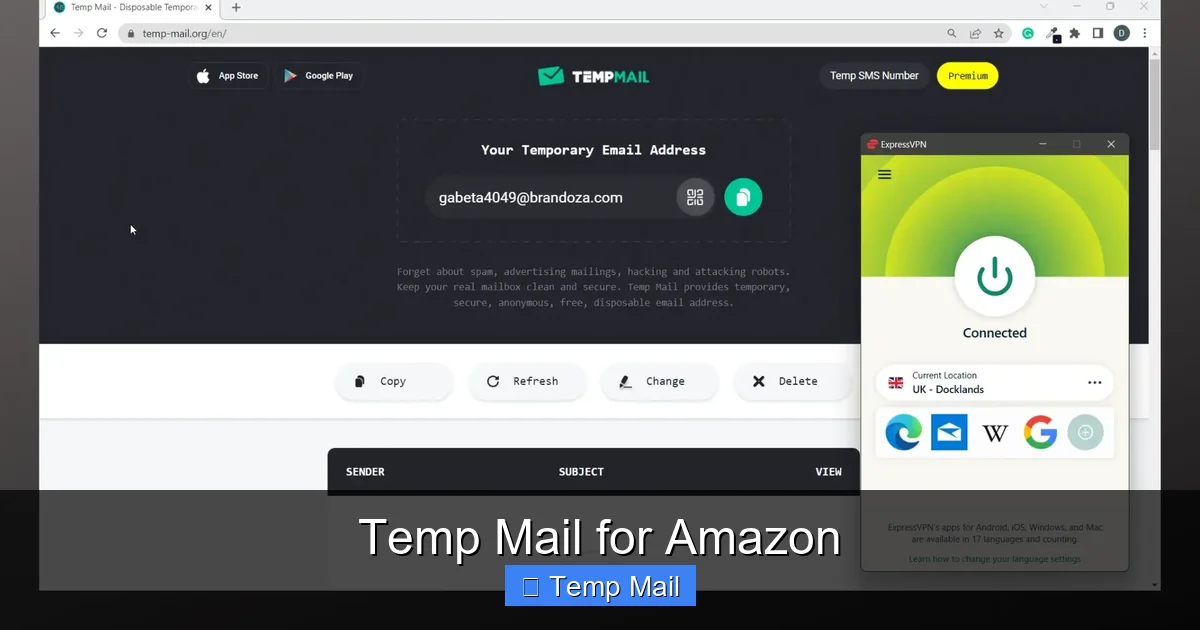
Visual guide about Temp Mail for Amazon
Image source: vpncentral.com
The Mechanics of a Temporary Inbox
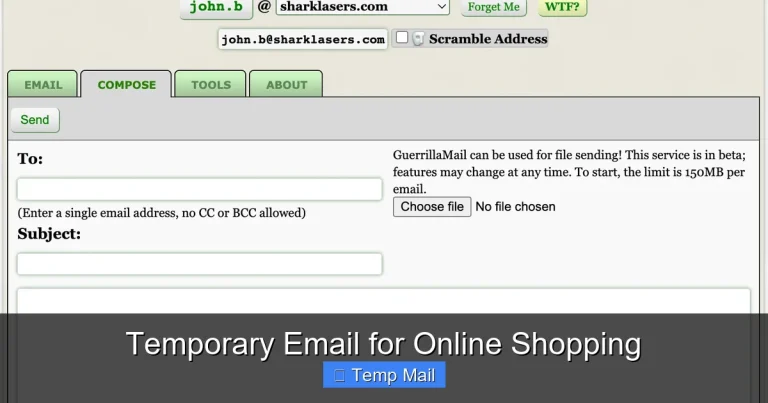
When you land on a site like Temp-Mail.org, Guerrilla Mail, or 10MinuteMail, the service instantly creates an inbox for you, for example: abc123@tempmail.demo. That inbox lives on their server for a short, predetermined period—often 10 minutes to a few hours, sometimes up to a day. Any emails sent to that address appear in that web-based inbox. Once the time expires, the address and all its emails are permanently deleted from the server, never to be seen again. There’s no archive, no recovery.
Primary Purposes of Disposable Emails
These services were created for legitimate reasons, primarily:
- Spam Prevention: Signing up for a forum, newsletter, or free download that might sell your email to marketers. The spam goes to the temp address, which vanishes.
- One-Time Verification: Many websites require email verification for a download or access. A temp mail lets you get that verification code without cluttering your primary inbox.
- Privacy on Public/Shared Devices: Using a library computer? A temp mail avoids leaving a trace of your personal email on a shared machine.
- Testing & Development: Developers use them to test email functionality in apps or websites without flooding real inboxes.
The core value proposition is anonymity and impermanence. You exist for a short time, receive a specific piece of information, and then cease to exist. This is the allure that draws people to consider temp mail for Amazon.
Why People Consider Temp Mail for Amazon: The Perceived Benefits
The idea isn’t completely irrational. From a user’s perspective, there are apparent advantages to using a disposable address with a giant like Amazon.
1. Spam and Marketing Email Avoidance
Amazon is a marketing machine. After a purchase, you’ll get order confirmations, shipping updates, and then a torrent of recommendations, “deals you might like,” and prompts to review products. If you use your primary, personal email, that stream is constant. A temp mail address seems like an off-ramp from this highway of promotional noise. Once you’re done with the order, the address dies, and so does the potential for future Amazon spam to that address.
2. Enhanced Privacy and Anonymity
Some users are deeply concerned about data collection. They know Amazon builds a detailed profile based on purchase history linked to an email address. Using a throwaway email creates a break in that profile chain. It feels like a small act of resistance against pervasive data tracking, especially for purchases they consider private or embarrassing.
3. Avoiding “Account Bloat”
Many of us have multiple Amazon accounts for different purposes—one for personal shopping, one for a side hustle, maybe an old one from college. Managing these can be a hassle. A temp mail for a single, anonymous purchase feels like a way to avoid adding another permanent login to your mental (or password manager’s) roster.
4. Bypassing Regional Restrictions or Pricing (A Risky Gamble)
This is a more speculative and policy-violating use case. Some users might theorize that creating an account with a temp email from a different region (e.g., using a US-based temp mail while in Europe) could somehow influence pricing or access. This is not a reliable or recommended practice and often violates Amazon’s terms in other ways, but it’s a perceived benefit for a small subset of users looking for deals.
These benefits paint a tempting picture. However, they are almost entirely overshadowed by the catastrophic downsides, which we will now explore.
The Critical Risks and Why Amazon Hates Temp Mail
Amazon, as a business, has zero tolerance for disposable email addresses. Their Terms of Service are clear, and their enforcement is automated and ruthless. Using temp mail for Amazon is not a clever loophole; it’s a direct confrontation with one of the world’s most sophisticated security and fraud-prevention systems.
Violation of Amazon’s Terms of Service
Amazon’s Conditions of Use state that you must provide “accurate and complete” information, including a “valid email address.” A temporary, anonymous address that will vanish is the antithesis of valid and complete. By using one, you are immediately in breach of contract. This gives Amazon the unilateral right to suspend or terminate your account at any time, for any reason, without notice. They do not need to prove fraud or malicious intent; the mere use of a disposable email is grounds for action.
The Inevitability of Account Suspension
Amazon doesn’t just manually review emails. They use massive databases of known disposable email domains (like the domains of all major temp mail providers) and block them at the point of sign-up. Even if you get past the initial sign-up (some temp mail domains rotate quickly), their algorithms flag behavior patterns associated with temp mail usage: lack of long-term engagement, no email opens from the address, and the eventual bounce when the address expires. The result is a suspended account, often when you try to log in next or when a critical email (like a 2FA code or receipt) bounces. Recovery is notoriously difficult, as we’ll see.
The Total Loss of Account Recovery
This is the single most devastating consequence. Your email is your primary key to your Amazon account. It’s used for:
- Password resets
- Two-factor authentication (2FA) codes
- Receipts and important order notifications
- Communicating with customer service
When your temp mail address expires after 1 hour, you lose all of the above. You cannot reset a forgotten password. You cannot receive a sign-in code. You cannot prove you are the account owner to Amazon’s support team because the verification email goes to an address that no longer exists. Your account, and everything in it—purchased Kindle books, digital music, app subscriptions, order history for returns, Prime benefits—is locked forever. For a $10 purchase, you could lose hundreds of dollars in digital content.
Forfeiture of All Consumer Protections
An Amazon account is more than a shopping cart. It’s a record of your consumer rights. Without access, you cannot:
- Print invoices for warranty or tax purposes.
- Initiate a return or warranty claim for an old purchase.
- Access digital purchases (e-books, software) that are tied to your account.
- Manage subscriptions or Prime benefits.
You effectively become a ghost to the system you paid into. Customer service will almost always require you to verify ownership via the registered email, a dead end.
No Security Features
Temp mail inboxes are public, unsecured, and unencrypted. Anyone who knows the random inbox URL can access it. There is no password, no 2FA. If you use a temp mail for Amazon and enter a password or receive a 2FA code there, you are broadcasting that information to anyone who might be sniffing network traffic or who simply stumbles upon the public inbox page. It’s the opposite of a secure practice.
Legitimate (and Narrow) Use Cases for Temp Mail with Amazon
Is there *any* scenario where using a temp mail for Amazon isn’t an act of digital self-sabotage? The safe answer is “almost never.” However, for the sake of completeness, let’s examine the fringe cases where the risk might be calculated and acceptable.
The One-Time, No-Account Purchase
Amazon allows guest checkout. You can purchase physical items without creating an account at all, using only a shipping address and payment method. In this specific scenario, you are not providing an email to *create an account*. The email is used only for that transaction’s receipt and shipping updates. If you use a temp mail here, the risk is limited to that single order. You won’t lose an account because you didn’t create one. However, you still forgo the ability to track that order easily later or process a return without contacting customer service with an order number. It’s a privacy play with minor convenience trade-offs.
Testing a New Region’s Storefront (With Extreme Caution)
A content creator or price-sensitive shopper might want to see product listings or pricing on Amazon.de (Germany) versus Amazon.com. Creating a *guest* session on the foreign site and using a temp mail for a one-off, low-value item could theoretically achieve this. The risks remain: potential IP/region conflicts, and if you accidentally create an account, you’re back in the danger zone. This is a use case for tech-savvy users who understand and accept the volatility.
The “Burner” for a High-Risk, Low-Value Transaction
Imagine you are buying a single, cheap item from a third-party seller on Amazon Marketplace that you have significant reason to distrust (though this is rare on Amazon’s platform). You might use a temp mail for that specific transaction, treating the entire purchase as disposable. You are accepting that if anything goes wrong, you have zero recourse. This is a scenario of extreme distrust where the user values anonymity over all consumer protections.
In all these cases, the common thread is: you are NOT creating a persistent Amazon account. You are using the temp mail for a single transaction and then walking away, accepting the loss of any future relationship with that order. The moment you click “Create your Amazon account,” the temp mail becomes a ticking time bomb under your account.
Superior Alternatives: Getting Privacy Without the Peril
If your goal is to control spam, protect your primary inbox, and maintain some privacy, you have far better, safer options than a disposable email. These methods give you the benefits without the existential risk to your Amazon account.
1. Use a Dedicated Secondary Email Address
This is the gold standard. Create a free, permanent email address with a provider like Gmail, Outlook, ProtonMail, or Tutanota specifically for online shopping and sign-ups. Use this *only* for Amazon and similar services. Benefits:
- Permanence: You control it forever. It won’t vanish.
- Recovery: You can reset passwords, receive 2FA, and contact support.
- Filtering: You can set up strict filters and labels so these emails never clutter your primary inbox but are always accessible.
- Separation: Your personal and shopping lives are cleanly separated.
It costs two minutes to set up and solves 100% of the spam problem while maintaining full account integrity.
2. Email Aliasing and Masking Services
This is the modern, powerful evolution of the secondary email. Services like SimpleLogin, AnonAddy, or Apple’s Hide My Email (for iCloud+) allow you to create unique, forwardable email aliases on the fly. For example, you could create amazon-shop@youralias.simplelogin.co. Mail sent to that alias forwards to your real, permanent inbox. You can disable the alias at any time, stopping all future email from that source. The key difference from temp mail: the alias is permanent and under your control. You can always receive emails sent to it, and you can always prove ownership because it forwards to your real, verified account. It offers the “stop the spam” benefit of temp mail with the “account recovery” benefit of a real email.
3. The “Plus-Addressing” Trick (Provider-Dependent)
Many email providers (like Gmail and Outlook) support “plus addressing.” If your email is you@gmail.com, you can use you+amazon@gmail.com or you+shopping@gmail.com and it will deliver to your main inbox. You can then create a filter to auto-label or archive these emails. The “plus” part is just a tag. It’s still your real, permanent email, so account recovery is fine. You can later delete the filter if the spam from a specific “+” address gets out of hand. It’s a simple, free way to segment emails without a new address.
4. Embrace Guest Checkout (When Possible)
As mentioned, for a single, anonymous physical purchase, use Amazon’s guest checkout. No account is created, so no email-based account exists to be compromised. You just need to ensure you use an email you can access for that order’s shipping updates, which could be a temp mail *only if* you are willing to forfeit tracking and returns for that specific order.
5. Use a “Junk” Email from a Trusted Provider
Similar to a dedicated secondary email, but with a mindset of lower expectation. Create an email with a free provider that you will only use for commercial sign-ups. Don’t use it for anything personal. Check it occasionally. This is less sophisticated than aliasing but more robust than a temp mail.
Practical Guide: How to Safely Manage Your Amazon Email
Let’s put theory into practice. Here is a step-by-step guide for a user who wants to keep their Amazon presence separate and private, the right way.
Step 1: Choose Your Strategy
Decide based on your technical comfort and needs:
- For Simplicity: Create a new, free Gmail/Outlook account called amazon.shopping2024@gmail.com. Use it for Amazon and only Amazon.
- For Maximum Privacy & Control: Sign up for a proton.me (ProtonMail) or anonaddy.me account. Use their alias feature to generate a unique Amazon-specific alias.
Step 2: Create or Link the Email
If using a new permanent email, create it first. If using an alias service, generate your Amazon alias. Then, go to Amazon. If you have an existing account tied to your personal email, you can change the account email in your account settings (Settings > Login & security). Be aware Amazon may send a verification to the *old* email first. If you don’t have access to that, you may need to contact support, which can be a hurdle.
For a new account: During sign-up, simply enter your chosen dedicated email or alias.
Step 3: Configure Your Inbox
If using a separate permanent email, set up a filter so all emails from “@amazon.com” go into a specific label/folder like “Shopping.” This keeps your primary inbox clean. If using an alias, the forwarding happens automatically; you just need to filter in your main inbox.
Step 4: Update Your Security Settings
Once logged into Amazon with your new email, immediately go to Settings > Login & security. Ensure:
- Your password is strong and unique.
- Two-Step Verification (2SV) is turned ON. This is crucial. It will send codes to your *new* email or, better yet, to an authenticator app.
This secures your account properly, something a temp mail could never facilitate.
Step 5: Enjoy Controlled Access
Now, all Amazon communications flow to your controlled channel. You can check it when you want. Your primary email is spam-free. If the dedicated email ever starts getting spam (unlikely from Amazon itself, but possible from a compromised third-party seller list), you can simply change the Amazon account email again to a new alias or address—something impossible with a temp mail because the account would be locked.
Conclusion: The Clear Choice for Amazon and Your Peace of Mind
The allure of temp mail for Amazon is understandable. It promises a clean inbox and a ghostly digital footprint. But the promise is a mirage. The reality is a high-stakes gamble where the house—Amazon—always wins, and you stand to lose your account, your purchased digital goods, and your consumer rights.
The core flaw in the temp mail strategy for Amazon is the fundamental mismatch between the tool’s purpose (impermanence) and the platform’s nature (persistent account-based services). Amazon is not a one-time verification site; it’s a long-term relationship involving money, logistics, and digital ownership. That relationship requires a reliable, recoverable point of contact: your email address.
The alternatives—a dedicated secondary email or, even better, an email aliasing service—provide the privacy and spam control you seek without the catastrophic single point of failure. They cost nothing but a few minutes of setup time and offer permanent, secure control. They respect the contract you enter with Amazon and, in turn, ensure Amazon respects your access to your own account and purchases.
In the digital world, convenience that sacrifices security and access is a false economy. Choosing the right email strategy for Amazon isn’t about being paranoid; it’s about being a responsible, savvy user who protects their time, money, and data. Skip the temp mail. Build a small, smart system instead. Your future self, trying to download a Kindle book or return a pair of shoes, will thank you.
Frequently Asked Questions
Can I use a temporary email to sign up for Amazon?
Technically, you might succeed initially, but it violates Amazon’s Terms of Service. Your account will almost certainly be suspended or terminated when Amazon’s systems detect the disposable email domain or when the email bounces. You will lose all access to your account and purchases.
Is it safe to use temp mail for Amazon guest checkout?
It is safer than creating an account, as you don’t risk a permanent account suspension. However, you still forgo order tracking, easy returns, and digital access. If the temp mail expires before your order ships, you won’t receive shipping updates. Use it only for very low-value, one-time physical purchases where you accept losing all post-purchase recourse.
How does Amazon know I’m using a temp mail?
Amazon maintains massive, constantly updated lists of domains used by disposable email services. They also detect patterns like emails that never get opened or accounts that become unreachable (bounces) after a short time. Their automated systems flag and suspend these accounts without human intervention.
What happens if my Amazon account is suspended for using a temp mail?
Account suspension is typically permanent and non-negotiable. Since you cannot verify ownership via the expired temp mail, customer support will not restore the account. You lose access to all order history, digital purchases (Kindle books, apps), Prime benefits, and any linked services. The account and its contents are forfeited.
What is the best email to use for Amazon?
The best email is a permanent, secure address you control and check regularly. For privacy, use a dedicated secondary email (e.g., a separate Gmail) or, optimally, an email alias from a service like SimpleLogin or AnonAddy. This keeps your primary inbox clean while ensuring you can always recover and verify your Amazon account.
Can I change my Amazon account email after signing up with a temp mail?
In theory, yes, but in practice, it’s nearly impossible. To change your email, Amazon requires you to verify the *new* email address. However, they also typically send a verification to the *old* email address first. If that old temp mail is already expired, you cannot complete the verification step, leaving you trapped in a suspended account with no way out.