Temp Mail for Telegram
Using a temporary email address for Telegram is a smart privacy move. It lets you create an account or join channels without exposing your personal or work email to potential spam, data breaches, or unwanted contact. These disposable inboxes are free, instant, and perfect for one-time verifications. However, they come with important limitations, like short lifespans and no account recovery. This guide explains exactly how to use temp mail with Telegram safely and effectively, highlighting the risks and essential best practices you must follow.
Key Takeaways
- Temp mail is a disposable email service: It provides a temporary inbox and address that self-destructs after a short time, perfect for single-use verifications like Telegram’s sign-up code.
- Primary benefit is privacy and spam prevention: It shields your primary email from Telegram-related marketing, potential data leaks, and unsolicited messages.
- It works for initial sign-up but not for account recovery: You can receive the verification code via temp mail, but you cannot use it later to reset a password or recover a lost account.
- Major risk is permanent account loss: If your temp email expires before you secure your account with a real email (if Telegram allows an update) or if you get logged out, you lose access forever.
- Not all temp mail services are reliable: Some inboxes may be blocked by Telegram’s anti-abuse systems, or the service may be slow/unstable, causing you to miss the verification code.
- Best practice is to switch to a real email ASAP: The safest workflow is to use temp mail for the initial code, then immediately add a permanent, secure email to your Telegram account settings.
- It’s ideal for anonymous, low-stakes use: Perfect for joining public channels, testing bots, or creating a burner Telegram account where long-term identity isn’t critical.
📑 Table of Contents
What Exactly is a Temporary Email (Temp Mail)?
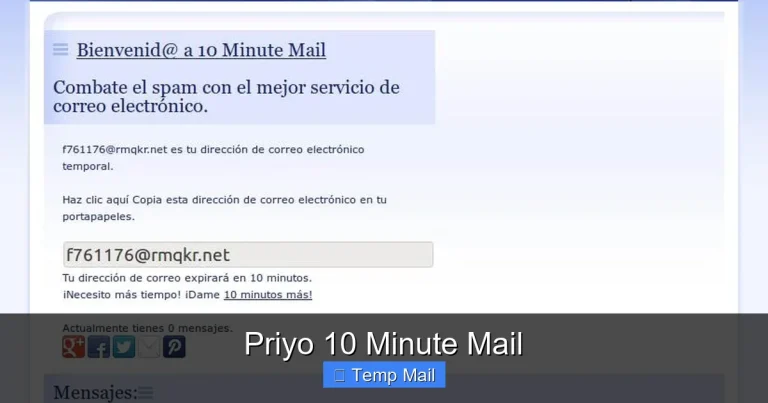
Let’s start with the basics. A temporary email, often called “temp mail” or “disposable email,” is a service that provides you with a random, working email address and an inbox—but only for a limited time, usually 10 minutes to a few hours. You don’t need to sign up, create a password, or provide any personal information to get one. You simply visit a website like Temp-Mail.org, 10MinuteMail.com, or Guerrilla Mail, and it generates an address like randomnumbers@domain.com instantly. That inbox is displayed on your screen, and any emails sent to that address appear there in real-time. Once the timer runs out, the address and all its contents are permanently deleted from the service’s servers.
Think of it like a public payphone for the digital age. It’s there for a quick, anonymous call (or in this case, a quick verification email), and then it’s gone. No traces, no long-term commitment. The core purpose is to bypass email verification on websites and apps where you don’t want to use—or don’t trust—your primary email address. This brings us to the perfect candidate for this tool: Telegram.
The Architecture of a Temp Mail Service
These services operate on a simple but clever technical model. They own or lease large pools of domain names and set up mail servers for them. When you visit their site, their system randomly assigns you an unused address from one of those domains. The inbox you see is a unique session linked to that address. All incoming mail for that address is routed to their server and displayed in your browser session. Since there’s no persistent login, once the session expires or you close the tab, that specific address is retired and never reused. This lack of user accounts and passwords is what makes them truly “disposable” and anonymous.
Why Would You Need Temp Mail for Telegram?
Telegram, the popular cloud-based messaging app, requires a phone number for initial sign-up. However, for certain actions—like logging in on a new device, adding a two-step verification, or sometimes joining a channel that uses email for access—it can request an email address for verification. More commonly, many third-party Telegram bots and channels, especially those related to crypto, file sharing, or giveaways, require you to provide an email to receive a link or a code. This is where your primary email address is at risk.
Visual guide about Temp Mail for Telegram
Image source: temp-mail.io
Using your main Gmail, Outlook, or work email for these random Telegram interactions is a recipe for spam. You’re effectively handing your email address to an unknown entity that might add it to marketing lists, sell it to data brokers, or, in a worst-case scenario, suffer a security breach that exposes it. Temp mail creates a perfect firewall. It allows you to complete that necessary verification step, get your link or code, and then let the address vanish, leaving your real inbox pristine.
Furthermore, if you’re creating a secondary or “burner” Telegram account for a specific project, hobby, or to separate your personal and professional life, using a temp email for the initial setup keeps that account’s creation completely unlinked to your primary identity. This aligns with Telegram’s own ethos of strong privacy and anonymity for users who need it.
The Spam Prevention Payoff
The most tangible benefit is a cleaner primary inbox. Imagine signing up for a dozen Telegram crypto airdrop bots with your real email. Within weeks, your inbox could be flooded with “urgent” market updates, “exclusive” token offers, and phishing attempts disguised as project announcements. By using a temp mail that expires after an hour, you receive that one airdrop code and then the communication channel is severed forever. The spam never reaches you. This single use case makes temp mail an invaluable tool for any power user of Telegram’s vast ecosystem of bots and channels.
Step-by-Step: How to Use Temp Mail with Telegram
Using a temporary email with Telegram is straightforward, but the sequence matters. Here’s a reliable, safe workflow. We’ll use a hypothetical scenario: you found a Telegram bot that requires an email to send you a free e-book download link.
Visual guide about Temp Mail for Telegram
Image source: bestoftelegram.com
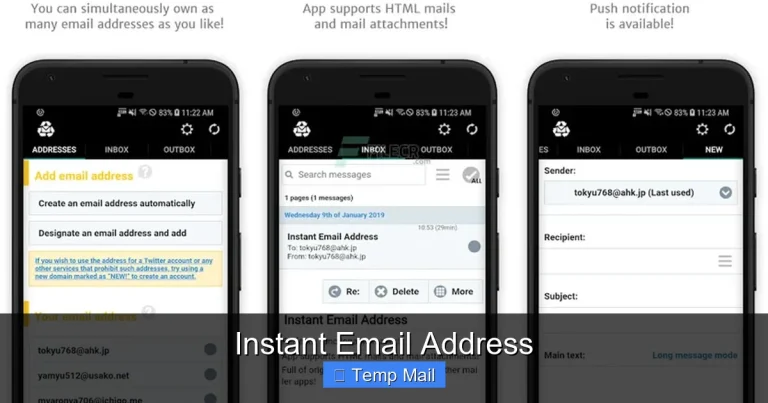
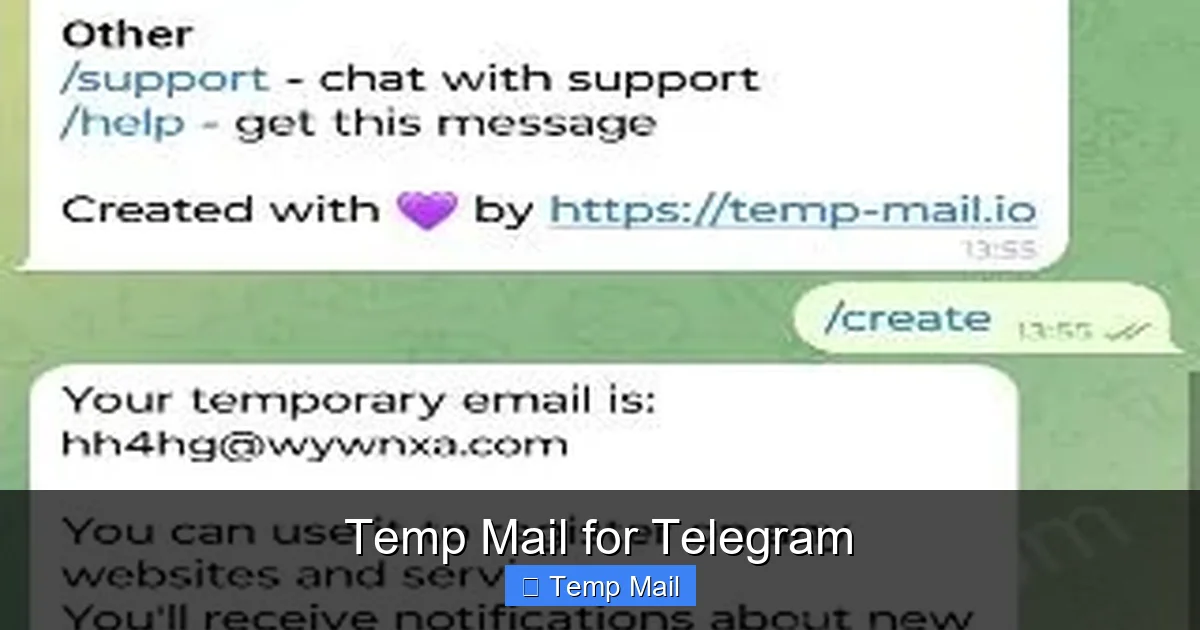
Step 1: Generate Your Temp Mail Address. Open a new browser tab and go to a reputable temp mail provider (e.g., Temp-Mail.org). The site will immediately display a random email address and an inbox window. Copy that email address to your clipboard. Do not close this tab yet.
Step 2: Provide the Temp Address to Telegram/Bot. Switch to Telegram, open the bot or channel, and paste the temp email address where requested. Submit it.
Step 3: Wait and Refresh. Return to your temp mail tab. You may need to manually refresh the inbox page (most have a refresh button). Within a minute or two, you should see an incoming email from Telegram or the bot service. Click on it to view its contents. You’ll find your verification code or download link.
Step 4: Use the Code/Link Immediately. Copy the code back into Telegram or click the link to get your e-book. Complete the necessary action right away.
Step 5: (CRITICAL) Secure Your Telegram Account. If this temp email was used for your main Telegram account’s recovery email (a risky but possible move), you must immediately go to Telegram Settings > Privacy and Security > Active Sessions or Account Settings and add a permanent, secure email address you control. Do not skip this step.
Step 6: Abandon the Temp Inbox. Close the temp mail tab. The address will expire, and all data is wiped. You have no further obligation.
Choosing the Right Temp Mail Service
Not all temp mail providers are equal. Some key features to look for:
- Domain Variety: Services that offer multiple domain options (e.g., @temp-mail.org, @guerrillamail.com) are less likely to have all their domains blocked by Telegram’s anti-spam filters.
- No CAPTCHA or Minimal Hurdles: Avoid services that bombard you with CAPTCHAs before showing the inbox, as this can slow you down.
- Inbox Refresh Speed: A good service updates the inbox quickly without needing a full page reload.
- Copy Button: A one-click copy button for the email address is a small but significant usability plus.
- Reputation: Stick to well-known, established providers. Unknown sites might be honeypots or have poor deliverability.
Test a provider with a non-critical website first to see if emails arrive promptly before relying on it for an important Telegram verification.
The Significant Risks and Critical Limitations You Must Know
Relying on a temporary email for Telegram is not without serious pitfalls. Understanding these is crucial to avoid losing access to your account or falling victim to scams.
Visual guide about Temp Mail for Telegram
Image source: trickbd.com
The most severe risk is permanent account lockout. Telegram accounts are tied to a phone number. If you use a temp email as your account’s recovery email and then get logged out (due to a new device login, app reinstall, etc.), Telegram will send the recovery code or link to that temp email. Since the email no longer exists, you cannot complete the recovery. Your phone number might be stuck in a limbo state, and you could be unable to access the account again. This is why the “Secure Your Account” step in the previous section is non-negotiable.
Another limitation is service unreliability. Telegram’s systems actively try to block known disposable email domains to prevent spam and abuse. There’s a chance that when you try to use a temp mail address, Telegram’s sign-up or verification page will reject it outright with an error like “Invalid email address.” In this case, you must try a different provider or a different domain from the same provider.
Furthermore, temp mails have extremely short lifespans. If the verification email from Telegram is delayed (which can happen during high traffic), it might arrive after your inbox has already expired. You’d miss the code and have to start over with a new temp address. There is no “check later” option.
Security and Privacy Trade-offs
While temp mail protects your real identity from the recipient, it offers zero security for the content of the email itself. The inbox is accessible to anyone who has the URL or session ID while it’s active. Do not use temp mail for receiving any sensitive information, password resets for important accounts, or confidential documents. Its sole purpose is for low-risk, single-use verifications. Also, some temp mail services may log IP addresses or scan email content for advertising, though reputable ones claim not to. You are placing trust in a service designed for anonymity, but that trust is based on their stated policy, not a proven track record like major email providers.
Best Practices for Safe and Effective Use
To maximize the benefits and minimize the risks, follow these best practices religiously.
- Use for Bots & Channels, Not Core Account Recovery: The safest rule is to never use a temp email as the primary or sole recovery email for your main Telegram account. Reserve it for interacting with third-party bots, joining gated channels, or signing up for one-off services linked to Telegram.
- Add a Real Email Immediately: If you must use a temp mail during initial Telegram account creation (some users report it works), immediately add a permanent, secure email address (like a ProtonMail or a dedicated secondary Gmail) in your Telegram account settings. Make this your primary recovery method.
- Keep the Temp Tab Open: From the moment you generate the temp address until you have successfully used the verification code, keep the tab open and the inbox visible. Do not navigate away or refresh the main Telegram page excessively, as you might miss the incoming email notification.
- Have a Backup Provider Ready: If Telegram rejects your first temp email, don’t waste time troubleshooting. Have a second temp mail site open in another tab, generate a new address there, and try that one.
- Never Use for Financial or Sensitive Bots: Avoid using temp mail with Telegram bots that involve cryptocurrency wallets, real money transactions, or require personal identification. The risk of the bot/service being malicious or compromised is too high, and you have no recourse if something goes wrong.
- Clear Browser Data After Use: For maximum privacy, close the temp mail tab and clear your browser’s cache and cookies for that site after you’re done. This ensures no session data lingers.
Understanding Telegram’s Stance
Telegram’s official documentation doesn’t explicitly forbid or endorse the use of disposable emails. Their system’s automatic blocking of known disposable domains indicates a preference against them, primarily to combat spam and fraudulent account creation. They want to ensure that recovery emails are stable and long-lasting to genuinely help users recover accounts. By following the best practice of quickly replacing a temp mail with a real one in your account settings, you align with Telegram’s goal of having a valid recovery path while still gaining the initial privacy benefit.
Alternatives to Temp Mail for Telegram Privacy
If the risks of temp mail seem too high, or if Telegram consistently blocks disposable domains, consider these more robust alternatives.
The first is to use a dedicated “burner” email account from a provider like Gmail, Outlook, or ProtonMail. Create a new email address specifically for Telegram and other low-trust sign-ups. Use a strong, unique password and enable two-factor authentication (2FA) on that email account itself. This gives you a stable, long-term inbox that won’t expire unexpectedly, solving the recovery problem. It’s slightly less anonymous than temp mail (as you create an account), but far more reliable and secure.
The second, and most private, alternative is to use a secure, anonymous email service. Providers like ProtonMail or Tutanota offer end-to-end encryption and don’t require a phone number for sign-up (though they may ask for a recovery email, creating a chicken-and-egg problem). You can create a truly anonymous, permanent email that you use solely for Telegram. This combines the longevity of a real account with strong privacy policies, making it an excellent upgrade from flimsy temp mail.
A third option, if you’re only concerned about spam from a specific bot or channel, is to see if the service offers a direct link or code without email verification. Often, the email step is optional or can be bypassed by scrolling to the bottom of the bot’s menu. Always explore the interface thoroughly before resorting to providing any email address.
Frequently Asked Questions
Is using temp mail for Telegram safe?
It’s safe for receiving a one-time verification code from a low-risk bot or channel, as it protects your real email from spam. However, it is unsafe for account recovery, as the expiring inbox will lock you out permanently if you ever need to recover your Telegram account.
How long do temp mail inboxes last?
It varies by provider, but most last between 10 minutes and 1 hour. Some offer extensions for a few more minutes. You must use the verification email within this short window, or it disappears forever.
Will Telegram block a temp email address?
Yes, frequently. Telegram maintains lists of known disposable email domains. If you try to use an address from a blocked domain, the sign-up or verification field will reject it as invalid. You’ll need to try a different temp mail provider or domain.
Can I change my Telegram recovery email after using temp mail?
Yes, and you absolutely should. Go to Telegram Settings > Privacy and Security > Active Sessions (or Account Settings) to add a permanent email address. This must be done immediately after using the temp mail, while you still have access to your account.
What’s the main downside of using temp mail for Telegram?
The main downside is the catastrophic risk of permanent account loss. If you rely on a temp email for recovery and get logged out, you cannot regain access because the recovery email no longer exists. The account is tied to your phone number, but recovery becomes impossible.
Should I use temp mail for Telegram crypto bots?
Extreme caution is advised. While temp mail can stop spam, interacting with crypto bots involves financial risk. A malicious bot could still attempt to phish your wallet seed phrase or trick you. Using temp mail doesn’t protect you from the bot’s intent—it only protects your email inbox. Only use reputable, well-known bots, and never share wallet keys.