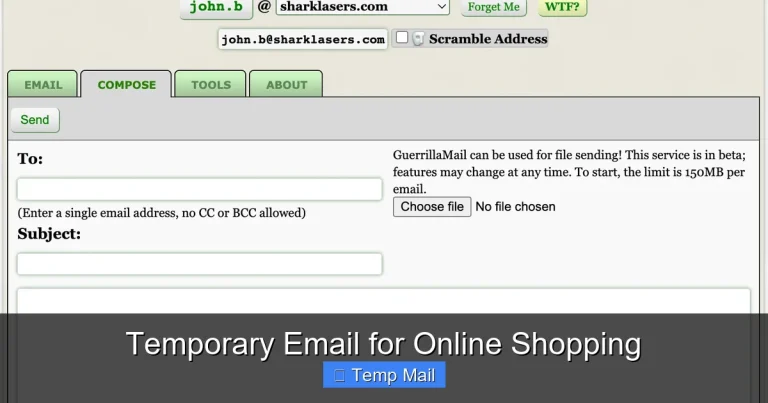
Temporary Email for Marketers
Temporary email services are a secret weapon for modern marketers, offering a disposable inbox to sign up for newsletters, test campaigns, and monitor competitors without clogging primary business accounts or risking data privacy. These tools help bypass spam filters, conduct clean A/B testing, and gather competitive intelligence ethically. By integrating temp mail into your workflow, you maintain a pristine sender reputation, comply with data regulations, and gain invaluable insights—all while keeping your real identity and main inbox safe from clutter and potential breaches.
Ever felt that pang of anxiety when you need to sign up for a new marketing tool, download a competitor’s whitepaper, or test a tricky email sequence? You hover over the email field, knowing that using your primary work address will inevitably lead to a tidal wave of promotional newsletters, potential spam, and a cluttered inbox that distracts from real client communication. What if there was a clean, professional, and utterly disposable solution? Enter the world of temporary email for marketers—a tactical asset that’s less about hiding and more about strategic hygiene and intelligence gathering.
This isn’t about being sneaky; it’s about being smart. In the data-driven, privacy-conscious landscape of modern marketing, your email address is a key piece of your digital identity. Every sign-up, every download, every test account creation leaves a footprint. For the marketer, managing these footprints efficiently is crucial for maintaining operational security, ensuring data compliance, and keeping analytical data pure. A temporary email service provides a burner inbox that exists for a short, defined period—often minutes or hours—allowing you to complete the necessary action and then let the address self-destruct, leaving no trace behind. It’s the digital equivalent of using a clean, white glove to examine a artifact; you interact, you observe, and you leave without contaminating the scene or your own workspace.
Over the next few thousand words, we’ll dive deep into how temporary email for marketers transitions from a handy trick to an essential component of a sophisticated marketing tech stack. We’ll explore concrete use cases, from the mundane to the mission-critical, evaluate the ecosystem of tools available, and establish the ethical guardrails that keep your competitive intelligence gathering above board. Whether you’re a solo content creator or part of a large agency team, understanding and leveraging disposable email will streamline your processes, protect your assets, and unlock insights you might have missed while worrying about inbox zero.
Key Takeaways
- Privacy Protection: Temporary emails shield your primary business and personal addresses from spam, data breaches, and unwanted marketing when testing services or downloading gated content.
- Clean Campaign Testing: Use disposable inboxes to test email deliverability, login flows, and user journeys without affecting your domain’s sender reputation or analytics.
- Ethical Competitive Analysis: Monitor competitor newsletters, sign-up processes, and promotional offers anonymously to gather market intelligence without revealing your affiliation.
- Compliance & Security: Reduce risk under GDPR/CCPA by minimizing the storage of personal data; temp emails are inherently designed for short-term, low-risk interactions.
- Workflow Efficiency: Quickly create test accounts for SaaS tools, platforms, and analytics dashboards without managing multiple permanent credentials or worrying about cleanup.
- Spam Trap Avoidance: Prevent your core domain from being flagged by spam filters due to high-volume sign-ups or low-engagement test accounts, preserving email deliverability.
- Tool Selection Matters: Not all temp mail providers are equal; marketers must choose reputable services with API access, custom domains (for some uses), and reliable inbox lifetimes.
📑 Table of Contents
- Why Marketers Need a Disposable Inbox: Beyond the Basic “No Spam”
- Core Use Cases: How Marketers Actively Use Temporary Email
- The Anatomy of a Good Service: Features Marketers Must Look For
- The Ethical Line: Staying Within Legal and Moral Boundaries
- Integrating Temporary Email into Your Marketing Workflow
- Risks, Limitations, and Mitigation Strategies
- The Future of Disposable Inboxes in Marketing
- Conclusion: Making Disposable Email a Strategic Advantage
Why Marketers Need a Disposable Inbox: Beyond the Basic “No Spam”
The most obvious reason marketers reach for a temporary email is to avoid spam. But reducing this to a simple spam-fighting tactic undersells its profound operational value. At its core, the need stems from a fundamental marketing principle: data integrity and identity separation. Your marketing actions generate data. When you use your primary, permanent email address to test a competitor’s lead magnet funnel, that data—your email—becomes entangled with their system. It can skew their analytics (if they are sophisticated), but more importantly, it entangles your identity with their outreach in ways you may not want.
The Problem of “Inbox Contamination”
Consider a typical week. You might sign up for:
- A new social media scheduling tool’s free trial.
- Three different competitor webinars to understand their messaging.
- A gated industry report from a publication you don’t subscribe to.
- A beta test for a new analytics platform.
Each of these actions uses your work email. Within days, your primary inbox is flooded with “Welcome!” emails, “Your trial is ending!” reminders, “We miss you!” reactivation campaigns, and weekly newsletters you never intended to subscribe to. This is inbox contamination. It creates noise that makes you miss a critical client email, forces you to spend time unsubscribing (which many marketers forget to do, legally required or not), and, most subtly, dilutes the focus of your professional digital identity. A temporary email acts as a sterile buffer. The promotional cycle lives and dies in a disposable inbox you check once, or don’t check at all, keeping your core communication channel pristine.
Preserving Sender Reputation: The Hidden Cost
For email marketers, sender reputation is everything. It’s a score ISPs (like Gmail, Outlook) assign to your sending domain and IP address. A poor reputation means your campaigns land in the spam folder. One factor that influences this score is the engagement level of emails sent to addresses associated with your domain. Here’s the chain reaction: you use your marketing@yourcompany.com to create 50 test accounts across various platforms during a QA session. Those platforms send you welcome emails. You never open them. ISPs see low engagement from a high-volume sender address within your domain and may downgrade its reputation, assuming it’s sending to unengaged or purchased lists. By using a temporary email for marketers for all testing and non-essential sign-ups, you insulate your core business-domain reputation from the low-engagement signals generated by routine testing.
Data Privacy and Regulatory Compliance
Regulations like GDPR (EU) and CCPA (California) treat an email address as personally identifiable information (PII). When you provide your real, work email to a third-party service, you are legally linking that PII to that service. You are also entrusting them to store and handle it securely. While most reputable companies do, the more places your email exists, the larger your “attack surface” for a potential data breach. Using a disposable email minimizes your digital footprint. It’s a proactive privacy measure. Furthermore, if you are a marketer handling client data, using a temp mail for internal testing ensures you are not accidentally exposing client PII or mixing test data with real campaign data, a critical compliance and hygiene practice.
Core Use Cases: How Marketers Actively Use Temporary Email
Understanding the “why” is step one. The “how” is where the strategy comes alive. Forward-thinking marketers integrate temporary email into specific, repeatable workflows. These aren’t one-off hacks; they are systematic practices that save time, money, and headaches.
Visual guide about Temporary Email for Marketers
Image source: jaysonlinereviews.com
1. Campaign and Funnel QA (Quality Assurance)
Before hitting “Send” to your 50,000-subscriber list, you need to test everything. Does the link in the email work? Does the landing page render correctly on mobile? Does the form submit to the right list? Does the thank-you page trigger the correct pixel? Traditionally, you’d use a colleague’s email or a test list segment. But this has drawbacks: it uses real email addresses, can trigger internal alerts, and might contaminate your main CRM with test data.
The temporary email for marketers solution is elegant. Create a fresh disposable inbox. Use that address as the recipient for your test email. Click every link, submit every form, and complete the entire user journey. All data—form submissions, click tracking, conversion pixels—flows into your analytics and CRM tagged with that disposable address. You can then easily filter it out, delete it, or simply let the address expire. The result is a 100% clean test cycle that leaves no residue in your production systems. For agencies, this is invaluable for client work, ensuring no test data ever pollutes the client’s pristine database.
2. Competitor Intelligence & Market Research
Want to know what a competitor is offering their email list? What their latest webinar pitch is? What their onboarding email sequence looks like? The most direct way is to sign up. But using your real email is a giveaway and starts a relationship you may not want.
Here, temporary email services enable anonymous, ethical observation. You:
- Generate a new disposable address.
- Sign up for the competitor’s newsletter or gated content using that address.
- Receive their welcome series, promotional emails, and content offers in the temp inbox.
- Analyze their messaging, offers, frequency, and segmentation tactics.
- Once the research window closes (after 2-3 emails), simply abandon the address.
This method provides first-hand, unfiltered access to a competitor’s customer communication strategy without revealing your identity or committing to a long-term subscription. It’s a standard practice in growth marketing and competitive analysis teams.
3. Accessing Gated Content & Lead Magnets
The marketing world runs on content. To access the best industry reports, e-books, and templates, you often have to trade your email address. For a marketer, this is a constant dilemma: is this content valuable enough to permanently add this publisher to my “sources” list? Or is it a one-time download?
Using a temporary email for marketers to download a lead magnet you’re curious about solves this. You get the content immediately. If the publisher’s follow-up emails are valuable, you can (optionally) save the address or subscribe properly later. If not, the disposable address vanishes, and you’ve extracted the value without a long-term commitment. This is especially useful for researching content trends, analyzing competitor lead magnets, or sampling resources from unfamiliar sources before recommending them to your team.
4. Software and Platform Testing
The martech landscape is vast. New tools launch daily. As a marketer, you need to evaluate them. Almost every SaaS product requires an email for trial sign-up. Creating a test account with your real email means managing yet another login, dealing with upgrade nag emails, and potentially having your contact info sold or shared (even if you unsubscribe later).
A disposable email address is perfect for this. Sign up for the 14-day trial of that new AI copywriting tool, the project management platform, or the advanced SEO scanner. Use it to explore the UI, test the core features, and assess if it fits your workflow. When the trial ends, the email address likely expires anyway. No password reset headaches, no lingering subscription in your CRM, no risk of the tool becoming a data repository for your PII. For teams, this scales—each tester on your team uses their own temp mail, keeping evaluations clean and separate.
5. Managing Multiple Client or Campaign Identities
Agencies and in-house marketers managing distinct brands or campaigns sometimes need separate “identities” online. You might need a unique email to register for a platform-specific beta program, to join a private community for a specific industry niche, or to access region-specific tools. Creating a new Gmail or Outlook account for each is a management nightmare.
Temporary email services offer a lightweight alternative. For a short-term project or a one-off community access, a disposable address provides the necessary separation. It keeps your primary professional identity clean and prevents the cross-pollution of newsletters and notifications between unrelated client projects. You operate as a clean, anonymous agent for that specific task, then dissolve the identity.
The Anatomy of a Good Service: Features Marketers Must Look For
Not all temporary email providers are created equal. Some are designed for one-off website sign-ups with terrible inbox interfaces. Others are built with power users and professionals in mind. For marketers, the right tool becomes a seamless part of the workflow. Here’s what separates a basic burner from a professional-grade asset.
Visual guide about Temporary Email for Marketers
Image source: miro.medium.com
Inbox Lifetime and Reliability
The core promise is disposability, but for how long? Some services offer 10-minute inboxes—too short for a multi-step workflow or waiting for a delayed email. Others provide 24-48 hours, which is the sweet spot for most marketing tasks (QA cycles, receiving a whitepaper, getting a competitor’s welcome series). Look for clear, advertised inbox lifetimes. Reliability is key: the inbox must receive emails consistently, without delays or missing messages. A missed competitor newsletter defeats the purpose. Test a provider with a known sender (like a test email from your own system) before committing to it for critical research.
User Interface and Usability
You’re a marketer, not a hacker. You need an interface that is clean, fast, and intuitive. Key features include:
- Auto-refresh: The inbox should update automatically to show new emails without manual reloading.
- Clear Display: Emails should render properly, with images enabled by default (to see tracking pixels and full creative).
- Link Functionality: You must be able to click links within the temp inbox to continue your testing or research flow.
- Reply Capability (Optional but Powerful): Some advanced services allow you to reply from the disposable address. This is useful for engaging in a brief, anonymous Q&A in a forum or with a sales rep during competitor research.
API Access for Automation
This is the hallmark of a tool built for professionals, not just consumers. An API (Application Programming Interface) allows you to programmatically generate new email addresses, check for received emails, and retrieve content from your automation scripts or internal tools.
How is this used? Imagine building a scraper that automatically signs up for a list of 50 competitor newsletters using a new temp address for each, then uses the API to fetch the first welcome email for analysis. Or, integrating temp email generation into your QA automation suite so every automated browser test uses a unique, fresh address. This moves temporary email for marketers from a manual tool to a scalable, integrated system component. Services like Temp-Mail.org, Mail.tm, and 10MinuteMail offer varying levels of API access.
Domain Options and Customization
Most free services use their own generic domains (e.g., @tempmail.demo, @mailinator.net). For basic use, this is fine. However, some paid or advanced services offer a range of domains or even allow you to use your own custom domain for disposable addresses (e.g., test@yourcompany.disposable). This has two benefits: it looks more professional if you ever need to show the address (e.g., for a client demo), and it can bypass simple domain-blocking filters on some websites that blacklist known temp mail domains. For the marketer testing a platform that might block common temp domains, having a less obvious domain option is a strategic advantage.
Security and Privacy Guarantees
You are using these services to protect your privacy. Therefore, the provider itself must be trustworthy. Look for clear privacy policies that state:
- They do not log IP addresses linked to inboxes.
- Emails are not stored after the inbox expires or is deleted.
- No data mining or selling of email content occurs.
- HTTPS encryption is used for all connections.
Reputable providers are transparent about this. Avoid any service that is vague about data handling or is known for injecting ads into email content.
The Ethical Line: Staying Within Legal and Moral Boundaries
Using a temporary email for marketers to test your own funnels is a no-brainer. Using it to anonymously sign up for a competitor’s paid service to avoid paying, or to harass someone, is unethical and often illegal. The power of anonymity comes with responsibility. Marketers must operate in a transparent, fair competitive space.
Visual guide about Temporary Email for Marketers
Image source: cdn.maileroo.com
What is Ethical Competitive Intelligence?
Ethical competitive intelligence is the practice of gathering publicly available information about competitors to inform your own strategy. Signing up for a competitor’s free newsletter with a temp email is ethical. The information (the emails themselves) is offered publicly in exchange for an email address. You are a recipient, not a spy. Similarly, downloading a publicly available whitepaper is ethical. You are accessing content they have deliberately placed in the public domain to generate leads.
What crosses the line? Using a temp email to bypass a paywall on a subscription-based publication. Signing up for a free trial with no intention of ever converting, solely to consume their sales team’s time with fake questions. Impersonating someone else. These actions violate terms of service and can have legal consequences. The rule of thumb: if you wouldn’t do it with your real name and email, don’t do it with a fake one. The goal is observation and learning, not deception or theft of service.
Transparency with Your Team and Clients
If you are an agency marketer using temp email for competitor research on behalf of a client, consider your client agreement. Some contracts have clauses about ethical practices. While using temp mail is standard, being transparent about your research methods (e.g., “We monitor competitor communications using anonymized sign-ups”) builds trust. Internally, ensure your team understands the acceptable use policy for these tools to prevent misuse.
Respecting Platform Terms of Service
Many social media platforms, app stores, and software services explicitly prohibit the use of disposable or temporary email addresses in their Terms of Service (ToS). They see it as a way to create spam accounts, evade bans, or abuse free tiers. When you use a temp email to sign up for such a platform, you are technically violating their ToS. The risk is usually low for simple research, but for critical business tools, it could result in account suspension. The ethical approach here is nuanced. If you are testing a platform’s sign-up flow as part of a UX review, using a temp email is a valid QA practice. If you are trying to create a permanent, business-critical account on a platform that bans temp emails (like some social media management tools), you should use a real, monitored business email. Always read the ToS for the specific use case.
Integrating Temporary Email into Your Marketing Workflow
Knowing the theory is one thing; building it into your daily routine is another. Here’s how to move from occasional user to strategic practitioner.
Step 1: Choose and Master Your Primary Tool
Don’t hop between 10 different temp mail sites. Select one or two primary services that meet your feature needs (reliable inboxes, good UI, API if needed) and stick with them. Bookmark them. Create a simple internal guide for your team: “For all new tool sign-ups and competitor research, use [Service A]. For anonymous forum posts, use [Service B].” Consistency reduces friction. Spend 30 minutes exploring the interface of your chosen tool. Learn how to quickly generate a new address, refresh the inbox, and copy the address. Some browser extensions can even generate temp emails from the clipboard—explore these efficiencies.
Step 2: Create a Naming Convention (For Your Records)
While the email address itself is random, you need to remember what you used it for. If you generate 20 temp emails in a week for different projects, you’ll lose track. Develop a simple internal naming system. This could be a spreadsheet or a notes file. For example:
- Project/Use: Competitor X Newsletter Analysis
- Temp Email Used: abc123@mail.tm
- Date Created: 2023-10-26
- Purpose/Notes: Signed up for their main blog list. Will monitor for 7 days.
- Status: Active / Completed / Abandoned
This prevents you from accidentally reusing an address for a different purpose or forgetting what research a particular inbox was tied to. For API-driven workflows, this metadata can be stored automatically in your script logs.
Step 3: Build it into Your Standard Operating Procedures (SOPs)
Document the use of temp email in your team’s SOPs. For instance, in your “New Tool Evaluation SOP,” add a step: “1. Generate a temporary email address from [Tool]. 2. Use this address for all sign-up and trial activation steps. 3. Document the address and tool name in the evaluation tracker.” In your “Competitor Content Analysis SOP,” include: “Use a unique temporary email to subscribe to each competitor’s primary newsletter.” By institutionalizing the practice, you ensure adoption and consistency, preventing team members from accidentally using personal emails out of habit.
Step 4: Automate Where Possible
For teams with technical resources, leverage APIs. A developer can build a simple internal web page where a marketer clicks a button, and it generates a new temp email address and copies it to their clipboard, automatically logging it to a shared sheet. Or, for large-scale competitive research projects, a script can be written to cycle through 100 temp addresses, sign up for a list of target newsletters via their API (if available), and then poll the temp mail service’s API to fetch the received emails for analysis. This moves the process from manual to programmatic, allowing for massive scale in intelligence gathering.
Step 5: Regular Cleanup and Review
While the addresses expire, a habit of logging them means you should also have a monthly review. Check your tracking sheet. Are there any “Active” temp addresses from projects that are long finished? Close the loop. Note any patterns: “We used 15 temp emails for tool trials last month. Only 3 tools were worth pursuing.” This data can inform your tool selection process. Also, review the performance of your chosen temp mail service. Did any emails fail to arrive? Was the inbox down? Switching providers based on reliability metrics is part of optimizing this workflow.
Risks, Limitations, and Mitigation Strategies
No tool is perfect, and temporary email for marketers comes with its own set of challenges and risks. Acknowledging them is the first step to mitigation.
The Risk of Missing Critical Communications
The most obvious risk: an important email goes to a temp inbox that has already expired or that you simply forgot to check. This could be a reply from a potential partner, a support ticket resolution, or a password reset for a service you actually want to keep. Mitigation: Never use a temp email for any account where you need to receive critical, time-sensitive, or account-recovery communications. Reserve it for one-way communications (newsletters, notifications) or test scenarios where you control the entire flow. For any service where you might need to log in later, use a real, monitored email from the start. Implement a rule: “If I need to recover a password, it’s not a temp email situation.”
Blocking by Advanced Platforms
As mentioned, many platforms actively maintain and update blocklists of known temporary email domains. If your chosen provider’s domain is on the list, you simply cannot sign up. Mitigation: 1) Choose a provider that offers multiple domain options and rotates them. 2) Check if they offer custom domain masking. 3) Have a backup provider with a different domain set. 4) In your SOP, include a step: “If sign-up fails due to ‘invalid email,’ try a different domain from [Provider] or switch to [Backup Provider].” For the most stubborn blocks, you may have no choice but to use a real email for that specific platform, accepting the trade-off.
Data Loss and Lack of Archival
By design, these inboxes are ephemeral. Once the timer runs out, the emails are gone forever. If you are doing deep competitive analysis and need to archive an entire email sequence for future reference, a temp inbox that auto-deletes is a problem. Mitigation: As soon as you receive a valuable email in a temp inbox, forward it to your permanent, archived business email. Or, take screenshots. Or, copy the raw HTML/text into a document saved in your competitive intelligence folder. The temp mail is for receipt and initial analysis; the permanent archive is for long-term storage. Build this forwarding step into your workflow for high-value research targets.
Potential for Abuse and Reputation Damage
If your team misuses temp email—for example, to create hundreds of fake accounts to spam a forum or manipulate a voting system—the IP address used to create those accounts could be flagged. While the temp email itself is disposable, your organization’s public IP address might get a reputation for abuse. Mitigation: This is an HR and policy issue. Implement clear acceptable use policies. Train your team on the ethical boundaries. Monitor for unusual volume from your office IP to known temp mail providers (this can be seen in network logs). The goal is to use temp mail as a tool for efficiency and intelligence, not for spam or harassment. A single violation can harm your company’s overall digital reputation.
The Future of Disposable Inboxes in Marketing
The role of temporary email for marketers is evolving. As privacy regulations tighten and consumers become more wary of data sharing, the disposable inbox is becoming not just a convenience, but a standard expectation in certain interactions. We are moving toward a future where “email hygiene” is a formal part of marketing operations.
Integration with Privacy-First Browsers and Tools
Browsers like Brave and privacy-focused browser extensions are beginning to incorporate temporary email generation directly into the browser. Imagine a world where every “Sign Up” button on a website you visit has a little “Generate Temp Email” icon next to it, powered by a built-in service. For marketers, this means the barrier to using these tools will drop to zero. It will become as automatic as using a private browsing window. Marketing teams will need to adapt their analytics and tracking to account for the fact that a significant portion of their “anonymous” web traffic might be coming from users—including other marketers—using disposable identities.
The Rise of “Professional” Disposable Identities
We may see a bifurcation in the market: free, public temp mail for consumers, and paid, enterprise-grade “identity management” services for professionals. These services would offer not just email, but a suite of disposable data points: phone numbers (for SMS verification), physical addresses (for mail tests), and even payment card numbers (for payment flow testing). For a marketer testing a complex e-commerce checkout, the ability to generate a full, consistent disposable persona—with matching email, phone, and address—would be invaluable. These services would be billed per “identity” or via subscription, with strong SLAs (Service Level Agreements) and audit logs for corporate compliance.
Impact on Lead Generation and Data Quality
As disposable email use grows among professionals (like marketers, developers, analysts), B2B companies will see an increase in low-quality leads from temp addresses. This challenges the traditional “gate your content” model. Marketers will need to adapt by:
- Using progressive profiling: Instead of asking for an email upfront for a low-value asset, use a multi-step form that builds a profile over time, making it harder for a temp email user to get the high-value payoff without providing more persistent contact info.
- Implementing email validation with temp domain detection: Advanced email verification APIs now flag known disposable domains. Integrating this into your CRM at the point of capture can automatically segment or filter out leads from temp addresses, keeping your database clean.
- Focusing on post-download engagement: The real lead qualification happens after the download. If a user from a temp email engages with your follow-up nurture sequence (clicks links, visits pricing page), *then* you have a signal worth pursuing, even if the initial email was disposable. The tool is a filter, not a barrier.
The marketer of the future will be both a user of disposable identities for research and an architect of systems that can identify and segment them within their own lead flow. Mastery of temporary email for marketers is therefore becoming a dual competency: defensive (protecting your own operations) and offensive (understanding a segment of your anonymous audience).
Conclusion: Making Disposable Email a Strategic Advantage
The humble temporary email service has journeyed from a tool for anonymity on forums to a cornerstone of professional marketing operations. Its value is not in secrecy, but in strategic clarity. By providing a clean, isolated channel for testing, research, and interaction, it protects your primary business identity, preserves your sender reputation, and ensures your marketing analytics remain untainted by test data. It is a physical manifestation of the “separation of concerns” principle in software engineering, applied to your digital footprint.
Integrating it into your workflow is a mark of a mature, efficiency-driven marketing team. It shows an understanding that every data point matters, that privacy is a competitive advantage, and that time spent managing inbox clutter is time stolen from creative and strategic work. Start small: designate one tool for all your team’s tool trials this month. Document the time saved from unsubscribes and the clarity of having a clean QA inbox. Then, expand into competitor research. Build the SOPs. Explore the APIs.
In a digital world where your email address is a key to countless doors, sometimes the most powerful move is to have a key you can throw away after use. That is the simple, profound power of temporary email for marketers. Use it wisely, ethically, and systematically, and it will quietly become one of the most relied-upon tools in your martech arsenal.
Frequently Asked Questions
Is using temporary email for marketing research legal?
Yes, using a disposable email to sign up for publicly available newsletters or download public lead magnets is legal. It falls under ethical competitive intelligence. It becomes illegal if used to bypass paywalls, violate terms of service explicitly, or commit fraud. Always operate within the published rules of the platform you are engaging with.
What is the best temporary email service for marketers?
The “best” service depends on your needs. For most manual use, Temp-Mail.org or Mail.tm offer reliable inboxes with good UIs and multiple domain options. For developers and automation, 1secmail.com has a robust public API. For teams needing custom domains, paid services like SimpleLogin (now part of Proton) or AnonAddy offer more professional features, though they are often framed as email forwarding/alias services rather than pure temp mail.
Will using a temp email hurt my SEO or domain reputation?
No, but using your primary business email for low-engagement sign-ups and tests can. Search engines don’t care about your email practices. However, email providers (Gmail, Outlook) and marketing platforms do. A high volume of sign-ups from your business-domain email to various services, with no subsequent engagement, can signal to ISPs that your domain is sending to unengaged users, potentially harming your email campaign deliverability. Using a temp email for these activities protects your domain’s reputation.
Can I use a temporary email to sign up for a free trial of a SaaS tool?
You can, but it’s not recommended for tools you intend to seriously evaluate and potentially pay for. You will not receive billing reminders, password reset links, or important service updates. Use a temp email for initial, quick “kick-the-tires” exploration. If you decide to move forward, immediately update the account with your real, permanent business email before the trial ends to avoid losing access and data.
How do I prevent my team from misusing temporary email services?
Create a clear Acceptable Use Policy (AUP). Define specific, approved use cases (QA testing, competitor newsletter sign-up, gated content downloads) and prohibited uses (creating fake user accounts, spamming, bypassing bans). Train your team on the policy. For technical teams, monitor API usage if you provide a company-paid service. Foster a culture where the tool is seen as a productivity and privacy enhancer, not a way to circumvent rules.
What happens if a critical email (like a password reset) is sent to an expired temporary address?
It is permanently lost. There is no recovery. This is the fundamental trade-off of disposability. This is why the cardinal rule is: **Never use a temporary email for any account where you need to maintain long-term access, recover a password, or receive critical account notifications.** Use it only for one-way communications or test scenarios where you control all subsequent steps and have alternative access methods if needed.