One Time Email
A one-time email is a temporary, disposable email address used for a single purpose or short duration. It shields your primary email from spam, data breaches, and unwanted marketing. These services require no registration and auto-delete messages after a set time, making them perfect for signing up to websites, downloading files, or verifying accounts without compromising your real identity. They are a simple, free tool for boosting online privacy in our data-driven world.
Key Takeaways
- Privacy Shield: A one-time email acts as a protective barrier, preventing your primary email address from being collected, sold, or exposed to spam and phishing attempts.
- No Commitment: These addresses are created instantly without any sign-up, password, or personal information, offering complete anonymity for the task at hand.
- Auto-Cleanup: All emails and the address itself are automatically deleted after a predetermined period (usually 10 minutes to 24 hours), leaving no digital footprint.
- Spam Prevention: By using a disposable address for untrusted websites, forums, or downloads, you direct all potential spam away from your permanent inbox.
- Versatile Utility: Ideal for account verification, accessing gated content, testing apps, and any online interaction where you doubt the site’s email practices.
- Not for Critical Use: Never use a one-time email for important accounts (banking, primary social media, job applications) as you will lose access permanently.
- Simple & Free: The process is straightforward—visit a provider site, get an address, use it, and forget it. Most reputable services are completely free.
📑 Table of Contents
- What Exactly Is a One-Time Email?
- How Does a One-Time Email Service Actually Work?
- The Key Benefits: Why You Should Use One Regularly
- Common and Practical Use Cases
- How to Choose a One-Time Email Service
- Security and Privacy Considerations: The Fine Print
- One-Time Email vs. Your Primary Email: A Clear Divide
- The Future of Ephemeral Communication
- Conclusion: Embrace the Disposable Mindset
What Exactly Is a One-Time Email?
Imagine you need to download a free PDF guide or sign up for a one-time discount at an online store. The website asks for your email address. Do you use your primary, personal email—the one linked to your bank, your family, and your important accounts? If you do, you’re potentially signing up for a lifetime of spam, data broker listings, and a cluttered inbox. This is where the brilliant concept of a one-time email comes into play.
Also commonly called a disposable email, temporary email, or throwaway email, a one-time email is precisely what its name suggests: a fully functional email address that exists for a very short, predefined period. It’s designed to be used once, or for a single transaction, and then discarded. Think of it like using a burner phone for a confidential call. You get the communication channel you need for that specific moment, without any long-term ties or risks to your primary identity.
The Core Philosophy: Ephemeral Communication
The fundamental idea behind a one-time email is ephemerality. In the digital age, our email addresses have become persistent identifiers—keys that unlock not just our communications but vast profiles of our interests, purchases, and behaviors. Every time you share your permanent email, you add another data point to your digital shadow. A one-time email flips this script. It creates a temporary, isolated channel. Any messages sent to it are received and displayed in a web-based inbox for a short window, and then everything—the address, the inbox, the messages—vanishes into the digital ether. There’s no password to remember, no account to manage, and no long-term storage of your data on the service provider’s servers.
How Does a One-Time Email Service Actually Work?
The magic of a one-time email lies in its stunning simplicity. The entire process, from creation to deletion, is designed to be seamless and require zero effort from the user. Let’s walk through the typical lifecycle.
Visual guide about One Time Email
Image source: connectmls.smartmls.com
Step 1: Instant Generation
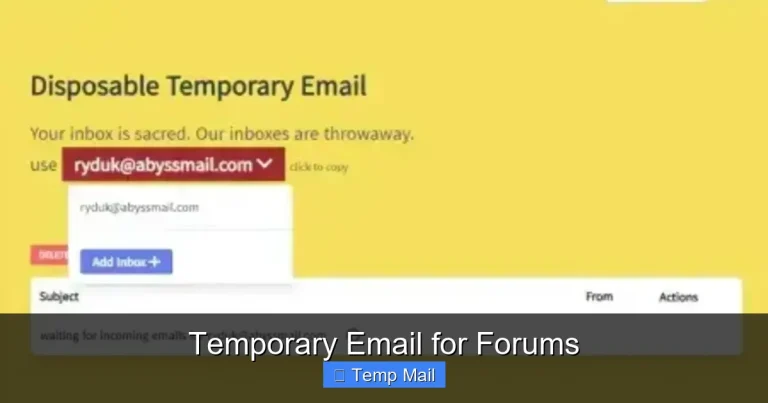
You navigate to a reputable one-time email provider’s website, such as Temp-Mail, Guerrilla Mail, or 10MinuteMail. The moment the page loads, the service automatically generates a unique, random email address for you. You’ll see it prominently displayed on the screen, often alongside a timer counting down the lifespan of the address (e.g., 10:00). There’s no “Sign Up” button, no form to fill out. You simply copy this address.
Step 2: Use It Where Needed
You then paste this disposable address into the website or service that requested it. This could be to register for a forum, download a whitepaper, get a coupon code, or verify a new app account. From the website’s perspective, it’s just a normal email address.
Step 3: Receive & View Messages
When that website sends a confirmation email or a download link, it arrives in the web-based inbox associated with your temporary address. You stay on the provider’s site (or sometimes a dedicated inbox page) and refresh the inbox to see if a message has arrived. You can open it, click links, or view attachments directly within this browser window.
Step 4: Automatic Self-Destruct
This is the crucial part. Once the timer expires—which could be 10 minutes, 1 hour, or 24 hours depending on the service—the entire system resets. Your specific email address is permanently deleted from the pool. The inbox is wiped clean. If someone tries to send an email to that address after expiration, it will bounce or be discarded. It’s as if it never existed. You simply close the browser tab and move on.
The Key Benefits: Why You Should Use One Regularly
Using a one-time email isn’t just about avoiding a few spam messages; it’s a proactive step toward reclaiming your digital privacy and sanity. The benefits are immediate and long-lasting.
Visual guide about One Time Email
Image source: qtoffice.com
1. Slam the Brakes on Spam and Phishing
This is the most obvious and valuable benefit. When you use your primary email to sign up for a sketchy-looking “free gift card” offer or a low-quality news site, you are almost guaranteeing that address will end up on spam lists. Those lists are sold and traded, leading to a tidal wave of unsolicited emails. Worse, phishing emails—those fraudulent messages trying to steal your passwords or credit card info—often target email addresses known to be active and engaged. By using a disposable address for any non-essential sign-up, you quarantine that risk. All the spam and phishing attempts get directed to the temporary inbox, which self-destructs before they can even bother you.
2. Protect Your Identity and Data
Data breaches are a weekly occurrence. When a company you signed up with gets hacked, the stolen database often includes user email addresses. If you used a one-time email for that company, that breached email is a dead end. It leads to a nonexistent inbox. Your real, permanent email—and the myriad of other accounts linked to it—remains safe and unassociated with that particular breach. It’s a simple way to compartmentalize your digital identity and limit the “blast radius” of any single data leak.
3. Bypass Annoying Registration Walls
How many times have you wanted to read an article, see a gallery, or access a basic piece of software, only to be stopped by a “Subscribe to our newsletter to view this content” wall? Often, these newsletters are low-value and high-frequency. Using a one-time email lets you instantly bypass this friction. You get the content you want immediately, without committing to a newsletter you’ll never read and will only try to unsubscribe from later.
4. Test Services and Apps Anonymously
Are you trying out a new social media app, a productivity tool, or a gaming service? Do you want to see what it does before handing over your real email? A disposable address is perfect for this exploratory phase. You can create an account, poke around the features, and decide if it’s worth your primary digital identity. If you decide not to keep it, you simply abandon the temporary account. No cleanup emails, no password reset hassles.
5. Avoid Unwanted Marketing and Tracking
Many legitimate businesses have aggressive marketing practices. They’ll send promotional emails daily, track your opens and clicks, and build a detailed profile of your interests based on your email activity. By using a one-time email for initial engagement, you prevent that business from ever having a direct channel to your primary inbox or a persistent identifier to tie your activity back to you personally. You get the one-time benefit (like a discount code) without the long-term marketing relationship.
Common and Practical Use Cases
Knowing the theory is great, but seeing exactly when to deploy this tool makes it truly powerful. Here are the most common, practical scenarios where a one-time email shines.
Visual guide about One Time Email
Image source: blog.accountingprose.com
Downloading Gated Content (Ebooks, Templates, Reports)
This is the #1 use case. A marketer offers a valuable PDF in exchange for an email. You want the PDF, but you don’t want the ensuing marketing drip campaign. Use the disposable address. You’ll receive the download link in the temporary inbox, grab the file, and then the address—and any future marketing from that source—disappears forever.
Signing Up for One-Time Discounts or Coupons
See a “Get 20% off your first order!” pop-up? It requires an email sign-up. Use the one-time email to get the coupon code. The code is usually delivered instantly via email. You copy it, use it at checkout, and the disposable address has served its purpose. No risk of the retailer adding you to their weekly sale circulars.
Registering on Forums or Comment Sections
You want to post a comment on a news article or ask a question on a technical forum, but it requires an account. Creating an account with your primary email just for this one interaction is overkill and exposes you to potential forum spam. A temporary email lets you create that account, post your comment or question, and then forget about it.
Accessing Wi-Fi or Guest Networks
Many airports, hotels, and cafes require you to register an email address to access their Wi-Fi network. This is primarily for their marketing purposes. Using a one-time email here is perfect. You get the internet access you need, and the provider has a useless, soon-to-expire email address for their records.
Testing Website or App Functionality
If you’re a developer, tester, or just a curious user, you might need to create multiple test accounts to see how a sign-up flow, password reset, or notification system works. Creating these with a one-time email service is incredibly fast and keeps your real inbox from being flooded with test notifications.
Bypassing “Login with Google/Apple” Requirements
Some sites now force you to use a social login (Google, Apple, Facebook) and don’t offer a traditional email/password sign-up. If you don’t want to link your primary social account to this minor service, a one-time email can sometimes be used with the “Sign up with email” option that might be hidden or less prominent.
How to Choose a One-Time Email Service
Not all one-time email providers are created equal. While the core function is similar, features, reliability, and user experience vary. Here’s what to look for.
Inbox Lifespan and Customization
Check how long the inbox lasts. Common options are 10 minutes, 1 hour, or until the browser tab is closed. Some services let you choose the duration or even extend it. For most uses, 10-60 minutes is sufficient. If you think you might need more time (e.g., waiting for a slow server to send a confirmation), look for a service with a longer default or extension option.
Domain Options and Randomness
The service will provide an address from its own domain (e.g., yourname@tempmail.com). Some services offer multiple domain choices, which can be useful if a particular site blocks emails from known disposable domains. The address is usually random, but some allow you to choose a custom local part (the part before the @) for easier recognition.
Attachment Support
Can the inbox receive and download file attachments? This is critical if you’re using the service to download a PDF, image, or software installer from a gated page. Most modern services support common attachments like PDFs, images, and ZIP files, but it’s worth confirming if you have a specific need.
Browser-Based vs. Bookmarkable
Most services work entirely within your browser. Your inbox is associated with the specific browser tab or session. If you close the tab, you might lose access. Some services offer a unique URL you can bookmark to return to your inbox later (within its lifespan). This is handy if you need to wait for an email and want to check it from your phone later without keeping a desktop tab open.
Ad Load and User Experience
Many free services are ad-supported. Look for a provider where ads are present but not overwhelmingly intrusive. You don’t want a wall of pop-ups preventing you from seeing your incoming email. A clean, simple interface is a sign of a well-maintained service.
Reputation and Reliability
Stick with well-known, established providers. A quick search for “best disposable email” will show you the popular ones. These are more likely to have reliable servers, good uptime, and domains that aren’t already blacklisted by major email providers (like Gmail or Outlook), which would cause your confirmation emails to bounce.
Security and Privacy Considerations: The Fine Print
While one-time emails are fantastic for privacy from *third parties*, you must understand their limitations and the trust you place in the service provider itself.
Provider Access and Data Logs
You are trusting the disposable email service with the content of the messages you receive. While reputable services do not log or sell your data (their business model is ads, not data harvesting), the technical reality is that the provider can, in theory, read any email that passes through their system. Therefore, you should never use a one-time email for receiving sensitive information like password resets for important accounts (you’ll lose access anyway), confidential documents, or private communications. Its purpose is for low-stakes, transactional emails only.
The “Open Relay” Risk
Some low-quality or malicious one-time email services might operate as “open relays,” meaning they allow anyone to send email *from* any address, not just receive. This can be used for spoofing and spam. Sticking with the major, reputable brands mitigates this risk significantly. They typically only allow receiving mail to the randomly generated inboxes they create.
No Sending Capability (Usually)
With very few exceptions, one-time email services are receive-only. You cannot compose and send an email from a disposable address. This is by design, as it prevents abuse for spamming. If a website requires you to *send* an email (like a contact form on some platforms), a disposable address won’t work. You’ll need a real email account for that.
Legal and Acceptable Use
Using a one-time email is perfectly legal. However, using it to fraudulently sign up for services, evade bans, or engage in illegal activities is, of course, illegal. The tool is for privacy, not for hiding malicious intent. Always respect a website’s Terms of Service.
One-Time Email vs. Your Primary Email: A Clear Divide
It’s helpful to think of your digital identity in layers. Your primary email is your bedrock—the key to your financial life, your core social connections, and your most valuable accounts. A one-time email is a disposable filter, a throwaway shield for everything else.
Your primary email should be used for: banking, main email/social media accounts, official government correspondence, primary cloud storage, subscriptions you genuinely want (like a favorite magazine), and communication with close friends and family.
Your one-time email should be used for: anything else. Any website that feels even slightly untrusted, any offer that seems too good to be true, any content gate you just want to bypass, any app you’re casually testing. If there’s a chance you might not want to hear from the sender again in a month, use the disposable address.
This mental separation is the cornerstone of a clean inbox and a more secure digital life. It turns your primary email from a public bulletin board into a private, controlled channel.
The Future of Ephemeral Communication
The rise of one-time email services reflects a growing public awareness of data privacy issues. As regulations like GDPR and CCPA give users more control, tools that offer immediate, actionable privacy become essential. We may see these services evolve, perhaps integrating more closely with privacy-focused browsers or offering API access for developers to build privacy into their own applications. The principle, however, is timeless: minimize the persistent data you leave behind. In a world of ever-expanding data collection, the ability to communicate in a truly temporary, forgettable way is not just convenient—it’s becoming a necessity for the savvy digital citizen.
Conclusion: Embrace the Disposable Mindset
A one-time email is a deceptively simple tool with profound implications for your online privacy and inbox hygiene. It costs nothing, takes seconds to use, and provides a powerful layer of separation between your valuable core identity and the noisy, often predatory, world of the wider internet. By adopting a simple rule—”for any non-critical sign-up, use a disposable address”—you take immediate control. You stop the spam at the source, you reduce your attack surface for data breaches, and you reclaim your primary inbox for what truly matters. It’s a small habit that yields a big return. Try it the next time you’re asked for an email for a free download or a one-off discount. Experience the freedom of a communication channel designed to be used and forgotten. That’s the power of the one-time email.
Frequently Asked Questions
Is using a one-time email legal?
Yes, using a one-time or disposable email service is completely legal. It is a legitimate tool for privacy protection. However, using it to commit fraud, evade legal bans, or for illegal activities is, of course, illegal.
How long does a one-time email last?
It varies by provider, but common lifespans are 10 minutes, 1 hour, or 24 hours. Some services let you extend the time. The inbox and the email address itself are permanently deleted once the timer expires.
Is a one-time email safe and private?
It is safe for protecting your primary email from spam and data breaches. However, you should not use it for highly sensitive communications, as the provider can technically see the emails received. Always use it only for low-stakes, transactional emails like sign-up confirmations.
What’s the difference between a one-time email and a disposable email?
There is no practical difference. “One-time email,” “disposable email,” “temporary email,” and “throwaway email” are all terms for the same service: a short-lived email address for receiving messages without long-term commitment.
Can I send emails from a one-time email address?
Almost never. These services are designed for receiving emails only (to prevent spam abuse). You cannot compose and send outgoing messages from a disposable address. They are for receiving verification links, download links, and similar incoming messages.
Do one-time email services cost money?
The vast majority of popular one-time email services are completely free. They are typically supported by advertising displayed on their interface. Some may offer premium, ad-free plans with extended features, but the basic service is free.