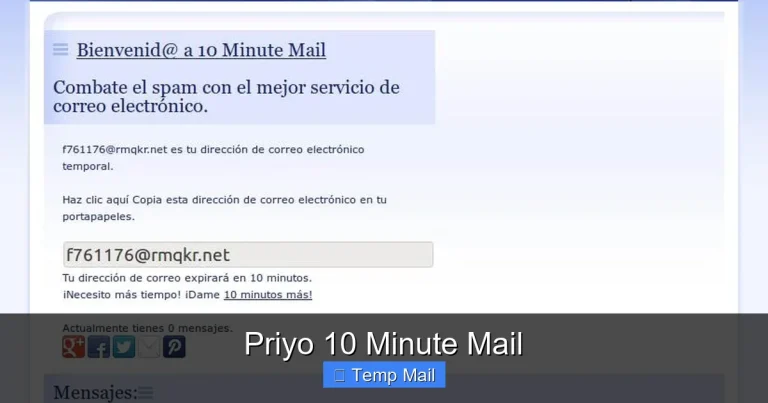
Secure Temporary Email
Secure temporary email is your first line of digital defense. It’s a disposable inbox that shields your primary email from spam, phishing, and data brokers. By using a random, short-lived address for non-essential sign-ups, you reclaim your privacy, declutter your main inbox, and significantly reduce your online attack surface. It’s a simple, free tool for smarter, safer browsing.
Let’s have a real talk about your email inbox. It’s probably a mess. A chaotic collection of newsletters you never read, promotional blasts from stores you shopped at once, and the ever-present dread of a phishing attempt hiding among the legitimate emails. Your primary email address is the skeleton key to your digital life—and too many companies have a copy. But what if you could hand out a different key every single time a website asks for it? A key that self-destructs after use. That’s the core promise of a secure temporary email. It’s not just a spam filter; it’s a fundamental shift in how you manage your online identity.
In this deep dive, we’re going beyond the basic “get a temp mail to avoid spam” advice. We’ll explore what makes a secure temporary email truly secure, how it works under the hood, the critical differences between a good service and a risky one, and exactly how to weave this tool into your daily digital routine for maximum privacy and peace of mind. Think of it as your digital bouncer, checking IDs at the door of your personal information.
Key Takeaways
- Privacy Shield: A secure temporary email acts as a protective barrier, preventing websites and marketers from linking your online activity to your real identity and primary email address.
- Spam & Phishing Defense: It dramatically reduces inbox clutter and eliminates the risk of clicking malicious links sent to an address you no longer use after 10 minutes.
- Zero Commitment: No registration, no password, and no personal details are required to generate a disposable address, ensuring anonymity from the moment you create it.
- Purpose-Specific Tool: It’s ideal for one-time downloads, forum registrations, or accessing gated content where you trust the site but not its email practices.
- Not for Critical Accounts: Never use a temporary email for banking, primary social media, or any account where password recovery and long-term access are essential.
- Provider Matters: Choose services that use strong encryption (HTTPS/TLS), have clear privacy policies (no logs), and automatically delete emails after a short period.
- Limited Lifespan: These inboxes are ephemeral by design, typically lasting from 10 minutes to 48 hours, after which the address and all contained emails are permanently erased.
📑 Table of Contents
- What Exactly Is a Secure Temporary Email?
- How Secure Temporary Email Services Work: A Step-by-Step
- Core Benefits: Why You Should Use One Today
- Choosing the Right Secure Temporary Email Provider
- Practical Use Cases: When to Pull Out the Disposable
- Critical Limitations and What NOT to Do
- The Future of Disposable Communication and Enhanced Security
- Conclusion: Embrace Ephemeral Communication
What Exactly Is a Secure Temporary Email?
At its heart, a secure temporary email service provides you with a random, disposable email address and a corresponding inbox—all without you needing to create an account. You visit the website, an address like randomstring@servicename.com is generated for you instantly, and you can start receiving emails in that unique inbox within seconds. The “secure” part is the crucial qualifier. It means the service implements measures to protect the confidentiality and integrity of your temporary communications.
The Anatomy of a Secure Disposable Inbox
A truly secure service operates on a few key principles. First, encryption in transit is non-negotiable. The connection between your browser and the service’s servers must use HTTPS (TLS/SSL) to prevent eavesdroppers on public Wi-Fi from intercepting your emails. Second, no-logs policy. The provider should not store IP addresses, message contents, or any metadata that could link the temporary address back to you after you close the browser. Finally, automatic, rapid deletion. Emails and the inbox itself should be purged from servers after a very short, predefined period (often 10 minutes to a few hours), leaving no digital trail.
How It Differs from Regular Email & Forwarding Services
This isn’t Gmail or Outlook. Those are persistent, account-based systems designed for long-term storage and organization. A secure temporary email is a single-use tool. It also differs from email forwarding services (like AnonAddy or SimpleLogin), which create *aliases* that forward to your main inbox. Those are great for long-term alias management but still deliver spam to your primary account. A temporary email is a true dead-end; the communication lives and dies in that isolated, ephemeral browser tab.
How Secure Temporary Email Services Work: A Step-by-Step
Understanding the mechanics helps you trust the process. Here’s a simplified flow of what happens when you use a reputable secure temporary email service:

Visual guide about Secure Temporary Email
Image source: anonymmail.net
- Generation: You load the service’s homepage. The server generates a completely random email address for your session, often storing it only in your browser’s temporary memory (session storage). No database entry with your IP is created.
- Inbox Creation: A corresponding, isolated inbox database is created on the server side, tied only to that random string. It has a countdown timer attached.
- Sharing: You copy this address and use it to sign up for a website, download an e-book, or access a forum.
- Receiving: The external website sends a verification email or a download link to your temporary address. The secure temporary email service’s server receives it, stores it encrypted in the temporary inbox, and updates your browser view via auto-refresh or manual check.
- Access & Deletion: You read the email, click the link, or copy the code. You then close the browser tab. The countdown continues. Once the timer expires (e.g., after 10 minutes of inbox creation or 1 hour of email receipt), the server permanently wipes the inbox and the email address from its active memory.
The Importance of Server-Side Auto-Deletion
The security guarantee hinges on this automatic purge. If a service simply *allows* you to delete emails but doesn’t enforce a system-wide expiration, there’s a risk of data accumulation on their servers. The best services are designed so that even they, the operators, cannot retrieve an email from an expired, randomly generated inbox. The data is gone.
Core Benefits: Why You Should Use One Today
Using a secure temporary email isn’t about being paranoid; it’s about being pragmatic. The benefits stack up quickly:
Visual guide about Secure Temporary Email
Image source: anonymmail.net
1. Unmatched Spam and Clutter Prevention
This is the most obvious win. That “free PDF” you downloaded? The forum you wanted to comment on once? The “exclusive” webinar? They will almost certainly add that temporary address to their mailing list. But since the address ceases to exist in an hour, that spam has nowhere to go. Your pristine primary inbox remains a sanctuary for emails from family, your boss, and your actual subscriptions.
2. Supercharged Privacy and Anonymity
Every time you use your real email, you create a data point. Data brokers and advertisers use these points to build a profile of your interests, location (sometimes inferred from ISP), and online behavior. A secure temporary email severs that link. The website you sign up for gets an email, but it cannot be tied back to your real identity or your other online accounts. You browse with a clean slate, every time.
3. Powerful Phishing and Malware Shield
Phishing emails are designed to look legitimate and create urgency. A common tactic is to send a “security alert” to the email you used on a compromised site. If that was your secure temporary email that expired days ago, you’ll never see that phishing email. It bounces or gets deleted on the server. You are automatically insulated from one of the most common attack vectors.
4. Bypassing Content Gates Without Commitment
How many times have you wanted to read an article, download a template, or see a research paper, only to be stopped by an email gate? A secure temporary email lets you courteously bypass this. You get the content you need immediately, and the publisher gets a valid (but disposable) email for their metrics. No long-term subscription to unwanted newsletters.
Choosing the Right Secure Temporary Email Provider
Not all services are created equal. Some are ad-supported and less secure; others are premium and feature-rich. Here’s your checklist for selecting a trustworthy provider.

Visual guide about Secure Temporary Email
Image source: anonymmail.net
Essential Security & Privacy Features to Look For
- HTTPS-Only Access: The site must load with a padlock icon. If it’s HTTP, avoid it completely.
- Clear Data Retention Policy: The website should explicitly state how long emails and addresses are stored (e.g., “Emails are deleted after 10 minutes” or “Inboxes expire after 1 hour”).
- No Registration Required: The entire point is anonymity. If they ask for your email to “create an account,” it defeats the purpose.
- No Ads or Malicious Scripts: Free services need revenue. Be wary of sites with excessive, aggressive, or misleading ads that could be malicious. A clean, simple interface is a good sign.
- Open Source or Audited (Bonus): Some providers open-source their code or have undergone security audits, which is a huge trust signal.
Top Contenders in the Market (As of 2024)
While the landscape changes, established names like Temp-Mail.org, 10MinuteMail.com, and Guerrilla Mail have built reputations for reliability and basic security. For users needing slightly longer inbox lives (24-48 hours), services like Maildrop.cc or Dispostable are popular. Always check recent reviews, as a service’s quality and security posture can evolve. For the highest security needs, consider self-hosted solutions like Mail.tm (which offers a free tier with strong privacy controls) or even setting up your own disposable email server (advanced).
Red Flags to Avoid at All Costs
Steer clear of services that: require you to solve CAPTCHAs for every email check (can be a data-harvesting tactic), have a history of data breaches, are buried under layers of pop-up ads, or have vague/ nonexistent privacy policies. If it feels sketchy, it probably is.
Practical Use Cases: When to Pull Out the Disposable
Knowing *how* to use it is as important as knowing *why*. Here’s your practical guide.
The “One-Time Download” Scenario
You’re on a blog offering a fantastic “SEO checklist” PDF. They want an email. Use your secure temporary email. Get the download link, save the file, and forget about it. No newsletter. No follow-up sales emails. Clean and simple.
Signing Up for Low-Trust or Unknown Websites
You found a niche forum for your hobby. It looks legit but you’ve never heard of it. Use a disposable address for registration. You can still participate, but if the forum gets hacked or sells its user list (common), your primary email remains safe. You can often link a temporary address to a password manager entry for the forum password.
Creating Test Accounts for Software or Services
As a developer, marketer, or just a curious user, you might need to test a sign-up flow. Using a temporary email prevents polluting your real CRM data and avoids getting locked into marketing sequences you don’t want.
Bypassing “Email Wall” Paywalls Tactfully
Some news sites limit free articles. If you hit a limit and the site offers more articles for “free” with an email, a secure temporary email can reset your count. Use this judiciously and consider supporting publications you value.
Critical Limitations and What NOT to Do
This tool is powerful, but it has clear boundaries. Misusing it can cause real problems.
The Golden Rule: Never for Important Accounts
This cannot be stressed enough. Do not use a temporary email for:
- Banking, financial services, or cryptocurrency exchanges. You will lose account access permanently.
- Primary social media accounts (Facebook, Instagram, Twitter/X). Password recovery will fail.
- Cloud storage (Google Drive, Dropbox, iCloud). You will be locked out.
- Any service where long-term account access is critical.
The rule of thumb: if you’d be upset if you lost access tomorrow, don’t use a disposable address.
Understanding the “No Recovery” Reality
Once the inbox expires, it’s gone. There is no “forgot password” because there is no account to recover. If you used it to sign up for a service and later want to log in, you will be stuck. You must use the service’s official account recovery options, which will fail if the email no longer exists. Plan accordingly.
Potential for Abuse and Blacklisting
Because these addresses are, by definition, public and shared (many users might get the same random string over time), some websites actively block entire domains of known disposable email providers. You might find the “@tempmail.com” domain is not accepted on some sign-up forms. This is a cat-and-mouse game between providers and websites. It’s a minor inconvenience but part of the ecosystem.
The Future of Disposable Communication and Enhanced Security
The concept of secure temporary email is evolving. We’re seeing integration with broader privacy suites (like VPNs and password managers) and the rise of “masked email” services (like Apple’s Hide My Email) that create persistent but forwardable aliases. The future likely holds more seamless browser extensions that auto-detect email fields and offer to fill them with a disposable address from a trusted provider, all managed within your password manager.
Furthermore, as email encryption standards like MIME Object Security Services (MOSS) and enhanced SMTP security gain traction, even temporary emails could benefit from end-to-end encryption for the brief time they exist. The goal is to make the disposable inbox not just a dead-end, but a truly private corridor for specific, low-stakes digital interactions.
Conclusion: Embrace Ephemeral Communication
A secure temporary email is more than a convenience; it’s a cornerstone of modern digital hygiene. It’s a low-effort, high-reward habit that directly combats data pollution, spam, and targeted phishing. By consciously choosing when to use your permanent identity (your real email) and when to deploy a disposable shield, you take back control. You stop being a passive data subject and become an active manager of your digital footprint. Start today. Keep your primary inbox sacred, your identity private, and your online experience clean. Use a secure temporary email for the trivial, so your important communications remain truly yours.
Frequently Asked Questions
Is using a secure temporary email legal?
Yes, absolutely. Using a disposable email address is perfectly legal for legitimate purposes like signing up for a free resource or forum. It becomes problematic only if used for fraud, harassment, or to circumvent terms of service in a malicious way, just like a real email can be misused.
Can a secure temporary email be traced back to me?
A reputable service with a strict no-logs policy and automatic deletion should not store any personally identifiable information (like your IP address) linked to the temporary address. Once the inbox expires, the link is severed. However, the website you used the disposable address on *could* potentially log that specific email address. The anonymity is from the *provider* and your *primary identity*, not necessarily from the site you’re signing up for.
What happens if I need to reset a password for an account I signed up with a temporary email?
You will be unable to reset the password via email, as the address no longer exists. You would have to use the website’s alternative recovery methods (like a phone number, if provided) or contact their customer support. This is why you must never use a temporary email for critical accounts where password recovery is essential.
Are secure temporary emails really secure from hackers?
They are secure from *targeted* attacks aimed at your primary identity because the address is random and short-lived. However, the temporary inbox itself is not a vault. If a hacker compromised the email service provider’s servers *during the brief time your specific inbox was active*, they could potentially read those emails. The security model relies on the short lifespan and the provider’s infrastructure security, not on long-term data protection.
Do temporary email services sell my data?
This is the critical difference between a good and bad provider. A service that respects privacy will have a clear policy stating they do not log or sell user data. They may show ads on their site to generate revenue, but they should not be in the business of selling the content of your temporary emails. Always read the privacy policy. If it’s vague or says they may collect data, avoid that service.
Can I send emails from a secure temporary email address?
Most basic secure temporary email services are receive-only. Their primary function is to let you *receive* the verification or download link. Some advanced or premium services do offer limited sending capabilities, but it’s rare and often restricted to prevent abuse. Assume you can only receive.