Burner Email
A burner email is a temporary, disposable email address used for short-term online interactions to protect your primary inbox from spam, data breaches, and unwanted tracking. These services create instant, anonymous email accounts that self-destruct after a set time or use limit, making them ideal for signing up to websites, downloading files, or verifying accounts without exposing your real identity. While incredibly useful for privacy, they aren’t meant for critical communications like banking or primary account recovery. Use them wisely to take control of your digital footprint.
Key Takeaways
- Privacy Shield: Burner emails act as a protective barrier, keeping your primary email address—and the personal data tied to it—hidden from marketers, hackers, and data-mining websites.
- Spam Annihilator: By using a disposable address for one-time sign-ups or downloads, you effectively route all future spam to an inbox that auto-deletes, keeping your main inbox clean.
- Anonymity Gateway: They allow you to interact online without revealing your identity, perfect for whistleblowing, anonymous forum posting, or accessing geo-restricted content trials.
- Limited Lifespan: Most burner emails expire after a short period (e.g., 10 minutes to 24 hours) or a set number of emails received, after which the address and all data are permanently erased.
- Not for Critical Use: Never use a burner email for password recovery, financial services, official government correspondence, or any account where long-term access and legitimacy are vital.
- Security Trade-off: While they hide your IP from the recipient, the burner email provider itself can potentially see email content. For highly sensitive info, always use end-to-end encryption.
- Simple & Instant: No registration, no password, no personal details. You generate a working email address in seconds, copy it, and use it immediately.
📑 Table of Contents
- What Exactly Is a Burner Email?
- How Do Burner Emails Actually Work? The Technical Dance
- When and Why You Should Use a Burner Email: Practical Use Cases
- The Clear Benefits: Why Burner Emails Are a Privacy Power Tool
- The Limitations and Risks: What Burner Emails Can’t Do
- Best Practices: How to Use Burner Emails Responsibly and Effectively
- The Future of Disposable Email and Your Digital Autonomy
- Conclusion: Your Disposable Shield Awaits
What Exactly Is a Burner Email?
Imagine you’re at a crowded networking event. You meet someone, exchange business cards, and later you get added to a dozen promotional email lists you never asked for. Now, imagine you gave them a business card that self-destructed after the first conversation. That’s the digital equivalent of a burner email. It’s a temporary, disposable email address designed for a single purpose or a very short lifespan, after which it vanishes without a trace.
These services are part of the broader “temp mail” or “disposable email” ecosystem. Unlike your permanent Gmail, Outlook, or Yahoo account—which is tied to your name, phone number, and recovery details—a burner email is anonymous, requires no sign-up, and typically exists only in your browser session. You go to a website, it gives you a random address like xyz789@tempmail.demo, you use it somewhere, and then you close the tab. That address is now dead. The next time you visit the service, you get a brand new one.
The Core Philosophy: Separation of Concerns
The fundamental idea behind a burner email is separation. Your primary email address is your digital home base. It’s linked to your bank, your social media, your family, your work. It’s valuable. A burner email is your digital throwaway mask. You wear it for a specific, low-stakes interaction and then discard it. This practice is a cornerstone of modern digital hygiene, a simple yet powerful tool to compartmentalize your online life.
How Do Burner Emails Actually Work? The Technical Dance
The magic of burner email isn’t sorcery; it’s clever, lightweight infrastructure. Understanding the mechanics helps you use them more effectively and understand their limits.
Visual guide about Burner Email
Image source: sendbridge.com
Generation: The Instant Inbox
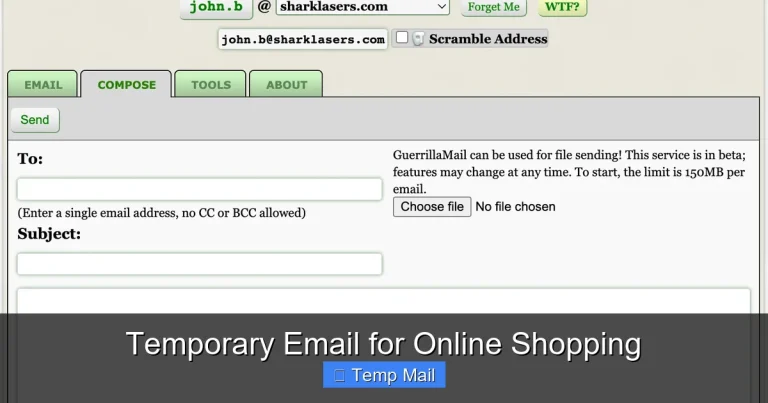
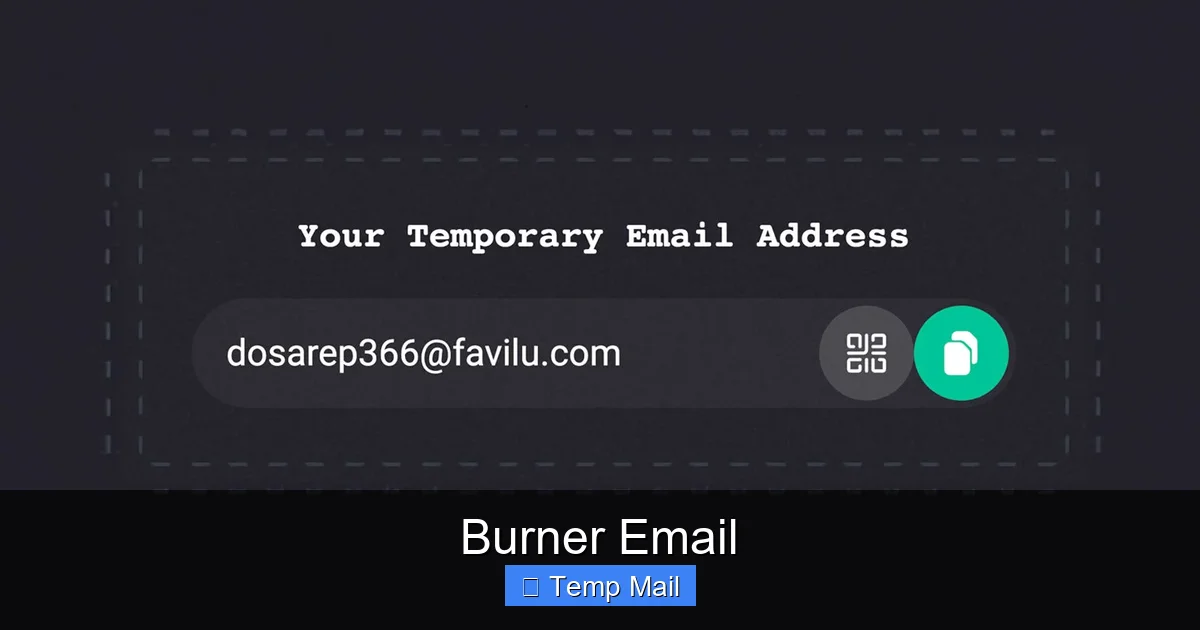
When you visit a reputable burner email site (like Temp-Mail, 10MinuteMail, or Guerrilla Mail), the server does two things instantly: it generates a completely random email address (often using its domain) and creates a corresponding, isolated inbox database entry in its memory. This inbox is linked only to that random string of characters, not to you. There’s no “create account” button. You are presented with your address and a “check inbox” button immediately. Some services allow you to customize the local part (the part before @), but the domain is always theirs.
The Lifespan Clock: Ticking Time Bombs
Every burner email comes with a built-in expiration timer. This is the “burner” part. The timer starts the moment the address is generated. Common lifespans are:
- 10-15 Minutes: For ultra-quick, single-use verification (e.g., a forum that sends a confirmation link).
- 1 Hour: A common middle ground for downloading a file or accessing a gated article.
- 1-3 Days: For slightly longer engagements, like a short free trial that requires email communication.
Some services also kill the inbox after it receives a certain number of emails (e.g., 3 messages). Once the timer hits zero or the limit is reached, the server purges the inbox data from its active memory. The email address becomes invalid, and any further emails sent to it bounce back or are silently dropped.
The Data Flow: What Gets Stored (And For How Long)
While the inbox is active, the service temporarily stores incoming emails. This is a critical privacy point: the service provider can, in theory, read the content of those emails. Most reputable services claim not to log or monitor content, but you are placing trust in them. They do typically log metadata—the sender, subject, and time—until the purge. Your IP address is usually not logged to the email itself, providing a layer of anonymity from the *sender*, but the burner service sees your IP when you connect to *their* site to check the inbox. For maximum privacy, using a VPN alongside a burner email is a smart combination.
When and Why You Should Use a Burner Email: Practical Use Cases
Knowing *how* it works is one thing. Knowing *when* to use it is where the real value lies. Here are the most common and smart applications.

Visual guide about Burner Email
Image source: s3.amazonaws.com
1. Signing Up for Websites, Apps, and Newsletters
This is the #1 use case. That “free e-book” requires an email? The “exclusive discount” for newsletter sign-up? The new social media app your friends are on? Use the burner. You get the content or access, and the company gets an address that will die before they can spam it for months. This stops the initial data harvest and prevents your primary inbox from being flooded with promotional clutter.
2. Downloading Files from “Gated” Content
Many blogs and software sites ask for an email to download a PDF guide, template, or freeware. This is often a lead generation tactic. A burner email lets you bypass this cleanly. You get your file, and the marketer gets a dead end. No follow-up “are you still interested?” emails.
3. Creating Temporary Accounts for Trials
Want to try a paid SaaS tool for 14 days without the sales team calling you? Use a burner email to sign up. The trial works, you can test the features, and when the trial ends, there’s no persistent account linked to your real identity to convert you into a paying customer through relentless email nudges.
4. Protecting Your Identity on Public Platforms
Posting on a controversial subreddit, a public forum, or a comment section? Using a burner email to register the account adds a layer of anonymity. If the account gets banned or you decide to leave, there’s no trail back to your main digital identity.
5. Avoiding Data Breach Fallout
Every website you sign up for is a potential future data breach. If a site you used a burner email for gets hacked, the hackers only get that disposable address, which is already dead. Your primary email, with its links to other critical accounts, remains safe and untouched.
6. One-Time Verification for Two-Factor Authentication (With Caution)
Some services use email as a 2FA method. For a non-critical account you’re testing, a burner can work. But a major warning: if you lose access to the 2FA method, you can be locked out permanently. Never use a burner for 2FA on an account you care about long-term.
The Clear Benefits: Why Burner Emails Are a Privacy Power Tool
Using burner emails strategically delivers a cascade of advantages.
Visual guide about Burner Email
Image source: assets.hongkiat.com
Radical Inbox Zero (and Sanity)
The most immediate benefit is a clean primary inbox. No more sorting through “50% off” promotions from a store you shopped at once. Your main inbox becomes a space for communication with real people—friends, family, colleagues—not a marketing dumping ground. This reduces digital stress and increases the signal-to-noise ratio of your important emails.
Enhanced Privacy and Data Minimization
Every piece of personal information you give away online is a data point that can be sold, leaked, or used to build a profile of you. A burner email is a practice of data minimization. You give away nothing of value. It’s a direct application of the principle: “If a service is free, you are the product.” By giving them a disposable product (the email address), you remove yourself from the equation.
Control Over Your Digital Footprint
Your email address is often the master key to your online identity. It’s the username for countless sites. By using a burner, you create a fragmented, ephemeral footprint. Traces of your activity don’t coalesce into a single, searchable profile linked to your real name. This makes targeted advertising less accurate and makes it harder for data brokers to assemble a complete picture of you.
Testing and Research Without Commitment
For journalists, researchers, or anyone doing competitive analysis, burner emails are indispensable. You can sign up for a competitor’s service, explore their platform, and receive their onboarding emails without revealing your affiliation. You can test how a site handles user data or what their email sequence looks like, all from an anonymous, disposable vantage point.
The Limitations and Risks: What Burner Emails Can’t Do
Burner emails are powerful, but they are not a magic invisibility cloak. Understanding their limitations is crucial for using them safely and appropriately.
They Are Not Truly “Secret” or Encrypted
A common misconception is that burner emails are like encrypted messaging apps. They are not. The email content, while stored briefly, is typically in plain text on the provider’s server. If the provider is compromised, or if it’s a malicious service, your temporary emails could be read. For truly sensitive communications, use a secure, end-to-end encrypted email service like ProtonMail, even if you use a burner address as the username.
No Account Recovery, Ever
By design, there is no “forgot password” link. There is no backup email or phone number. If you close the browser tab and lose the unique inbox URL, that address and all its emails are gone forever. You cannot recover them. This is why they are useless for any account where you need long-term access or recovery options.
Provider Trust and Logging Policies
You are trusting the burner email service. A shady provider could log all email content and IP addresses and sell that data. Always use well-known, reputable services that have clear, transparent privacy policies stating they do not log or monitor emails and purge data quickly. A quick web search for “[Service Name] privacy policy” is worth the 30 seconds.
They Can Be Blocked
Many websites and services actively block known burner email domains. They see “tempmail.demo” in the sign-up field and reject it. This is because they want to ensure user accountability and reduce fraud. If your burner domain is blocked, you’ll need to try a different provider or, for that specific site, use your real email.
Legal and Compliance Boundaries
Using a burner email to sign up for a service that requires legal agreement (like a paid subscription) can violate their Terms of Service. If you need to enter into a contract or receive legally binding notices, you must use a traceable, permanent email address. Using a burner for such purposes could be considered fraud or misrepresentation.
Best Practices: How to Use Burner Emails Responsibly and Effectively
To get the most out of burner emails while staying safe, follow these practical guidelines.
Choose a Reputable Provider
Stick to well-known names that have been around for years and have clear privacy policies. Examples include Temp-Mail, 10MinuteMail, Guerrilla Mail, and Mailinator (though Mailinator’s public inboxes are searchable by anyone, so use its private mode). Avoid obscure sites with lots of ads and no clear policy—they are often data harvesters themselves.
Match the Lifespan to the Task
Don’t use a 10-minute email for a service that promises a weekly newsletter. You’ll never get the first issue. Conversely, don’t use a 48-hour email for a 5-minute verification. Choose the shortest lifespan that comfortably covers your need. For a simple “click this link to verify,” 10-15 minutes is perfect. For a 7-day trial where you might get an email from support, choose a 24-48 hour service.
Never, Ever Use for Critical Accounts
This is the golden rule. Do not use a burner email for:
- Banking, PayPal, Venmo, or any financial service.
- Primary social media accounts (Facebook, Twitter, Instagram).
- Apple ID, Google Account, Microsoft Account.
- Government services (IRS, DMV, voting registration).
- Primary email recovery for any important account.
- Job applications or professional networking (LinkedIn).
If you do, you will eventually lose access, and the recovery process will be impossible, locking you out of valuable services and assets.
Use in Conjunction with a VPN for Anonymity
If your goal is to hide your IP address from the website you’re signing up for, a burner email alone isn’t enough. Your IP is visible to the burner service when you visit their site. For true anonymity, first connect to a trustworthy VPN, then generate and use your burner email. This way, the website sees the burner domain, the burner service sees the VPN’s IP, and your real IP is hidden from both.
Keep a Mental (or Physical) Note
Since you can’t recover the inbox, if you need to access a verification email for a service you’re testing, keep the browser tab open. Or, write down the burner address and the specific URL of the inbox page on a sticky note. Once you’re done with the service, close the tab and forget it.
Understand the “Reply” Limitation
Most burner emails allow you to *receive* emails but not *send* them. Some allow replying to received messages, but this is not a standard feature for personal correspondence. They are a one-way street: a way for *them* to contact *you* temporarily, not for you to start a conversation.
The Future of Disposable Email and Your Digital Autonomy
The rise of burner email services is a direct response to the broken state of email privacy on the modern web. As data privacy regulations like GDPR and CCPA have given users more rights, the demand for tools that help exercise those rights has grown. Burner emails are a grassroots, user-powered solution to the problem of mandatory email collection.
Beyond the Inbox: The Philosophy of Ephemeral Data
Burner emails represent a larger shift towards intentional data ephemerality. We’re seeing this in other areas: temporary phone numbers (Google Voice, Burner app), virtual credit cards for one-time purchases, and browser modes that don’t save history. The concept is that not all data needs to be permanent. Some interactions are transactional and should be designed to fade away. Using a burner email is a small act of rebellion against the “store everything forever” mentality of big tech.
Potential Evolution: Smarter, More Integrated Tools
We may see burner email concepts integrated directly into browsers and password managers. Imagine your browser offering to generate a unique, forwardable email alias for every new site you sign up for, managed from a central dashboard. This already exists in a rudimentary form with services like SimpleLogin or AnonAddy, which create *forwarding* aliases (not temporary inboxes) that you can disable later. The future might blend the convenience of forwarding aliases with the true disposability of temp mail.
Empowering the Individual
Ultimately, the widespread availability of free burner email services puts power back in the hands of the individual. You no longer have to accept the trade-off: “Want access to this free tool/guide/content? Here’s a lifetime of spam.” You can say “no” to that trade-off. You can access the content and say “no” to the spam, by using a tool that respects the temporary nature of the interaction. It’s a simple, low-tech hack that reclaims a piece of your attention and your privacy.
Conclusion: Your Disposable Shield Awaits
A burner email is one of the simplest, most accessible privacy tools available. It costs nothing, takes seconds to use, and provides immediate, tangible benefits: a cleaner inbox, less spam, and a smaller digital footprint. It is the perfect tool for the vast majority of online interactions that are purely transactional—where you want something from a website but have no desire for an ongoing relationship.
The key is intentionality. Use it for what it’s for: sign-ups, downloads, trials, and anonymous interactions. Avoid it for what it’s not: your digital identity, financial life, or critical communications. By adopting this practice, you move from being a passive data subject to an active manager of your online presence. You draw clear boundaries between your valuable, permanent identity and the disposable, noisy world of the commercial web. So next time a site asks for your email, ask yourself: “Is this a relationship worth having, or is this just a transaction?” If it’s the latter, reach for your burner. Your future, less-spammed self will thank you.
Frequently Asked Questions
Is using a burner email legal?
Yes, using a burner email is completely legal in most jurisdictions. It’s a tool for privacy, similar to using a pseudonym. However, using it to commit fraud, harassment, or illegal activities is, of course, illegal. The legality hinges on your intent and actions, not the tool itself.
Are burner emails secure?
Burner emails provide security through obscurity and temporariness, but not through encryption. They secure your primary email from being exposed and linked to spam, but the content of emails sent to a burner is not necessarily encrypted between the sender and the burner service. For highly sensitive information, always use a service with built-in end-to-end encryption, like ProtonMail, even if you use a burner address as the username.
Can burner emails be traced back to me?
Typically, no. The email address itself contains no personal information and is not tied to an account. However, your IP address is visible to the burner service provider when you visit their site to check the inbox. If a legal authority compelled the provider to release logs, they could potentially see the IP that accessed a specific inbox at a specific time. Using a VPN masks this IP. The sender of an email to your burner address only sees the disposable address, not your IP.
What are the best burner email services?
Reputable services include Temp-Mail (offers multiple domains and longer lifespans), 10MinuteMail (classic, simple, 10-minute lifespan), and Guerrilla Mail (allows sending replies and has a password option for the session). Always check the current privacy policy and user reviews, as service quality and policies can change.
Can I use a burner email for my bank or PayPal?
Absolutely not. Financial institutions, payment processors, and any service involving money, legal agreements, or long-term identity require a permanent, verified, and recoverable email address. Using a burner will violate their Terms of Service, likely lock your account, and prevent you from recovering funds or accessing statements. Never use them for anything critical.
What happens to emails sent to a burner after it expires?
They are permanently deleted from the service provider’s servers. The email address becomes invalid, and any subsequent emails sent to it will bounce back to the sender with an “address does not exist” error. There is no way to retrieve those emails once the inbox is purged.