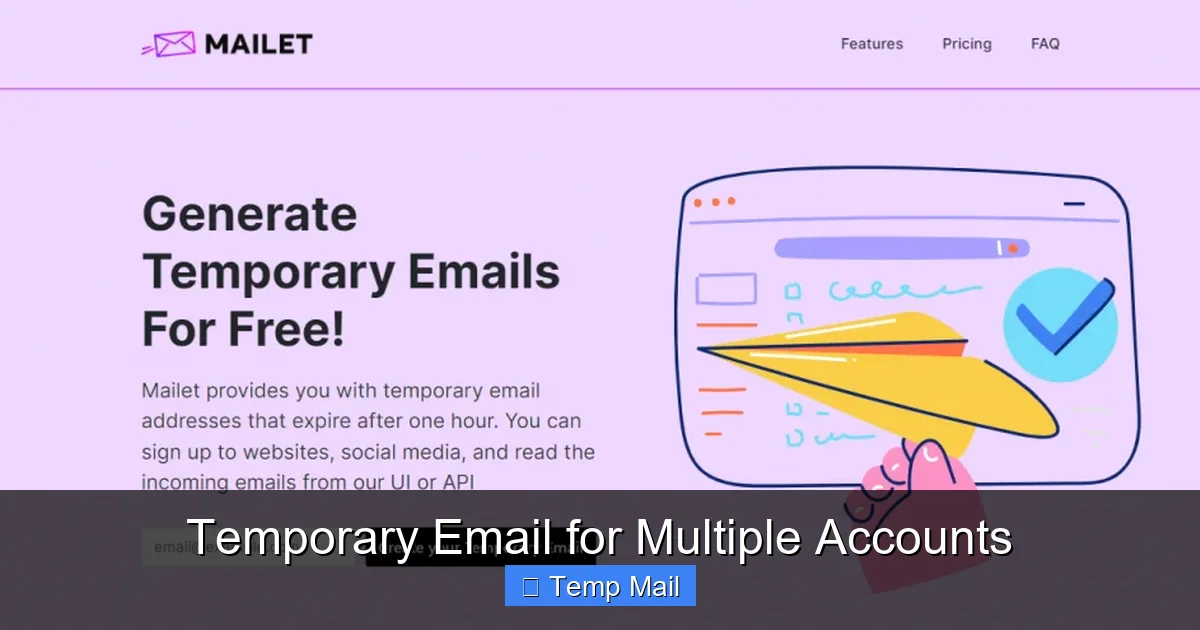
Temporary Email for Multiple Accounts
Tired of your primary inbox getting flooded with spam from every new website sign-up? Using a temporary email for multiple accounts is your secret weapon. It lets you create disposable, unique email addresses for each service—from social media to forums—keeping your real identity safe and your main inbox pristine. This guide shows you exactly how, why, and where to use them effectively, turning a simple privacy tool into a powerhouse for digital organization.
Let’s be honest: our digital lives are a maze of logins. From that new recipe blog you stumbled upon to the urgent need for a discount code at an online store, we’re constantly being asked to “create an account.” And what’s the first thing they want? An email address. Before you know it, your primary inbox—the one tied to your bank, your family, your work—is buried under a landslide of newsletters, promotional offers, and “update your preferences” emails you never asked for. Sound familiar? What if I told you there’s a simple, powerful way to reclaim your inbox and your privacy, all with a few clicks? Enter the world of the temporary email for multiple accounts.
This isn’t some shady hack; it’s a legitimate, increasingly popular tool for smart digital navigation. Think of it like using a P.O. box for your online life. You give out the temporary address to receive the initial verification package (the “welcome” email), you get what you need, and then you move on, leaving no forwarding address. But how does it work specifically for *multiple* accounts? Isn’t one temporary email enough? The magic, and the true power, lies in using a *different* disposable address for each new service you engage with. In this complete guide, we’ll unpack everything you need to know about leveraging temporary email services to build a cleaner, safer, and more organized digital footprint. We’ll cover the how-to, the best services, the critical “don’ts,” and the strategic mindset that turns a simple tool into a cornerstone of personal data management.
Key Takeaways
- Privacy Shield: Temporary emails act as a barrier, preventing services from linking your online activity back to your real identity or primary email address.
- Inbox Zero, Forever: Eliminate promotional spam and data breach risks by using a unique, throwaway address for every non-critical account creation.
- Streamlined Management: Organize accounts by service type (e.g., one domain for shopping, another for forums) without juggling multiple permanent passwords.
- Bypass Verification Walls: Many sites require email verification. Temp mail provides a quick, valid address to pass this step without long-term commitment.
- Not for Everything: Never use disposable emails for banking, primary cloud storage, or any account containing sensitive personal or financial information.
- Service Selection is Key: Choose a reputable provider that offers adequate inbox lifespan, multiple domain options, and a user-friendly interface.
- It’s a Tool, Not a Magic Bullet: Combine temporary email use with strong, unique passwords and a password manager for comprehensive digital hygiene.
📑 Table of Contents
- What Exactly Is a Temporary Email? More Than Just “Spam Catcher”
- Why Use a DIFFERENT Temporary Email for Each Account? The Multi-Account Strategy
- How to Choose the Right Temporary Email Service for Multiple Accounts
- Step-by-Step: Implementing Your Multi-Account Temporary Email System
- The Critical “Don’ts”: Risks and Limitations of Temporary Email
- Advanced Tactics and the Future: Aliases and Beyond
- Conclusion: Embracing Strategic Anonymity
What Exactly Is a Temporary Email? More Than Just “Spam Catcher”
Before we dive into the “multiple accounts” strategy, let’s get a crystal-clear definition. A temporary email (also called disposable, throwaway, or fake email) is a service that provides you with a random, working email address and an associated inbox for a short, predefined period—typically 10 minutes to 48 hours. No sign-up, no password, no personal details required. You visit the website, an address like xyz123@domain.com is generated for you, and you can start using it immediately to receive emails.
The Core Mechanics: How They Function
These services work by maintaining a pool of available email domains and user prefixes. When you request an address, the system allocates a combination that hasn’t been used recently. All incoming mail for that address is routed to a public inbox accessible via a unique URL on the service’s site. Once the timer expires or the inbox is cleared, that address is retired back into the pool, never to be reused for sensitive data. The key technological feature is the complete lack of linkage to you. There’s no recovery option, no password reset (because there is no password), and no persistent data storage on their end tied to a user profile.
Beyond the Junk Filter: Primary Use Cases
While catching spam is a classic use, temporary emails serve several crucial purposes:
- Gated Content Access: Downloading a whitepaper or ebook that requires an email? Use a temp address. You get the file; they get a dead-end address.
- Forum/Community Sign-Ups: Joining a hobby forum or comment section? Protect your main email from potential data leaks or aggressive marketing.
- One-Time Promotions: That 20% off coupon for a store you’ll probably never shop at again? A disposable inbox is perfect.
- Software/App Trials: Many free trials require email verification. Use a temp address to test the software without long-term commitment.
- Privacy-Conscious Browsing: Simply avoiding the creation of a permanent data point with a company you don’t fully trust.
The common thread? These are interactions where you need a valid email format *today* but have zero interest in a long-term relationship with the sender. This is where the strategy for multiple accounts becomes so potent.
Why Use a DIFFERENT Temporary Email for Each Account? The Multi-Account Strategy
Here’s where we level up from basic usage to advanced organization. Using the *same* temporary email address for ten different websites is only a minor improvement over using your primary email. If one of those sites gets breached (and they do, constantly), that single compromised address is now associated with your activity on all nine other sites. You’ve just created a single point of failure again. The true strategic advantage is uniqueness.
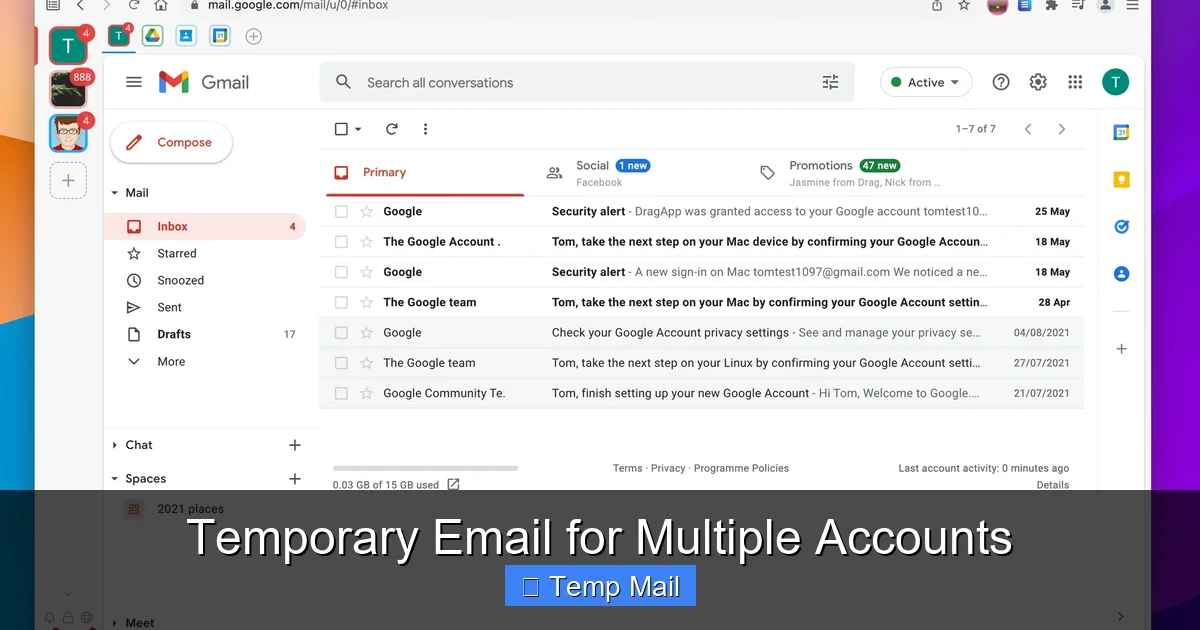
Visual guide about Temporary Email for Multiple Accounts
Image source: wavebox.io
The “Unique Address per Service” Principle
Imagine you sign up for:
- A gardening newsletter → garden.lover@tempmail.net
- A gaming forum → pwnallnoobs@disposable.com
- A discount site for electronics → tech.deals@throwaway.org
Each service only ever sees one specific address. There is no cross-connection. If the gardening site sells its email list (or gets hacked), the spammer only has garden.lover@tempmail.net. They cannot link that to your gaming identity or your tech deals. Your various online personas remain siloed and anonymous. This is the core of digital compartmentalization.
Practical Benefits of the Multi-Account Approach
1. Supercharged Spam Traceability: If spam starts arriving at your primary email, you know *exactly* which of your “permanent” accounts was leaked. With unique temp addresses for everything else, you can pinpoint the source of any spam to a single, now-defunct disposable address, confirming which service was irresponsible with data.
2. Effortless Clean-Up: Want to stop hearing from that one annoying coupon site? Simply forget the temp address you used. The inbox will expire. No “unsubscribe” link clicking marathon required. You’ve effectively unsubscribed by making the address vanish.
3. Organized Mental Model: It creates a tidy mental filing system. “All my shopping-related temp emails go to addresses ending in @shop.mail,” you might think. You don’t even need to remember the exact address; you just know the pattern. Some advanced users even use different temp mail providers for different life categories (e.g., one provider for social media, another for news).
4. Mitigating Data Broker Profiling: Data brokers compile profiles by connecting email addresses across platforms. Unique, unlinkable addresses break their chains of association, making the profile they can build about you far less valuable and accurate.
How to Choose the Right Temporary Email Service for Multiple Accounts
Not all temp mail services are created equal. Your choice directly impacts how well the multi-account strategy works. A poor service might have addresses that don’t work with certain websites, have too short a lifespan, or be so unreliable you miss that crucial verification email. Here’s your checklist.
Visual guide about Temporary Email for Multiple Accounts
Image source: wavebox.io
Essential Features to Look For
- Multiple Domain Options: This is non-negotiable for the multi-account strategy. A service that offers several domains (e.g., @tempmail.com, @disposablemail.org, @10minutemail.net) allows you to use different domains for different account types, adding another layer of separation. If a site blocks one domain, you have alternatives.
- Inbox Lifespan: Check the default. 10 minutes is great for a quick code, but 1-48 hours is better for reading a welcome email or newsletter. Some services let you extend the timer.
- No Registration Required: The entire point is anonymity. If a service asks you to create an account to use their disposable emails, run. That defeats the purpose.
- API & Browser Extensions (Advanced):strong> For power users managing dozens of accounts, some services offer APIs or browser extensions that can auto-generate and manage temp addresses within your workflow.
- Reputation & Uptime: A service that’s constantly down or has emails flagged as spam by major providers (Gmail, Outlook) is useless. Read recent user reviews.
Top Service Categories & Examples
- Simple & Fast: 10MinuteMail is the classic. Extremely simple, 10-minute inboxes, multiple domains. Perfect for one-off verifications.
- Feature-Rich & Customizable: Temp-Mail.org offers a wide range of domains, the ability to choose your own inbox name (e.g., myname123@domain.com), and longer lifespans (up to 48 hours). Excellent for the multi-account strategist.
- Browser Integration: SimpleLogin or AnonAddy (these are email aliasing services, a more advanced cousin to temp mail). They create unique *forwarding* addresses that send to your real inbox, but you can disable any alias at any time. This is the ultimate in control and longevity for accounts you might want to keep longer but still segregate.
- Mobile-Friendly: Maildrop has a clean, simple interface that works well on phones, which is where many casual sign-ups happen.
Pro Tip: Keep a simple spreadsheet or note in your password manager. List the service you signed up for and the *exact* temporary email address you used. Why? If you need to log back into that forum a month later (and they don’t allow password reset to a temp email), you’ll have a record. For truly disposable accounts, this isn’t needed, but for semi-serious ones (like a gaming account you might play on for a season), it’s a lifesaver.
Step-by-Step: Implementing Your Multi-Account Temporary Email System
Theory is great, but let’s get our hands dirty. Here is a practical, actionable workflow for using temporary email for multiple accounts from today onward.
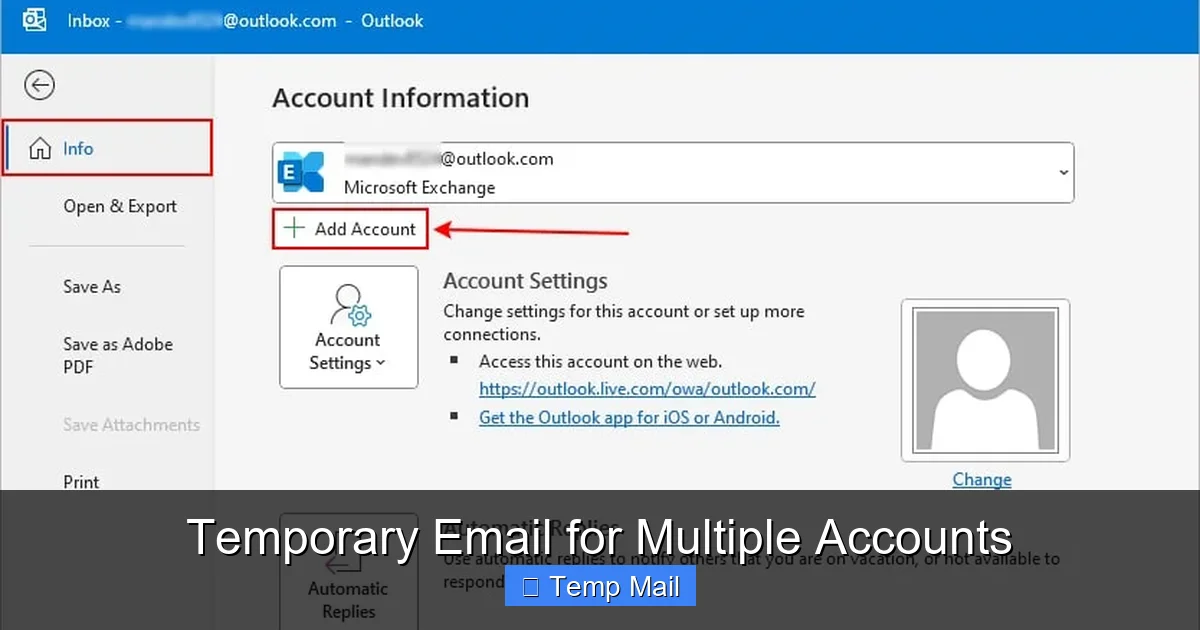
Visual guide about Temporary Email for Multiple Accounts
Image source: insidetheweb.com
Step 1: Select and Bookmark Your Primary Provider(s)
Based on the criteria above, choose 1-2 services you trust. Bookmark them. I recommend starting with Temp-Mail.org for its domain variety and user control. Open it in a new browser tab that you keep dedicated to “account creation.”
Step 2: Develop Your Naming Convention
This is the organizational secret. Don’t just use the random generated address. Most services allow you to customize the first part (the “inbox name”). Create a simple, memorable system.
- Pattern: [ServiceType].[Keyword]@Domain.com
- Example 1: For a news site like CNN: news.cnn@mytempmail.org
- Example 2: For a clothing store: shop.fashion@tempmail.net
- Example 3: For a gaming platform: game.steam@disposable.com
Why? Instantly, when you look at your list of temp addresses (or if you find an old verification email), you know *exactly* what it was for without even clicking. It creates immediate context. The keyword can be the site’s name or a category. Be consistent.
Step 3: The Sign-Up Ritual
- Navigate to the website you want to join.
- Open your dedicated temp mail tab. Generate a *new* address using your convention (e.g., social.reddit@tempmail.org).
- Copy that address.
- Paste it into the sign-up form on the target site.
- Complete the rest of the sign-up.
- Switch back to your temp mail tab. Hit “Refresh” until the verification email arrives.
- Click the verification link *within the temp mail inbox interface*. This often opens a new tab where you’re logged in or your email is confirmed.
- Critical: Immediately save the temp address you used in a note (e.g., “Reddit – social.reddit@tempmail.org”) if you think you’ll need to log in again. For a truly one-time thing, you can skip this.
- Close the temp mail tab (or let the timer run out).
Do this for every single non-essential account. Your primary email stays pristine, used only for banking, primary cloud storage, your employer, and close family.
Step 4: Managing the Exceptions
What about services you *do* want to keep long-term but still want to segregate? This is where email aliasing services (like SimpleLogin) shine. They give you a permanent, unique forwarding address that looks like a real email. You can disable it with one click if spam starts, but while it’s active, all mail forwards to your real inbox. Use these for semi-important services like a secondary social media account or a newsletter you genuinely want but don’t want in your primary inbox’s “Primary” tab.
The Critical “Don’ts”: Risks and Limitations of Temporary Email
Using a tool incorrectly can cause more problems than it solves. Understanding the limitations is as important as knowing the benefits.
Never Use for Core Identity or Finance
This is the golden rule. Do not, under any circumstances, use a temporary email for:
- Banking, PayPal, Venmo, or any financial institution.
- Your main Google, Apple, or Microsoft account (which is the key to your digital kingdom).
- Primary cloud storage (Dropbox, Google Drive).
- Any government-related service (taxes, benefits, etc.).
- Your main password manager account.
Why? Because you will lose access permanently the moment the inbox expires. Recovery is impossible. You’d be locked out of your money, your data, and your identity.
Technical and Service-Based Limitations
1. Some Sites Block Known Domains: Many popular temp mail domains are blacklisted by major platforms (Facebook, Twitter, Instagram) and even some niche forums to prevent abuse. If your chosen address is rejected, simply switch to a different provider or a different domain from the same provider. Having 2-3 services in your bookmarks solves this.
2. No Sending Capability (Usually): These are receive-only addresses. You cannot *send* emails from them. They are for verification and one-time reading only. If a site requires you to *reply* to an email to activate something, a temp address won’t work.
3. Short Lifespan is a Double-Edged Sword: The 10-48 hour window means if you don’t check the inbox promptly, the verification email and your chance to activate the account vanish. You must be proactive immediately after sign-up.
4. Lack of Long-Term Record: You cannot search for an old “welcome” email from six months ago because the inbox is gone. This is by design for privacy, but it means if you need to reference a confirmation number later, you’re out of luck. That’s why your simple note-taking system (from Step 3) is vital for any account you might need to access again.
5. Potential for Abuse: While using them for sign-up is benign, using them for fraud, harassment, or to bypass bans is illegal and unethical. Reputable services have terms of service against this. Use your power responsibly.
Advanced Tactics and the Future: Aliases and Beyond
For the power user, the simple temp mail is just the starting point. The next evolution is the email alias.
Email Aliasing: The Best of Both Worlds
Services like SimpleLogin, AnonAddy, and DuckDuckGo Email Protection work differently. They provide you with a *permanent*, unique forwarding address (an alias) that you can use anywhere. When someone emails that alias, it seamlessly forwards to your real, permanent inbox. The magic? You can disable or delete the alias at any time from a dashboard. If the alias starts getting spam, you kill it. The sender’s emails bounce. Your real address remains hidden. Unlike a temp mail, you can receive mail from these aliases indefinitely until you disable them. This is perfect for accounts you intend to keep (like a professional forum) but still want to shield your primary address from.
Building Your “Digital Identity Lattice”
The most robust privacy strategy uses a combination:
- Core Identity: Your one, real, permanent email (used for nothing but critical accounts).
- Semi-Permanent Aliases: For services you use regularly but don’t want connected to your core (e.g., a hobby newsletter, a secondary social profile). Managed via SimpleLogin.
- Fully Disposable Temp Mail: For the vast ocean of one-time sign-ups, gated content, and trials. Used and forgotten.
This creates a latticework of identities. A data broker trying to track you sees dozens of unrelated email addresses, each with its own tiny slice of your activity, but none that connect to form a complete picture. This is proactive privacy.
Integration with Password Managers
The final piece of the puzzle is your password manager (like Bitwarden, 1Password, Dashlane). When you create a new account with a temporary or alias email, immediately save the login credentials in your password manager. The “username” field should be the exact email address you used. This solves the “I forgot which temp address I used for Netflix” problem. Your password manager becomes the single source of truth for all your fragmented digital identities.
Conclusion: Embracing Strategic Anonymity
The practice of using a temporary email for multiple accounts is more than a spam-fighting trick; it’s a fundamental shift in how we manage our digital presence. It’s the conscious decision to stop giving away our primary identity—our core email address—as freely as we once handed out business cards. In an economy built on data harvesting and profiling, every unique, unlinked identifier we use is a small act of reclamation. It’s about creating boundaries, organizing our online chaos, and understanding that not every interaction needs to be a lifelong commitment.
Start small. Next time a website asks for your email for a simple download, open a temp mail tab, generate an address with a clear naming convention, and complete the sign-up. Feel the quiet satisfaction of your primary inbox remaining untouched. Then, apply it to the next site, and the next. Build your system. Combine it with a password manager and, when you’re ready, explore email aliasing for those “keep forever but separate” accounts. This isn’t about being paranoid; it’s about being prudent. In the modern web, your email address is the master key to your digital life. Guard it fiercely, use it wisely, and for everything else—use the lockbox. That’s the power of the temporary email for multiple accounts. It’s not a temporary fix; it’s a permanent strategy for a cleaner, safer, and more organized you.
Frequently Asked Questions
Is using a temporary email for multiple accounts legal?
Yes, using disposable email services is perfectly legal. They are legitimate tools designed for privacy and inbox management. However, using them for fraudulent activities, to bypass legal agreements, or to evade bans on platforms where you are a member is illegal and violates most services’ terms of use.
Are temporary emails secure? Can they be hacked?
Temporary emails are secure in the sense that they are not linked to your identity and have a very short lifespan, making them poor targets for long-term hacking. However, the inboxes are public—anyone with the unique URL can access them. Therefore, you should never use them to receive sensitive information like password resets for important accounts, financial statements, or private documents. Their security model is based on ephemeral anonymity, not encryption for private communication.
What happens if I need to recover an account I signed up with a temporary email?
Recovery is, by design, impossible. Once the temporary inbox expires (usually within 48 hours), the address is gone forever. This is why the strategy is only for accounts you do not need to access long-term. For any account you might want to log into again (like a gaming profile or forum), you must either use your real email or a permanent email aliasing service where you control the forwarding address.
Why do some websites block temporary email domains?
Websites block known temporary email domains to combat spam, fraud, and abuse. They want to ensure that users creating accounts are real people with a persistent email address, which reduces fake accounts, bot sign-ups, and people trying to evade bans. This is a common anti-abuse measure, which is why having multiple domain options from your temp mail provider is useful.
What’s the difference between a temporary email and an email alias?
A temporary email is a standalone, receive-only inbox that expires after a short time. It has no connection to your real inbox. An email alias (from services like SimpleLogin) is a unique, permanent forwarding address that sends all incoming mail directly to your real, primary inbox. You can disable an alias at any time to stop spam, but while active, it functions like a regular email address that you control.
What’s the single best practice for using temporary emails for multiple accounts?
The single best practice is to use a unique address for every single non-critical sign-up and maintain a simple record. Combine this with a consistent naming convention (e.g., service.type@domain.com) and immediately save the credentials in your password manager. This creates an organized, traceable, and completely compartmentalized digital identity system that maximizes privacy and minimizes long-term spam risk.