Temp Mail for Discord
Using a temporary email for Discord registration is a common tactic for privacy, but it comes with significant risks. While it can shield your primary inbox from spam, Discord may block these addresses, and you risk permanent account lockout if you lose access. This guide explores the pros, cons, and safer methods to maintain anonymity on Discord without compromising your account’s security.
So, you’re about to hit that “Register” button on Discord. You’re excited to join that cool server or chat with friends. But then you pause. That little field asking for your email… it feels like a bridge too far. You don’t want your personal, primary email address tied to this new account. Maybe you’re worried about spam. Maybe you’re just a private person. This is the exact moment many people think, “Should I just use a temp mail for Discord?” It seems like the perfect, quick fix. A digital cloak of invisibility. You get your verification code, you’re in, and your real identity stays safely in your pocket.
I get it. The appeal is strong. But before you rush to the first temp mail site you find on Google, let’s have a real, unfiltered talk about what happens next. This isn’t just about privacy; it’s about the long-term viability of your Discord account. Using a disposable email service might get you in the door, but it could also set a timer on your entire presence on the platform. In this deep dive, we’ll unpack everything about temp mail for Discord: what it really is, why people are tempted by it, the step-by-step process, the harsh realities and risks you’ll face, what Discord itself thinks about the practice, and finally, the much smarter, safer paths you can take to achieve your privacy goals without building your digital house on sand.
Key Takeaways
- Temp mail is a disposable email service that provides a temporary inbox for receiving verification emails without using your personal address.
- Its primary appeal for Discord is privacy, helping users avoid linking their main email to a social platform and prevent potential spam.
- Discord actively discourages and often blocks known temporary email domains to combat spam, abuse, and fake account creation.
- The biggest risk is account recovery failure; if you use a temp mail that expires, you cannot reset your password or recover a locked account.
- Using temp mail violates Discord’s Terms of Service, which can lead to an immediate and permanent ban of the associated account without warning.
- Safer alternatives exist, such as using a dedicated secondary email from a reputable provider (e.g., ProtonMail, Gmail alias) for better longevity and recovery options.
- If you proceed with temp mail, you must never log out, keep the browser tab open indefinitely, and accept that the account is a high-risk, temporary asset.
📑 Table of Contents
What Exactly *Is* a Temp Mail Service?
Let’s start with the basics. A temporary email service, often called a “disposable email” or “throwaway email,” is a web-based service that provides you with a random email address and a corresponding inbox—all without requiring any registration or personal information from you. Think of it like a public payphone for the internet. Anyone can walk up, use it for a quick call (or in this case, receive a verification email), and then walk away forever. The inbox typically auto-deletes after a short period, usually 10 minutes to a few hours, or after a certain number of messages.
The Core Mechanics: How They Work
These services operate on a simple premise. Their websites generate a random mailbox on their domain (e.g., abc123@tempmail.demo). You copy that address, paste it into Discord’s sign-up form, and then refresh the temp mail site’s page. When Discord sends its verification email, the service intercepts it and displays it in your temporary inbox. You copy the code, paste it back into Discord, and you’re verified. No password to remember for the email, no connection to your identity. It’s designed for one-time, low-stakes tasks like bypassing a gated download or signing up for a forum you’ll never use again.
The Common Providers
You’ve probably seen names like Temp-Mail, 10MinuteMail, Guerrilla Mail, or Mailinator. They all function on the same core principle. Some offer slightly longer durations or the ability to choose a username for a small fee, but the fundamental trade-off remains: convenience and anonymity in exchange for permanence and security. They are not built for ongoing communication or account recovery.
The Temptation: Why People Consider Temp Mail for Discord
So if these services are so ephemeral, why would anyone in their right mind consider using one for a platform like Discord, which is built for sustained community interaction? The reasons are compelling and rooted in very real modern concerns.
Visual guide about Temp Mail for Discord
Image source: eztempmail.com
1. Shielding Your Primary Inbox from Spam
This is the number one, classic reason. You’ve likely experienced it: you sign up for a new service, and suddenly your primary email is flooded with marketing newsletters, promotional offers, and “updates” you never asked for. By using a temp mail, you create a firebreak. Any spam generated by Discord’s own marketing emails, or from data breaches involving Discord’s user database (a real and recurring threat), will be sent to an address that will vanish in hours. Your main inbox, containing bank statements, work correspondence, and family emails, remains pristine.
2. Avoiding the “Data Trail” and Enhanced Privacy
In an era of heightened data awareness, many users are uncomfortable with how many services have their primary email address. That email is often a master key. It can be used to search for your accounts on other breached sites (haveibeenpwned.com is a sobering tool), it’s tied to your name via Google or Apple accounts, and it’s a constant point of linkage. A temp mail severs that link at the very first step. For activists, journalists, individuals in sensitive situations, or just the privacy-conscious, this separation feels like a crucial first line of defense.
3. Bypassing Regional or Platform Restrictions
Some users, particularly those in regions with stricter internet controls or younger users whose parents monitor their email, might use a temp mail to create an account without immediate oversight. While this guide doesn’t endorse circumventing parental guidance, it’s a practical reality that drives temp mail usage. Similarly, some users might have had a previous Discord account banned and seek a completely fresh start with no email linkage.
The Harsh Reality: Risks and Downsides You Must Know
This is the most critical section. The convenience of a temp mail for Discord is a siren song, and the rocks it will shipwreck your account on are very real. Let’s enumerate them.
Visual guide about Temp Mail for Discord
Image source: eztempmail.com
1. Account Lockout & The Irrecoverable Account
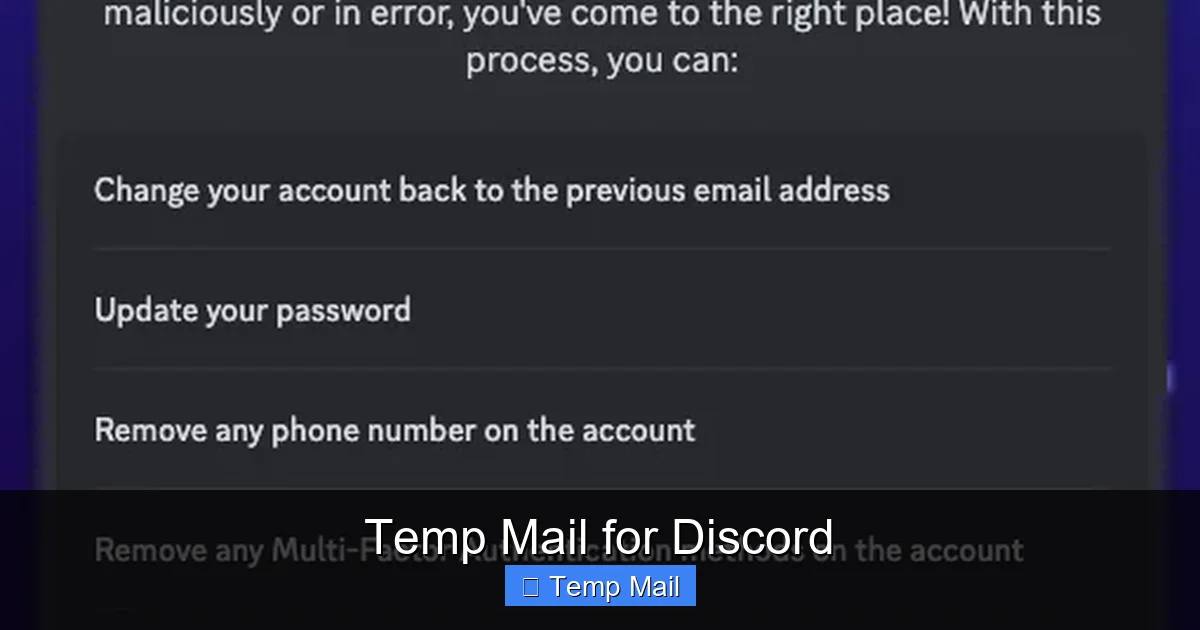
This is the ultimate, catastrophic failure scenario. Imagine this: you successfully sign up for Discord with a temp mail. You spend weeks or months building your profile, joining servers, making friends, maybe even buying a Nitro subscription. Then, you get logged out. Or Discord detects “suspicious activity” and sends a password reset link. Or you simply need to change your email for security reasons. You go to log in with your temp mail… and the inbox is gone. The email address no longer exists. The service has purged it. You are now permanently locked out of your account. There is no “I lost access to my email” support ticket that Discord will honor for a disposable address. The account is dead. All time, social capital, and possibly money invested are vaporized. This isn’t a hypothetical; it’s a daily tragedy for users who took this shortcut.
2. Discord’s Active Detection and Ban Hammer
Discord is not a passive platform. Its anti-abuse and spam systems are sophisticated and constantly updated. One of the easiest signals for these systems is the use of an email from a known disposable domain. Discord maintains and updates lists of these domains. If you attempt to register with an address from tempmail.demo, there’s a very high probability that:
- The registration will be blocked outright, with an error message.
- Your account will be created but immediately flagged and disabled (a “soft ban”) until you verify with a legitimate email.
- The account will work for a while but will be silently shadow-banned or restricted, limiting your ability to join servers or message people.
Using a temp mail is, in Discord’s eyes, a massive red flag for a spam, bot, or ban-evasion account. The platform’s Terms of Service explicitly require you to provide accurate and current information. A disposable email is the opposite of that.
3. No Security or Ownership
Your temp mail inbox is public. Anyone who stumbles upon the same random address can, in theory, see the emails sent to it. There is no password, no two-factor authentication for the mailbox itself. While the window is short, it’s a security vulnerability. More importantly, you have zero ownership of that email address. You don’t control the domain. The service can shut it down, change its policies, or be compromised at any moment, instantly severing your lifeline to your Discord account.
4. Perverse Incentive for Poor Account Hygiene
Because the account is seen as “disposable,” users often engage in riskier behavior: sharing it in more public places, using it for other shady sign-ups, or neglecting basic security practices like a strong, unique password. This increases the chance of the account being compromised, reported, or targeted by attackers, accelerating its demise.
The Step-by-Step: How (and Why) It Often Fails
Let’s walk through the typical user journey with temp mail for Discord and pinpoint where things go wrong.
Visual guide about Temp Mail for Discord
Image source: support.discord.com
Step 1: The Quick Sign-Up
You go to a site like Temp-Mail.org. A random address is generated. You copy it, go to Discord, paste it, create a password, solve the captcha, and click “Continue.” You switch back to the temp mail tab, refresh, and there’s the verification email. You copy the 6-digit code, paste it into Discord. Success! You’re in. You feel clever. You’ve protected your real email.
Step 2: The “Normal” Usage Phase
For a few days or weeks, everything seems fine. You join servers, customize your profile, chat. You might even forget you used a temp mail. The account functions normally. This lulls you into a false sense of security. You’ve beaten the system! But this is the calm before the storm.
Step 3: The Inevitable Trigger
Something happens. It could be:
- Routine Log-Out: Your session expires. You try to log back in. You enter your username and password. Discord says, “We’ve sent a verification email to your registered email address.” You go to the temp mail site. The inbox is empty. The address is invalid. The 10-minute window has long passed. You are locked out.
- Security Alert: Discord detects a login from a new device or location (maybe you’re on vacation). It emails a verification link. Same outcome.
- Account Review: You get reported for something minor. Discord’s support system tries to verify you own the account via email. The email bounces. The account is flagged for unverified ownership and disabled.
- System Purge: The temp mail provider itself purges old mailboxes to save server space. Your address is gone.
Step 4: The Desperate Recovery Attempt
You frantically search for “Discord account recovery without email.” You find support pages that say you must have access to the registered email. You try submitting a request to Discord Support, explaining you used a temporary email and now can’t access it. What do you think the response is? In nearly 100% of cases, it’s an automated reply stating they cannot verify ownership and will not restore the account. There is no human being who will override this for a temp mail address. The account is permanently forfeited.
Discord’s Official Stance: It’s a Violation
Let’s be crystal clear: Discord’s Terms of Service (ToS) and Community Guidelines are not ambiguous on this. When you create an account, you agree to provide “accurate, current, and complete information.” A temporary, throwaway email address is the polar opposite of “current” and “complete” from a platform integrity standpoint. It’s a placeholder, not a legitimate contact point.
The Anti-Spam and Fraud Imperative
Discord, like any major social platform, is in a constant war against spam, raid bots, and fraudulent accounts. These bad actors rely on being able to create massive volumes of accounts quickly and anonymously. Temp mail services are their primary tool. Therefore, Discord has a massive incentive to identify and block these domains. Allowing them would degrade the user experience for millions through spam raids, phishing links in DMs, and server invasions. Blocking disposable emails is a fundamental, non-negotiable part of their security stack.
The Consequences of Detection
The ToS violation can result in several actions, often escalating:
- Registration Block: You simply cannot create an account with that email domain.
- Account Disablement: Your newly created or existing account is disabled pending verification with a legitimate email.
- Permanent Ban: If the system or a moderator determines the use of a temp mail was for ban evasion, spam, or other malicious purposes, the account is permanently banned with no recourse.
Notice that intent doesn’t always matter. A well-meaning user wanting privacy is treated the same as a spammer in the initial algorithmic detection. You are guilty by association with the domain.
Safe & Smart Alternatives: How to Get Privacy Without the Peril
Okay, so temp mail is a trap. But your desire for privacy and a cleaner inbox is 100% valid. What are the actual, safe ways to achieve this? Here are your best options, ranked from most recommended to least.
1. The Dedicated Secondary Email (The Gold Standard)
This is the professional solution. Create a brand-new email address with a reputable provider like Gmail, Outlook, or ProtonMail. Use this only for Discord and other non-essential online accounts. Do not link it to your main identity. Do not use it for personal banking or important correspondence. This gives you:
- Permanence: The inbox will exist as long as you maintain it (log in occasionally).
- Recoverability: You can reset your Discord password via this email forever.
- Control: You can set up forwarding to your main email if you want, or keep it completely separate.
- Legitimacy: It’s a real, persistent email address that won’t be automatically blocked by Discord.
Pro-Tip: Use Gmail’s “+” alias trick. If your main email is you@gmail.com, you can sign up for Discord as you.discord@gmail.com. All emails will still go to your main inbox, but you can easily filter them and see which services are spamming you. This is the easiest method if you already trust Gmail.
2. A Privacy-Focused Email Provider
Services like ProtonMail or Tutanota are built with privacy as a core feature. They offer free tiers with secure, encrypted email. By creating an account with them, you get a legitimate, lasting email address from a provider that doesn’t scan your emails for ads. This aligns perfectly with the privacy motivation behind seeking a temp mail in the first place, but without the expiration date. It’s a commitment of 2 minutes to sign up, but it saves you from years of potential heartbreak.
3. The “I’ll Just Never Log Out” Fallacy (Not Recommended)
Some veterans of the temp mail game will tell you: “Just never log out. Keep the browser tab open on your computer forever.” In theory, as long as your session persists, you don’t need email access. This is a terrible, fragile strategy. Browser updates, computer crashes, accidental tab closure, or needing to use Discord on your phone will all break this chain. It’s building your digital life on a “don’t touch anything” landmine.
Best Practices for Discord Privacy (The Right Way)
If your goal is to be private and secure on Discord, focusing solely on the email is missing the bigger picture. Here is a holistic approach:
Fortify Your Account from Day One
- Unique, Strong Password: Use a password manager to generate and store a complex password. Never reuse passwords.
- Enable Two-Factor Authentication (2FA): This is non-negotiable. Use an authenticator app like Google Authenticator or Authy. This protects your account even if your password is compromised. Note: If you use a temp mail, you cannot enable 2FA, as it requires a verified email to fall back on.
- Review Active Sessions: Regularly check your account settings for “Authorized Apps” and “Active Sessions.” Log out of any you don’t recognize.
Manage Your Profile and Connections
- Username vs. Display Name: Your username (e.g., CoolDude#1234) is your permanent, unique identifier. Your display name can be changed anytime. Be mindful of what you put in your profile bio and linked socials.
- Server Privacy Settings: Use Discord’s robust privacy settings. Control who can add you as a friend, send you DMs, or see your game activity. You can set these to “Friends” or “Server Members Only” as needed.
- Direct Message (DM) Safety: Be wary of DMs from strangers. Do not click suspicious links. You can disable DMs from server members entirely in your privacy settings.
Be Smart with Your Activity
- Think before you post. Anything in a text channel can be screenshotted and shared.
- Use the “Invisible” status if you don’t want people to see you online.
- Be cautious about which servers you join; the operator of a server can see your joined servers list if they have the “Server Members” intent enabled (a default setting).
The Bottom Line: A Calculated Risk vs. A Fools’ Errand
After all this, what’s the final verdict on temp mail for Discord? It is, unequivocally, a fool’s errand for any account you care about. It is a calculated risk with a near-certain, catastrophic downside: the total loss of your account. The brief moment of privacy you gain at sign-up is instantly erased by the permanent vulnerability you introduce. You are trading a minor inconvenience (a few extra spam emails) for a potentially massive loss (months of community, friends, and digital identity).
If you are creating a throwaway account for a specific, one-time event—like a one-off tournament or a public event server you will never use again—and you accept that the account will die in a week, then a temp mail *might* suffice. But for 99% of users who join Discord to be part of communities, talk to friends, or build a presence, it is the wrong tool for the job.
The path to true privacy on Discord is not through a disappearing email, but through conscious configuration, strong security hygiene (especially 2FA!), and using a dedicated, legitimate secondary email address. It takes two minutes to set up a free ProtonMail or Gmail alias. That tiny investment protects everything you will build on Discord. Don’t let the shortcut become the end of the road. Choose the path that lets you stay connected, secure, and in control.
Frequently Asked Questions
Is using a temp mail for Discord against the rules?
Yes. Discord’s Terms of Service require accurate and current account information. A disposable email violates this, as it is neither current nor a reliable contact point. Using one is a direct violation that can lead to account disablement or banning.
Can Discord detect if I use a temporary email?
Absolutely. Discord maintains and constantly updates a list of known disposable email domains. The platform’s systems automatically check the domain during registration and periodically afterward. If your email is from a blocked domain, your registration will be rejected or your existing account will be flagged.
What happens if my temp mail expires and I get logged out of Discord?
You will be permanently locked out of your account. Discord will send a password reset or verification link to the expired email address, which you cannot access. Without access to the registered email, Discord Support will not verify your ownership, and the account cannot be recovered.
Is there any safe way to use a temp email for Discord?
The only hypothetical “safe” use is for an account you intend to use for a few hours or a single day and then abandon forever. For any account you wish to keep, use a dedicated secondary email from a reputable provider like Gmail, Outlook, or ProtonMail instead.
What’s the best alternative to a temp mail for Discord privacy?
The best alternative is to create a free, separate email address exclusively for Discord and other online services. Use a privacy-focused provider like ProtonMail for maximum separation from your main identity, or use a Gmail alias (e.g., you.discord@gmail.com) to keep everything in one inbox but easily filterable.
Can I change my Discord email to a real one later if I used a temp mail?
No, you cannot. To change your account email, Discord requires you to verify the change by clicking a link sent to your *current* registered email address. If that email is a temp mail that has expired, you cannot receive the verification link, and the change cannot be made. This locks you into the temporary address forever, ensuring eventual account loss.