Temporary Email with Password
A temporary email with password combines the anonymity of disposable email with an essential security step: a user-created password. This simple addition prevents unauthorized access to your temporary inbox, significantly boosting privacy for sign-ups, downloads, and account verifications where you’d rather not use your primary email. While not for sensitive transactions, it’s a powerful tool for controlling your digital footprint and combating spam.
Have you ever hesitated to sign up for a free ebook, a one-time discount, or a forum because it demanded your email address? You knew it was likely a gateway to a lifetime of promotional spam, or worse, a potential data breach risk. This is where the brilliant, simple concept of temporary email shines. But what if you could add one more, crucial layer of control? Enter the temporary email with password. It’s not just a random, throwaway address; it’s a disposable inbox with a lock on the door, and only you hold the key. Let’s dive deep into this essential tool for the privacy-conscious digital citizen.
Key Takeaways
- Enhanced Security Layer: A password acts as a lock on your temporary inbox, preventing others who might guess or obtain the random address from reading your emails.
- Privacy Over Convenience: It prioritizes privacy by ensuring only you (who knows the password) can access messages sent to the disposable address.
- Not for Sensitive Data: Never use these for banking, primary account recovery, or any service involving highly personal information, as emails expire.
- Simple Setup: The process is identical to standard temp mail—generate an address—but you manually set a password during creation or first access.
- Fights Spam & Tracking: By using a password-protected temp address for low-trust sites, you isolate marketing spam and prevent your main email from being tracked and sold.
- Password Management is Key: The system’s security hinges entirely on your password strength and your ability to remember it for the inbox’s short lifespan.
- Limited Lifespan: All temporary emails, password-protected or not, are automatically deleted after a set period (e.g., 24 hours, 1 week), making them unsuitable for long-term correspondence.
📑 Table of Contents
- What Exactly is a Temporary Email with Password?
- Why the Password is a Game-Changer: Security & Control
- How to Use a Temporary Email with Password: A Step-by-Step Guide
- Ideal Use Cases: When to Reach for This Tool
- Security Considerations & Crucial Limitations
- Best Practices for Safe and Effective Use
- The Future of Disposable Communication and Privacy
- Conclusion: A Simple Lock on a Disposable Key
What Exactly is a Temporary Email with Password?
At its core, a temporary email service provides you with a random, unique email address that exists for a short, predetermined time—often just 10 minutes to a few days. You can use it to receive verification emails without revealing your personal or primary work address. A temporary email with password takes this a step further. After the service generates your random inbox (e.g., abc123@tempmail.demo), it prompts you to create a password before you can view any incoming messages.
The Critical Difference: Locked vs. Unlocked Inboxes
Many standard temp mail services offer completely open inboxes. Anyone who knows or guesses that specific random address can simply visit the service’s website, plug it in, and see all received emails. This is a significant privacy flaw. If you use such an address on a public forum or a less-reputable site, another user could potentially hijack your verification link or read your messages. A password-protected temporary email solves this. The address is public, but the inbox is private. Without the password you set, the contents remain inaccessible, adding a vital authentication step.
Why the Password is a Game-Changer: Security & Control
Think of a standard temporary email address like a public P.O. box with a transparent window. Anyone can see if there’s mail inside. A temporary email with password is that same P.O. box, but with a solid, locked door. The password is your sole key. This fundamental change addresses two major concerns: unauthorized access and accountability.
Visual guide about Temporary Email with Password
Image source: sonjj.com
Preventing Unauthorized Access & “Inbox Hijacking”
On popular temp mail platforms, addresses are generated in a predictable sequence. A malicious actor could write a simple script to cycle through possible addresses and check for active inboxes. If they find one with a useful verification email (like for a social media account), they could potentially click the link and hijack the sign-up process. With a password in place, this attack vector is completely neutralized. The attacker sees the inbox exists but cannot proceed without the secret you alone possess.
Ensuring Accountability for Your Own Actions
This feature also enforces personal responsibility. Because you must remember a password to access your messages, you’re less likely to forget which temporary address you used for which service. It creates a small mental barrier that helps you track your disposable interactions. Furthermore, if you need to access the inbox from a different device or browser, the password ensures you’re the one getting the access, not someone else who might have previously used the same public computer.
How to Use a Temporary Email with Password: A Step-by-Step Guide
Using this tool is straightforward, but the steps are important to get right for maximum security. Here’s a practical walkthrough.
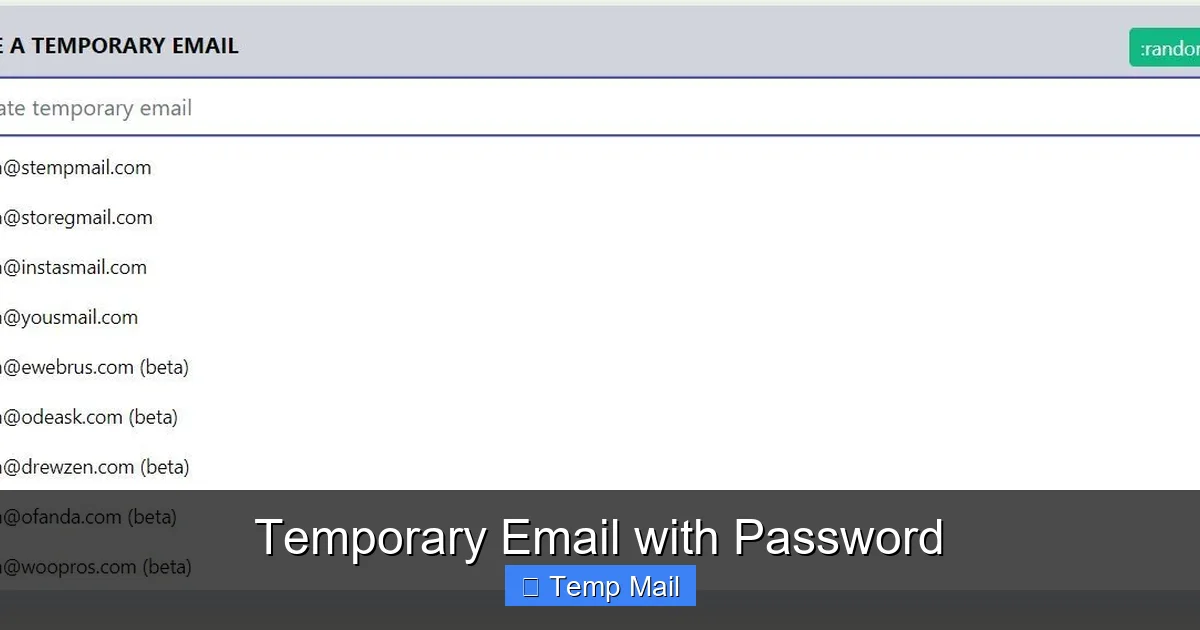
Visual guide about Temporary Email with Password
Image source: sonjj.com
Step 1: Choose a Reputable Service Provider
Not all temporary email services offer password protection. You need to seek out providers that explicitly advertise this feature. Look for terms like “password-protected,” “secure inbox,” or “private disposable email.” Research the provider’s privacy policy—do they log IP addresses? How long do they keep data? A trustworthy service will have a clear, concise policy stating they do not associate your temporary activity with your real IP or personal data.
Step 2: Generate Your Address and Immediately Set a Strong Password
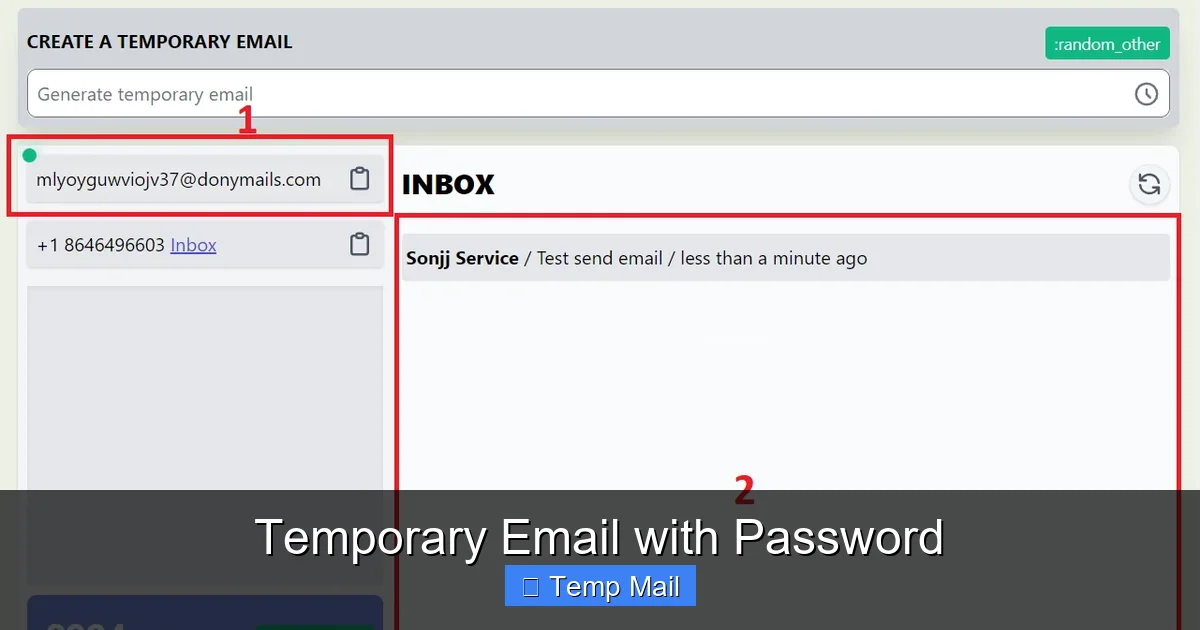
Once on the service site, click the button to generate a new random address. The site will immediately display your new email (e.g., xyz789@securetemp.net) and, crucially, a field to set a password. Do not skip this or use a trivial password like “12345” or “password.” Treat this password with the same seriousness you would a primary email password, even though the inbox is temporary. Use a mix of uppercase, lowercase, numbers, and symbols. A password manager can generate and store it for you.
Step 3: Use the Address and Remember Your Credentials
Copy the full email address and use it on the website or service where you need anonymity. The service will send a verification or welcome email to your temporary address. To retrieve it, return to the temp mail provider’s website. You will now need to enter both the temporary email address AND your chosen password to access the inbox. This is the critical security step. Bookmark the login page if you plan to check back, but remember—your inbox has an expiration timer ticking down!
Ideal Use Cases: When to Reach for This Tool
Understanding *when* to use a temporary email with password is as important as knowing *how*. It’s a scalpel, not a sledgehammer—best for precise, low-stakes tasks.
Visual guide about Temporary Email with Password
Image source: miro.medium.com
For One-Time Content Access & Download Gated Materials
This is the #1 use case. Countless blogs, whitepapers, and templates require an email address to unlock a PDF or software trial. Using your main email here often results in a newsletter subscription you never wanted. A password-protected temp email lets you get the file, verify the account if needed, and then simply let the inbox expire. The spam is contained and self-destructs.
Creating Test Accounts on New or Suspicious Platforms
Want to try out a new social app, gaming platform, or forum but are wary of its privacy practices or potential for data leaks? Create a test account using a disposable address. The password ensures that if the platform suffers a breach and your temp address is exposed, the attacker still cannot access any old verification emails you might have received there.
Signing Up for Promotional or Discount Codes
That tempting “10% off your first order” pop-up? Often, the code is emailed to you. Using a temp address with a password lets you capture that code without permanently joining the retailer’s marketing list. The inbox will vanish before the next big sale email arrives.
Bypassing Regional Restrictions or Basic Paywalls
Some news sites limit free articles per month. Clearing cookies or using incognito mode only goes so far, as they often track by email. A fresh temporary address (with its own password) can sometimes reset that article counter, giving you a clean slate to read a few more pieces.
Security Considerations & Crucial Limitations
While a password adds a layer of security, a temporary email with password is not a magic shield. Understanding its limitations is non-negotiable for safe usage.
The Encryption and Server Trust Question
You must trust the temporary email provider. The password protects access *to the inbox interface*, but it does not necessarily mean the emails are stored with end-to-end encryption on the provider’s servers. The provider technically has the ability to read the email content if they chose to. Therefore, you should never send or receive genuinely sensitive information—passwords for other sites, financial details, confidential documents, private health information—through any temporary email, password-protected or not. The password guards against *external* snoops, not necessarily the service itself.
The Ephemeral Nature: Inboxes Disappear
This is the biggest limitation. The entire inbox, and all its contents, are permanently deleted after the service’s time limit (e.g., 24 hours, 7 days). If you need to recover a password for a site you signed up with this temp email after the inbox expires, you are locked out permanently. You will have to use that site’s official account recovery process, which likely requires a *permanent* email address. Therefore, never use a temporary email for any account you might need to access long-term or that serves as a primary login for important services.
Password Loss is Catastrophic (But Containable)
If you forget the password to your temporary inbox, there is almost never a “forgot password” recovery option. The inbox is designed to be disposable. Losing the password simply means you lose access to any emails waiting in that specific inbox a few hours early. The consequence is low-stakes (you miss a verification email and must start the sign-up over with a new temp address), which is actually a feature—it contains the damage. The key is to use a password you can remember for the next few hours or store it temporarily in your password manager.
Best Practices for Safe and Effective Use
To master the use of temporary email with password, follow these actionable best practices. They transform a simple tool into a robust privacy habit.
Always Generate a Unique, Strong Password for Each Session
Resist the urge to reuse a simple password. If you use the same weak password for multiple temp inboxes and one gets compromised (though unlikely), it doesn’t matter because the inboxes are separate. However, using a strong, unique password each time is just a good habit that protects you in the rare case a provider’s security is lax. Your password manager is your best friend here.
Never Use It for Primary Account Recovery
This is the golden rule. Your main email address for Google, Apple, Microsoft, your bank, etc., must be a permanent, secure address you control exclusively. Using a temp email for recovery on these accounts is a one-way ticket to permanent account loss. The recovery email is your ultimate safety net; it cannot be disposable.
Clear Your Browser Data After Use
Once you’re done with a temporary email session, get in the habit of clearing your browser’s cookies and cache, or simply close the private browsing window if you used one. This prevents any session cookies from the temp mail site from lingering and ensures no one using your computer later can stumble upon an open temp inbox (even if they don’t have the password, it’s a best practice).
Check the Provider’s Data Retention Policy
Before you commit to a service, glance at its FAQ or policy page. How long are emails stored? Some keep them for the full stated inbox lifetime (e.g., 24 hours), others may delete them after just 1 hour of inactivity. Knowing this helps you manage your expectations. If you need to receive an email within the next 30 minutes, choose a service with a longer guaranteed retention period.
Use It as a Spam & Tracking Barrier
Actively think of your temporary email as a firewall for your primary identity. Every time a website asks for an email and you feel a pang of doubt, that’s your signal to use the temp address. You are not just avoiding spam; you are preventing that company from adding your permanent email to its tracking and profiling databases. Over time, this dramatically cleans up your primary inbox and reduces your digital shadow.
The Future of Disposable Communication and Privacy
The demand for tools like temporary email with password is a direct response to the broken email ecosystem, where user privacy is often the product being sold. As data breaches become routine and spam filters grow more sophisticated (yet still imperfect), the need for granular, user-controlled privacy tools will only increase. We may see more integration of these services directly into browsers or password managers, making the generation of a secure, disposable address a one-click action. Furthermore, as regulations like GDPR and CCPA empower users, the concept of “right to be forgotten” extends to our own deliberate choice to use communications that self-destruct. The temporary email with password is a tiny but significant act of rebellion—a way to say, “You can have my attention for this one transaction, but you cannot have my identity.”
Conclusion: A Simple Lock on a Disposable Key
A temporary email with password is more than just a convenience; it’s a statement about digital hygiene. It acknowledges that not every online interaction deserves or requires access to your permanent digital self. By adding the simple step of a password, you transform a publicly guessable address into a private, controlled channel. It’s the difference between shouting your temporary phone number in a crowded room and writing it on a piece of paper you keep in your pocket. Use it wisely for its intended purpose—gated content, test accounts, one-off verifications. Never use it for anything important. Treat the password with care, understand the inbox’s fleeting nature, and you will have harnessed a powerful, free tool to take back control, reduce spam, and protect your primary email address from the relentless machinery of the modern web. In the battle for online privacy, sometimes the most effective weapons are the simplest ones.
Frequently Asked Questions
Is a temporary email with password completely anonymous?
It offers a high degree of anonymity for the *content* of your messages, as they aren’t tied to your identity. However, the service provider technically sees the IP address you used to access the inbox. For true anonymity, you’d need to use a VPN or Tor in conjunction with the temp mail service.
Can I use a temporary email with password for important accounts like banking?
Absolutely not. Temporary emails expire. If your bank sends a security alert, password reset, or statement to an expired inbox, you will lose access forever. Permanent, secure email accounts you control are mandatory for any service involving financial assets, primary identity, or long-term access.
What happens if I forget the password to my temporary inbox?
There is virtually no recovery option. The inbox is designed to be disposable. Forgetting the password means you lose access to any emails currently waiting in that specific inbox. The solution is to generate a new temporary address and start the process over. The low-stakes nature of this loss is by design.
Is it legal to use a temporary email with password?
Yes, it is perfectly legal to use a disposable email address. You are not forging an identity; you are simply using a forwarding service. However, using it to commit fraud, evade legal obligations, or harass others is illegal. The tool is neutral; its legality depends on your intent and actions.
How long does a password-protected temporary email typically last?
It varies by provider. Common lifespans are 10 minutes, 1 hour, 1 day, or 1 week. Always check the provider’s displayed timer on the inbox page. Never assume an inbox will last longer than the explicitly stated time. When in doubt, use it for immediate, single-transaction purposes.
Should I use my real name or personal info when signing up with a temporary email?
No. The entire purpose is to avoid sharing personal information. When using the temporary email to sign up for a third-party service, you should still use a pseudonym or minimal required information there as well. The temp email protects your *contact* information, but you should also protect your *identity* information on the site you’re signing up for if anonymity is the goal.