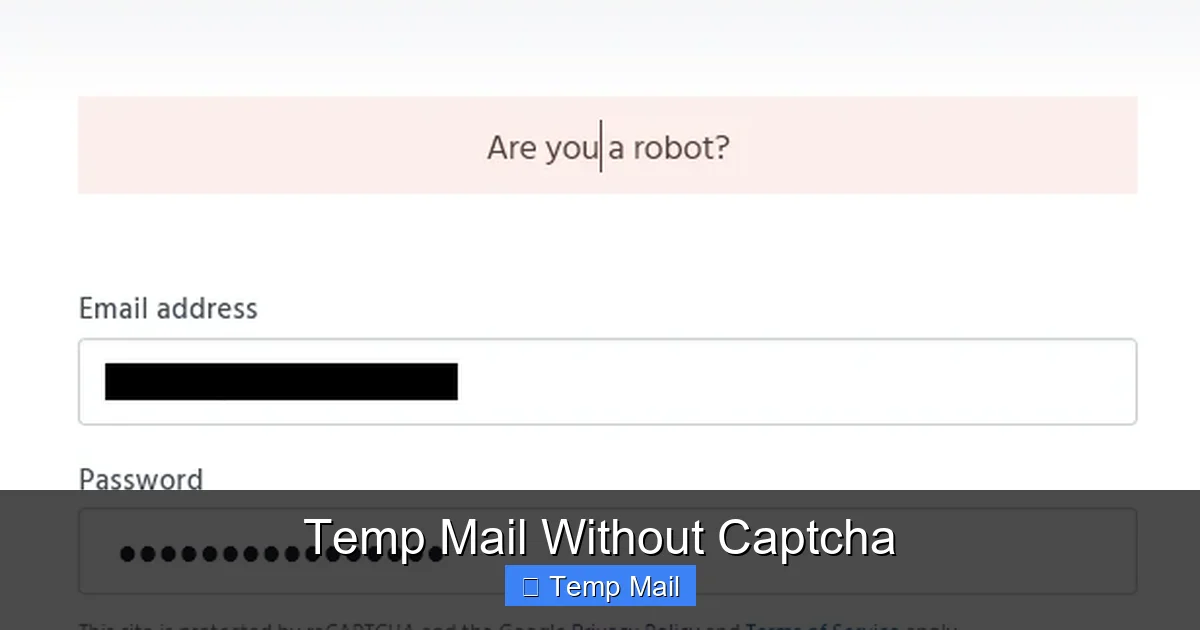
Temp Mail Without Captcha
Tired of solving endless captchas just to get a temporary email? Temp mail without captcha services remove that friction, offering instant access to disposable inboxes. They prioritize user convenience and speed, making them ideal for quick sign-ups, app testing, and privacy protection. However, it’s crucial to understand their benefits, limitations, and security implications before use.
You’re on a website, ready to download that crucial PDF, access a gated article, or try a new app’s demo. You click “Sign Up,” enter a username, and then… the captcha appears. “Select all squares with traffic lights.” You squint, the squares are blurry, you get one wrong, and you have to try again. Annoying, right? This tiny friction point, designed to stop bots, often stops human progress too. This is where the magic of temp mail without captcha comes in. It’s a simple yet powerful evolution of the disposable email concept, removing the final hurdle between you and your goal. But what exactly is it, how does it work without captchas, and is it safe? Let’s dive deep into the world of hassle-free temporary email.
Key Takeaways
- Instant Access: Temp mail without captcha provides an email address immediately, eliminating the frustrating step of proving you’re human via puzzles or image selections.
- Enhanced User Experience: These services focus on speed and simplicity, creating a seamless flow for activities like downloading resources or registering on websites where a captcha would be a barrier.
- Same Core Privacy Benefits: They offer the primary advantage of standard temp mail: protecting your primary inbox from spam, marketing emails, and potential data breaches associated with one-time sign-ups.
- Potential for Lower Security: The absence of a captcha can sometimes make these inboxes more accessible to bots, potentially leading to faster inbox saturation or slightly increased spam, though the inbox itself remains isolated.
- Not for Sensitive Transactions: Like all disposable email, these addresses should never be used for banking, official accounts, or any service requiring long-term, secure communication and password recovery.
- Service Variability: Not all “no captcha” providers are equal. Factors like inbox duration, domain reputation, and ad load vary significantly, so choosing a reputable service is key.
- Ethical and Legal Use: These tools are designed for legitimate purposes like privacy and testing. Using them to bypass website rules, commit fraud, or evade bans violates terms of service and can have consequences.
📑 Table of Contents
- What Exactly is “Temp Mail Without Captcha”?
- Why Do Services Eliminate the Captcha? A Look Under the Hood
- The Unchanged Benefits: Why We Use Temp Mail At All
- Practical Use Cases: Where No-Captcha Temp Mail Shines
- Security and Limitations: The Other Side of the Coin
- How to Choose a Reliable “Temp Mail Without Captcha” Service
- The Future and Alternatives
- Conclusion: Convenience with a Clear Purpose
What Exactly is “Temp Mail Without Captcha”?
First, let’s break down the term. “Temp mail” is short for temporary mail, also known as disposable or throwaway email. It’s a service that provides you with a random, public email address and a corresponding inbox for a limited time—usually 10 minutes to a few hours. You use this address to sign up for a website, receive a confirmation link or a file, and then you abandon it. Your primary inbox stays clean.
The “without captcha” part is the key differentiator. Traditionally, many temp mail services implemented a captcha (Completely Automated Public Turing test to tell Computers and Humans Apart) on their own homepage or inbox access page. Why? To prevent automated bots from mass-generating and abusing their email domains, which could get those domains blacklisted by major email providers like Gmail or Outlook. It was a necessary evil for the service’s survival.
A temp mail without captcha service has engineered its systems to mitigate bot abuse through other means. They might use more sophisticated rate-limiting per IP address, require a simple click-to-generate instead of a form, employ background behavioral analysis, or simply accept a higher operational risk. The result for you, the user, is a completely frictionless experience: visit the site, get your email, check your inbox. No puzzles, no blurry images, no “I’m not a robot” checkboxes.
The Core Promise: Uninterrupted Flow
The fundamental promise of any no-captcha temp mail is flow. In user experience design, “flow” is that state of deep focus where you’re completely absorbed in a task. A captcha is a hard, jarring interruption to that flow. Whether you’re a developer quickly testing an email verification system, a marketer downloading a competitor’s whitepaper, or just a regular user wanting to read an article, the captcha is an unnecessary detour.
By removing it, these services cater to the growing expectation of instant gratification. The moment you decide you need a temp email, you should have one. No waiting, no solving. This aligns perfectly with the use cases where temp mail shines: speed and convenience are paramount. It turns a two-step process (get email, then use it) into a single, fluid thought.
Why Do Services Eliminate the Captcha? A Look Under the Hood
It’s easy to think the service is just being “nice,” but there are strategic reasons for offering a no-captcha option. Understanding these helps you appreciate the trade-offs.
Visual guide about Temp Mail Without Captcha
Image source: blog.templid.com
1. Competitive Differentiation
The temp mail market is crowded. Hundreds of websites offer similar services. Removing a common pain point—the captcha—is a clear and immediate way to stand out. It’s a feature that is instantly noticeable and appreciated by users who have experienced the frustration elsewhere. For a service that often relies on organic search and word-of-mouth, superior user experience is a critical acquisition tool.
2. Catering to a Specific User Persona
The user who seeks out a specific “no captcha” temp mail is often more technical or efficiency-driven. This could be a software developer, a QA tester, or a power user. This demographic values time and automation highly. They might even be using scriptable browser extensions or automation tools where a manual captcha solve is impossible. By serving this niche expertly, a service can build a loyal, professional user base.
3. Advanced Anti-Abuse Systems
Modern no-captcha services aren’t just leaving the door wide open. They employ alternative, less intrusive security layers:
- IP Reputation & Rate Limiting: Strictly limiting how many email addresses can be generated from a single IP address in a given timeframe. This throttles bots that try to create thousands of accounts.
- JavaScript Challenges: Some use lightweight, invisible JavaScript checks that are trivial for a real browser but harder for a simple script to execute.
- Honeypot Fields: Adding hidden form fields that only bots would fill out. If a submission includes data in these fields, it’s automatically rejected.
- Domain-Specific Keys: Requiring a simple API key or token for bulk use, separating casual one-off users from potential abusers.
These methods are often less obtrusive to a human than a captcha while still creating significant friction for automated scripts.
4. Monetization Strategy Focus
Many temp mail services are free to users and make money through advertising. A captcha page is a dead end for ad revenue—the user is focused on solving the puzzle, not on ads. A clean, instant inbox page, however, can display ads prominently. Removing the captcha gate means the user lands directly on a page where ads can be viewed, potentially increasing revenue per visitor. The service bets that the gained user volume and ad impressions outweigh the risk of abuse.
The Unchanged Benefits: Why We Use Temp Mail At All
Removing the captcha doesn’t change the core value proposition of disposable email. It just makes accessing that value smoother. The primary reasons people use temp mail remain:
Visual guide about Temp Mail Without Captcha
Image source: wpforms.com
1. Spam Prevention and Inbox Zero
This is the #1 reason. Every time you sign up for a newsletter, download a resource, or create an account on a forum you might visit once, you’re giving your email to a new entity. That entity might sell your email, have a data breach, or simply send you promotional emails you never wanted. By using a temp address, you create a dead-end for that spam. Your primary email, used for family, work, and banking, stays pristine.
2. Privacy and Anonymity
Not every online interaction needs to be tied to your real identity. If you’re researching a sensitive topic, signing up for a political newsletter, or joining an online community where you want to maintain a separate persona, a disposable email provides a layer of anonymity. It decouples the online activity from your main digital identity.
3. Bypassing Email Verification for Testing
For developers, QA testers, and even marketers setting up campaigns, the ability to quickly test email functionality is vital. You need to see if a confirmation email is sent, what it looks like, and if the link works. Creating a new Gmail account for every test is slow and clutches your real inbox. A temp mail service, especially a no-captcha one, allows for rapid-fire testing of sign-up flows.
4. Accessing Gated Content
Many valuable online resources—research papers, industry reports, software e-books—are behind an email gate. The publisher’s goal is to generate leads, not necessarily to have you as a long-term subscriber. A temp mail lets you get the download link instantly without committing your primary address to a sales sequence.
5. Avoiding Account Linking
Some platforms try to prevent multiple accounts from the same person. Using your primary email makes it easy for them to connect your activities. A fresh temp mail for each new account helps maintain separation, whether for legitimate privacy reasons or to manage multiple professional profiles.
The temp mail without captcha experience simply removes the speed bump on the road to achieving all of these goals.
Practical Use Cases: Where No-Captcha Temp Mail Shines
Let’s move from theory to practice. Here are concrete scenarios where a captcha-free disposable email service is not just convenient, but a game-changer.
Visual guide about Temp Mail Without Captcha
Image source: lifehacker.com
For the Developer & QA Tester
Imagine you’re building a SaaS application with a user registration flow. You need to test:
- Does the welcome email send?
- Is the confirmation link valid for 24 hours?
- What happens if a user clicks the link twice?
- Do password reset emails format correctly?
With a no-captcha service, you can open a new incognito window, generate an address in one click, paste it into your test form, submit, and immediately switch to the inbox tab to verify the email arrived. No captcha to solve, no waiting. You can run through dozens of test scenarios in the time it would take to solve captchas for just a few.
For the Content Seeker & Researcher
You’re a student working on a thesis and need a specific market research report from a consulting firm’s website. The report is valuable, but you know signing up will trigger a weeks-long sales cadence. You go to your preferred no-captcha temp mail site, get an address, download the PDF in 30 seconds, and close the browser. Your real email is never contaminated. The same applies to journalists, analysts, or anyone needing one-off access to gated information.
For the Privacy-Conscious Social User
You want to join a new Discord server, subreddit, or gaming forum that requires email verification. You like the community but don’t trust it with your main email, and you don’t want your gaming handle linked to your professional identity. A quick temp mail gets you verified and in the door. If the community turns out to be spammy or toxic, you simply ignore the inbox. No harm done.
For the Casual Shopper & Deal Hunter
A retail website offers a 15% discount for new email subscribers. You want the code but don’t want to be added to their promotional newsletter forever. A disposable email nets you the coupon code instantly. You use it on your order, and the temporary address expires before the next weekly sale email ever hits an inbox.
For the App Beta Tester
You’re excited to try a new productivity app in beta. The sign-up asks for an email to send you a download link and updates. Using a temp mail without captcha means you can get started immediately, without the app’s sign-up page throwing a captcha at you first. It’s a seamless first impression for both you and the app developers you’re testing for.
Security and Limitations: The Other Side of the Coin
It’s crucial to balance convenience with awareness. A service that is easy to access is, by definition, easier for *anyone* to access. This brings important considerations.
Inbox Security & Privacy
Public Inboxes: The nature of temp mail is that the inbox is public. Anyone who knows or guesses the random email address can view the inbox. There is no password. This is fine for receiving a single confirmation link, but it’s catastrophic for anything private. Never, ever use temp mail for:
- Password recovery for important accounts
- Receiving sensitive documents (contracts, IDs, financial statements)
- Any communication that needs to be confidential
Sender Reputation & Deliverability
Because temp mail domains are used by thousands of people for spammy purposes (even if you’re using it legitimately), they often have poor sender reputations. Some websites’ email systems are configured to automatically block emails from known disposable domains. You might find that the confirmation email you’re waiting for simply never arrives because the sender’s server rejected it as coming from a “high-risk” domain. This is a fundamental limitation of the entire temp mail ecosystem, not just the no-captcha variant.
Lifespan and Reliability
Inboxes are ephemeral. They typically last 10 minutes to 1 hour, sometimes up to 24 hours on more generous sites. If you step away and come back an hour later, your email and inbox are gone. You cannot retrieve it. You must use the information (click the link, save the attachment) immediately. Furthermore, if the service itself goes down or purges old data, your email vanishes.
The “No Captcha” Trade-off
As mentioned, the lack of a captcha gate might mean the service employs less aggressive bot filtering on the backend. This could theoretically lead to:
- Faster Inbox Saturation: Bots might generate addresses that receive spam emails more quickly, filling the public inbox with unwanted messages faster.
- Potential for Higher Downtime: If a service is overwhelmed by bot-generated traffic, it might become slow or temporarily unavailable for legitimate users.
However, for the individual user checking one specific inbox, this is rarely a noticeable issue. The spam is just ignored, and the inbox you’re using is usually fresh and empty.
How to Choose a Reliable “Temp Mail Without Captcha” Service
With a simple Google search, you’ll find dozens of options. Not all are created equal. Here’s your checklist for selecting a good one:
1. Instant Generation (The Core Feature)
Visit the site. Does the email address appear immediately upon page load? Or is there a big “Generate Email” button to click? Both are fine, but there should be zero captcha, no “prove you’re human” wall, and no mandatory newsletter sign-up before you see the address.
2. Clean, Ad-Light Interface
Many free services are supported by ads. A few contextual ads are expected. But if the page is plastered with deceptive “Download Now” buttons, pop-ups, and misleading ads that look like site navigation, it’s a low-quality service. A clean interface often indicates a more reputable operation.
3. Reasonable Inbox Lifespan
Check the FAQ or help section. Does it state how long inboxes last? 10 minutes is standard and sufficient for most uses. Some offer 1 hour or more, which is a nice bonus. Avoid services that claim “permanent” inboxes—that defeats the purpose of “temporary” and is a major red flag for abuse.
4. Multiple Domain Options
Good services offer several domain choices (e.g., @tempmail.com, @disposable.com, @10minutemail.net). This is useful if one domain gets blocked by a particular website you’re trying to sign up for.
5. No Software Installation
Stick to web-based services. Avoid downloading any “temp mail client” or browser extension from an unknown source. The web version is safer, easier to use across devices, and eliminates malware risk.
6. Clear Privacy Policy
Even for a temp service, check the privacy policy. Do they log IP addresses? Do they claim any rights to the emails? A reputable service will state that they do not access, store, or sell the content of your temporary emails. They may log minimal metadata for abuse prevention, which is standard.
7. Community & Longevity
A service that has been around for a few years and has a mention on tech forums or Reddit (r/privacy, r/selfhosted, etc.) is generally more trustworthy than a brand-new site with no history. Longevity suggests it has managed to operate without being shut down for abuse.
The Future and Alternatives
The demand for frictionless, private communication tools is growing. While temp mail without captcha solves a specific pain point, it’s part of a larger trend towards reducing digital friction while maintaining control.
Browser-Based Solutions
Some privacy-focused browsers or extensions are starting to incorporate built-in email alias or forwarding services. For example, Firefox Relay (from Mozilla) creates an alias that forwards to your real email. You can disable the alias anytime. These are more persistent than temp mail but still offer privacy. They often have their own verification systems but are integrated seamlessly into the browsing experience.
Dedicated “Masked” Email Services
Services like SimpleLogin or AnonAddy (now part of Proton) take the alias concept further. They provide a permanent @anonaddy.com (or similar) address that you can use anywhere. You can create unlimited unique aliases for different sites, and all emails forward to your real inbox. You can block an alias at any time. These are more robust than 10-minute mail but are usually paid services for high volume.
The Captcha Itself is Evolving
It’s worth noting that captchas are becoming smarter and often less intrusive. Google’s reCAPTCHA v3 runs entirely in the background, assigning a “risk score” to your browsing session without ever asking you to click anything. As these invisible captchas become the norm, the specific value of a “no captcha” temp mail might diminish, as the user wouldn’t even perceive the captcha happening on the temp mail site itself. However, the captcha on the *destination* website (the one you’re signing up for) remains, and that’s outside the temp mail service’s control.
The future likely holds a blend: more sophisticated, invisible bot detection on the backend, combined with user-facing tools (like alias services) that give long-term control without the need for constantly generating new addresses.
Conclusion: Convenience with a Clear Purpose
Temp mail without captcha is a brilliant tool for a specific job. It strips away the last remnant of friction from the disposable email process, delivering pure, unadulterated speed. For the developer running test suites, the researcher downloading a report, or the user just wanting to bypass a gated article, it’s the perfect instrument. The immediate, one-click access respects your time and attention.
However, its power is also its limitation. This convenience is built for ephemeral, low-stakes interactions. Its security model—public inboxes, short lifespans, shared domains—means it cannot and should not be used for anything tied to your real identity, finances, or long-term security. It is a shield for your primary inbox, not a fortress for your sensitive data.
When used with this understanding, a no-captcha temp mail service becomes an indispensable part of your digital toolkit. It’s the digital equivalent of a paper shredder for your email address: perfect for disposing of unwanted contact attempts the moment they arrive. Choose a reputable provider, use it swiftly for its intended purpose, and enjoy the smooth, captcha-free path to temporary privacy.
Frequently Asked Questions
Is temp mail without captcha legal to use?
Yes, using disposable email services is legal in most jurisdictions. They are legitimate privacy tools. However, using them to commit fraud, evade legal obligations, or violate a website’s terms of service is illegal and can have consequences.
Are no-captcha temp mail services less secure than ones with captchas?
Not necessarily for your own inbox privacy, which is equally public in both cases. The main difference is that a no-captcha service might be more susceptible to automated abuse from bots, which could lead to faster inbox spam. The security of the *email you receive* (encryption in transit) is typically the same. The primary security rule remains: never use it for sensitive accounts.
How long do emails last on a typical no-captcha temp mail service?
Most services keep inboxes and emails for 10 minutes to 1 hour after the last received email. Some may extend this to 24 hours. Always check the specific service’s policy, and never assume you can return later to find your email.
Can I use temp mail without captcha for important account registrations like banking or social media?
Absolutely not. These accounts require a reliable, long-term, and secure email for password recovery and official communication. A temporary address will expire, locking you out of the account permanently. Use it only for one-time access, downloads, or sign-ups you intend to abandon.
Why would a website block emails from disposable domains?
Websites block disposable email domains to prevent spam registrations, fraud, and abuse. Since anyone can get a temp mail, it’s an easy way for bad actors to create fake accounts, post spam, or abuse free trials. If a site blocks your temp mail, you’ll need to use a real address for that particular service.
What’s the biggest downside of using a captcha-free temp mail service?
The biggest practical downside is deliverability. Because the domain has a reputation for high-volume, temporary use, some legitimate email systems may filter or block messages sent to it. You might not receive the confirmation email you need. The second biggest downside is the potential for the inbox to fill with spam faster due to less aggressive bot filtering on the provider’s side.