Temporary Email Address
A temporary email address is a disposable, short-lived inbox used for online sign-ups and downloads to protect your primary email from spam and data collection. It automatically deletes after a set time, offering a simple, no-cost barrier between your personal identity and the digital world. While perfect for one-time verifications, it’s not suitable for critical accounts like banking or social media.
Key Takeaways
- Primary Purpose: A temporary email address is a tool for privacy protection and spam prevention, not for long-term communication or important account recovery.
- Automatic Lifecycle: These addresses are created instantly and self-destruct after a short period (minutes to hours), automatically deleting all received messages.
- Use Case Specific: Ideal for one-time sign-ups, gated content downloads, forum registrations, and testing website forms where trust is low.
- Anonymity vs. Security: They provide anonymity from marketers but offer no encryption; sensitive information should never be sent to a disposable inbox.
- Service Variability: Features, lifespan, and domain availability vary significantly between different temp mail providers; choose based on your specific need for duration and domain.
- Blocked by Some Sites: Many popular platforms (e.g., Facebook, Google, major banks) actively block known disposable domains to prevent abuse, limiting their use for certain registrations.
- Not a Security Tool: While it reduces exposure, a temporary email is not a substitute for a password manager, 2FA, or other robust cybersecurity practices.
📑 Table of Contents
- What Exactly Is a Temporary Email Address?
- How Do Temporary Email Services Work? The Technical Dance
- Top Practical Use Cases: When to Use a Temp Mail
- The Double-Edged Sword: Advantages and Critical Limitations
- How to Choose a Temporary Email Service: Features That Matter
- The Future of Disposable Email: Evolving with the Web
- Conclusion: A Simple Tool for a Complex Problem
What Exactly Is a Temporary Email Address?
Let’s be honest: your primary email address is like your digital home address. You wouldn’t hand it out to every stranger on the street, yet online, we do exactly that. Every time you sign up for a newsletter, download a free e-book, or create an account on a sketchy forum, you’re potentially inviting spam, data harvesting, and a cluttered inbox. This is where the humble temporary email address comes in as your secret weapon.
Think of a temporary email address as a digital burner phone or a disposable cup. It’s a fully functional email inbox you can use for a short, defined period—often just 10 minutes to a few hours—without any personal information attached. Once its time is up, poof. The address and all its contents vanish into the ether. It’s a simple, powerful concept designed for one thing: to act as a shield for your real, permanent email identity.
The Core Concept: Anonymity and Ephemeral Nature
At its heart, a temporary email service provides you with a random email address from a pool of domains they control (like @tempmail.demo or @10minutemail.com). You don’t register an account; you simply visit the website, and an inbox is generated for you on the spot. The key characteristics are anonymity (no sign-up required), instant creation, and a pre-set expiration. This ephemeral nature is its defining feature and primary utility.
How It Differs from Your Regular Email
Your Gmail, Outlook, or Yahoo account is a persistent identity. It’s tied to your name, phone number, recovery options, and years of history. It’s meant for ongoing communication with friends, family, and colleagues. A disposable email, in stark contrast, has zero history, zero personal ties, and zero future. It’s a single-use tool. You wouldn’t use a sledgehammer to hang a picture, and you shouldn’t use your permanent email for every trivial online interaction. The temporary address is the precise, lightweight tool for that specific job.
How Do Temporary Email Services Work? The Technical Dance
The magic behind a temporary email address isn’t actually magic—it’s clever, streamlined server management. Understanding this process helps you use these tools more effectively and sets realistic expectations.

Visual guide about Temporary Email Address
Image source: i.ytimg.com
The Instant Inbox Generation Process
When you navigate to a site like Temp-Mail.org or 10MinuteMail.com, the server does two things instantly: 1) It generates a unique, random username and pairs it with one of its available domains. 2) It creates a corresponding inbox on its mail server, linked only to that random string of characters. This entire process happens in milliseconds. There’s no database storing your name or IP address in a personally identifiable way for that inbox. The “inbox” you see on the webpage is simply a live view of the mailbox folder on the service’s server assigned to that random address.
Receiving and Viewing Emails
When a website sends a verification link or a file to your disposable inbox, it travels through the standard internet mail protocols (SMTP) and lands in the specific mailbox folder on the temp mail provider’s server. The webpage you’re on continuously polls that folder or uses a live connection to display new messages. You can then open the email and click the verification link directly from the temp mail interface. All of this happens without you ever configuring an email client like Outlook or Thunderbird.
The Inevitable: Deletion and Cleanup
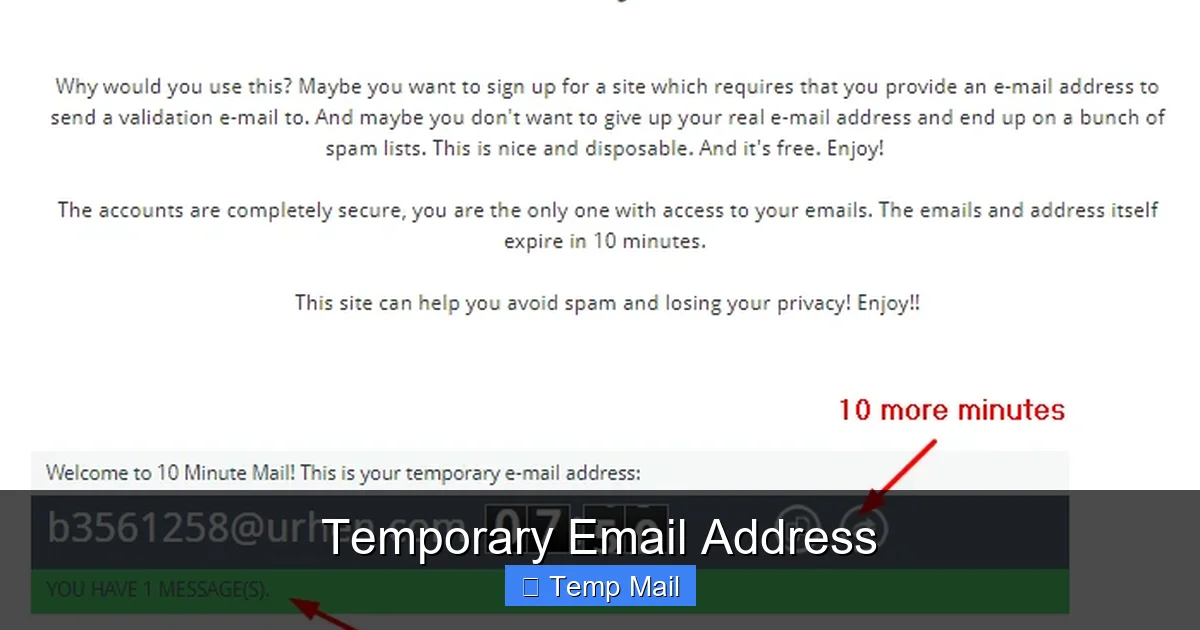
The countdown timer is not for show. Once the predetermined time limit (often 10 minutes, 1 hour, or 1 day) expires, the server’s automated systems permanently delete the mailbox folder and all its contents. The address is then recycled and may be given to a future user. This automatic self-destruct mechanism is what keeps the service running efficiently without requiring you to manually clean up thousands of old, unused inboxes. It’s a fire-and-forget system for your digital privacy.
Top Practical Use Cases: When to Use a Temp Mail
Knowing *why* to use a temporary email is just as important as knowing how. Using it incorrectly can lead to frustration (like being locked out of an account later). Here are the prime scenarios where a temp mail address shines.

Visual guide about Temporary Email Address
Image source: emailondeck.com
Gated Content and Downloadables
This is the #1, perfect use case. You want that free PDF, whitepaper, software trial, or template, but the website demands an email address. Using your primary email here guarantees future marketing spam. A disposable inbox lets you download the file, click the verification link if needed, and then walk away forever. The spam goes to the burner address, which dies on its own. It’s a clean, consequence-free transaction.
One-Time Website or Forum Registration
You need to create an account to read comments, post once, or access a specific feature on a site you don’t trust or plan to revisit. Using a temporary email allows you to complete the registration and verification without committing your real identity. It’s ideal for anonymous commenting or participating in a single discussion.
App and Service Trial Sign-Ups
Testing a new SaaS tool, mobile app, or online service? Many require an email for the trial period. Use a temp mail to explore the platform. If you love it and decide to subscribe, you can then switch to your permanent email for the paid account. This avoids getting trapped in a drip-email campaign for a service you end up hating after the trial.
Avoiding Data Brokers and List Building
Every email you provide gets sold or traded. Companies build profiles on you based on where you sign up. By consistently using a disposable address for non-essential interactions, you fragment your digital footprint. Data brokers get useless, short-lived email fragments instead of your cohesive, valuable primary address. It’s a small but effective act of data hygiene.
Developers and Testers
For QA testers and developers, temporary emails are indispensable. They can test user registration flows, email notification systems, and password reset functionalities without creating countless real email accounts or polluting their work inboxes. It automates and sanitizes the testing process.
The Double-Edged Sword: Advantages and Critical Limitations
A temporary email address is a tool, and like any tool, it has a correct and incorrect application. Understanding its pros and cons is non-negotiable for safe usage.
Visual guide about Temporary Email Address
Image source: gotothings.com
Key Advantages: Freedom from Spam and Clutter
The most celebrated benefit is the drastic reduction in spam. Your primary inbox stays pristine for important communications. There’s also a significant privacy boost; you’re not giving out your personal email, which is often a key identifier in data breaches. It requires zero commitment—no password, no security questions, no recovery setup. It’s the ultimate low-friction, high-privacy option for casual web browsing.
Major Limitations and Risks You Must Know
The very feature that makes temp mail useful—its disposability—is also its biggest drawback. You cannot recover a temporary email address. If you need to reset a password for an account you signed up with it, you’re locked out forever. Therefore, it is criminally irresponsible to use it for any account you care about: social media, banking, primary cloud storage, or main work tools. Furthermore, these services offer no security. Emails are stored in plain text on the provider’s server. Never use a disposable address for sensitive info like password resets for important accounts, confidential documents, or any personal data. Lastly, as mentioned, many websites now blacklist common temp mail domains, so it may simply not work for the sign-up you’re attempting.
How to Choose a Temporary Email Service: Features That Matter
Not all temp mail providers are created equal. While the core function is similar, several features differentiate them and should guide your choice.
Inbox Lifespan Options
Look for a service that offers flexibility. Do you need 10 minutes for a quick verification, or 24 hours to download a large file and receive a follow-up email? The best services let you choose or extend the lifespan. A 10-minute default is too short for many use cases; aim for providers offering at least 1-hour or 1-day options.
Domain Variety and Customization
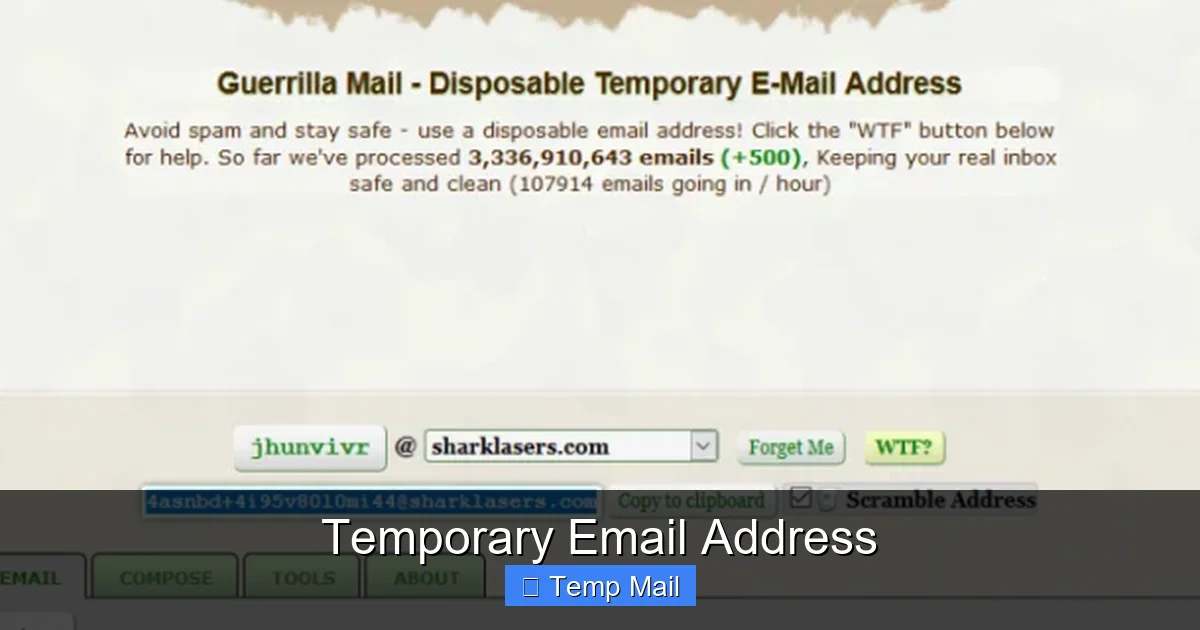
Some services only offer one or two domains (e.g., @mailinator.com). These are the most likely to be blocked by websites. Services that offer a large, rotating pool of domains (like @guerrillamail.com, @sharklasers.com, etc.) have a higher chance of success because their domains are less frequently blacklisted. Some even allow you to choose a custom username within their domain.
User Interface and Extensions
A clean, ad-light interface is crucial. Some free services are notoriously cluttered with deceptive ads that look like download buttons. Look for ones with a clear, simple inbox view. Even better are those offering browser extensions (Chrome/Firefox) or mobile apps, which let you generate and check your disposable inbox without leaving your current tab.
Attachment Support and Size Limits
If you’re using temp mail for downloads, check if the service supports receiving attachments and what the size limit is. Some block attachments entirely, while others allow files up to 10-25MB. For most e-books and PDFs, this is fine; for large software installers, it may not be.
Privacy Policy and Data Handling
Read the privacy policy. Do they log IP addresses? How long do they keep meta-data? The best services explicitly state they do not log personal information and purge all data upon inbox expiration. Avoid services that are vague about data retention.
The Future of Disposable Email: Evolving with the Web
The landscape of temporary email is not static. As web security and anti-abuse measures advance, so too must the tools of privacy-conscious users.
The Cat-and-Mouse Game with Blacklists
Websites and email service providers (like Gmail) are in a constant battle against spam and fraud. A primary weapon is the public and private blacklisting of disposable email domains. This means today’s popular temp mail domain might be blocked tomorrow. The future will likely see more dynamic, real-time blacklisting, forcing temp mail services to constantly generate new domains and employ more sophisticated obfuscation techniques to stay usable.
Integration with Privacy-First Ecosystems
We’re seeing a rise in comprehensive privacy suites (like certain browsers with built-in VPNs and tracker blockers). It’s plausible that future versions of privacy-focused browsers or email clients will have built-in, seamless disposable email generation—perhaps even integrated with aliasing services like SimpleLogin or AnonAddy, which create unique forwardable aliases rather than fully separate inboxes. This could offer a middle ground: the convenience of a permanent inbox with the privacy of disposable addresses.
Beyond the Inbox: The Rise of Email Aliases
A growing trend is the use of email alias services. Instead of a completely separate, temporary inbox, these services create unique email addresses that forward to your main inbox. You can disable an alias at any time if it starts getting spam. This offers more control and longevity than a 10-minute temp mail but requires a central, secure primary inbox. As awareness grows, alias services may become the preferred method for managing online identity over purely disposable inboxes.
Regulatory Pressure and User Awareness
With regulations like GDPR and CCPA emphasizing user consent and data minimization, the practice of forcing an email for every minor interaction is being questioned. As users become more savvy about data privacy, the demand for and use of temporary email solutions will only increase, pushing the industry to innovate with more user-friendly, less ad-dependent models, possibly supported by premium tiers.
Conclusion: A Simple Tool for a Complex Problem
The temporary email address is a brilliantly simple solution to a pervasive modern problem: the erosion of our inbox privacy and the relentless pursuit of our data by marketers and data brokers. It’s a low-tech, high-impact tool that puts control back in your hands for the countless low-stakes interactions that fill our digital lives. By using a disposable inbox for newsletter sign-ups, content downloads, and forum registrations, you effectively quarantine the spam and protect your primary identity.
However, its power comes with strict boundaries. It is a shield, not a fortress. It is for anonymity in trivial matters, not for security in critical ones. Never, under any circumstance, use it for accounts you need to recover, for financial services, or for any communication containing personal information. Remember the golden rule: if you might need to log in again or reset a password, use your real email.
As the web evolves, so will these tools. For now, incorporating a reputable temporary email service into your daily browsing routine is a fundamental step toward a cleaner, more private, and more controlled digital existence. It’s a small habit that pays massive dividends in reduced clutter and enhanced peace of mind.
Frequently Asked Questions
Are temporary email addresses legal?
Yes, creating and using a temporary email address is perfectly legal in virtually all jurisdictions. These services operate within the law, providing a communication tool. Their legality is comparable to using a public library computer or a prepaid phone.
Can a temporary email be traced back to me?
Generally, no. Since you don’t provide any personal information to create the inbox, there is no direct link to your identity. However, your IP address is logged by the service provider when you access it, and the websites you visit while using that temp address can see that IP. For truly anonymous browsing, a temporary email should be used in conjunction with a VPN or Tor.
What happens if a website I need blocks temporary emails?
This is a common issue. If a site rejects your disposable domain, you have two choices: 1) Use a different temp mail provider with a less common domain, or 2) reluctantly use your primary email and prepare to filter or unsubscribe from future spam. Some services offer “domain rotation” to help bypass simple blocks.
Is it safe to use a temporary email for online shopping?
No, it is not safe. You will need order confirmations, shipping updates, and receipts. More importantly, you may need to process returns or customer service issues. Always use your permanent, secure email address for any e-commerce transaction, financial services, or anything involving money or physical goods.
How long do emails stay in a temporary inbox?
It varies by provider. Common lifespans are 10 minutes, 1 hour, 1 day, or sometimes up to a week. The inbox and all its emails are permanently deleted the moment the timer expires. Some services also delete inboxes if they remain inactive for a short period.
Can I send emails from a temporary address?
Most temporary email services are designed for receiving only, as sending capability is often abused for spam. A few premium or specialized services do allow sending from a disposable address, but this is the exception, not the rule. Assume you can only receive verification codes and download links.