Temporary Email for App Testing
Temporary email services are a secret weapon for app developers and QA testers. They provide disposable inboxes that let you register for apps, test email-dependent features, and verify workflows without using your personal or company email. This shields your primary inbox from spam, protects user privacy during testing, and allows you to simulate real user sign-up and verification processes repeatedly and reliably. By integrating these tools, you can significantly improve test coverage, security, and efficiency in your development cycle.
Key Takeaways
- Privacy & Spam Protection: Temporary emails keep your personal and work inboxes clean from test-related spam and marketing emails.
- Efficient Workflow Testing: They enable unlimited, repeatable testing of user registration, password reset, and email verification flows.
- Cost-Effective & Scalable: Most services are free or low-cost, allowing teams to create hundreds of test accounts without managing real email infrastructure.
- Enhanced Security Testing: They allow safe testing of features that involve email links, OTPs, and potential phishing scenarios without real-world risk.
- Real-World Simulation: Helps test how an app handles various email formats, disposable address detection, and edge cases in email-based logic.
- Global & Instant Access: Generate email addresses from different domains instantly, anywhere, without setup or verification.
- Ethical & Compliant Use: Crucial for adhering to data privacy regulations (like GDPR) by avoiding the use of real user data in non-production environments.
📑 Table of Contents
- What is Temporary Email? The Testers’ Invisible Ally
- Why App Testers Can’t Live Without Temporary Email
- Choosing the Right Temporary Email Service for Testing
- How to Integrate Temporary Email into Your Testing Workflow
- Advanced Techniques and Niche Use Cases
- Common Pitfalls and How to Avoid Them
- The Future: Where Temporary Email Fits in the Modern Dev Stack
- Conclusion: Embrace the Ephemeral for More Robust Apps
What is Temporary Email? The Testers’ Invisible Ally
Imagine needing to test the “Forgot Password” feature of your new mobile app. You enter a fake email, request the reset link, and then… nothing. You check your real inbox, spam folder, nothing. The test fails, but you don’t know why. Was the email sent? Did it get blocked? This frustrating loop is a daily reality for developers and QA engineers. This is where temporary email services swoop in as the unsung hero of modern app testing.
So, what exactly is temporary email? At its core, it’s a service that provides you with a random, disposable email address for a short period—usually minutes to a few hours. You don’t need to sign up, provide a password, or link it to any personal information. You visit a website like Temp-Mail.org, Guerrilla Mail, or 10MinuteMail, and instantly get an inbox address like abc123@tempmail.demo. Any emails sent to that address appear in a public web-based inbox associated with that session. Once you close the browser tab or the time expires, the address and all its emails vanish into the digital ether.
The Core Mechanics: How It Works Under the Hood
These services operate on a simple but brilliant premise. They manage a pool of domains and generate random, unique mailbox names. When you load the site, the server assigns you one of these mailboxes and presents you with the inbox interface. The mail server accepts all incoming SMTP traffic for that address and displays it in your browser session. There’s no persistent storage on your device. For the tester, it’s a zero-setup, zero-commitment tool. This ephemeral nature is precisely what makes it perfect for testing scenarios where you need an email address but have zero desire to own or manage it long-term.
Why App Testers Can’t Live Without Temporary Email
Using your personal Gmail or company Outlook for app testing is like using your primary house key to test every lock in a new building—risky, inefficient, and bound to cause problems. Temporary email for app testing solves a constellation of specific, painful challenges that developers face daily.
Visual guide about Temporary Email for App Testing
Image source: codester.com
The Spam Avalanche: Your Primary Inbox Will Drown
Every time you sign up for a new app or service to test it, you’re often agreeing to their terms of service and marketing communications. Do this 50 times a week across different apps, and your personal inbox becomes a wasteland of promotional newsletters, product updates, and “We miss you!” emails. This not only clutters your space but also risks you missing a crucial personal or work email. A temporary email acts as a sacrificial buffer, absorbing all that promotional noise and self-destructing with it.
Testing the Full User Journey, Not Just the First Step
Many apps have a critical path that goes through email. Think about the typical flow: Sign Up → Email Verification → Login → Use App. If you can’t receive or access the verification email, your test is incomplete. You might only be testing the UI of the sign-up form, not the actual backend email delivery and the user’s ability to click the link. With a temporary inbox open in a separate browser tab, you can seamlessly click the verification link and continue testing the authenticated experience, all within the same session. This allows you to test the entire workflow as a real user would experience it.
Privacy, Security, and Compliance: Covering Your Bases
In regulated industries (healthcare, finance) or when testing with sensitive mock data, using a real person’s email address—even a colleague’s—can be a compliance nightmare. GDPR, HIPAA, and other data privacy laws are strict about how personal data is used. A temporary email is, by definition, not personal data. It’s a random string. This allows you to simulate user accounts without creating any traceable PII (Personally Identifiable Information) in your test environments, significantly reducing legal and security risks during development and QA.
Breaking the “Single Account” Test Ceiling
How do you test what happens when a user tries to register with an email that’s already taken? With your own email, you can only do this once. You’d have to create a new real account on the email provider, which is a hassle. With a temporary email service, you can generate a hundred different addresses in a hundred tabs. You can test duplicate registration, bulk invite scenarios, or how the system handles a list of emails from a single domain (some apps block this). This scalability is impossible with a finite set of real email accounts.
Choosing the Right Temporary Email Service for Testing
Not all temporary email services are created equal, especially for professional testing. While any will work for a basic sign-up test, some features are game-changers for efficiency. Here’s what to look for when selecting your tool.
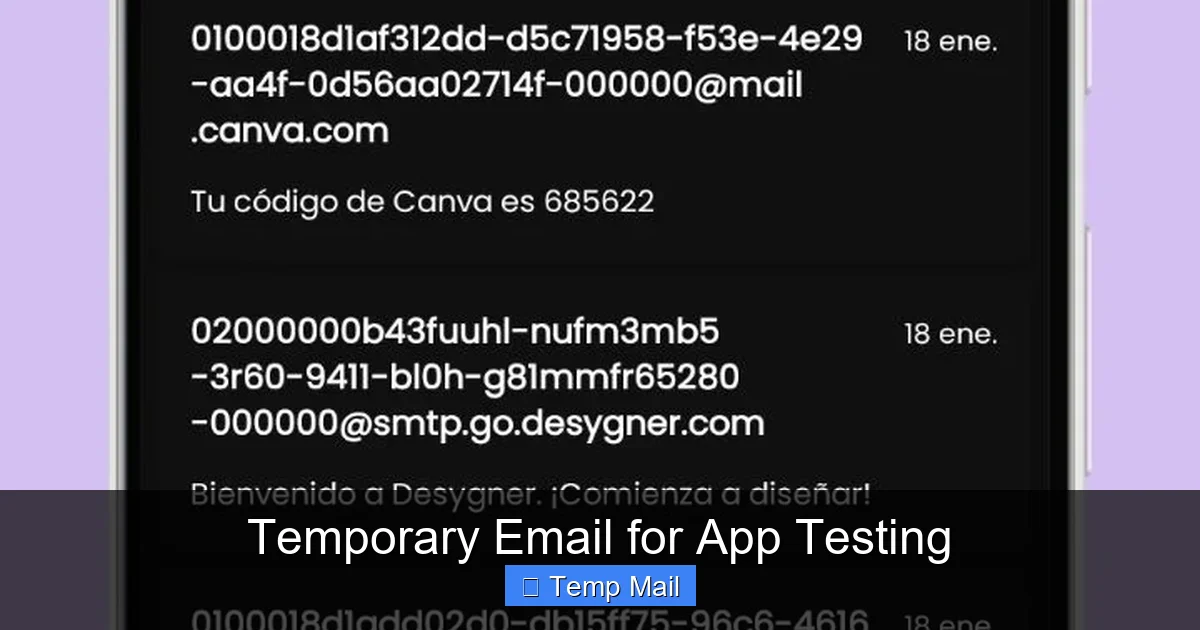
Visual guide about Temporary Email for App Testing
Image source: codester.com
Essential Features Checklist
- No Registration Required: The golden rule. You should get an inbox by simply visiting the URL. Anything asking for a phone number or sign-up is a non-starter for quick, anonymous testing.
- Multiple Domain Options: Services that offer addresses from various domains (e.g., @tempmail.com, @10minutemail.com, @guerrillamail.com) are better. Some apps block known disposable domains. Having options lets you bypass these filters.
- Auto-Refresh Inbox: The inbox should automatically check for and load new emails without manual refresh. This is critical for waiting on verification codes that can arrive within seconds.
- Copy-to-Clipboard Button: A one-click button to copy the email address is a huge time-saver over highlighting and copying manually.
- Link & Code Extraction: Advanced services will attempt to highlight and make clickable any verification links or one-time passwords (OTPs) within the email body. This streamlines the test flow immensely.
- Duration & Stability: Check how long the inbox lasts. 60 minutes is a good minimum. Also, ensure the service is reliable; a flaky service that loses emails mid-test will cause false failures.
Top Contenders for Professional Testers
Temp-Mail.org: A long-standing favorite. It offers a clean interface, multiple domain choices, and a 60-minute inbox duration. The auto-refresh and link extraction work well. It’s a solid, all-around choice.
Guerrilla Mail: Known for its quirky interface and robustness. It gives you a random address but also allows you to choose your own mailbox name (e.g., testuser123@guerrillamail.com), which is great for organization. It also has a “Scramble” feature to generate a new address instantly.
10MinuteMail: The original. Simple, fast, and no-frills. The name is a slight exaggeration—you usually get more time—but it’s incredibly reliable for the most basic, rapid-fire tests.
Mohmal: Offers a unique feature: you can choose the domain from a large list. This is invaluable if you’re testing an app that has a whitelist/blacklist for email domains. It’s also ad-light and very fast.
Pro Tip: Bookmark 2-3 of your preferred services. If one is down or an app blocks its domain, you have an immediate backup. Keep their URLs in a note for quick access.
How to Integrate Temporary Email into Your Testing Workflow
Knowing what a temporary email is is step one. Knowing how to weave it into a systematic testing process is where you gain real efficiency. Here’s a practical, step-by-step guide.

Visual guide about Temporary Email for App Testing
Image source: codester.com
The Standard Sign-Up & Verification Flow
This is the bread and butter of temporary email use. Let’s walk through testing a new social media app’s onboarding.
- Preparation: Open your chosen temporary email site in a new browser tab. Copy the generated address. Open a new, private/incognito browser window (this prevents cookie/session interference from previous tests).
- Registration: Navigate to the app’s sign-up page. Paste the temporary email. Fill in any other required fields (use a fake name, a consistent test password you store in a password manager). Submit.
- Immediate Switch: Without closing the app’s tab, switch to your temporary email tab. You should see a new email arrive within 10-30 seconds. If not, check the spam/junk folder tab in the temp mail interface.
- Action: Find the verification email. Click the verification link directly from the temp mail inbox. This should open a new tab in your private window and log you into the app.
- Continuation: Now you are a verified user. Continue your test case: complete the profile, post content, test messaging, etc.
- Cleanup: Once your test scenario is complete, simply close the private browser window and the temporary email tab. The digital trail is gone.
Testing Password Reset & Account Recovery
This flow is similar but tests a different backend process.
- While logged into the app (using a temp email account you previously verified), navigate to “Forgot Password.”
- Enter the same temporary email address. Submit.
- Switch to the temp mail tab. You should receive a “Password Reset” email with a link or a code.
- Click the link or enter the code in the app’s reset flow.
- Set a new password, then try logging in with the new password to confirm the reset worked.
Key Insight: This tests the email delivery for transactional/trigger-based emails, not just initial sign-up. It also tests the security of the reset token (is it single-use? does it expire?).
Testing Invite/Referral Systems
Many apps allow users to invite friends via email.
- From a verified temp email account (User A), use the “Invite Friend” feature. Enter a second temporary email address (User B).
- Check the inbox for User B. You should receive an invitation email with a sign-up link.
- Click the link as User B. The app should recognize the invite and may pre-fill some fields or offer a reward.
- This complex, multi-account scenario is trivial to set up with multiple temp email tabs open simultaneously.
Advanced Techniques and Niche Use Cases
Once you master the basics, temporary email becomes a versatile tool for more sophisticated testing scenarios that are otherwise incredibly difficult to orchestrate.
Load & Performance Testing for Email-Dependent Systems
How does your app behave when it suddenly receives 100 verification emails in a second from a marketing campaign or a bug? Simulating this with real email accounts is a massive infrastructure headache. With a script or a simple browser macro tool, you can programmatically generate 100 unique temporary email addresses from your chosen service (some APIs allow this). You can then fire off 100 sign-up requests to your staging server and monitor: Do the emails all deliver? Does your mail server queue them? Does the app’s “check email” endpoint handle the load, or does it time out? This is a powerful, low-cost way to stress-test the email integration layer.
Security & Penetration Testing: Phishing Simulation
For internal security audits, you might need to test if your employees can spot a phishing attempt. You can craft a fake “password expired” email that links to a harmless internal test page. To make it realistic, you can send this test phishing email from a spoofed address to a temporary email address you control. You then check if the test page logs the click, demonstrating a vulnerability in employee awareness. Because the target is a disposable address, there’s no risk of accidentally phishing a real person.
Testing Email Formatting & Client Rendering
Your app sends beautifully formatted HTML emails. But how do they look in Outlook, Gmail, Apple Mail, or on a mobile device? Instead of sending to your own accounts, send test emails to a temporary address. Then, open that inbox on different devices and in different email clients (using their web interfaces) to see exactly how your template renders. This is a fantastic way to catch CSS issues, broken images, or mobile responsiveness problems in your transactional emails before they hit real users.
Edge Case Exploration: The “Unusual” Email Address
What happens if a user signs up with user+tag@example.com (a Gmail alias)? Or with an email containing special characters? Or an extremely long local-part? You can generate temporary addresses that mimic these edge cases (if your service allows custom names) to test your app’s email validation logic. Does it reject valid but uncommon formats? Does it crash on an overly long address? This is where temporary email empowers thorough negative testing.
Common Pitfalls and How to Avoid Them
Even with the best tools, testers can stumble. Being aware of these common mistakes will save you hours of debugging false positives and false negatives.
Pitfall 1: The App Actively Blocks Disposable Domains
This is the #1 issue. Many production apps, especially in finance or social media, use services or custom logic to detect and block sign-ups from known temporary email domains during production deployment. However, this block should not be active in your staging or QA environments. If it is, you have a configuration problem. Your staging environment should mirror production logic except for external integrations (like real payment gateways). If the block is on by default in staging, you must work with your DevOps team to either whitelist the temp mail domains in the staging config or, better yet, implement a feature flag so the block can be toggled off for testing. Never disable this security check in production just to accommodate testing.
Pitfall 2: Assuming Instant Delivery
Just because you clicked “Submit” doesn’t mean the email is in the inbox. There are multiple hops: your app’s server → your transactional email service (SendGrid, SES, etc.) → the temporary mail server. Network delays, queue times, or spam filtering on the temp mail side can cause delays of up to 60 seconds. Always implement a smart wait in your test scripts or manual process. Don’t check the inbox immediately and declare failure after 2 seconds. Wait 10-15 seconds, then refresh. For automated tests, use explicit waits that poll the inbox for the expected email subject or sender for up to 90 seconds.
Pitfall 3: Losing the Session & The “Inbox Already Closed” Error
This is a classic manual testing mistake. You open a temp mail site, get an address, go to the app, sign up… and then get distracted. You close the browser tab with the temp mail inbox. You come back 30 seconds later, can’t find the email, and think the app is broken. The inbox is tied to the browser session. Solution: Keep the temp mail tab open and visible on a second monitor, or at least pinned and untouched. Do not navigate away from the temp mail site’s tab itself; you can open the verification link in a new tab without closing the inbox tab.
Pitfall 4: Using Temp Mail for Production-Like Load Testing Blindly
While you can script many temp mail addresses, these services are not built for enterprise-scale load. They have rate limits and shared resources. If you try to simulate 10,000 sign-ups in a minute using temp mail, you will likely get blocked by the service or cause your own app’s email queue to back up for the wrong reasons. Use temp mail for functional and moderate-load testing. For true high-volume performance testing of your email pipeline, you need a dedicated email testing service with an API that can handle scale, or you need to mock the email sending entirely in your test environment.
The Future: Where Temporary Email Fits in the Modern Dev Stack
The practice of using temporary email for app testing is not a hack; it’s becoming a standard part of the professional QA and development toolkit. As apps become more reliant on email for authentication, communication, and engagement, the need to test these pathways thoroughly only grows. We’re seeing the concept evolve beyond simple websites.
API-First Temporary Email Services
For teams running automated test suites (with Selenium, Cypress, Playwright, etc.), clicking around a website to get an email address is slow. Newer services offer a simple REST API. Your test script can make an HTTP call like GET /api/v1/email and receive a JSON response with the address and a unique inbox token. Later, the script can poll GET /api/v1/inbox?token=... to fetch emails. This fully automates the temporary email process, making it seamless for CI/CD pipelines. Look for services advertising “API access” or “developer mode.”
Local & Self-Hosted Alternatives
For organizations with extreme security or compliance needs, even using a public temp mail service might be a policy violation. Enter tools like MailHog or MailCatcher. These are applications you install on your local machine or test server. They run a fake SMTP server that catches any email sent to it (to any address) and displays it in a local web UI. It’s a permanent, private, and completely controlled “temporary email” system for your entire team. It requires setup but offers maximum control and zero external dependency.
Integration with Test Data Management
The next step is centralization. Forward-thinking QA teams are incorporating temporary email generation into their broader test data management strategies. Instead of manually generating a temp email for each test, they use a test data factory that can generate a complete user profile—name, address, phone, and temporary email—all in one API call. This data is then fed into the test execution, creating a holistic, repeatable, and clean testing data ecosystem.
In essence, temporary email is evolving from a manual trick to a programmable, integrated component of the testing infrastructure. It’s a clear indicator of a mature testing practice that values clean data, privacy, and comprehensive workflow coverage.
Conclusion: Embrace the Ephemeral for More Robust Apps
In the relentless pursuit of bug-free, secure, and user-friendly applications, we often focus on the code, the UI, and the servers. We forget that the user’s journey is a cycle, and email is a critical, recurring junction in that cycle. By deliberately and strategically using temporary email for app testing, you do more than just avoid spam. You gain the ability to test the entire user experience, from the first click to the password reset months later. You protect your team’s privacy and your company’s compliance posture. You unlock test scenarios—duplicate accounts, bulk invites, edge-case formats—that are otherwise impractical or impossible.
The tools are free, accessible, and simple. The mindset shift is the key: stop seeing an email address as a permanent identity and start seeing it as a disposable, functional token for a specific test flow. Integrate this practice into your manual checklist and your automated scripts. Bookmark a couple of reliable services. Explore API-driven options for your CI/CD pipeline. In doing so, you move from testing isolated features to validating complete, real-world business processes. You build more resilient applications because you’ve stress-tested the email-dependent pathways that millions of real users will navigate. And you’ll keep your personal inbox blissfully, beautifully empty.
Frequently Asked Questions
Is using temporary email for app testing safe and legal?
Yes, it is both safe and legal for testing purposes. You are using a publicly available service to generate a random, non-personal address. The legal and ethical boundary is clear: use it only in your non-production, testing, or development environments. Never use it to create fraudulent accounts, bypass paywalls, or impersonate real users in a live production system.
What’s the difference between temporary email and disposable email?
In the context of app testing, the terms are often used interchangeably. “Temporary email” generally refers to the short-lived, no-setup inboxes described here. “Disposable email” sometimes carries a more negative connotation, associated with spam or fraudulent activity. However, the core functionality—a brief, anonymous inbox—is identical. For testers, they serve the same purpose.
Which temporary email service is best for automated testing (CI/CD)?
>For automation, you need an API. Services like Temp-Mail.org (paid plans) and MailSlurp are built specifically for developers and offer robust REST APIs. They allow your test scripts to programmatically create inboxes, fetch emails, and extract links/codes, all without human intervention. This is superior to screen-scraping a website’s interface.
How do I handle Two-Factor Authentication (2FA) or OTPs sent via email during testing?
This is a common and critical use case. After triggering the “send code” action, switch to your temporary email tab. The OTP will be in the email body. Manually copy and paste it into the app. For automated tests, use a service with an API that can parse the email body and return the 6-digit code as a variable, which your script then inputs automatically.
Will using temporary email violate an app’s Terms of Service?
It depends on the context. Using a temp email to create a real, personal account on a social media platform likely violates their ToS, which requires accurate information. However, using it explicitly for testing and development on a staging or QA server—a server meant for non-production use—is almost always permitted and is the intended use case. Always test on environments clearly designated as non-production.
Can I use temporary email to test mobile apps?
Absolutely. The process is identical. On your mobile device, open the browser and go to the temporary email site. Copy the address. Switch to your mobile app (installed on the same device or a test device) and paste it into the sign-up field. When the verification email arrives, you can open it on the same device and tap the link, which should open the app and complete the flow. Just ensure the temp mail site is mobile-friendly (most are).