Receive Email Online
Struggling with spam or needing a quick email for a sign-up? “Receive email online” services, also known as temporary or disposable email, provide a perfect solution. These platforms give you a random, short-lived inbox address to use instead of your personal or work email. It’s a simple, free, and highly effective tool for protecting your primary inbox from clutter, potential malware, and unwanted tracking. This guide covers everything you need to know about using these services safely and effectively.
Have you ever been halfway through signing up for a promising new app, a discount newsletter, or a forum discussion, only to hit a wall? That wall is the dreaded email field. You hesitate. Handing out your primary email address feels like giving out your home address to a stranger. It means cluttering your carefully organized inbox, opening the floodgates to potential spam, and adding another data point to your digital footprint that could be sold, leaked, or misused. What if there was a way to bypass that hesitation? A way to complete that sign-up, get that crucial verification code, and move on with your day—all without ever touching your real email. This is the power of being able to receive email online through temporary, disposable inbox services.
This isn’t some obscure hacker trick. It’s a mainstream tool for digital hygiene, used by millions of savvy internet users, developers, and privacy-conscious individuals worldwide. Think of it as a burner phone for your email. You get a number (an email address), use it for a specific, low-stakes purpose, and then discard it without any long-term commitment or risk. In this comprehensive guide, we’ll dive deep into the world of temporary email. We’ll demystify how it works, explore its myriad use cases, discuss the critical security considerations you must know, and provide practical tips for choosing and using these services effectively. By the end, you’ll have a clear understanding of when and how to leverage this simple yet powerful tool to take back control of your online privacy and inbox sanity.
Key Takeaways
- Temporary email is a short-lived inbox: It provides a random email address for a limited time (minutes to hours) to receive verification emails or other messages without using your real address.
- Primary benefit is spam and privacy protection: It shields your main email from spam, data breaches, and marketing lists when signing up for untrusted websites or services.
- Not for critical or long-term communication: These inboxes are designed for one-time verification; never use them for banking, important account recovery, or professional correspondence.
- Security exists on a spectrum: Reputable providers don’t log your IP or messages, but the inbox is inherently public—anyone with the URL can see it. Never send sensitive data.
- Choosing a provider matters: Look for services with no registration, clear domain lists, good uptime, and features like email forwarding or custom domains if needed.
- It’s a legal and widely accepted tool: Using temp mail is perfectly legal for its intended purpose of privacy protection and testing, though some websites may block known disposable domains.
- Simple workflow: You visit a site, get a random address, use it to sign up elsewhere, then check the provided inbox URL for the verification email—all in minutes.
📑 Table of Contents
- What Exactly is “Receive Email Online”?
- How Does the Temporary Email Process Work? A Step-by-Step Guide
- Top 5 Practical Use Cases for Disposable Email
- Choosing the Right Service: What to Look For
- The Crucial Security and Limitations Discussion
- The Future of “Receive Email Online” Services
- Conclusion: A Simple Tool for a Complex Digital Life
What Exactly is “Receive Email Online”?
At its core, a service that allows you to receive email online temporarily is a web-based platform that generates a random, unique email address for you. This address is linked to a temporary, publicly accessible inbox that exists solely on the provider’s server. The key characteristics that define these services are:
- No Registration Required: You typically don’t need to create an account. You visit the website, and an address is generated for you instantly.
- Short Lifespan: The inbox and its associated address are active for a predetermined period, often 10 minutes to 1 hour, though some last up to 24 hours or more. After expiration, the address and all its emails are permanently deleted.
- Public Inbox Access: Anyone who knows the exact inbox URL (which is unique to your generated address) can view the emails in that inbox. There is no password protection.
- One-Way Communication: These are receive-only services. You cannot send emails from a temporary address (with rare, specific exceptions). Their sole purpose is to accept incoming messages.
How It Differs From Your Regular Email
Your Gmail, Outlook, or ProtonMail account is a persistent, secure, and private extension of your identity. It’s password-protected, encrypted in transit (ideally), and intended for long-term storage and two-way communication. A temporary inbox is the polar opposite: it’s ephemeral, unsecured (in terms of access), and designed for single-use, low-value transactions. You wouldn’t use a postcard for a legal contract, and you shouldn’t use a temp mail address for anything requiring ongoing trust or security. The distinction is crucial for using these tools safely and effectively.
How Does the Temporary Email Process Work? A Step-by-Step Guide
The workflow is beautifully simple, designed for maximum convenience with minimal friction. Here’s a typical step-by-step process when you need to receive email online for a sign-up:
Visual guide about Receive Email Online
Image source: static.vecteezy.com
Step 1: Visit a Temp Mail Provider
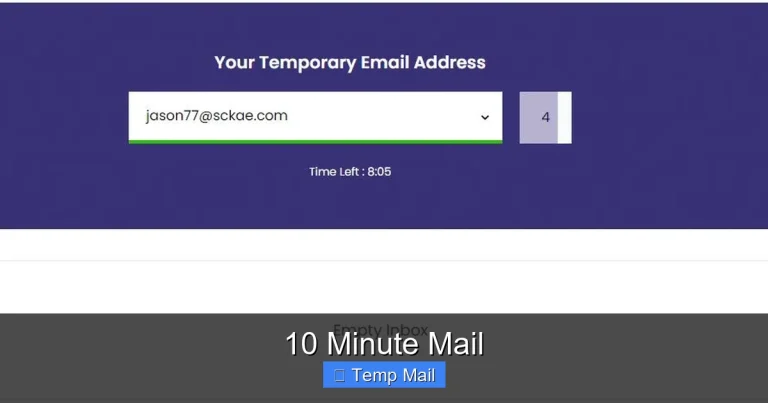
You navigate to a website like Temp-Mail.org, 10MinuteMail.com, or Guerrilla Mail. The homepage instantly presents you with a randomly generated email address, such as x7k9p2@domain.com. Below it, you’ll see a large inbox window, which will initially be empty.
Step 2: Copy the Address and Use It
You highlight and copy the provided email address. Then, you paste it into the email field of the website or application you’re trying to register for. You proceed with the rest of the sign-up process as normal, filling in a username, password, etc.
Step 3: Trigger the Verification Email
After submitting the registration form, the service you’re signing up for will send a verification email to the address you provided. This happens within seconds or minutes.
Step 4: Check Your Temporary Inbox
You simply stay on the temp mail provider’s tab or window. You don’t need to refresh manually; most modern services use auto-refresh or WebSocket technology to load new emails in real-time. When the email arrives, you’ll see it listed in the inbox. You click on it to open and read the contents.
Step 5: Retrieve the Link/Code and Act
Inside the email, you’ll find the verification link or code. You copy it and paste it into the sign-up page of the original service to complete your registration. Sometimes, the link is clickable directly from the temp inbox.
Step 6: Inbox Expiration
Once you’ve retrieved what you needed, you simply close the tab. The inbox will expire after the set time (e.g., 10 minutes, 1 hour). If you’re lucky and the provider offers a “keep alive” button, you might extend the session, but this is not common for free, no-registration tiers. All data is wiped clean.
Top 5 Practical Use Cases for Disposable Email
Knowing how to use a tool is only half the battle. Knowing when to use it is what makes it truly valuable. Here are the most common and legitimate scenarios where a temporary inbox shines.
Visual guide about Receive Email Online
Image source: clean.email
1. Avoiding Spam from Newsletters and Downloads
This is the #1 use case. You find a great ebook, a discount code, or a software trial that requires an email. You suspect that providing your main address will result in weekly promotional emails until the end of time. Using a temp mail address lets you get the download link or code instantly and then walk away, with zero impact on your primary inbox. The temporary inbox will self-destruct, taking any future spam from that source with it.
2. Registering on Untrusted or New Websites
You’re exploring a new forum, a gaming server, or a niche social platform. You’re not sure about their privacy policy or data security practices yet. Using your real email is a commitment you may regret. A disposable address allows you to test the waters, see if the service is worthwhile, and if you decide to keep using it, you can later update your account with a permanent email. It’s a low-risk trial period.
3. Bypassing “Email Wall” Gated Content
Many blogs and websites require you to subscribe to their newsletter to access a premium article, whitepaper, or tool. While sometimes useful, this often leads to an overflowing inbox. A temp mail address is the perfect key to unlock that content without subscribing your primary address to yet another marketing list.
4. Software and App Testing for Developers
If you’re a developer testing a new app feature that requires email registration (like user authentication flows), you need dozens of unique email addresses. Creating hundreds of Gmail accounts is impractical and against ToS. Temporary email services are a godsend, allowing you to generate unique addresses on-demand to test registration, password reset, and email notification features rapidly and at scale.
5. Protecting Your Identity on Public Wi-Fi or Shared Computers
Logging into your personal email on a library computer or coffee shop Wi-Fi can be risky due to potential keyloggers or shoulder surfing. If you need to quickly register for something while on a public network, using a temporary email service (which you don’t log into) means you leave no persistent session or credentials behind on that machine.
Choosing the Right Service: What to Look For
Not all temporary email providers are created equal. While the core function is similar, features, reliability, and ethics vary. Here’s your checklist for selecting a good service.
Visual guide about Receive Email Online
Image source: i.ytimg.com
No Registration & No Personal Data
The golden rule. The best services require zero sign-up, zero personal details, and don’t ask for your IP address (or at least don’t log it). If a site asks for your name or phone number before giving you an email address, it’s fundamentally missing the point of privacy. Avoid it.
Inbox Lifespan and “Keep Alive” Feature
Check how long the inbox lasts. 10 minutes is standard for ultra-quick tasks. 1 hour is more practical for most sign-ups where you might need to switch tabs. Some services offer a button to extend the time (e.g., “Add 10 minutes”). This is useful if the verification email is slow to arrive. Be aware that “keep alive” actions might be limited or require watching an ad on free tiers.
Domain Variety and Block Status
Popular temp mail domains (like @tempmail.com, @guerrillamail.com) are well-known and frequently blocked by major platforms like Facebook, Google, or Twitter. A good provider will offer multiple domain options (e.g., @mailinator.com, @10minutemail.com, @yopmail.com). If one domain is blocked, you can often generate a new address with a different domain from the same service. Some advanced providers even offer “premium” or less-known domains that are less likely to be blocked.
User Interface and Features
Is the site clean and fast? Does it auto-refresh the inbox? Useful extras include:
- Email Forwarding: Some services allow you to forward a received temp email to your real address (use with caution, as it defeats some privacy benefits).
- Reply Functionality: Rare, but some allow you to reply from the temp address, usually with limitations.
- Custom Domain/Address: Paid features might let you choose a specific username or use your own domain.
- Browser Extensions: Some offer extensions to generate addresses directly from your browser.
Privacy Policy and Reputation
Take 30 seconds to skim the provider’s privacy policy. Do they claim not to log IP addresses or message content? Are they transparent about data retention? A vague policy is a red flag. Stick to well-established, widely recommended names in the privacy community. A quick search for “[Provider Name] review” or “is [Provider Name] safe” can reveal any major controversies or data-selling practices.
The Crucial Security and Limitations Discussion
Using a tool that gives you a publicly accessible inbox sounds inherently risky. It is, but the risks are specific and manageable if you understand the limitations. This is the most important section of this guide.
The Fundamental Rule: Never Send Sensitive Data
This cannot be stressed enough. A temporary inbox is not a secure communication channel. The URL to your inbox is the only “password.” Anyone who has that URL (including you, the website you’re signing up for, and potentially anyone monitoring network traffic if you’re on HTTP) can see the emails. Therefore:
- NEVER use a temp mail address for password resets on important accounts (banking, main email, cloud storage). If you lose access, you’re locked out forever.
- NEVER use it for any communication containing personal information: social security numbers, credit card details, home addresses, private documents.
- NEVER use it for professional or official correspondence where proof of identity or a record is needed.
The “Public Library” Analogy
Think of a temporary email inbox like a public library computer terminal. Anyone can walk up and see what’s on the screen if they know which terminal you’re using (the URL). You wouldn’t log into your bank account on a public computer. Similarly, you only use a temp mail address for tasks equivalent to looking up a public phone number—low-stakes, non-personal information exchange.
Understanding the “Blocked by Website” Problem
Many websites, especially large social media platforms, SaaS companies, and financial services, actively maintain and block lists of known disposable email domains. They do this to reduce fraud, spam accounts, and abuse. If you try to sign up with user@tempmail.com, you might get an error message saying the email is invalid. This is a service’s right, and it’s a major limitation. Your options are:
- Try a different domain from your temp mail provider.
- Use a different temp mail provider altogether.
- If the service is important to you, you may have to use your real email, accepting the associated trade-offs.
This is why services with a large pool of rotating or less-common domains are more useful.
Are Temporary Emails “Legal”?
Yes, absolutely. There is no law against creating or using a temporary email address. It is a standard feature of the internet, offered by countless legitimate companies for privacy protection. The legality question sometimes arises because fraudulent actors *could* use them to create anonymous accounts for malicious purposes. However, the tool itself is neutral—like a cash transaction. It is the *intent and action* of the user that determines legality, not the tool. Using it to avoid spam is perfectly legal; using it to defraud someone is not.
The Future of “Receive Email Online” Services
The landscape of digital privacy is constantly evolving. Where is the humble temp mail service headed?
Integration with Privacy-First Browsers and VPNs
We’re already seeing browsers like Brave explore integrated privacy features. It’s conceivable that future browsers or password managers (like Bitwarden) could include a built-in, one-click temporary email generator, making the process seamless and removing the need to visit a separate site. This would mainstream the practice even further.
AI-Powered Filtering and Smart Categorization
Current temp mail is a simple dump of all incoming messages. Future iterations might use lightweight AI to categorize emails from the same sender, highlight verification codes automatically, or even summarize the content of a received email to help you quickly identify what it’s for before clicking.
Stricter Blocking and the “Arms Race”
As spam and bot creation become more sophisticated, websites will likely invest more in blocking disposable domains. This could lead to an arms race where temp mail providers create ever-more dynamic, rotating domains that are harder to blacklist, while websites employ more advanced behavioral analysis (beyond just the email domain) to detect temporary users.
Regulatory Pressure and Data Protection Laws
Laws like GDPR and CCPA give users the “right to be forgotten.” Temporary email is, in essence, an automated exercise of that right for a specific interaction. We may see more explicit legal recognition of such privacy-enhancing technologies, or conversely, regulations that require websites to offer alternative, non-email verification methods (like SMS or authenticator apps) to reduce reliance on any email address at all.
Conclusion: A Simple Tool for a Complex Digital Life
The ability to receive email online via a disposable service is not a magic bullet for all your digital privacy woes. It won’t encrypt your messages, stop governments from surveillance, or prevent a determined hacker from targeting you. But for what it is—a simple, effective barrier between your primary identity and the countless minor, often dubious, interactions that make up daily internet use—it is invaluable.
It’s the digital equivalent of using a pseudonym at a coffee shop instead of your full legal name. It’s a basic hygiene practice. By adopting the habit of using a temporary email for any sign-up that feels non-essential, you perform a small but powerful act of self-defense. You keep your main inbox clean, reduce your exposure to phishing campaigns, and minimize the number of companies that have your permanent contact information. The trade-off—the slight inconvenience of switching tabs and the limitation on what you can do with the address—is minimal compared to the long-term benefit of a quieter, more secure, and more controlled primary email experience.
So next time you encounter that email field with a flicker of doubt, remember this tool. Find a reputable provider, generate an address, and complete your task with confidence. You’ve got nothing to lose but spam. Welcome to a cleaner, more private inbox.
Frequently Asked Questions
Is using a temporary email address legal?
Yes, using a temporary or disposable email address is perfectly legal. It is a standard privacy tool offered by many legitimate companies. The legality depends on how you use it; using it to avoid spam is fine, but using it for fraud or illegal activities is not.
Can I send emails from a temporary address?
No, the vast majority of temporary email services are receive-only. They are designed solely to accept incoming messages for verification or one-time access. You cannot use them to send emails to other people.
How long do emails last in a temporary inbox?
It varies by provider, but typically emails and the inbox itself last between 10 minutes and 1 hour. Some services may offer extensions or longer periods (up to 24 hours) for a fee or by clicking a “keep alive” button. After expiration, all messages are permanently deleted.
What’s the difference between temporary email and disposable email?
There is no practical difference. “Temporary email” and “disposable email” are two terms for the same service: an email address that exists for a short, predetermined time and is then discarded. They are used interchangeably.
Can I use a temporary email for important accounts like banking or social media?
Absolutely not. You should never use a temporary email for any account where you need long-term access, account recovery, or security notifications. If you lose access to the inbox, you will be permanently locked out of the account. Always use a secure, permanent email for important services.
Are temporary emails safe from hackers or tracking?
They are safe from *tracking to your primary identity* because the address isn’t linked to you. However, the inbox itself is not secure: anyone with the unique URL can see the emails. The service provider may also log your IP address (check their privacy policy). Do not use them for sensitive data, and avoid them on public Wi-Fi without a VPN for added anonymity.