
Temporary Email Free
Temporary email free services provide you with a quick, disposable email address that expires after a short time. They are perfect for signing up to websites, downloading files, or verifying accounts without using your primary email, effectively shielding your real inbox from spam and potential data breaches. These tools are incredibly easy to use, require no registration, and are a simple yet powerful way to maintain your online privacy on a day-to-day basis.
Key Takeaways
- What it is: A temporary email free service generates a random, disposable inbox that self-destructs after minutes or hours, keeping your main email private.
- Primary Use: Its core function is to bypass email registration for low-trust websites, forums, or one-time downloads, acting as a spam filter for your primary account.
- Key Benefit: It drastically reduces inbox clutter and the risk of your primary email being sold to marketers or compromised in a data breach.
- Major Limitation: These inboxes are not for important, long-term communication; any emails received are permanently deleted when the address expires.
- Security Awareness: While great for privacy from spam, do not use temporary emails for banking, official accounts, or any service requiring secure, recoverable access.
- Ease of Use: The process is typically three steps: visit the site, get your auto-generated address, copy/paste it, and then check the built-in inbox for your verification email.
📑 Table of Contents
- What Exactly is a Temporary Email Free Service?
- How Do These Disposable Inboxes Actually Work?
- Top Practical Uses for a Free Temporary Email
- The Pros and Cons: Is It Right for You?
- How to Choose the Best Free Temporary Email Service
- Essential Security and Privacy Best Practices
- Conclusion: A Simple Tool for a Complex Problem
What Exactly is a Temporary Email Free Service?
Imagine you’re trying to download a useful PDF guide or sign up for a one-time discount at a new online store. The website immediately asks for your email address. You hesitate. You know that handing over your primary Gmail or Outlook address might lead to a torrent of promotional newsletters, “special offers,” and who knows what else. Your inbox is already a battlefield. This is the universal modern dilemma. Enter the temporary email free solution—a brilliant, simple tool designed specifically for this moment.
A temporary email service provides you with a completely random, disposable email address and an associated inbox that exists for a very short, predetermined period—often just 10 minutes to a few hours. You don’t create an account; you don’t set a password. You simply visit a website like Temp-Mail.org, 10MinuteMail.com, or Guerrilla Mail, and a unique email address (e.g., x7k9@temp-mail.org) is instantly generated for you. You copy that address, use it wherever you need to, and then you can forget about it. The service automatically deletes the address and all received messages after the time limit, leaving no trace behind. It’s like using a burner phone for your digital sign-ups.
The Core Philosophy: Ephemeral Communication
The fundamental idea behind temporary email free platforms is ephemerality. The communication is meant to be fleeting. It’s not for ongoing conversations with friends or colleagues. Instead, it’s a transactional tool for the single act of verification or receipt. This philosophy directly opposes the traditional model of email, where addresses are permanent, valuable assets that companies build marketing lists around. By making the address disposable, these services remove its long-term value to spammers and data brokers. If the address dies after one use, there’s nothing to sell or abuse later.
How Do These Disposable Inboxes Actually Work?
The technology behind a temporary email free service is deceptively simple, which is part of its beauty. There’s no complex setup on your end. Here’s a step-by-step breakdown of the typical workflow:
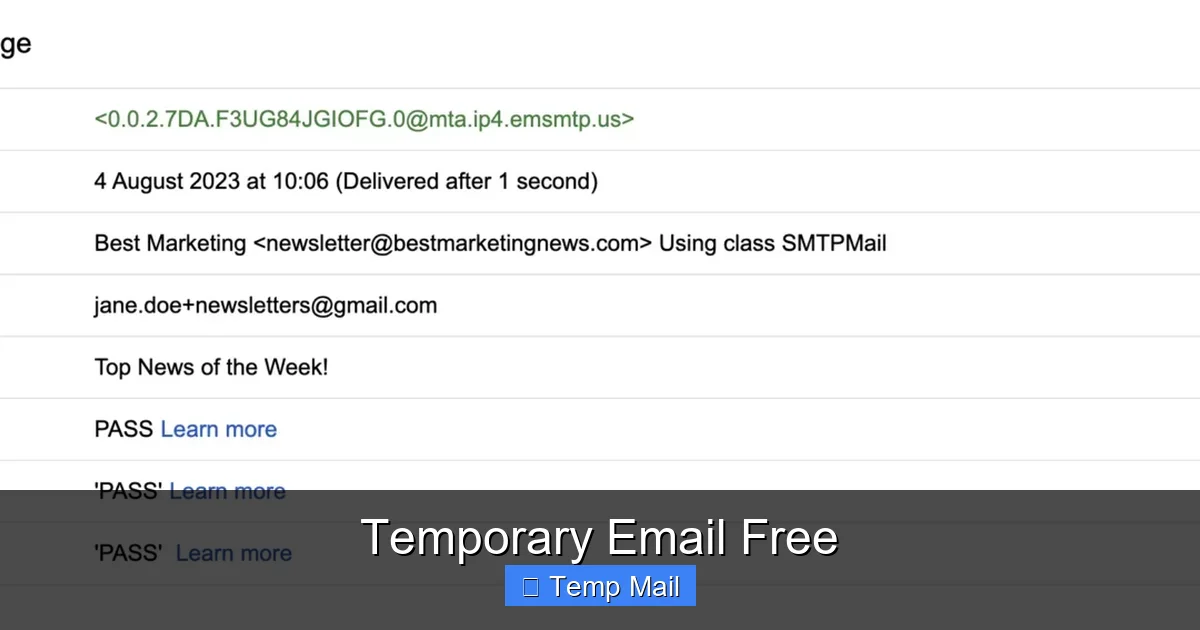
Visual guide about Temporary Email Free
Image source: selzy.com
- Generation: You visit the service’s website. Their server instantly generates a random string of characters for the username and pairs it with their domain (e.g., @tempmail.com). This creates a fully functional email address.
- Inbox Creation: Simultaneously, it creates a hidden, private inbox associated with that specific address. This inbox is accessible only through a unique session URL or a constantly refreshed page on the service’s site. You don’t log in; you simply stay on that page.
- Usage: You copy the generated address and paste it into the website that requested it. When that site sends a verification email or a download link, it routes through the internet and lands directly in the temporary inbox you have open.
- Auto-Deletion: A countdown timer is running. Once it hits zero (e.g., after 10 minutes, 1 hour, or 1 day), the system permanently wipes the inbox and retires the email address. That specific combination of characters is then available for generation again for a new user.
Most services also offer a manual “Refresh” button to check for new emails and sometimes a “Extend” button to add more time if you’re in a pinch. The entire infrastructure is built for speed and disposability, not for storage or longevity.
Behind the Scenes: Mail Servers and Domains
These services operate their own mail servers and own or lease domains specifically configured for this purpose. They accept mail for any address at their domain without requiring authentication (like a password), which is why they can create addresses on the fly. This open-relay-like configuration is what makes them perfect for anonymous, temporary reception but also why they are often blocked by major email providers (like Gmail or Outlook) from sending *outbound* mail. Their job is purely to receive and display, not to send from your temporary identity.
Top Practical Uses for a Free Temporary Email
Knowing *how* it works is one thing; knowing *when* to use it is where you truly unlock its value. A temporary email free tool isn’t just a trick; it’s a practical hygiene tool for the modern internet user. Here are the most common and effective scenarios:
Visual guide about Temporary Email Free
Image source: privacysavvy.com
1. Dodging spam from one-time sign-ups and downloads
This is the #1 use case. You want to access a gated article, a software trial, a wallpaper pack, or a coupon code. The site insists on an email. Using your real address guarantees future spam. Using a temporary one gets you the immediate file or code, and then the address vanishes, taking any future marketing emails with it. It creates a clean firewall between your primary inbox and the noisy, promotional corners of the web.
2. Testing website and app registration flows
If you’re a developer, QA tester, or just a curious user, you might need to test how a website handles email verification—multiple times. Creating dozens of real email accounts is a hassle. With a temporary email free service, you can run through the registration and verification process repeatedly with a new, clean address each time in seconds. It’s invaluable for debugging sign-up forms.
3. Maintaining anonymity on forums or comment sections
Some online communities, particularly those discussing sensitive topics, require an email for account creation but don’t need to contact you. A temporary email allows you to participate in the discussion without revealing your identity or risking your main email being linked to your forum persona.
4. Bypassing “email wall” paywalls or content gates
Many reputable news sites and blogs use a soft paywall where you can read a few articles for free before they ask for an email subscription. A temporary email can help you get past that gate for that one crucial article you need without committing to a newsletter you’ll never read.
5. Registering for accounts on platforms with questionable privacy practices
Let’s be honest: not all websites are created equal. If you’re signing up for a new, obscure social platform, a gaming site with a sketchy reputation, or a service you’ll likely use only once, using a disposable address is a smart preemptive strike against potential data misuse or future spam.
The Pros and Cons: Is It Right for You?
Like any tool, a temporary email free service has a clear set of strengths and weaknesses. Understanding these will help you use it effectively and avoid pitfalls.

Visual guide about Temporary Email Free
Image source: privacysavvy.com
Pros: Why Millions Use Them Daily
- Unmatched Privacy Protection: Your real email address, a key piece of your digital identity, never leaves your control. It cannot be associated with the low-stakes website you’re visiting.
- Spam Annihilation: The most direct benefit. Unwanted newsletters and promotional blasts have nowhere to go because the inbox they’re sent to ceases to exist.
- Zero Commitment and Speed: No sign-up, no password, no account recovery setup. You get an address in 2 seconds. This frictionless experience is perfect for moments of impulse or urgency.
- Completely Free: The vast majority of popular services are supported by ads on their site and are genuinely free for the basic, time-limited use.
- Simplicity: The interface is almost always a single page with your address, a countdown timer, and a list of received emails. It’s as simple as it gets.
Cons: The Critical Limitations You Must Know
- No Sending Capability (Usually): You can almost never send emails *from* the temporary address. It’s a receive-only tool. You cannot use it to correspond with people.
- Extreme Ephemeral Nature: If the timer runs out, everything is gone. If you close the browser tab and lose your session URL, you likely cannot recover that specific inbox. There is no “forgot password” or account recovery.
- Not for Important Accounts: Never use a temporary email for your bank, primary cloud storage, main social media, work accounts, or any service where account recovery is vital. Losing access means losing the account permanently.
- Blocked by Some Services: Many major platforms (like Google, Facebook, Twitter/X) actively block domains from known temporary email providers. They detect the domain and will reject the address during sign-up. This is a constant cat-and-mouse game.
- Security Perception: Using a disposable address can sometimes be flagged by less sophisticated websites as suspicious activity, potentially leading to a manual review or blocked account.
- Limited Storage: Inboxes have very small storage caps. If a site sends a massive newsletter with high-res images, it might get truncated or rejected.
How to Choose the Best Free Temporary Email Service
Not all temporary email free services are created equal. While the core function is the same, small differences in domain availability, timer length, and interface can make one more suitable for your needs than another. Here’s what to look for:
Key Selection Criteria
- Timer Duration: Do you need just 10 minutes (for an instant verification code) or 24-48 hours (to access a download link that arrives later)? Services like 10MinuteMail specialize in ultra-short bursts, while others like Temp-Mail or DropMail offer longer, customizable sessions.
- Domain Options: Some services offer a choice between several domains (e.g., @tmpmail.org, @tmpmail.net). This is useful if one domain is being blocked by a particular website you’re trying to sign up for. Simply switch to a different domain from the same provider.
- Browser-Based vs. Browser Extension: Most are pure websites. However, some offer browser extensions (for Chrome/Firefox) that place a small icon in your toolbar, giving you one-click access to a new address without even opening a new tab. This is a major convenience for power users.
- Inbox Interface: Is it clean and fast? Does it auto-refresh? Can you easily copy the email address with one click? A clunky interface defeats the purpose of speed.
- Ad Load: Since they’re free, they will have ads. Some are more intrusive than others (pop-ups, misleading download buttons). Choose a service with a tolerable ad experience. Reputable ones keep ads to banner placements on the site itself.
Popular and Reliable Services to Consider
Based on longevity, reliability, and user trust, here are a few standout options:
Temp-Mail (temp-mail.org): Arguably the most popular. Offers a default 1-hour timer that can be extended, multiple domain choices, a clean interface, and a useful browser extension. Very rarely goes down.
Guerrilla Mail (guerrillamail.com):strong>: A veteran in the space. Known for its quirky interface and options to even choose your own username from a list. Offers a basic 1-hour session.
10MinuteMail (10minutemail.com): The original, famous for its strict 10-minute limit. Perfect for when you know the verification email will arrive instantly. No muss, no fuss.
DropMail (dropmail.me): Features a unique “envelope” visualization and allows you to manually “drop” (delete) an address before the timer. Also offers domain choice.
Pro Tip: Keep 2-3 of these sites bookmarked. If one is down or a specific domain is blocked, you have an immediate backup. They are all functionally identical for the core task.
Essential Security and Privacy Best Practices
Using a temporary email free service is a privacy-enhancing action, but it’s not a magic shield. You must use it correctly. Following these best practices ensures you get the benefits without creating new risks.
Rule #1: Never Use for High-Stakes Accounts
This cannot be stressed enough. Your temporary email is a public, shared, and temporary resource. Do not use it for:
• Financial services (banking, PayPal, crypto exchanges)
• Primary cloud storage (Google Drive, iCloud, Dropbox)
• Main social media profiles (Facebook, Instagram, Twitter/X)
• Work or school logins
• Any account where password recovery emails are sent. If you forget your password, you will be permanently locked out because you cannot access the recovery email.
Rule #2: Assume the Inbox is Public
While services don’t publicly list inboxes, the URL to access your specific temporary inbox is often predictable or could be shared accidentally. Do not use a temporary email to receive sensitive personal information like medical records, private documents, or confidential codes. Treat it like a public bulletin board.
Rule #3: Use a Different Temporary Address for Different Sites
For an extra layer of anonymity, don’t reuse the same temporary address for multiple sign-ups, even if they are on the same day. The moment you use an address on two different unrelated sites, those two sites could, in theory, correlate your activity through that common email. Generating a fresh address for each new service breaks that link.
Rule #4: Be Aware of HTTPS and Phishing
Always ensure the temporary email free service itself uses HTTPS (the padlock icon in your browser). A reputable service will. However, the websites you use the temporary address *on* may not. The temporary email protects your identity from that site, but it does not protect you from a phishing site that might trick you into entering a password. The tool guards your email, not your overall browsing security.
Rule #5: Understand the Legal and Terms of Service Implications
Using a disposable email to sign up for a service that explicitly forbids it in their Terms of Service (ToS) is a violation. While unlikely to result in legal action for a free forum, it could get your account suspended immediately if detected. Some services use email作为a basic form of identity verification; bypassing that with a temp mail might violate their acceptable use policy. Use good judgment.
Conclusion: A Simple Tool for a Complex Problem
The temporary email free is not a solution for every email problem. It’s a specialized tool for a specific, widespread problem: the erosion of your primary inbox by unwanted commercial noise and the attendant privacy risks of over-sharing your core digital identity. Its power lies in its simplicity and its finality. By accepting that the address and its contents will vanish, you remove the long-term liability.
Incorporate it into your digital routine. The next time a website asks for an email to read an article or download a file, pause. Ask yourself: “Is this worth potentially polluting my main inbox?” If the answer is no, open a new tab, go to your bookmarked temp mail site, copy the generated address, and proceed with confidence. You’ve just performed a small but significant act of digital self-defense. You’ve filtered the signal from the noise, and you’ve kept your real email address, a key to so much of your online life, safe and clean for what truly matters: communication with people you know and services you trust.
Frequently Asked Questions
Is using a temporary email free service safe and legal?
Yes, using these services is perfectly legal and generally safe for privacy from spam. However, it is not safe for receiving sensitive personal or financial information, and using it to violate a website’s Terms of Service could get your account with that site banned.
How long does a temporary email address last?
It varies by service. Common time limits are 10 minutes, 1 hour, or 1 day. Some services allow you to manually extend the time. The address and all its emails are permanently deleted once the timer expires.
Can I send emails from a temporary email address?
Almost never. These services are designed solely for receiving emails, such as verification links or download codes. They do not provide an outbound mail server (SMTP), so you cannot use them to send messages to others.
Why would a website block a temporary email address?
> Major platforms and services block disposable email domains to prevent abuse, spam account creation, and fraud. They want users to provide a real, traceable, and recoverable email address for accountability and security purposes.
What is the best free temporary email service?
There is no single “best,” but highly reliable and popular options include Temp-Mail.org, Guerrilla Mail, and 10MinuteMail.com. The best choice depends on your need for timer length, domain options, or a browser extension. Having a couple bookmarked is a good practice.
Can I use a temporary email for Gmail or Facebook sign-up?
No. Both Gmail and Facebook (Meta) actively and effectively block all known temporary and disposable email domains. You will be unable to complete the registration process if you try to use one. They require a permanent, verifiable email address.


