Temporary Email Privacy Protection
Temporary email privacy protection uses disposable inboxes to shield your primary email from spam, data brokers, and tracking. These throwaway addresses act as a buffer, accepting verification emails and newsletters without exposing your real identity. While not for critical accounts, they are a powerful, free tool for regaining control over your digital footprint and minimizing unwanted data collection.
Key Takeaways
- Primary Defense: Temporary emails create a protective barrier between your permanent identity and the online world, preventing spam and data aggregation.
- Use-Case Specific: They are ideal for one-time sign-ups, content gating, and forum registrations, but are never suitable for banking, primary social media, or account recovery.
- Anonymity vs. Security: They offer strong privacy (your real email is hidden) but often lack robust security features like end-to-end encryption, so never send sensitive data through them.
- Provider Variability: Not all temp mail services are equal; reliability, inbox duration, and feature sets (like attachments) vary significantly between providers.
- Legal & Ethical Tool: Using temporary emails is perfectly legal and an ethical response to pervasive data harvesting, though some websites explicitly ban their use in Terms of Service.
- Part of a Strategy: They are one component of a broader privacy toolkit that should include password managers, VPNs, and conscious data-sharing habits.
- No Long-Term Storage: Inboxes and their contents are automatically deleted after a short period (hours to days), making them useless for any correspondence requiring long-term access.
📑 Table of Contents
- What is Temporary Email Privacy Protection?
- How Temporary Email Services Work: A Step-by-Step Breakdown
- The Privacy Benefits: Why You Should Use a Disposable Email
- Risks and Limitations: What Temporary Email CAN’T Do
- Best Practices for Safe and Effective Use
- The Future of Temporary Email and Digital Privacy
- Conclusion: Taking Control of Your Digital Shadow
What is Temporary Email Privacy Protection?
Imagine you need to download a free e-book, but the website demands your email address. You know that handing over your primary email likely means a flood of promotional newsletters, potential data breaches, and your address being sold to advertisers. What if you could provide a different, disposable email address that vanishes after you get the download link? That’s the core of temporary email privacy protection. It’s the practice of using a short-lived, anonymous email address—often called a “temp mail” or “disposable email”—to interact with online services without revealing your true identity or risking your permanent inbox.
This isn’t about hiding malicious activity; it’s a defensive tactic for everyday internet users tired of being the product. Every time you use your real email to sign up for a service, you’re feeding the data economy. Your email becomes a key that links your activities across platforms, building a detailed profile for targeted advertising. Temporary email protection severs that link at the point of entry, giving you a layer of anonymity. It’s a simple yet profoundly effective way to say, “I want this content or service, but I’m not willing to pay with my personal data.”
The Disposable Inbox Explained
A temporary email service generates a random email address for you on the spot. This address exists on the provider’s server for a predetermined time—usually anywhere from 10 minutes to 48 hours. You use this address anywhere an email is required. Any messages sent to it appear in a web-based inbox you can access via the temp mail provider’s site. Once the timer expires, the address and all its emails are permanently deleted from the server, leaving no trace. It’s like using a public payphone for a single call; you get the connection you need without giving out your home number.
How Temporary Email Services Work: A Step-by-Step Breakdown
The mechanics behind temporary email are straightforward, which is part of their beauty. There’s no complex software to install. Here’s exactly what happens when you employ this privacy protection.

Visual guide about Temporary Email Privacy Protection
Image source: codeandhack.b-cdn.net
Generation and Assignment
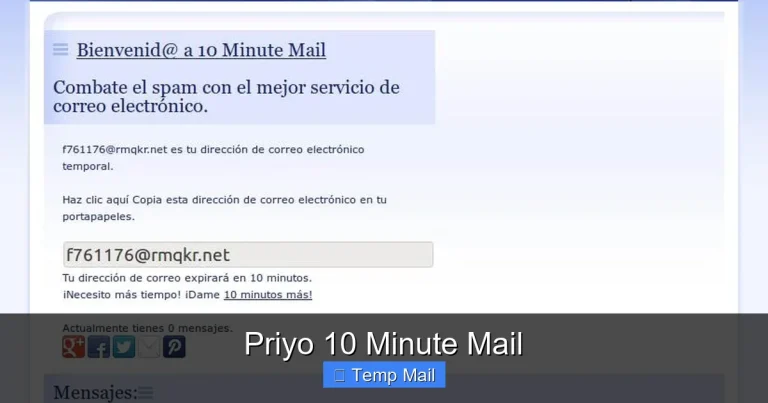
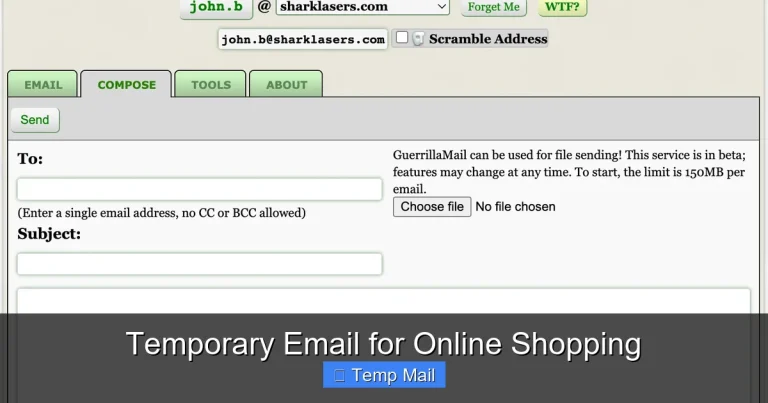
You visit a temp mail website like Temp-Mail.org, 10MinuteMail.com, or Guerrilla Mail. The site’s system instantly generates a unique email address, typically a random string of characters followed by the provider’s domain (e.g., abc123@temp-mail.org). This address is now active and ready to receive messages. You can often refresh or change it with a click if you don’t like the first one generated.
Utilization and Reception
You copy this disposable address and paste it into any online form that requests an email. You might use it to:
- Register for a news blog to read an article.
- Create an account on a forum to post a single question.
- Download a software trial or whitepaper.
- Sign up for a one-time discount or coupon.
When that service sends a confirmation email or a download link, it routes to the temp mail provider’s server. You simply return to the temp mail website, and your inbox (often automatically refreshing) will display the new message. You can read it, click links, or download attachments (though caution is advised) without ever having exposed your real email.
Auto-Destruction
This is the critical privacy step. The service is programmed to automatically purge the inbox and deactivate the email address after its set lifespan. A countdown timer is usually prominently displayed. After this period, the address is recycled and given to another user. This ephemeral nature ensures no long-term data trail exists that could be hacked, sold, or used to profile you later.
The Privacy Benefits: Why You Should Use a Disposable Email
The advantages of temporary email privacy protection extend far beyond a cleaner inbox. It’s a proactive measure against the surveillance economy.
Visual guide about Temporary Email Privacy Protection
Image source: pushnami.com
1. Spam and Junk Email Annihilation
This is the most obvious benefit. By never using your primary email for untrusted or one-off sites, you prevent those sites from ever adding you to their mailing lists. Your permanent inbox remains a sanctuary for emails from friends, family, and essential services. The spam you do receive will go to the disposable address, which self-destructs before it can become a persistent nuisance.
2. Breaking the Data Broker Chain
Data brokers are companies that collect personal information, including email addresses, and compile it into profiles to sell to advertisers and other firms. Every website you sign up for is a potential feeder for these brokers. Using a temporary email breaks this chain. The data broker might collect the disposable address, but it’s a dead end. It can’t be linked back to your real identity, your purchase history, or your location. You’ve effectively “poisoned the well” of your personal data stream.
3. Mitigating Data Breach Fallout
We hear about major data breaches almost weekly. When a company you signed up with is hacked, the stolen data often includes user email addresses. If you used a temporary email for that service, the hackers only get a disposable, now-inactive address. Your primary email, which is likely the key to resetting passwords on many other sites (your “master key”), remains safe and unassociated with that breach. This significantly reduces your risk of phishing attacks and account takeovers stemming from that specific incident.
4. Enhanced Anonymity for Browsing
For researchers, journalists, activists, or anyone seeking to browse or contribute online without leaving a personal email footprint, temp mail is invaluable. It allows for participation in discussions, access to region-locked content, or downloading of sensitive materials with a minimal digital signature. It creates a clean separation between your anonymous online activity and your real-world identity.
Risks and Limitations: What Temporary Email CAN’T Do
While powerful, temporary email privacy protection is not a magical privacy shield. Understanding its limitations is crucial for using it safely and effectively.

Visual guide about Temporary Email Privacy Protection
Image source: anonymmail.net
1. Lack of Long-Term Access and Reliability
The defining feature—self-destruction—is also its biggest drawback. If you need to reset a password six months later for an account you created with a temp email, you’re locked out forever. You will lose access to any account not tied to a more permanent contact method. Therefore, never use temporary email for:
- Financial accounts (banking, PayPal, stock trading).
- Primary email accounts (Gmail, Outlook, etc.).
- Social media profiles you wish to keep long-term.
- Any service where account recovery is essential.
2. Security and Encryption Gaps
Most free temporary email services do not offer end-to-end encryption. The provider can, in theory, read any emails that pass through their servers. While they generally don’t, the risk exists. Furthermore, the web-based inboxes are often simple and lack advanced security features like two-factor authentication. Never use a temp mail address to send or receive sensitive personal information like passwords, Social Security numbers, credit card details, or confidential documents.
3. Blocking and Reputation Issues
Many websites and platforms actively maintain blocklists of known temporary email domains. They do this to prevent fraud, spam, and abuse. If you try to sign up with a disposable address on such a site, you’ll likely be rejected outright. The reputation of temp mail domains is often poor because they are frequently used for malicious sign-ups. This can lead to legitimate users being penalized.
4. Attachment and Feature Limitations
Some temp mail services have size limits on attachments or may not support them at all. Others may block certain file types. The interfaces are typically bare-bones, lacking the robust filtering, search, and organization tools of a standard email client. You are trading features for privacy and convenience.
Best Practices for Safe and Effective Use
To maximize the benefits of temporary email privacy protection while avoiding pitfalls, follow these practical guidelines.
Choose a Reputable Provider
Not all temp mail services are created equal. Look for providers that:
- Clearly state their privacy policy and data retention practices.
- Offer a reasonable inbox lifespan (e.g., 1-24 hours).
- Have a simple, ad-light interface (excessive ads can be a sign of a lower-quality service).
- Allow you to manually delete the inbox before the timer expires.
Do a quick search for “best disposable email 2024” to see current community recommendations, as provider reliability changes.
Use a Dedicated Browser or Profile
For an extra layer of separation, use a different browser (e.g., Firefox instead of Chrome) or a dedicated browser profile solely for activities where you use temporary email. This prevents cookie tracking from those low-privacy sites from potentially linking back to your main browsing identity.
Never Use for Critical Services (The Golden Rule)
Reiterate this rule: your temp mail address is for receiving a single confirmation or download link, not for establishing a lasting relationship. If a service is important enough that you might need to log in again or recover the account, use your real email and accept the privacy trade-off, or consider using an alternative, more privacy-focused permanent email service.
Combine with a VPN for Maximum Anonymity
For the highest level of privacy, use your temporary email from behind a trusted Virtual Private Network (VPN). The VPN masks your IP address, while the temp mail masks your identity. Together, they make it very difficult for the website you’re visiting to trace the activity back to you geographically or personally.
Check the Inbox Promptly
Some verification emails have very short expiration times (5-10 minutes). Don’t generate a temp mail and then walk away. Have your workflow ready: generate the address, paste it into the form, submit, and then immediately check the temp mail inbox for the confirmation email. Click the link or copy the code without delay.
The Future of Temporary Email and Digital Privacy
The demand for tools like temporary email is growing as public awareness of data privacy increases. We can expect to see these services evolve and integrate more deeply into the privacy ecosystem.
Integration with Privacy Suites
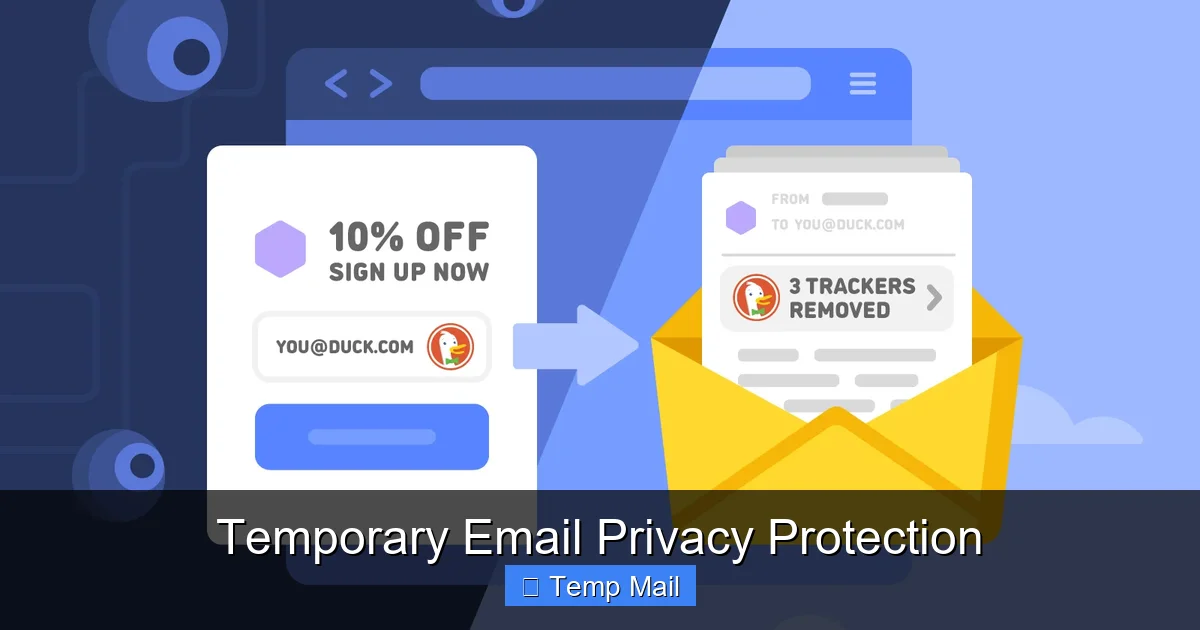
We’re already seeing browser extensions that can automatically detect email fields on websites and offer to fill them with a disposable address from a chosen provider. This “one-click” protection will become more seamless, perhaps built directly into privacy-focused browsers like Brave or Firefox as a standard feature.
Smarter Filtering and Aliasing
The next step beyond pure disposability is “masked email” or “email aliasing” services like SimpleLogin or AnonAddy (now part of Proton). These create unique, forwardable email aliases for each site you sign up for. They give you more control—you can revoke an alias at any time—but they still rely on a central, permanent account. Temporary mail may evolve to offer more management features for power users who want disposable addresses they can control for longer periods.
AI-Powered Threat Detection
Future temp mail services might incorporate lightweight AI to scan incoming messages for phishing links or malicious attachments before you even open them, adding a crucial security layer to a service that currently lacks it.
A Response to Regulatory Pressure
As laws like GDPR and CCPA strengthen user rights, companies may face pressure to reduce unnecessary data collection. However, as long as email remains the universal login key, the need for a privacy-protecting buffer like temporary email will persist. It represents the user’s direct action in the absence of sufficient corporate or regulatory restraint.
Conclusion: Taking Control of Your Digital Shadow
Temporary email privacy protection is not a silver bullet, but it is a remarkably effective and accessible tool in the fight for digital autonomy. It operates on a simple, powerful principle: minimize the data you surrender. By using a disposable address for the countless low-stakes, one-time interactions that populate the modern web, you reclaim a tiny piece of your privacy. You stop your primary email from becoming a nexus for spam, a target for hackers, and a product for data brokers.
The key is intentionality. Use temporary email with full awareness of its purpose and its limits. Treat it as a shield for peripheral activities, not a foundation for your digital identity. Pair it with other good habits—strong, unique passwords via a manager, a VPN for public Wi-Fi, and a skeptical eye toward data-sharing forms. In an environment where your attention and your data are constantly mined for profit, taking these small, practical steps is an act of empowerment. Start using a temporary email today for your next non-essential sign-up. Experience the quiet satisfaction of a spam-free primary inbox and the knowledge that you’ve left one less breadcrumb in your digital trail.
Frequently Asked Questions
Is using a temporary email address legal?
Yes, using a temporary email address is completely legal. It is a legitimate tool for privacy protection. However, using it to commit fraud, evade bans, or send illegal content is, of course, illegal. Always check a website’s Terms of Service, as some explicitly prohibit the use of disposable emails for account creation.
Can a temporary email be traced back to me?
Generally, no. The temporary email address itself is not linked to your real identity, name, or primary email. However, your internet activity can still be tracked via your IP address unless you use a VPN. The temp mail provider *could* technically log the IP address used to access the disposable inbox, but reputable providers have short log retention policies and do not associate it with the email content.
How long do temporary emails last?
The lifespan varies by provider. Common durations are 10 minutes, 1 hour, 24 hours, or until you close the browser tab. Some services allow you to extend the time manually. Always check the countdown timer displayed on the inbox page so you know when your address and its contents will be permanently deleted.
Are temporary emails secure?
They offer privacy (your real email is hidden) but typically not high-grade security. Most free services do not use end-to-end encryption, meaning the provider can access the emails. They also rarely have two-factor authentication. Therefore, they are secure enough for receiving a newsletter link, but never secure for sending sensitive personal or financial information.
What happens if I need to recover an account later?
You will not be able to. Since the email address is deleted, you cannot receive password reset links. This is why you must never use a temporary email for any account you might need to access in the future, such as banking, primary social media, or essential online services. Always use your permanent, secure email for those.
Why do some websites block temporary email domains?
Websites block known temporary email domains to combat spam, fraudulent account creation, and abuse. Disposable addresses make it easy for bad actors to create numerous anonymous accounts to post spam, scrape content, or bypass bans. While this also affects legitimate privacy-conscious users, it’s a common defensive measure for site operators.