Temp Mail
Temp mail is a disposable, temporary email address that protects your primary inbox from spam, phishing, and data harvesting. It requires no registration and auto-deletes after a short time, making it perfect for one-time sign-ups, downloads, or accessing gated content. While excellent for privacy, it’s not for important accounts or sensitive transactions. Use it wisely to maintain digital hygiene without compromising security.
Key Takeaways
- Anonymity First: Temp mail provides a throwaway email address that isn’t tied to your real identity, shielding your primary contact information from websites and marketers.
- No Registration Needed: You can generate a temporary inbox instantly without creating an account, username, or password, offering immediate, hassle-free access.
- Auto-Expiration: These addresses and their contents are automatically deleted after a set period (usually 10 minutes to 24 hours), ensuring no long-term digital footprint.
- Spam Prevention: By using a disposable address for non-essential sign-ups, you keep your permanent email free from promotional clutter and potential phishing attempts.
- Not for Critical Use: Never use temp mail for banking, primary social media, job applications, or any service where account recovery or legal verification is required.
- Security Trade-offs: While it hides your IP from the recipient, the temp mail provider itself can potentially see emails. Encryption is often limited, so avoid sending sensitive data.
- Service Variability: Features, lifespan, and reliability differ between providers. Some offer custom domains or file attachments, while others are extremely basic.
📑 Table of Contents
- What Exactly Is Temp Mail?
- How Does a Disposable Email Service Actually Work?
- Everyday Scenarios: When and Why You Should Use Temp Mail
- The Clear Advantages: Why Temp Mail is a Privacy Power Tool
- The Limitations and Risks: What You Need to Watch Out For
- Choosing the Right Temp Mail Service: Features to Compare
- Best Practices for Safe and Effective Temp Mail Usage
- The Future of Disposable Communication and Your Digital Health
What Exactly Is Temp Mail?
Imagine you’re scrolling online and find a fantastic ebook or a discount code that requires your email address. You hesitate. You know that once you hand over your primary email, it might end up in a dozen marketing lists, leading to a relentless barrage of promotional spam for years. This is the exact problem temp mail solves. It’s a service that gives you a temporary, disposable email address for a very short duration.
Think of it like a burner phone, but for your inbox. You use it once or twice for a specific, low-stakes purpose, and then it vanishes into thin air. The address is randomly generated, you don’t set up a password, and you access any incoming messages through a web-based inbox on the provider’s site. There’s no long-term commitment, no login credentials to remember, and no risk of that address being used to reset passwords for your important accounts later.
The Core Philosophy: Ephemeral Communication
The fundamental idea behind temp mail is ephemerality. In our digital lives, we accumulate countless online footprints—social media profiles, forum accounts, newsletter subscriptions. Many of these are created on a whim for a single benefit. A disposable email acknowledges that not every digital interaction deserves a permanent record. It’s a tool for maintaining a clean, secure, and organized primary digital identity by compartmentalizing the noise.
These services have been around for over a decade, evolving from simple, bare-bones inboxes to more feature-rich platforms. Their popularity stems from a growing user awareness of data privacy and the relentless monetization of personal information online. In a world where your email address is often the first key to your digital identity, temp mail offers a way to say “no” to permanent data collection for trivial tasks.
How Does a Disposable Email Service Actually Work?
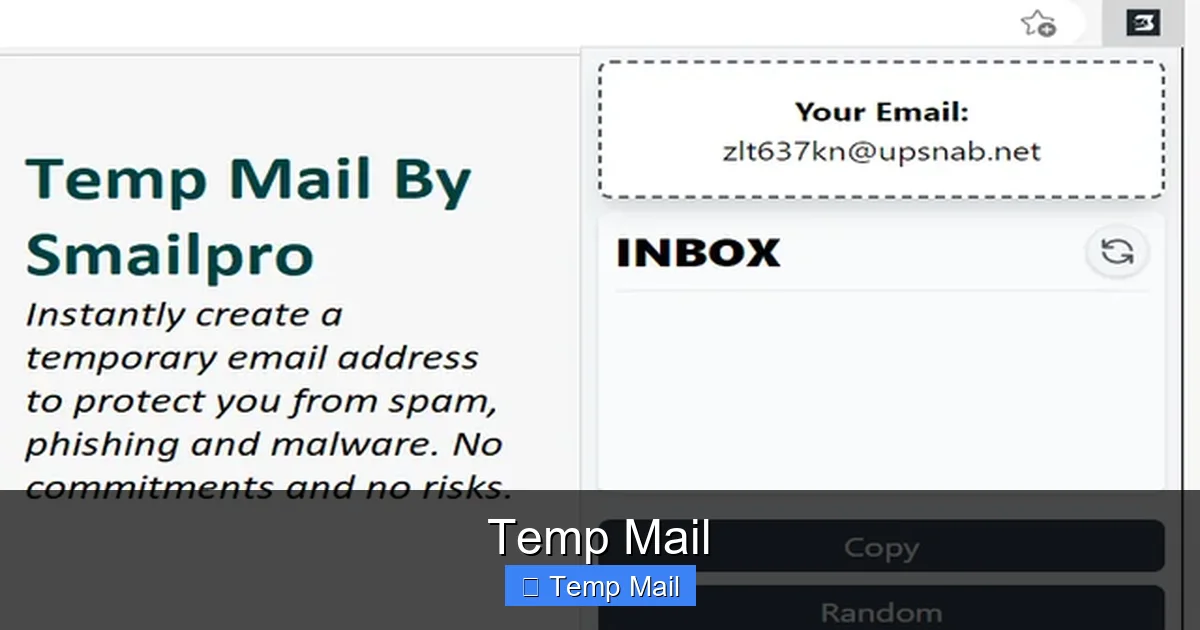
The mechanics of a temp mail service are beautifully simple, which is part of its appeal. There’s no complex setup. Here’s a step-by-step breakdown of the typical user journey:
Visual guide about Temp Mail
Image source: addons.mozilla.org
Step 1: Instant Generation
You visit a temp mail website (like 10MinuteMail, Guerrilla Mail, or Temp-Mail.org). The moment the page loads, the system generates a random email address for you. It might look something like j7k9l2@domain.temp-mail.org. This address is already active and ready to receive mail. You didn’t have to think of a username, choose a domain, or click a “create account” button.
Step 2: Use the Address Where Needed
You copy this generated address and paste it into the website or form that’s requesting an email. This could be to download a whitepaper, register for a forum comment section, verify a software trial, or get a one-time discount coupon. You complete the action on the external site.
Step 3: Check the Temporary Inbox
Any confirmation email, download link, or verification code sent to your temp mail address will appear in the web inbox displayed on the temp mail provider’s site. You simply refresh the page or wait a few seconds for it to populate. You can open the email and retrieve the needed information or link.
Step 4: Automatic Destruction
This is the crucial step. After a predetermined time—which varies by service (common durations are 10 minutes, 1 hour, or 24 hours)—the email address is permanently deleted from the system. The inbox is wiped clean. If someone tries to email that address after its expiration, the message will bounce or be silently discarded. The entire digital trace of that address and its contents is gone.
Behind the Scenes: Server & Domain Management
Technically, these services manage large pools of domains and vast numbers of random mailboxes. When you visit the site, your browser session is linked to a specific, randomly assigned mailbox on their server. They run automated scripts that purge expired mailboxes continuously. Because there’s no persistent user account, there’s no database of “users” to hack—just millions of transient mailboxes that exist for minutes or hours. This architecture is what makes them so lightweight and fast.
Everyday Scenarios: When and Why You Should Use Temp Mail
Knowing *how* temp mail works is one thing; knowing *when* to use it is the key to benefiting from it without creating new problems. Here are the most common and smart use cases.
Visual guide about Temp Mail
Image source: images.unsplash.com
1. Accessing Gated Content Without Commitment
This is the #1 use case. You want to read a valuable industry report, download a useful template, or access a “free” webinar replay. The website asks for your email in exchange. Using your primary email here often signs you up for a persistent newsletter or sales sequence. A temp mail address lets you get the content immediately with zero future obligation. You retrieve the download link from the temporary inbox and then the address vanishes.
2. Signing Up for One-Time Discounts or Trials
See a “10% off your first order” promo that requires email sign-up? Or a 7-day free trial for a SaaS tool you just want to test? Use temp mail. You get the coupon code or trial activation link without having to later unsubscribe from a marketing list you never wanted to be on. It’s perfect for impulsive, one-off purchases.
3. Registering on Low-Trust or Unfamiliar Forums/Websites
You need to create an account on a niche forum to ask a single question or on a little-known website to read an article. If the site’s reputation is unknown or its privacy policy seems vague, a disposable email is a shield. It prevents that site from having your permanent contact details, limiting potential data breaches or spam from that specific source.
4. Avoiding Spam from Online Forms and Surveys
Many online surveys, contest entries, or even restaurant reservation forms (that ask for an email for a “confirmation”) are just lead generation tools. Providing your main email is an open invitation to spam. Temp mail acts as a spam buffer. You fulfill the form’s requirement, get any necessary confirmation, and walk away with your primary inbox untouched.
5. Testing Email Functionality in Development
For developers or website testers, temp mail services are invaluable. You can quickly test if a “send confirmation email” or “password reset” feature works without cluttering a real inbox or managing a test account. You generate an address, trigger the email, and verify its arrival in seconds.
What to Avoid: Critical No-Fly Zones
Equally important is knowing what not to use a disposable email for. Never use it for:
- Financial Accounts: Banking, PayPal, stock trading apps.
- Primary Social Media: Facebook, Instagram, Twitter/X. You’ll lose access if you need to reset your password.
- Job Applications: Employers need to contact you reliably. A disposable email looks unprofessional and will cause your application to be discarded.
- Government or Official Services: Tax sites, healthcare portals, or any service with legal verification requirements.
- Any Account You Must Recover: If you forget your password, the recovery email must be one you control permanently. A temp mail address is gone by then.
The Clear Advantages: Why Temp Mail is a Privacy Power Tool
Using a temp mail service isn’t about being paranoid; it’s about being proactive. The benefits are straightforward and significant for digital hygiene.
Visual guide about Temp Mail
Image source: imag.malavida.com
1. Unmatched Spam Protection
This is the most tangible benefit. By funnelling all non-essential website registrations through a disposable address, your primary email remains a pristine channel for communication with friends, family, and essential services. The volume of promotional emails you have to manually unsubscribe from plummets.
2. Enhanced Privacy and Anonymity
When you use your real email, it becomes a data point that can be linked to your browsing history, purchases, and location (if the site logs IPs). A random temp mail address severs that direct link. The website you sign up for only has a meaningless string of characters, not your identity. This limits data profiling and reduces your exposure in the event of a company data breach.
3. Zero Registration Friction
There is no “I agree to the Terms of Service” checkbox for the temp mail service itself. You don’t create a profile. You just show up, get an address, and use it. This eliminates another set of credentials to manage and another privacy policy to skim through. It’s the ultimate in low-friction access.
4. Mitigating Phishing and Scam Risks
If you accidentally use a temp mail on a phishing site that mimics a legitimate service (like your bank), the scammer only gets the disposable address. They can’t leverage it to launch more sophisticated, personalized attacks against your real identity or primary email. It contains the blast radius of a compromised credential.
5. Clean Digital Housekeeping
Psychologically, it feels good to have an inbox that only contains emails you genuinely care about. Using temp mail is a form of digital minimalism. You’re consciously deciding which online relationships are worth a permanent connection and which are disposable transactions.
The Limitations and Risks: What You Need to Watch Out For
Temp mail is a powerful tool, but it’s not a magic shield. Understanding its limitations is critical for using it safely and effectively.
1. The Provider is a Middleman You Must Trust
While the websites you use the address on don’t get your real email, the temp mail service itself does see all emails sent to that address. Reputable services have clear, short privacy policies stating they do not log or monitor content. However, a malicious or compromised provider could read sensitive information. You are placing trust in that service’s integrity and security. Always use well-known, established providers.
2. No Email Client Integration
You cannot set up a temp mail address in Outlook, Apple Mail, or your phone’s native email app. Access is strictly through the provider’s web page. This means no push notifications, no offline access, and a less seamless user experience compared to a permanent email.
3. Attachment and Sending Limitations
Many temp mail services do not allow you to send emails from the disposable address. It’s receive-only. Additionally, support for email attachments (like PDFs or images) is often limited or blocked entirely for security reasons. If the gated content you’re accessing requires sending a file *from* your email, a disposable address won’t work.
4. Potential for Blacklisting
Because temp mail domains are used for high-volume, transient registrations, they are frequently abused by spammers and bots. This means some legitimate websites and services actively block emails from known disposable domains. You might find that the site you’re trying to sign up for simply won’t accept your temporary address.
5. Total Ephemeral Nature is a Double-Edged Sword
The auto-delete feature is a benefit, but it’s also a risk. If you close the browser tab and forget to copy that crucial verification code or download link, it’s gone forever. There is no “recover my inbox” option. You must be present and attentive during the short lifespan of the address.
Choosing the Right Temp Mail Service: Features to Compare
Not all temp mail services are created equal. When selecting one, consider these key factors:
Inbox Lifespan
This is the most defining feature. 10MinuteMail is literal—your inbox lives for 10 minutes. Others offer 1 hour, 6 hours, or up to 24 hours (like Temp-Mail.org). Choose based on your need. For a quick verification code, 10 minutes is fine. For a download link you might use later, opt for a longer lifespan.
Domain Options and Customization
Some services offer a choice of multiple domains (e.g., @trashmail.com, @mailinator.com). A few even allow you to generate a *custom* prefix (e.g., yourname@domain.temp-mail.org) for easier recognition, though this is rarer and may cost a fee.
User Interface and Speed
The best services have clean, fast-loading interfaces that auto-refresh the inbox. Clunky, ad-heavy sites can be frustrating and slow. Look for a service that updates the inbox automatically every 10-20 seconds without you needing to refresh.
Additional Features
Do you need to reply to emails? Most don’t allow it. Do you need to send attachments? Few do. Some advanced (often paid) services offer browser extensions for one-click address generation or API access. For most users, a simple, reliable, free, receive-only inbox is sufficient.
Reputation and Longevity
Stick with services that have been around for years and have a strong reputation in privacy-conscious communities. A brand-new, unknown temp mail site is more likely to be malicious or poorly secured. Check for clear privacy policies and HTTPS encryption.
Popular, reputable options include: 10MinuteMail (the classic), Guerrilla Mail (user-friendly), Temp-Mail.org (longer lifespan), and DropMail (offers custom addresses). Always have a backup service in mind if your first choice is down or blocked.
Best Practices for Safe and Effective Temp Mail Usage
To get the most out of temp mail while staying safe, follow these practical guidelines.
Treat It Like a Public Payphone
Never use a temp mail address for anything private, confidential, or financially sensitive. Assume anything you receive or access through it could potentially be seen by the service provider. Do not use it for password resets on important accounts, private document sharing, or two-factor authentication codes for critical services.
Copy Links and Codes Immediately
The moment you see a verification link or code in your temporary inbox, copy it. Do not wait. Navigate to the other tab, paste it, and complete the action. Set a mental timer for the inbox’s lifespan. If the site you’re using has a “resend email” option, use it quickly if you miss the first one.
Use a Separate Browser or Incognito Window
For an extra layer of separation, open your temp mail service in a private browsing window (Incognito/InPrivate). This prevents cookies from that session from potentially linking back to your main browsing profile. It also makes it easier to close the entire session and forget about it.
Have a Go-To List of 2-3 Services
Websites blacklist disposable domains constantly. If your preferred temp mail domain is blocked, you need an alternative ready. Keep a mental note or a simple text file with 2-3 reliable service URLs. Switch to the next one if the first fails.
Never Use It for Account Recovery
This cannot be stressed enough. If you sign up for a forum or tool using a temp mail, and later forget your password, you are permanently locked out. The recovery email will bounce. Only use disposable addresses for accounts you intend to use once or twice and then abandon.
Clear Your Browser History After Use
As a final cleanup step, close the temp mail tab and clear your recent browsing history for that session. This removes any trace of the temporary address from your local machine, completing the “disposable” cycle.
The Future of Disposable Communication and Your Digital Health
Temp mail is more than a convenience; it’s a symptom of a larger shift in how we should manage our digital identities. The default of the early internet was to share everything freely. The default of the modern, data-driven internet should be to share minimally and strategically.
As data privacy regulations like GDPR and CCPA give users more rights, tools that enable minimal data sharing will become even more valuable. Temp mail sits at the intersection of privacy, security, and practicality. It’s a simple, effective tool in the broader toolkit for digital self-defense.
Incorporating temp mail into your routine is a small habit with a big impact. It reduces cognitive load (less spam to sort), decreases security risk (fewer breached accounts linked to you), and asserts a tiny bit of control over your personal data. It’s a statement that says, “I will only give my permanent contact information to those who have earned it and need it for a lasting relationship.” For the countless other digital interactions, the burner email is the perfect, polite way to say “no” to permanent data collection without saying “no” to the content or service itself.
Frequently Asked Questions
Is using temp mail legal?
Yes, using a disposable email service is completely legal. However, using it to fraudulently sign up for services, evade bans, or conduct illegal activities is illegal. Always comply with a website’s Terms of Service.
Can a temp mail be traced back to me?
Generally, no. The address is random and not linked to your identity. However, the temp mail provider technically sees the emails. A determined website could potentially see your IP address when you visit their site, but they cannot link the disposable email to your real identity without additional data.
How long does a temp mail inbox last?
It varies by provider, but common lifespans are 10 minutes, 1 hour, or 24 hours. Some services allow you to extend the time manually. Always check the countdown timer on the service’s page.
Can I send emails from a temp mail address?
Most temp mail services are receive-only. They do not allow you to compose and send new emails from the disposable address. A few advanced services may offer limited sending capabilities, but it’s not the standard feature.
What happens if I need an email after the temp mail expires?
Once the inbox expires, the address and all its contents are permanently deleted from the server. Any emails sent to it after expiration will bounce. You cannot recover it. You must generate a new temporary address.
Are there any safe alternatives to temp mail?
Yes. For better long-term management, consider using your primary email with a robust spam filter and unsubscribe tools. For a slightly more permanent but still separate option, create a dedicated “junk” or “sign-ups” email address with a free provider like Gmail or ProtonMail and use that for non-essential forms. This is more reliable than temp mail but requires managing another account.