Temporary Email Website
A temporary email website provides you with a disposable, anonymous email address that self-destructs after a short time. It’s your ultimate tool for safeguarding your primary inbox from spam, phishing attempts, and unwanted marketing when signing up for websites, downloading files, or accessing one-time content. By using a temp mail service, you maintain your digital privacy without creating a permanent online footprint.
Key Takeaways
- Core Purpose: A temporary email website generates a short-lived, anonymous inbox to protect your real email from spam and data harvesting during one-time online interactions.
- How It Works: You visit the site, get a random address instantly, use it for a specific purpose, and the address (and all received emails) automatically deletes after a set time (e.g., 10 minutes to 24 hours).
- Primary Use Cases: Ideal for registering on untrusted sites, downloading digital goods, bypassing paywalls for content, testing app sign-up flows, and avoiding newsletter spam.
- Privacy & Security: It enhances privacy by not requiring personal info and preventing data linkage, but it is NOT for sensitive communications like banking or password resets for critical accounts.
- Key Limitations: Emails are temporary and inaccessible after deletion; you cannot send emails from most temp addresses; some sites actively block known temp mail domains.
- Choosing a Service: Look for a provider with a user-friendly interface, adequate lifespan (at least 1 hour), no registration required, and a domain that isn’t widely blacklisted.
📑 Table of Contents
- What Exactly is a Temporary Email Website?
- How Does a Temporary Email Service Actually Work?
- Top 5 Practical Use Cases for a Temp Mail Website
- Privacy, Security, and Safety: The Critical Considerations
- The Inherent Limitations and Why Sites Block Temp Mail
- How to Choose the Right Temporary Email Service
- The Future of Disposable Inboxes and Evolving Privacy Needs
- Conclusion: Your Digital Shield for a Cleaner Inbox
What Exactly is a Temporary Email Website?
Imagine you’re about to download a free e-book, access a webinar recording, or simply read an article on a news site that demands an email address. You know deep down that providing your personal, long-term email address is a bad idea. It will likely be added to a marketing list, sold to data brokers, or, worse, become a target for phishing if that site suffers a breach. This is where a temporary email website comes to the rescue.
Simply put, a temporary email website is an online service that provides you with a disposable email address. This address exists for a very short, predefined period—often anywhere from 10 minutes to 48 hours—and then vanishes into thin air along with all the messages it received. It’s like renting a P.O. box for an hour. You give it out for a specific, low-stakes purpose, and once that purpose is served, you walk away without leaving a trace. There’s no password, no lengthy sign-up process, and no long-term commitment. You visit the website, an address is generated for you automatically, and you can start receiving emails in a web-based inbox immediately.
The Disposable Inbox Concept: A Digital Burner Phone
The concept is analogous to a burner phone. You use it for a temporary, specific need (like a quick call or a one-time transaction) and then discard it. A temporary email service functions the same way for your digital correspondence. The “inbox” you’re given is hosted on the provider’s servers and is accessible only through a unique, random URL or session ID. Once the timer expires, the server purges that address and all its data permanently. This creates a powerful layer of anonymity and privacy, shielding your primary identity from the wild west of the internet.
How Does a Temporary Email Service Actually Work?
The magic of a temporary email website lies in its beautiful simplicity and automation. There’s no complex technology to understand from a user’s perspective. Here’s a step-by-step breakdown of the typical workflow:
Step 1: Instant Address Generation
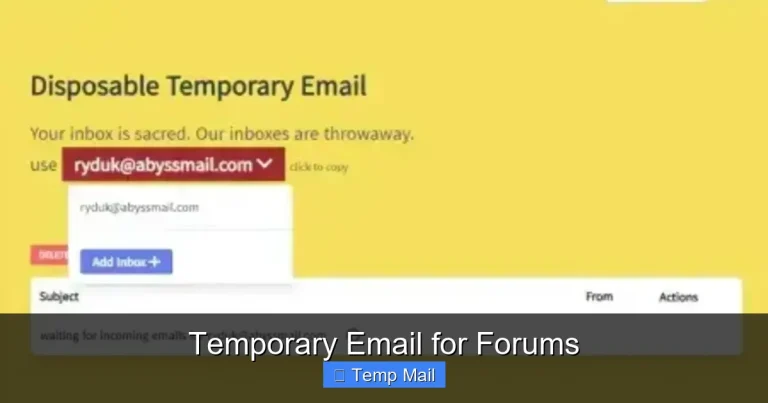
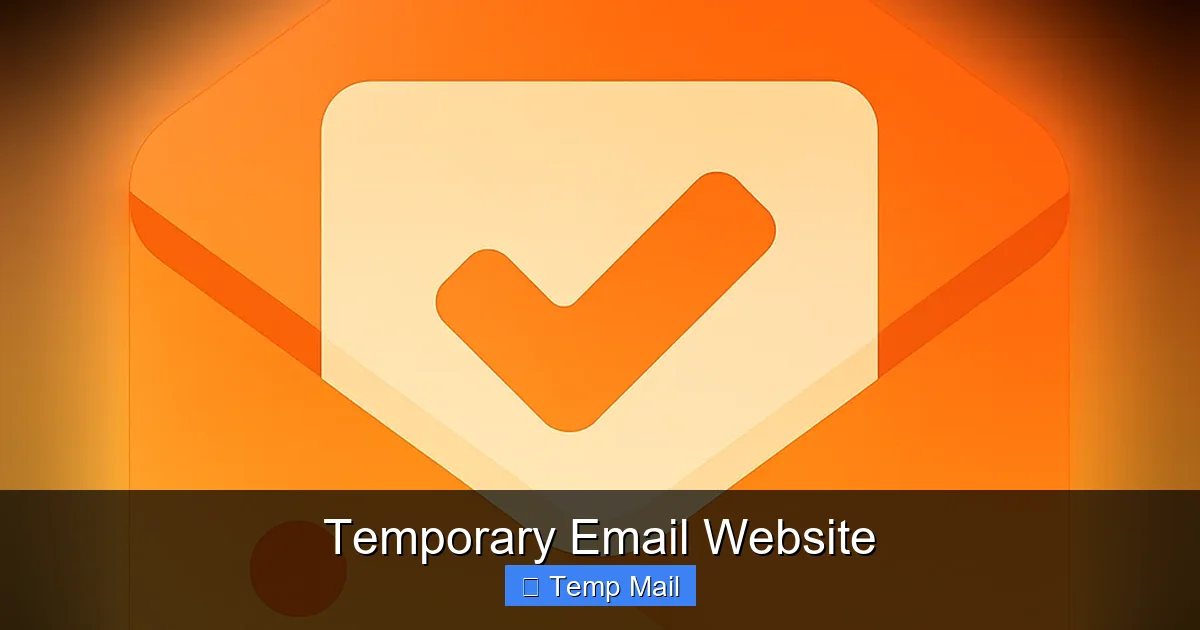
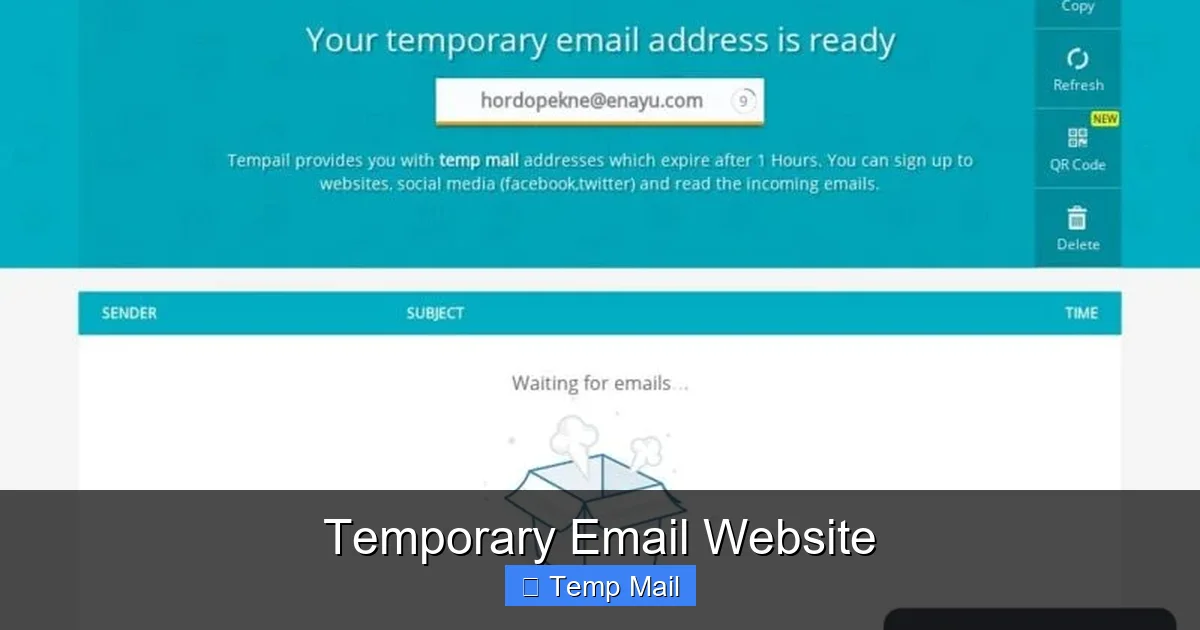
You navigate to a provider’s homepage, like Temp-Mail.org or 10MinuteMail.com. The moment the page loads, the backend system automatically generates a completely random email address for you. This address usually follows a pattern like randomstring@domain.tld (e.g., a8f3x9@tempmail.demo). You don’t choose it; it’s assigned to your unique browser session. This address is now active and ready to receive messages.
Step 2: Use It Anywhere Online
Copy that generated address and paste it into any website’s sign-up or download form where an email is required. Because it’s a fully functional email address (for receiving only), the website will accept it, send a verification link or download file to it, and you’re good to go. You remain completely anonymous to that site; they have no way to link that disposable address back to your real identity.
Step 3: Monitor Your Disposable Inbox
Stay on the temporary email website’s page, or keep the unique inbox URL open in a tab. As emails arrive at your disposable address, they will populate in the web-based inbox interface in near real-time. You can click on them to view the content, click any included links, or download attachments (if the service supports it). The inbox is typically auto-refreshing.
Step 4: Automatic Self-Destruction
This is the core feature. A countdown timer is prominently displayed on the page. When that timer hits zero—whether it’s 10 minutes, 1 hour, or 1 day—the entire system wipes the slate clean. Your specific email address is deleted from the server’s active pool, and all messages associated with it are permanently erased. The address is then recycled and potentially given to a new, unrelated user in the future. Your digital footprint for that interaction is gone.
Behind the Scenes: Server & Domain Management
These services operate large pools of catch-all mail servers. When they generate an address like xyz123@service.com, their mail server is configured to accept any email sent to @service.com and route it to the correct session-based inbox. They don’t need to create individual mailboxes; the “catch-all” feature combined with session tracking does all the work. The domains they use are often rotated or newly registered to stay ahead of blacklists.
Top 5 Practical Use Cases for a Temp Mail Website
Knowing how it works is one thing, but understanding when and why to use a temporary email website is where its true value emerges. Here are the most common and effective scenarios:
Visual guide about Temporary Email Website
Image source: temporary-email.net
1. Dodging Unwanted Newsletters and Promotional Spam
This is the classic use case. You want to read a great article on a site that gates content behind an email subscription. You suspect that signing up will flood your primary inbox with daily deals and promotional blasts. Use a temp address. Get the content, close the tab, and let the address expire. The promotional emails will be sent to a dead inbox that will self-destruct. Your real email remains pristine.
2. Safely Downloading “Free” Digital Goods
How many times have you seen “Download our free 50-page marketing guide!” only to be met with a form that asks for your email? Often, these guides are of mediocre quality, and the real goal is to add you to a sales sequence. Using a temp mail address lets you get the file without consequence. You can download the PDF or software package, and the subsequent “upsell” emails have nowhere to go.
3. Registering on “Sketchy” or Low-Trust Websites
You need to create an account on a forum, a gaming server, or a utility tool website that you’ve never heard of. The site looks a bit dubious, or its privacy policy is non-existent. Providing your main email is a massive risk. A temporary email service is the perfect shield. If the site gets hacked or sells its user list, the only email compromised is the disposable one, which is already dead or dying.
4. Bypassing “Email-Required” Paywalls and Registrations
Some informative websites or research papers require an email to unlock a single article or report. Instead of creating a dedicated “junk” email account (which still requires management and can eventually get spammy), a temp address is a one-click solution. It respects the site’s gate but protects your long-term identity.
5. Testing Application Sign-Up Flows and Email Delivery
For developers, QA testers, or even marketers, a temporary email website is an invaluable tool. You can quickly test if a “welcome email” is being triggered, if password reset links work, or how an app handles email verification—all without cluttering your real inbox or creating countless test accounts. It streamlines the testing process immensely.
Pro-Tip: The “One-Time Coupon” Strategy
Many e-commerce sites offer a first-time subscriber discount (e.g., “Get 10% off your first order!”). You can use a temp email to claim that discount code, make your purchase, and then use your real email for order confirmation and shipping updates. This way, you get the deal without being added to their long-term promotional list.
Privacy, Security, and Safety: The Critical Considerations
While incredibly useful, a temporary email website is not a magic bullet for all your privacy needs. Understanding its strengths and, more importantly, its limitations is crucial for using it safely and effectively.
Visual guide about Temporary Email Website
Image source: inspirationfeed.com
The Privacy Advantage: Anonymity by Design
The primary privacy benefit is the decoupling of your activity from your core identity. Because you never provide any personal information to the temp mail provider (most require no sign-up), there is no data trail linking the disposable address to you. The website you used the address on only sees the random string. To anyone monitoring that site’s email list, you are just another anonymous user. This effectively breaks the common data-harvesting model where your email is a key identifier for building a profile about you.
Security Implications: It’s a One-Way Street
Security works in one direction: it protects you from the outside world, but it does not secure your communications with the outside world. Emails sent from a temporary address are virtually non-existent. Most services are receive-only. You cannot send emails from your temp address. Therefore:
- NEVER use a temporary email for password recovery on important accounts (social media, banking, primary email). If you lose access, you’re locked out forever.
- NEVER use it for any communication that requires a verifiable, persistent identity (job applications, official government forms, legal contracts).
- ALWAYS assume that any email you send from your real account to a temp address could potentially be read by the service provider during its brief lifetime, though reputable services claim not to log content.
Is It Safe from Malware and Phishing?
The inbox itself is generally safe from drive-by malware, as the service provider should sanitize any HTML or scripts in incoming emails. However, the links and attachments within those emails are exactly as dangerous as they would be in your regular inbox. A phishing link from a “fake” PayPal email sent to your temp address is still a phishing link. The temp mail doesn’t magically make the content safe; it just contains the risk to a disposable inbox. You must still exercise caution clicking links or downloading files from any unsolicited email, even in a temp inbox.
The “Man-in-the-Middle” Risk of Public Temp Mail Sites
This is the most significant security caveat. Because the entire service is public and session-based, anyone who knows or can guess your unique inbox URL could, in theory, view the emails arriving for that session. Reputable services use long, random, unguessable session IDs to mitigate this. However, using a temporary email website on a public or shared computer is risky. Someone could look over your shoulder, or malware could capture the URL from your browser history. Always use temp mail on your personal, secure device and close the tab immediately after use.
The Inherent Limitations and Why Sites Block Temp Mail
No tool is perfect, and temporary email websites come with significant operational limitations that both users and website operators must contend with.
Ephemeral Nature: You Can’t Go Back
The defining feature is also its biggest drawback. Once the timer expires, your address and all its history are gone forever. There is no “recover my old inbox” feature. If a website sends a crucial verification email 15 minutes after you’ve closed the tab and the timer ran out, you’re out of luck. You must be present and monitor the inbox while you expect the email to arrive. This makes it unsuitable for any process that might have delayed communication.
The Sending Problem
As mentioned, these are almost exclusively receive-only services. The technical and ethical reasons are clear: allowing mass sending from disposable addresses would make them a prime tool for spam and abuse, which would get the domains blacklisted instantly. You are a consumer, not a sender, in this ecosystem.
Attachments: A Spotty Feature
Not all temporary email website platforms support attachments. Those that do often have strict size limits (e.g., 5MB or 10MB). You cannot use them reliably for receiving large files like videos or software installers. Always check the service’s specific capabilities if you expect an attachment.
Why Websites Actively Block Temp Mail Domains
This is a constant cat-and-mouse game. Website owners and forum administrators know about temp mail. They use publicly available lists and their own detection algorithms to block emails from known disposable domains during registration. They do this to:
- Reduce Spam and Fake Accounts: It prevents bots and bad actors from creating thousands of throwaway accounts to spam, scam, or abuse the platform.
- Improve Data Quality: They want real, engaged users with persistent identities for better analytics and community building.
- Enforce Terms of Service: It helps prevent users from evading bans by creating new accounts with a new temp email.
This means that if you try to use a temp address on a site with strong anti-abuse measures (like major social platforms, banks, or reputable forums), it will likely be rejected outright. You’ll see an error like “Please provide a valid email address.”
How to Choose the Right Temporary Email Service
With dozens of options available, selecting a reliable temporary email website requires a quick checklist. Don’t just pick the first Google result.
Essential Features to Look For
- No Registration Required: The entire point is speed and anonymity. If a service asks you to create an account, skip it.
- Adequate Lifespan: 10 minutes is often too short. Look for services offering at least 1 hour, preferably with options to extend (some have a “click to extend” button). 24-hour options are excellent for multi-step processes.
- User-Friendly Interface: The inbox should be clean, load quickly, and auto-refresh. Cluttered sites with ads are not only annoying but may be less secure.
- Active Domain: Check if the provider’s domain (e.g., @tempmail.demo) is currently being widely blocked. A quick test: try using it to sign up for a free Gmail account (which is generally permissive). If it’s blocked, the domain is likely on a major blacklist and will fail on many other sites.
- Multiple Domain Options: The best services offer several different domains (e.g., @mail.tm, @tmpmail.org). If one gets blocked, you can switch to another on the same site.
- Attachment Support: If you need to receive files, confirm the service handles attachments and note the size limit.
Popular and Reputable Providers (as of 2024)
While the landscape changes, a few names have maintained reliability:
- Temp-Mail.org: One of the most popular. Offers multiple domains, 1-hour default lifespan (extendable), and a clean interface.
- 10MinuteMail.com: The classic. Very simple, fast, and has been around for ages. Lifespan is short but can be extended.
- Maildrop.cc: Known for simplicity and reliability. No frills, just a working inbox.
- Guerrilla Mail: Offers a bit more control, allowing you to choose a username and even send limited emails from the address within its system.
Always visit the site directly to see its current features and status. Avoid services packed with excessive pop-up ads or that require disabling ad-blockers, as these can be security risks themselves.
The Future of Disposable Inboxes and Evolving Privacy Needs
The temporary email website is a reactive tool to a pervasive problem: the default assumption that every online interaction requires your permanent, identifiable email. As data privacy regulations like GDPR and CCPA tighten, and as users become more savvy, the demand for such privacy-preserving tools will only grow.
Integration with Privacy-First Browsers and Tools
We are already seeing integration. Browsers like Brave and privacy-focused extensions are beginning to incorporate built-in disposable email generators or offer seamless connections to services like SimpleLogin or AnonAddy (which are slightly different—they forward to your real inbox but can be disabled). This trend will make using a temp address even more frictionless, potentially as a standard browser feature.
The Arms Race Against Blacklists
The battle between temp mail providers and website blacklist operators will continue. Providers will rotate domains faster, use more sophisticated domain generation, and perhaps even employ techniques like email aliasing (where the address is unique but forwards to a persistent inbox you control) to stay under the radar. Users must remain flexible and have a few trusted providers bookmarked.
A Cultural Shift Towards “Email Minimalism”
The rise of the temporary email website signals a broader shift. People are learning to compartmentalize their digital lives. Your “real” email is for banks, family, and critical accounts. A “junk” email (a semi-permanent one you check occasionally) is for newsletters you might want. And a “temp” email is for the one-off, the sketchy, the “I just need this file.” This minimalist approach to email identity is a healthy habit in the modern data economy.
Conclusion: Your Digital Shield for a Cleaner Inbox
A temporary email website is not a solution for every email need, but it is an indispensable instrument in your digital privacy toolkit. It’s the perfect compromise for the countless minor interactions we have online daily that shouldn’t cost us our inbox peace or our personal data. By understanding its mechanics, respecting its limitations, and choosing a reliable provider, you can effortlessly filter out the spam, dodge data miners, and sign up for that free resource without a second thought.
Think of it as digital hygiene. Just as you wouldn’t share your home address with every stranger you meet, you shouldn’t share your primary email with every website that asks. The next time you hesitate at an email form, remember the burner inbox. Use it, get what you need, and walk away—your real identity and your real inbox, untouched. That is the simple, powerful promise of the temporary email.
Frequently Asked Questions
Is using a temporary email website legal?
Yes, using a temporary email service is perfectly legal in virtually all jurisdictions. It is a legitimate privacy tool. However, using it for fraudulent activities, to circumvent bans, or for illegal purposes is, of course, illegal. The tool itself is neutral.
Can I trust a temporary email with my personal data?
You should not send any sensitive personal data (passwords, ID numbers, credit card details) via any email, temporary or not. While reputable services don’t log your emails, the communication is not encrypted end-to-end. The golden rule: use temp mail only for receiving non-sensitive, one-time information like download links or verification codes for low-stakes accounts.
How long do emails last on a temporary email website?
It varies by provider. Common lifespans are 10 minutes, 1 hour, or 24 hours. Some services offer an option to manually extend the time (e.g., by clicking a button). Always check the specific countdown timer on your chosen service’s page. Once the timer expires, all data is permanently deleted.
Can I receive attachments with a temporary email?
Many temporary email websites do support receiving attachments, but there are almost always strict size limits (typically 1-10 MB). You should verify this feature on the provider’s site before relying on it for file downloads. Large files like videos or software ISOs are usually not supported.
What’s the difference between a temporary email and a disposable email?
In common usage, the terms are interchangeable. Some might argue “disposable” emphasizes the user’s intent to discard the address, while “temporary” describes the system’s automatic deletion. Functionally, for the end-user, they provide the same service: a short-lived, anonymous inbox for receiving emails.
What is the best temporary email website to use?
There is no single “best” for all, as services frequently change. Look for a provider that requires no sign-up, offers at least a 1-hour lifespan, has a clean interface, and uses a domain not currently blacklisted by major sites. As of now, Temp-Mail.org, 10MinuteMail.com, and Maildrop.cc are consistently reliable starting points. Always test a service with a non-critical sign-up first.