Temporary Email Account Free
A temporary email account free service provides a disposable, anonymous inbox that self-destructs after a short time. It’s your ultimate tool for safeguarding your primary email from spam, data breaches, and unwanted marketing when registering on untrusted sites or downloading files. These accounts require no registration, are incredibly simple to use, and are completely free, making them essential for modern digital privacy and hygiene.
Key Takeaways
- Privacy Shield: A temporary email acts as a protective barrier, preventing your real email address from being exposed, sold, or harvested by spammers and data brokers.
- Spam Annihilator: By using a disposable address for sign-ups and downloads, you keep promotional and phishing emails out of your permanent inbox forever.
- Zero Commitment: These accounts require no personal details, no password creation, and no long-term commitment. You create and use them in seconds.
- Universal Access: They are perfect for one-time verifications, accessing gated content, or trying out services without any long-term obligation.
- Ephemeral by Design: Inboxes and their addresses automatically expire after a set period (usually 10 minutes to 24 hours) or after a certain number of emails, ensuring no lingering digital footprint.
- Not for Critical Accounts: Never use a temporary email for important accounts like banking, primary social media, or any service where account recovery is vital.
- Tool, Not a Cure-All: While excellent for privacy, they do not make you anonymous online; other tracking methods like IP addresses and cookies still exist.
📑 Table of Contents
- What Exactly is a Temporary Email Account Free?
- How Does a Temporary Email Service Actually Work?
- Top Practical Use Cases: When and Why You Need One
- Comparing Popular Free Temporary Email Services
- The Critical Security and Privacy Reality Check
- Key Limitations and When You Should NEVER Use One
- The Future of Digital Privacy: Where Do Temp Mails Fit?
- Conclusion: Embrace the Power of Disposable Inboxes
What Exactly is a Temporary Email Account Free?
Imagine you need to download a free PDF guide from a website, but it forces you to enter an email address first. Or you want to quickly test a new app’s features that require sign-up. Do you really want to hand over your personal, primary email address—the one linked to your bank, family, and work? This is where a temporary email account free service becomes your best friend.
In the simplest terms, a temporary email (also called disposable email, throwaway email, or temp mail) is a service that provides you with a random, functioning email address and an associated inbox for a very limited time. It’s like renting a P.O. box for a few hours. You can receive emails at this address, view them in a web-based inbox, and then the entire address and its contents vanish into the digital ether, leaving no trace. The “free” part means you pay nothing for this basic, time-limited service, making it an accessible privacy tool for everyone.
The Core Philosophy: Ephemeral Communication
The entire concept is built on ephemerality—the idea of things being transient. The internet was not originally designed with privacy as a default. Every website you visit, every form you fill out, can capture your email address and add it to marketing lists, sell it to data aggregators, or, in a worst-case scenario, leak it in a data breach. A temporary email account directly counters this by providing a sacrificial address. Its sole purpose is to be used and discarded. It’s a conscious choice to say, “This interaction is temporary, and so is the contact information I provide.”
How Does a Temporary Email Service Actually Work?
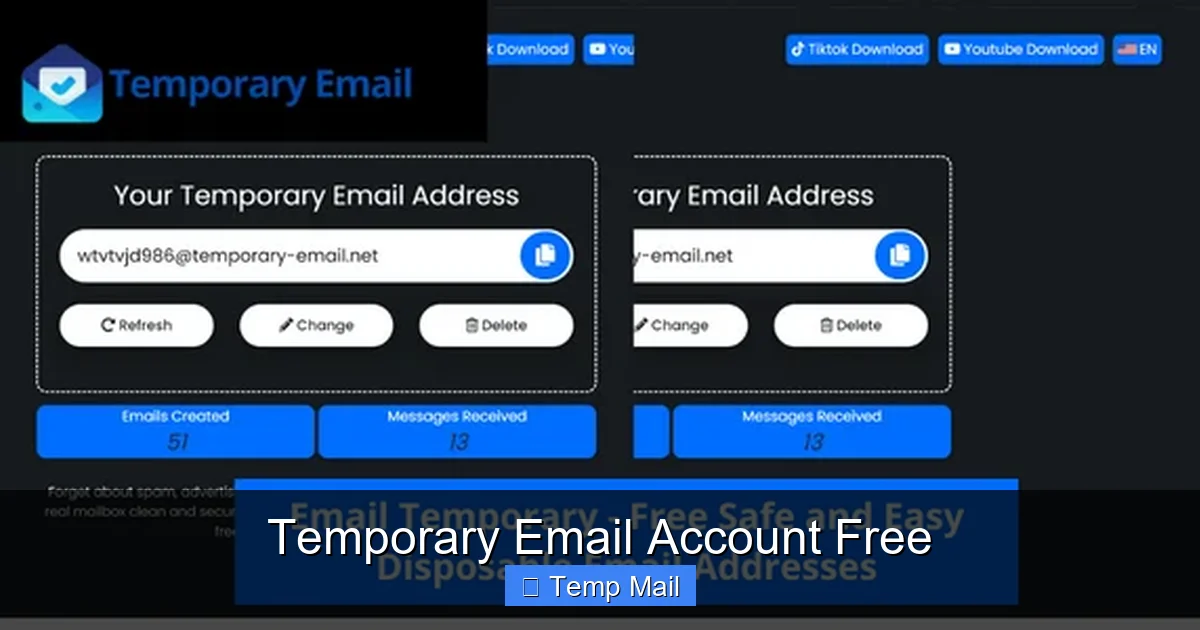
The magic of a temporary email account free service lies in its beautiful simplicity. There’s no complex software to install and no lengthy sign-up process. Here’s a step-by-step breakdown of the typical workflow:
Visual guide about Temporary Email Account Free
Image source: mundobytes.com
Step 1: Visit the Service Website
You navigate to a provider’s website, like Temp-Mail.org, 10MinuteMail.com, or GuerillaMail.com. The homepage is usually stark and simple, featuring a big button to generate a new address.
Step 2: Automatic Address Generation
With one click, the system instantly generates a random email address for you. It will look something like abc123xyz@tempmail.demo or randomid@10minutemail.com. This address is already active and ready to receive mail. The inbox for this address is also created and is typically displayed right on the same page.
Step 3: Use the Address Where Needed
You copy this temporary address and paste it into any website or service that requires an email. You are now using it as a shield for your real identity.
Step 4: Receive and View Emails
If the website sends a verification link, a download link, or a password, it will arrive in the web-based inbox shown on the temp mail provider’s page. You simply click the email to read its content or click any links inside. Most services refresh the inbox automatically or have a manual refresh button.
Step 5: Automatic Destruction
This is the key step. After a predetermined time—which varies by provider (common times are 10 minutes, 1 hour, or 24 hours)—or after you close the browser tab, the email address and all its messages are permanently deleted from the server. The address is then recycled and given to a new user. Your digital trail for that interaction is gone.
Top Practical Use Cases: When and Why You Need One
Knowing how it works is one thing, but knowing when to use it is where the real value lies. A temporary email account free is a specialized tool for specific situations.
Visual guide about Temporary Email Account Free
Image source: itigic.com
1. Dodging Unwanted Newsletters and Spam
This is the most common use. You find a useful blog post but it’s behind an email gate. You want the content, not the daily newsletter. Use a temp mail, get the article, and walk away. The subsequent spam emails will be sent to the disposable address, which will self-destruct before they ever reach you. It’s proactive spam prevention.
2. Secure One-Time Downloads
Many software trial sites, ebook repositories, or resource libraries require an email to send a download link. Instead of risking your main address, use a temp mail. You get the file, and the potential for that site to sell your email or get hacked is contained within an address that will expire.
3. Anonymous Forum or Comment Sign-Ups
Want to post a candid comment on a controversial forum or news site without tying it to your identity? A temporary email allows you to create an account anonymously. Once your comment is posted, the account—and the ability to reset its password—disappears with the email.
4. Testing Website or App Registrations
For developers, QA testers, or even curious users, testing a registration flow is essential. You can use a temp mail to go through the entire sign-up, email verification, and initial login process without cluttering your real inbox with test notifications.
5. Bypassing “Email Required” Gating
Some websites simply won’t let you view pricing, access a whitepaper, or use a basic tool without an email. A temp mail is the perfect key to unlock these gates with zero commitment. It’s a way to politely say “no” to long-term marketing while still getting what you need in the moment.
6. Protecting Identity on Public or Shared Computers
If you’re using a library computer, a hotel business center, or a friend’s device, you should never log into your personal email. Using a temp mail for any necessary sign-ups on these machines ensures no credentials or personal links are left cached behind.
Comparing Popular Free Temporary Email Services
Not all temporary email account free providers are created equal. While the core function is the same, features, lifespan, and usability differ. Here’s a look at some popular types and what to expect.
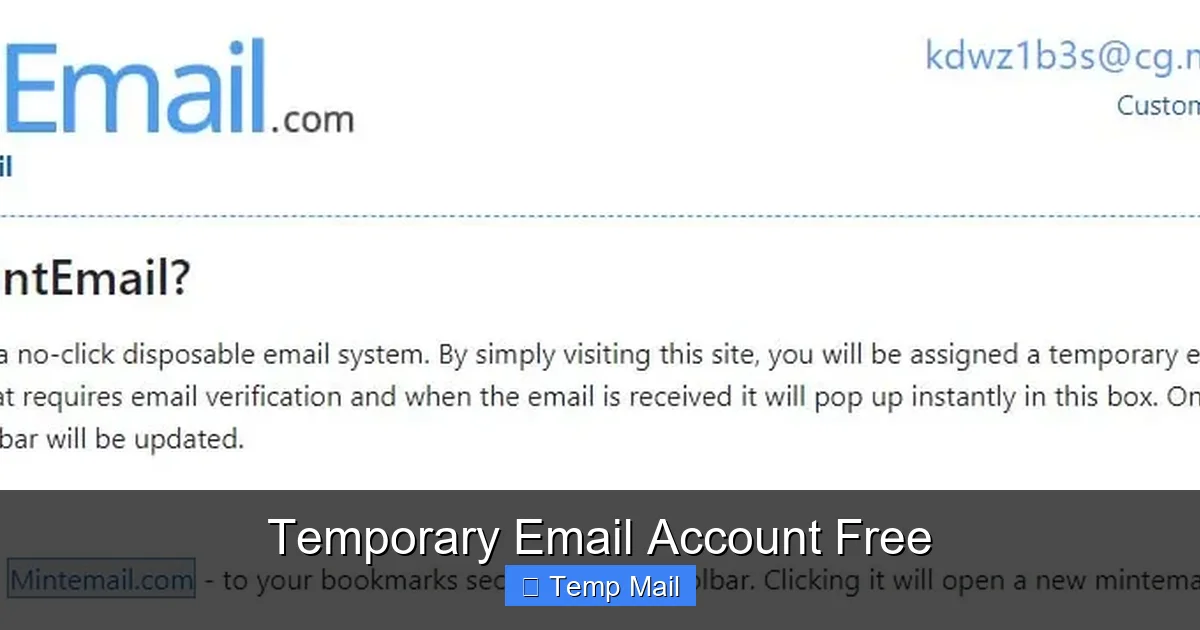
Visual guide about Temporary Email Account Free
Image source: adslzone.net
The “10-Minute” Classic (e.g., 10MinuteMail)
These are the originals. You get an address that lasts for—you guessed it—10 minutes. The countdown timer is prominently displayed, creating a sense of urgency. Perfect for a quick verification code. The downside is the very short window; if the email is delayed, you might miss it.
The “1-Hour” Standard (e.g., Temp-Mail.org, GuerillaMail)
This is the most common and useful duration. One hour provides enough time for most verification emails to arrive, even from slower servers. These services often include more features, like multiple domain options to choose from, a slightly longer retention period for received emails, and sometimes the ability to reply to emails (though this is rare).
The “24-Hour” Extended (e.g., Maildrop.cc, Dispostable.com)
For processes that might take longer—like waiting for a customer support reply or a manual approval—a 24-hour lifespan is beneficial. Some services in this category allow you to “refresh” the timer or extend the inbox life manually. They are more suitable for multi-step interactions.
Feature Comparison Checklist
- Inbox Lifespan: Check if it’s 10 min, 1 hour, 24 hours, or custom.
- Domain Options: Can you choose from several @domain names? This can help if one domain is blocked.
- Email Retention: How long are received emails stored before deletion? (e.g., 1 hour after receipt).
- Attachment Support: Can you download attachments? This is crucial for file downloads.
- Reply Function: Very few allow replying, but some do. Assume you cannot.
- CAPTCHA: Does the site itself have a CAPTCHA to solve? This can be an annoyance.
- Ad Intrusiveness: Free services rely on ads. Some are cleaner than others.
Pro Tip: Keep 2-3 trusted temporary email account free sites bookmarked. If one is down, slow, or blocked by a particular website you’re trying to access, you can quickly switch to another.
The Critical Security and Privacy Reality Check
While incredibly useful, a temporary email account free is not a magic invisibility cloak. Understanding its limitations is crucial for using it safely and effectively.
What It DOES Protect You From
- Email Harvesting: It stops bots and unethical sites from adding your permanent address to spam lists.
- Data Breach Exposure: If a site you used a temp mail for gets hacked, your real email is safe. Only the disposable address is in the breach database.
- Inbox Clutter: It guarantees zero promotional emails will ever land in your primary inbox from that source.
- Identity Linking: It prevents a casual observer (or the website itself) from easily linking that online activity to your core identity via your email.
What It Does NOT Protect You From
- IP Address Logging: The website you visit still sees your IP address. For true anonymity, you’d need a VPN or Tor.
- Browser Fingerprinting & Cookies: Your browser still leaves fingerprints. Use private/incognito mode alongside a temp mail for cleaner sessions.
- Malware & Phishing Links: The email you receive in the temp inbox can still contain malicious links. Always exercise caution and don’t click suspicious links, even in a disposable inbox.
- Man-in-the-Middle Attacks: If you’re on an unsecured public Wi-Fi, your traffic can be intercepted. Use HTTPS sites and consider a VPN.
- Illegal Activity Traceability: Law enforcement, with a warrant, can often get logs from the temp mail provider (if they keep them) and from your ISP. Do not use these for illegal purposes.
The Provider’s Privacy Policy Matters
Even with a temp mail, you are trusting the provider. Reputable services clearly state they do not log IPs, do not store emails longer than advertised, and do not sell data. Always glance at the privacy policy of your chosen service. A provider based in a privacy-friendly jurisdiction is a plus.
Key Limitations and When You Should NEVER Use One
The power of a temporary email account free comes with significant trade-offs. Knowing its hard limits is non-negotiable for safe usage.
The Obvious: No Account Recovery
This is the golden rule. If you forget a password for an account tied to a temp mail, you are permanently locked out. There is no “forgot password” reset because the email address no longer exists. This makes temp mails useless for any account you need to access long-term.
Service and Website Blocks
Many popular platforms (like Google, Facebook, Twitter, major banks, and even some gaming services) actively block known disposable email domains. They do this to prevent fraud, spam, and abuse. You will simply be unable to register with a temp mail on these sites. If a site rejects your temp address, you’ll need to use a real one or a more privacy-focused email service like ProtonMail.
Attachment and Sending Limitations
Most free temp mail services are receive-only. You typically cannot send emails from them. Also, attachment support can be spotty. Some block all attachments, while others have size limits (e.g., 1MB). Always check if you can download that crucial PDF or image before relying on the service.
The “Trust” Issue
Some websites and online communities view the use of disposable emails as a red flag for spam, fraud, or trolling behavior. You might be denied access, have your posts moderated, or be banned from certain platforms if detected. Use them appropriately for their intended purpose: low-stakes, one-off interactions.
When to Absolutely Avoid a Temporary Email
- Financial Services: Banks, PayPal, investment platforms.
- Primary Communication: Your main email for family, friends, and work.
- Important Subscriptions: Netflix, Amazon, any paid service where billing and receipts are sent.
- Social Media Main Accounts: You will lose access if you ever need to recover it.
- Any Service with Long-Term Value: If you’ll need to log in again in a week, month, or year, don’t use a temp mail.
The Future of Digital Privacy: Where Do Temp Mails Fit?
As data privacy concerns grow globally with regulations like GDPR and CCPA, tools like the temporary email account free are becoming mainstream parts of a savvy user’s toolkit. They represent a shift from the old “give your email for everything” model to a more selective, compartmentalized approach to digital identity.
We are moving towards an internet where your primary email is a valuable, guarded asset, not a universal key. Temporary emails are the first line of defense in this new mindset. They are simple, effective, and democratize privacy—you don’t need to be a tech expert to use one.
However, the landscape is evolving. Some browser extensions now offer more integrated temp mail generation. Email aliasing services (like SimpleLogin or AnonAddy) provide a more robust middle ground: they create unique, forwardable aliases that you can disable at any time, offering more control than a pure temp mail but less commitment than a new full email account. For the everyday user facing a constant barrage of “enter your email” prompts, though, the classic disposable inbox remains the perfect, no-fuss solution. It’s a small but powerful act of digital self-defense, reclaiming control over one of your most personal data points: your contact information.
Conclusion: Embrace the Power of Disposable Inboxes
A temporary email account free is more than just a convenience; it’s a fundamental tool for maintaining hygiene and privacy in your digital life. It’s the digital equivalent of using a public phone for a quick call—perfect for transient interactions where a long-term relationship isn’t needed or desired. By strategically using these services for sign-ups, downloads, and gated content, you actively reduce your attack surface, declutter your primary inbox, and take a tangible stand against the indiscriminate collection of personal data.
Remember the core principle: use it, lose it. Treat every temporary address as a single-use token. Never use it for anything important, always be aware of its time limit, and pair its use with other good habits like strong passwords and, where necessary, a VPN. In an online world that constantly asks for your email, a disposable inbox gives you the power to say “yes” to access while saying “no” to long-term exposure. It’s a simple, free, and incredibly effective way to take back control.
Frequently Asked Questions
Is a temporary email account safe to use?
They are safe for their intended purpose—receiving non-sensitive verification emails and downloads. However, the inbox content is not private from the provider, and the emails can contain malicious links. Never use them for sensitive communications or account logins.
How long does a temporary email last?
It varies by provider. Common lifespans are 10 minutes, 1 hour, or 24 hours. The address and all received emails are permanently deleted after this time expires or after you close the browser session, depending on the service’s policy.
Are temporary emails legal?
Yes, creating and using a temporary email is completely legal. They are a legitimate privacy tool. However, using them to commit fraud, evade bans, or send illegal content is, of course, illegal regardless of the email type used.
Can I receive attachments with a free temporary email?
Many services do allow you to receive and download attachments, but there are often size limits (e.g., 1-2MB). It’s not universal, so check the specific service’s features if you need to download a file.
Can I block a temporary email address?
You don’t need to block it. Since the address expires and is recycled after its short lifespan, it will simply cease to exist. Any future emails sent to that specific address will bounce or go to a new, unrelated user.
What’s the difference between a temporary email and a disposable email?
In common usage, the terms are interchangeable. Some might argue “disposable” implies a slightly longer lifespan or the ability to manually delete it, while “temporary” is purely time-based. For the user, they function identically as short-lived, anonymous inboxes.