Temporary Email for Spam Protection
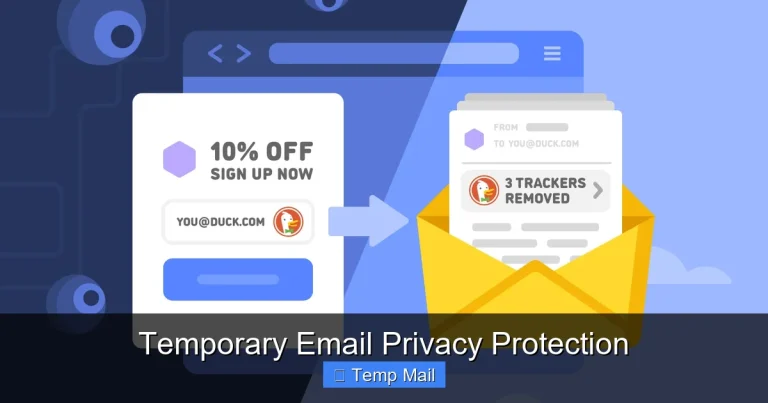
A temporary email address is a powerful, on-demand tool for fighting spam and protecting your digital identity. It creates a short-lived inbox that you can use for one-time sign-ups, downloads, or any activity where you don’t want to share your personal email. By acting as a disposable shield, it keeps promotional emails, phishing attempts, and data leaks away from your main, important communications. It’s a simple, free, and highly effective strategy for regaining control over your online privacy and inbox hygiene.
Key Takeaways
- Primary Defense: A temporary email acts as a sacrificial buffer between your real identity and risky online services, preventing spam and potential data breaches from ever reaching your primary inbox.
- Zero Commitment: These addresses require no registration, password, or personal information to create, offering instant anonymity for any online interaction.
- Built-In Expiry: Most disposable inboxes automatically delete all emails and the address itself after a short period (e.g., 10 minutes to 24 hours), ensuring no long-term digital footprint.
- Use Case Specific: They are perfect for one-off tasks like downloading a PDF, accessing a gated article, or signing up for a forum but are unsuitable for critical accounts like banking or primary social media.
- Not a Full Security Suite: While excellent for spam prevention, a temporary email does not encrypt your messages or protect against malware; it’s a privacy filter, not an antivirus.
- Provider Reliability Varies: Choose reputable temporary email services that don’t log IP addresses or sell data, as some free providers may themselves be untrustworthy.
- Regain Inbox Control: Consistent use dramatically reduces inbox clutter, saves time sorting emails, and lowers the risk of accidentally clicking a malicious link disguised as a legitimate newsletter.
📑 Table of Contents
- The Modern Spam Problem: Why Your Inbox is a Target
- Enter the Temporary Email: Your Disposable Shield
- The Core Benefits: Why Switch to Disposable?
- The Limitations and Pitfalls: What a Temp Mail Can’t Do
- Practical Guide: How to Integrate Temp Mail into Your Digital Life
- Choosing a Service & Advanced Privacy Tips
- Conclusion: Reclaiming Your Digital Peace of Mind
The Modern Spam Problem: Why Your Inbox is a Target
Let’s be honest: your email inbox is under constant siege. Every time you download a whitepaper, enter an online contest, or create an account for a new app, you’re asked for your email address. That simple act is like handing out a key to your digital front door. Companies, both reputable and sketchy, add you to their mailing lists. Data brokers compile and sell your contact information. And if there’s ever a data breach at one of those services? Your email is now in the hands of spammers and cybercriminals, leading to a torrent of phishing attempts, scam offers, and unwanted promotions. The result is a cluttered, stressful, and potentially dangerous primary inbox. We sign up for things in a moment of need, only to regret it months later as our “important” email gets buried under a mountain of promotional noise. This isn’t just annoying; it’s a serious privacy and security drain.
The True Cost of a Click
It’s easy to dismiss a few extra newsletters, but the cumulative effect is significant. Beyond the nuisance, a cluttered inbox makes you more vulnerable. A clever phishing email masquerading as a “service you use” can slip through the noise. The mental load of managing hundreds of unread emails contributes to digital overwhelm. Furthermore, your email address is often the primary username for countless other accounts. When one service you used with your main email gets breached, hackers now have a critical piece of your online identity puzzle. Protecting that primary email address isn’t about paranoia; it’s about smart, proactive digital hygiene.
Enter the Temporary Email: Your Disposable Shield
Imagine if, instead of giving out your real phone number, you could hand someone a burner phone that self-destructs after one call. That’s the core concept behind a temporary email. Also called disposable or throwaway email, it’s a service that provides you with a random, functional email address for a very short period—typically 10 minutes to a few hours. You use this address for a specific, low-stakes online task, and then you simply walk away. The address and all its contents vanish into the digital ether.
Visual guide about Temporary Email for Spam Protection
Image source: imgv2-1-f.scribdassets.com
How It Works, Step-by-Step
The process is beautifully simple, designed for instant gratification and maximum privacy:
- Visit a Provider: You go to a website like Temp-Mail.org, 10MinuteMail.com, or GuerillaMail.com.
- Get Your Address: The site instantly generates a random email address for you (e.g., abc123@tempmail.com). No sign-up, no password, no CAPTCHA (usually). You can often click a button to generate a new one if you don’t like it.
- Use It: Copy that address and paste it wherever a website asks for your email—to download a file, get a discount code, or register for a forum.
- Check the Inbox: On the same provider site, you’ll see an inbox linked to that address. Any verification emails or download links are displayed there in real-time.
- Complete Your Task: Click the link in the temporary inbox, download the file, verify the account. Your mission is accomplished.
- Forget It: Close the tab. After the time limit (often visible on the page), the address and all its emails are permanently deleted. It never existed in your permanent digital history.
The Core Benefits: Why Switch to Disposable?
Using a temporary email for spam protection isn’t just a trick; it’s a fundamental shift in how you manage your online presence. The advantages are compelling and immediate.
Visual guide about Temporary Email for Spam Protection
Image source: getccn.com
1. Spam Annihilation at the Source
This is the biggest win. Since the disposable address is never used for anything else, any spam it attracts dies with the inbox. Your beloved personal or work email remains pristine. You’ll notice the difference almost overnight: no more “Newsletter from a site you visited once in 2017” cluttering your primary feed. You are, in effect, quarantining all marketing and potential abuse to a dead-end address.
2. Unparalleled Privacy and Anonymity
You are not required to provide any personal information to get a temporary email address. No name, no phone number, no recovery email. For activities where you want to browse or download without leaving a trace tied to your identity, this is invaluable. It breaks the common chain of data aggregation that starts with your email.
3. Breach Containment
Data breaches are a matter of “when,” not “if.” If a service you only used with a disposable email suffers a breach, the hackers get a dead address. There’s no link to your real identity, your other accounts, or your financial information. The temporary email acts as a containment vessel, limiting the blast radius of any future security incident.
4. Simplicity and Speed
There’s no account creation, no password to forget, no two-factor authentication setup. You get an inbox in two clicks. This frictionless experience means you’re more likely to actually use it for every single sign-up, building a consistent, protective habit.
The Limitations and Pitfalls: What a Temp Mail Can’t Do
While powerful, disposable email isn’t a magic bullet for all email problems. Understanding its limitations is crucial for using it effectively and safely.
Visual guide about Temporary Email for Spam Protection
Image source: pw2.com
Not for Critical or Long-Term Accounts
This is the golden rule: never use a temporary email for anything you need to access long-term. That includes your bank, primary social media accounts (Facebook, Twitter/X, Instagram), cloud storage (Google Drive, iCloud), main work communication, or any account where password recovery is vital. Once the inbox expires, you lose access forever. Password reset emails sent to a disposable email are gone, locking you out permanently.
Potential Site Blocking
Many popular websites and services (like Google, Facebook, Netflix, most banks) actively block known disposable email domains. They detect the domain and will refuse sign-up. This is a security measure on their part to prevent fraud and abuse. For sites that require a “real” email for essential services, you have no choice but to use your primary address.
Sender Reputation Issues
Because temporary email domains are often used for spam and fraudulent sign-ups, they have very poor sender reputations. If you try to send an email *from* a disposable address (some services allow it), it will almost certainly land in the recipient’s spam folder. These addresses are for receiving only, not for your outgoing correspondence.
Variable Reliability and Security
The wild west nature of free temporary email services means quality varies wildly. Some may display ads aggressively, log your IP address, or even intercept the emails you receive. While most reputable ones are harmless, you are placing a degree of trust in a provider you know nothing about. Never use them for sensitive personal information within the email body itself (e.g., sending a copy of your ID).
Practical Guide: How to Integrate Temp Mail into Your Digital Life
Knowing the theory is one thing; building the habit is another. Here’s how to seamlessly weave disposable email into your daily online routine.
The “One-Click Habit” Formation
The key is to make using a temporary email your automatic, first instinct. Bookmark one or two reliable providers (see our recommendations below) in your browser’s favorites bar. When you land on any sign-up form, your muscle memory should be: 1) Click the bookmark, 2) Copy the generated address, 3) Paste it into the form, 4) Keep the provider tab open to receive the verification email. Do this every single time, without exception, for any non-essential service.
Perfect Use Cases: When to Always Use Temp Mail
- Downloading Gated Content: E-books, whitepapers, templates, and research reports that require an email exchange.
- Online Forums & Commenting: Registering for a one-time discussion on a hobby forum or news site comment section.
- Free Trials & Software Downloads: Getting a trial version of a tool or downloading a free app from a less-known developer.
- Wi-Fi Hotspot Sign-Ups: Many airports, hotels, and cafes require an email to access their guest network. Use disposable.
- One-Time Discounts & Coupons: Entering a contest or getting a coupon code from a retail website you’ll probably never visit again.
- Testing & Development: Developers and testers use them to create multiple test accounts for apps without polluting their real inbox.
When to Avoid: The Non-Negotiables
Reinforcing the earlier point: your primary email is for pillars of your digital identity. This includes financial services (banking, PayPal, investing), primary cloud storage and calendars, your main social media profiles, professional networking (LinkedIn), primary messaging apps (WhatsApp/Telegram linked to email), and any subscription you truly want to receive (like a paid newsletter you value). For these, use your main email with a strong, unique password and consider a dedicated password manager.
Choosing a Service & Advanced Privacy Tips
Not all temporary email providers are created equal. Here’s what to look for and how to maximize your privacy.
Features of a Good Provider
- No Registration Required: The best ones work instantly from the homepage.
- Domain Variety: Good services offer multiple domain names (e.g., @tempmail.com, @tmpmail.org), making it harder for sites to block all of them.
- Inbox Refresh & Manual Deletion: Ability to manually refresh the inbox and clear specific emails.
- Longer Time Windows: Some offer 24-hour or even 7-day inboxes for projects that span a day or two.
- HTTPS Only: The site must use HTTPS to encrypt traffic between you and their server.
- Clear Privacy Policy: Look for a policy that states they do not log IP addresses, do not share data, and delete all data after expiry.
Recommended Reputable Providers
Based on consistent uptime, privacy practices, and lack of aggressive advertising:
- Temp-Mail.org: One of the most popular, reliable, with multiple domains and a 24-hour option.
- 10MinuteMail.com: The classic, straightforward option with a clear timer. Very simple interface.
- GuerillaMail.com: Offers a bit more control, including the ability to choose a custom local part (the part before @) and a slightly longer 60-minute default.
- MailDrop.cc: Minimalist, no-frills, and focuses purely on receiving emails without any clutter.
Note: Always use the provider’s official site. Bookmark it to avoid phishing clones that might look similar.
Advanced Layering: Combining Tools for Ultimate Privacy
For the privacy-conscious, temporary email is just one layer. Combine it with:
- A Dedicated “Public” Email: Create a separate, free email account (e.g., on ProtonMail or Gmail) that you use for semi-important things like newsletter subscriptions you actually want. This keeps them out of your main inbox but gives you a permanent home for wanted communications.
- Email Aliasing Services: Services like SimpleLogin or AnonAddy (now part of Proton) are the next step up. They create unique, forwardable aliases that route to your real inbox. You can delete an alias anytime, stopping all future spam from that source. It’s a permanent, manageable version of a temp mail for wanted-but-potentially-spammy subscriptions.
- A Password Manager: Use unique, strong passwords for every account, especially your primary email. If one service is breached, the hacker can’t use that password elsewhere.
Conclusion: Reclaiming Your Digital Peace of Mind
The internet is built on an email-for-access model, but that model has failed to protect users from the ensuing deluge of spam and privacy erosion. A temporary email address is the simplest, most effective countermeasure available. It’s not about being sneaky; it’s about being prudent. It’s about drawing a clear line between your essential digital identity and the countless, transient interactions that make up daily web browsing.
By adopting the habit of using disposable email for every non-critical sign-up, you perform a small action with massive long-term benefits. Your primary inbox becomes a calm, organized space for what truly matters: messages from family, friends, and essential services. You significantly reduce your attack surface for phishing and data breaches. You take back control from the data brokers and relentless marketers.
Start today. Bookmark a provider. Make the conscious choice to hand out a disposable address instead of your real one. Experience the immediate relief of a cleaner inbox and the profound peace of mind that comes from knowing your primary digital identity is that much more secure. In the battle for online privacy, the temporary email is a humble but indispensable soldier in your arsenal.
Frequently Asked Questions
Is using a temporary email legal?
Yes, using a temporary email service is completely legal. You are simply using a publicly available service to receive emails. However, using it to commit fraud, evade bans, or send illegal content is, of course, illegal regardless of the email type used.
Are temporary emails safe from hackers?
They are safe in the sense that they protect your primary email from being targeted in a breach. However, the temporary inbox itself is not secure for sensitive data. The connection to the provider should be HTTPS, but the provider could potentially log activity. Never send passwords, financial info, or personal documents through a disposable address.
How long do temporary emails last?
It varies by provider. Common lifetimes are 10 minutes, 1 hour, or 24 hours. Some services offer longer periods like 7 days for a small fee. The countdown is usually displayed clearly on the provider’s page, after which the address and all emails are permanently deleted.
Can websites block temporary email addresses?
Yes, many websites and platforms maintain lists of known disposable email domains and will block them during sign-up. This is common among social media sites, streaming services, and financial institutions to prevent spam and abuse. If blocked, you’ll need to use a different domain or your primary email.
What’s the difference between a temporary email and a regular email?
The core differences are lifespan and purpose. A regular email (Gmail, Outlook) is permanent, tied to your identity, requires a password, and is meant for long-term communication. A temporary email is anonymous, requires no login, exists for a very short time (minutes/hours), and is designed for one-time, low-stakes interactions where you want to avoid giving out your real address.
What is the best temporary email service?
The “best” depends on your need for simplicity vs. control. For pure, anonymous, one-minute use, 10MinuteMail.com is excellent. For more domain options and a 24-hour window, Temp-Mail.org is a top choice. For a bit more customization, GuerillaMail.com is great. Always choose a service with HTTPS and a clear privacy policy that states they do not log your data.