Temporary Email Service Provider
A temporary email service provider gives you a disposable, anonymous inbox for short-term use. It’s the perfect tool for signing up to websites, downloading files, or verifying accounts without risking your primary email address. By using a random, auto-generated address that expires, you effectively shield your real identity from spam, data breaches, and unwanted marketing. These services are fast, free, and require no registration, making internet browsing cleaner and more private.
Key Takeaways
- Disposable Inboxes: Temporary email services provide short-lived email addresses that automatically delete after a set time (minutes to days), perfect for one-time interactions.
- Spam & Tracking Prevention: They act as a shield, preventing spam, phishing attempts, and data-harvesting bots from ever reaching your permanent email inbox.
- No Registration Required: Most providers generate an inbox instantly upon visiting their site—no sign-up, no password, no personal details needed.
- Not for Critical Communications: These inboxes are public and transient; never use them for password recovery, banking, legal documents, or any essential long-term correspondence.
- Enhanced Privacy Tool: They are a core component of digital hygiene, allowing users to maintain anonymity and control over their online footprint.
- Provider Features Vary: Look for key features like customizable inbox lifespans, multiple domain options, attachment support, and ad-free interfaces when choosing a service.
- Ethical & Legal Use: While legal, these services are sometimes misused. Employ them responsibly to protect yourself, not to perpetrate fraud or evade legitimate accountability.
📑 Table of Contents
- What Exactly is a Temporary Email Service Provider?
- How Does a Temporary Email Service Actually Work? (The Simple Mechanics)
- Top 5 Practical Use Cases: When to Reach for a Temp Mail
- Security & Limitations: The Crucial Fine Print You Must Know
- How to Choose the Right Temporary Email Service Provider
- The Future of Disposable Email: Trends and Evolving Challenges
- Conclusion: Your Digital Shield, Used Wisely
What Exactly is a Temporary Email Service Provider?
Imagine you need to download a free PDF guide from a website, but the site demands your email address first. You hesitate, knowing that one download could lead to a lifetime of promotional clutter in your main inbox. This is the universal modern dilemma. A temporary email service provider is the elegant solution. It’s a web-based platform that generates a random, disposable email address for you to use instantly, without any sign-up process.
Think of it as a digital burner phone or a P.O. box for your online life. The address lives in a public, shared inbox that you access via a unique URL. You use it for the specific task at hand—say, getting that PDF’s download link—and then you simply close the browser tab. After a predetermined period, often just 10 minutes to 48 hours, the inbox and all its contents are automatically and permanently purged from the server. Your real email remains untouched, pristine, and spam-free.
The Core Philosophy: Ephemeral Communication
The fundamental principle behind a temporary email service provider is ephemerality. Unlike your Gmail or Outlook account, which is designed for permanence and organization, these services are built for transience. They embrace the fact that not every digital interaction needs to be archived or tied to your identity. This philosophy directly combats the common business model of many websites: collecting valid email addresses to build marketing lists. By offering a “junk” address, you break that chain of data collection at the very first link.
These services have been around in various forms since the early 2000s but gained mainstream traction as spam became a global pandemic and data privacy concerns escalated. They are a direct, user-empowering response to the pervasive “email address harvesting” that occurs across the web. The temporary email service provider landscape is now crowded, with dozens of options offering slightly different twists on the same core concept.
How Does a Temporary Email Service Actually Work? (The Simple Mechanics)
Using a disposable email service is famously frictionless, often taking less than 10 seconds. Here’s the step-by-step breakdown of what happens behind the scenes when you visit a provider like Temp-Mail.org or 10MinuteMail.com.
Visual guide about Temporary Email Service Provider
Image source: digitalaka.com
Step 1: Instant Inbox Generation
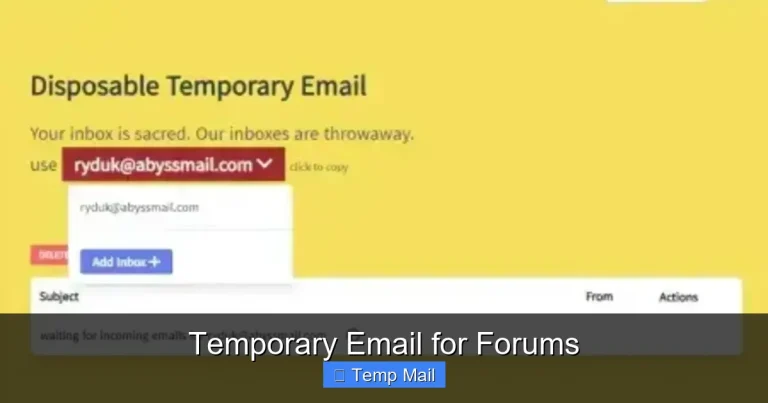
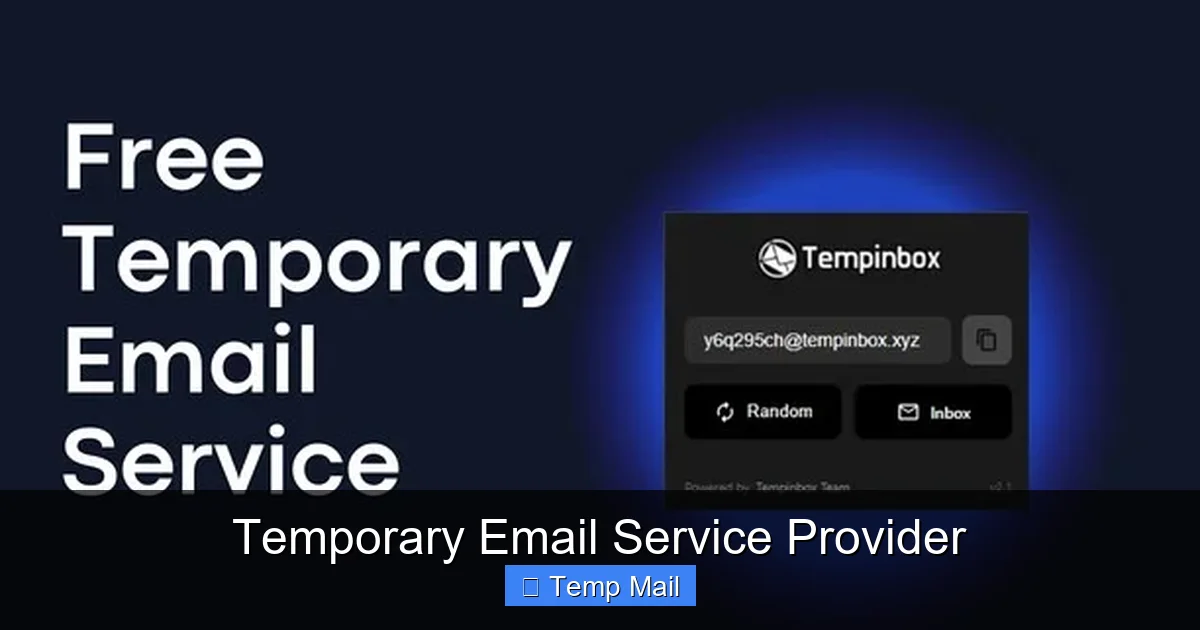
You navigate to the service’s website. The moment the page loads, its backend system automatically generates a unique, random email address for you. This address is typically a jumble of letters and numbers paired with the provider’s domain (e.g., abc123@temp-mail.org). You don’t choose it; it’s assigned to your specific browser session via a session ID or a unique URL. This address is now active and ready to receive mail on the provider’s servers.
Step 2: Using the Disposable Address
You copy this generated address and paste it into any website’s sign-up or download form that requests an email. You complete the required action—verifying the account, clicking the download link, etc. Any email sent to that disposable address is routed to the provider’s servers and stored in the temporary inbox associated with your session.
Step 3: Accessing Your Inbox
You stay on the provider’s website (or keep your unique URL open in a tab). The page automatically refreshes every few seconds to check for new mail, displaying it in a simple, often webmail-like interface. You can read the content, and in most cases, click any links within the email or download attachments directly to your computer. There is no password or login; access is tied solely to your browser session.
Step 4: Automatic Destruction
This is the critical step. The provider’s system is programmed to delete the inbox and all its emails after a fixed timeout. This could be 10 minutes, 1 hour, 1 day, or sometimes a custom period you select. Once the timer expires, that email address ceases to exist. If you try to access it later via the same URL, you’ll find an empty or non-existent inbox. The address may then be recycled and reassigned to a completely different user in the future, ensuring complete data dissociation.
Top 5 Practical Use Cases: When to Reach for a Temp Mail
Knowing *why* to use a temporary email is as important as knowing *how*. Misuse can lead to problems, but proper application makes it an indispensable tool. Here are the most common and valid scenarios.
Visual guide about Temporary Email Service Provider
Image source: addons-media.operacdn.com
1. Dodging Spam from One-Time Sign-Ups
This is the classic use case. You want access to a piece of gated content—a whitepaper, a software trial, a forum thread—and the site insists on an email. Using your primary address here is a guaranteed way to get added to a newsletter or promotional list you never wanted. A disposable inbox lets you get the immediate deliverable (the download link, the forum access code) and then vanish, leaving no trace for the sender to follow up. It’s a clean, one-time transaction.
2. Creating Test Accounts for Software & Services
Developers, QA testers, and even regular users setting up a new app often need to create multiple test accounts. Using real emails for this is messy and pollutes your primary inbox with test notifications. A temporary email service provider allows you to rapidly generate unique addresses for each test account, verify it, perform your tests, and abandon it without consequence. This keeps your production accounts separate and clean.
3. Bypassing Regional or Forum Restrictions
Some websites or online forums restrict access based on geography or require an account to view content. While respecting terms of service is crucial, a disposable email can be used to create a minimal, anonymous account solely for the purpose of accessing publicly available information that is unnecessarily gated. It’s a workaround for overzealous registration walls.
4. Protecting Your Identity on Public Wi-Fi & Shared Computers
When using a library computer, an airport kiosk, or a friend’s device, you should never log into your personal email. A temporary email service is perfect here. You can sign up for a needed service or receive a verification code without ever typing your real credentials into an untrusted machine. The session and its associated disposable address are gone once you close the browser, leaving no password or session cookies behind.
5. Avoiding Data Harvesting & Reducing Your Digital Footprint
Every email address you hand out is a data point that can be sold, shared, and aggregated to build a profile of your interests, location, and behavior. By using a different disposable address for each minor interaction, you fragment your digital footprint. If one of those addresses is later involved in a data breach (which is increasingly common), only that isolated, meaningless address is compromised, not your identity or other accounts. It’s a proactive privacy tactic.
Security & Limitations: The Crucial Fine Print You Must Know
While incredibly useful, temporary email services are not a magic bullet for all privacy concerns. Understanding their limitations is non-negotiable for safe usage.
Visual guide about Temporary Email Service Provider
Image source: anonymmail.net
Security Strengths: Anonymity and Isolation
The primary security benefit is anonymity. The provider does not ask for or store any personal information linking the disposable address to you. The inbox is publicly accessible to anyone who has the unique URL, but that URL is essentially a random secret. For the duration of its life, communications are typically not encrypted between you and the provider’s server (look for HTTPS in the URL), so the content is not secure from network eavesdroppers in the same way as a properly configured, private email service. However, the biggest security win is isolation. Any malicious links, tracking pixels, or phishing attempts sent to the disposable address are contained within a sandbox that you will abandon. They cannot cross-contaminate your primary email account or its contacts.
Critical Limitations and Risks
- No Sending Capability (Usually): Most services are receive-only. You cannot send emails from a disposable address. This is by design to prevent abuse for spam.
- Public Inboxes: If someone else somehow guesses or discovers your unique inbox URL, they can read your emails. The security is through obscurity, not robust authentication.
- No Password Recovery: Never, ever use a disposable address for account recovery on important services like your bank, main email, or social media. If you lose access to your main account, you’ll be locked out forever because the recovery email will have vanished.
- Attachments Can Be Risky: While you can download attachments, be cautious. Malware can still infect your computer. Treat attachments from disposable emails with the same suspicion as any unknown source.
- Blocked by Major Platforms: Many major services (Google, Microsoft, Facebook, Apple) actively block known disposable email domains to prevent fraud and abuse. You cannot use them to sign up for essential accounts.
- No Long-Term Storage: The inbox is temporary. If you need to reference an email weeks later, you’re out of luck. Save important codes or documents elsewhere immediately.
How to Choose the Right Temporary Email Service Provider
Not all disposable email services are created equal. While the core function is similar, features and policies differ. Here’s what to evaluate when selecting a temporary email service provider.
Key Feature Checklist
- Inbox Lifespan Options: Does it offer flexibility? Some provide only 10 minutes, others 1 hour, 1 day, or even a week. Choose based on your task. A quick verification needs 10 minutes; a multi-day trial sign-up might need 24-48 hours.
- Multiple Domain Choices: The best providers offer several domains (e.g., @temp-mail.org, @tmpmail.org, @tempr.email). This is useful if one domain gets blocked by a particular website you’re trying to register with.
- Attachment Support: Can you receive and download attachments? Check if there’s a size limit. This is crucial for downloading software installers or PDFs.
- User Interface & Experience: Is the inbox clean and easy to read? Does it auto-refresh smoothly? A cluttered, ad-heavy interface can be frustrating and potentially expose you to malicious ads (malvertising).
- Ad presence: Most free services are ad-supported. Assess if ads are intrusive or potentially dangerous. Some providers offer a premium, ad-free tier.
- API Access (For Developers): If you’re building an application that needs to automate email verification, look for providers that offer a reliable API.
- Privacy Policy & Data Handling: Read it. Does the provider claim to log IP addresses? Do they share data? Reputable providers explicitly state they do not log or correlate sessions with personal data.
Red Flags to Avoid
Steer clear of services that demand you create an account to use their “temporary” mail—this defeats the purpose. Be wary of sites with excessive, misleading download buttons that lead to malware instead of the email interface. If a provider’s domain is constantly changing or they have no clear “About” or contact page, it’s less trustworthy. Stick to well-known, established names in the space that have been operating reliably for years.
The Future of Disposable Email: Trends and Evolving Challenges
The cat-and-mouse game between disposable email providers and the entities that want to block them is ongoing. As data privacy regulations like GDPR and CCPA strengthen user rights, the demand for tools like temporary email is growing. We are seeing several trends.
Integration with Privacy Suites
Disposable email is no longer a standalone website. It’s becoming a feature within broader privacy browsers (like Brave) and password managers (like Firefox Lockwise). This integration makes it seamless to generate and use a temp address directly from a login form, increasing adoption.
Improved Longevity and Customization
Providers are offering more control. You can now often set a custom prefix for your address (e.g., myname123@domain.com) for easier recognition, and choose longer lifespans (up to a month) for situations that require slightly more duration but still not permanence. Some are even offering “alias” features that forward to your real email but can be disabled with one click.
The AI & Bot Detection Arms Race
Websites are getting smarter. They employ advanced bot detection that can sometimes flag the behavior of a user generating an email from a known disposable domain and then quickly abandoning it. In response, some temporary email service providers are rotating their domains more frequently and mimicking more “natural” user session patterns to avoid blacklists. This is a constant technological tug-of-war.
Legitimacy and Acceptance
As privacy becomes a mainstream concern, the stigma around using disposable email is fading. It’s increasingly seen as a smart, responsible practice rather than a shady one. However, for any transaction involving real money, legal agreements, or long-term service relationships, legitimate businesses will continue to require a permanent, verifiable email address. The temp mail’s domain is its own warning label: “This user values privacy and may not be here for the long haul.”
Conclusion: Your Digital Shield, Used Wisely
A temporary email service provider is one of the simplest, most powerful tools in your digital privacy toolkit. It requires no technical skill, costs nothing, and instantly decouples your everyday online activities from your core identity. By adopting the habit of using a disposable address for any non-essential, one-off interaction with the web, you build a formidable barrier against spam, data mining, and the slow creep of unwanted digital clutter.
Remember its purpose: it is a tool for anonymity and isolation, not a replacement for your primary communication channel. Use it boldly for sign-ups, downloads, and verifications, but always protect your permanent email for accounts that matter—your bank, your main cloud storage, your primary social media. When chosen wisely—opting for a provider with a good reputation, clear privacy policy, and useful features—and used with its limitations in mind, a temporary email service is not just a convenience; it’s a fundamental act of digital self-defense in an era of pervasive data collection. Start using one today, and feel the immediate relief of an inbox that stays clean because you never gave out the address in the first place.
Frequently Asked Questions
Is using a temporary email service legal?
Yes, using a disposable email address is completely legal in virtually all jurisdictions. These services operate within the law. The legality only comes into question if the address is used for illegal activities like fraud, harassment, or evading legal bans. The tool itself is neutral; its ethical use determines its legality.
Can I send emails from a temporary address?
Almost never. The vast majority of temporary email services are receive-only. This is a deliberate design choice to prevent their networks from being used to send spam. Their value lies in providing you with an inbox to receive verification links or downloads, not in enabling you to send outgoing mail.
How long do emails last in a temporary inbox?
It varies by provider, but lifespans are short. Common options include 10 minutes, 1 hour, 1 day, or 1 week. The entire inbox—including all received messages—is permanently deleted the moment the timer expires. Some providers allow you to extend the lifespan manually while you’re actively using it.
Are temporary emails truly anonymous?
They provide a high degree of practical anonymity. The provider does not require your name, phone number, or real email to generate an address. However, your internet activity is still visible to your ISP and the websites you visit. The anonymity is specifically between you and the *sender* of the email—they cannot trace the disposable address back to your real identity through the provider’s logs, as those logs are not maintained.
Will I get banned from websites for using a disposable email?
Possibly. Many popular platforms (like Google, Facebook, Twitter, Netflix) actively block domains from known disposable email providers during sign-up to reduce fake accounts and fraud. If a site rejects your temp mail address, you’ll need to use a permanent email or a different provider’s domain that isn’t on that site’s blocklist.
What happens to my disposable email after I close the browser?
Nothing happens to the inbox itself—it continues to exist and collect mail until its preset expiration time. However, you will lose easy access to it. Unless you saved the unique URL of your inbox session, you will almost certainly be unable to retrieve it later. The address and its contents will still be purged on schedule, but you won’t be able to check it without that specific URL.