Best Temp Mail
Temporary email, or “temp mail,” is a powerful tool for protecting your primary inbox from spam and safeguarding your online privacy. This guide cuts through the noise to reveal the most reliable, user-friendly, and secure disposable email services available. We provide practical, step-by-step instructions on how to use them effectively for sign-ups, downloads, and verifications, while also highlighting the critical limitations and safety precautions every user must know to avoid pitfalls.
Key Takeaways
- Privacy Shield: Temp mail acts as a disposable barrier, preventing websites from collecting your real email and personal data, thus reducing targeted advertising and data profiling.
- Spam Combatant: Its primary function is to contain promotional emails and potential phishing attempts to a self-destructing inbox, keeping your permanent email clean and secure.
- Not for Critical Accounts: Never use temp mail for banking, primary social media, or any account where recovery and long-term access are essential; these emails vanish permanently.
- Service Variability: The “best” temp mail service depends on your need—some offer browser extensions, custom domains, or longer lifespans, while others prioritize sheer simplicity and speed.
- Legal & Ethical Use: Using disposable email is perfectly legal for legitimate privacy purposes, but it violates the terms of service for many platforms and can be flagged as suspicious activity.
- No True Anonymity: While it hides your email, your IP address and browser fingerprint may still be logged by the website you visit, so temp mail is not a complete anonymity tool.
- Auto-Deletion is Key: The core feature is automatic inbox destruction after a set time (often 10 minutes to 24 hours), ensuring no digital trail remains for the sites you temporarily engage with.
📑 Table of Contents
- What is Temporary Email? Your Digital Disposable Shield
- Why You Absolutely Need a Temporary Email Address
- The Top Contenders: Best Temp Mail Services of 2024
- How to Use Temporary Email: A Simple, Safe Step-by-Step Guide
- The Flip Side: Pros and Cons of Temporary Email
- The Future of Disposable Email and Online Privacy
- Conclusion: Embrace Strategic Disposability
What is Temporary Email? Your Digital Disposable Shield
Let’s be honest: your email address is a goldmine for marketers and a primary target for spam bots. Every time you sign up for a free ebook, a discount offer, or a new app, you’re handing over the keys to your digital front door. This is where temporary email, affectionately known as “temp mail” or “disposable email,” enters the picture as your secret weapon. Think of it as a burner phone for your inbox. It’s a real, functioning email address that exists for a very short time—often just 10 minutes to a few hours—and then vanishes into the digital ether without a trace.
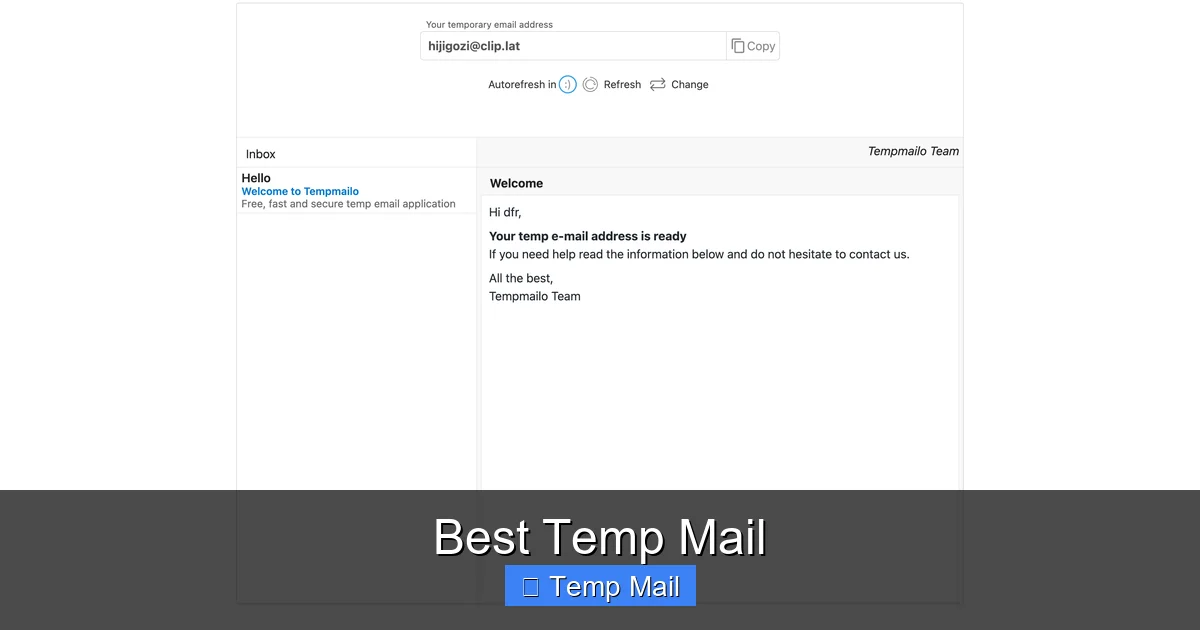
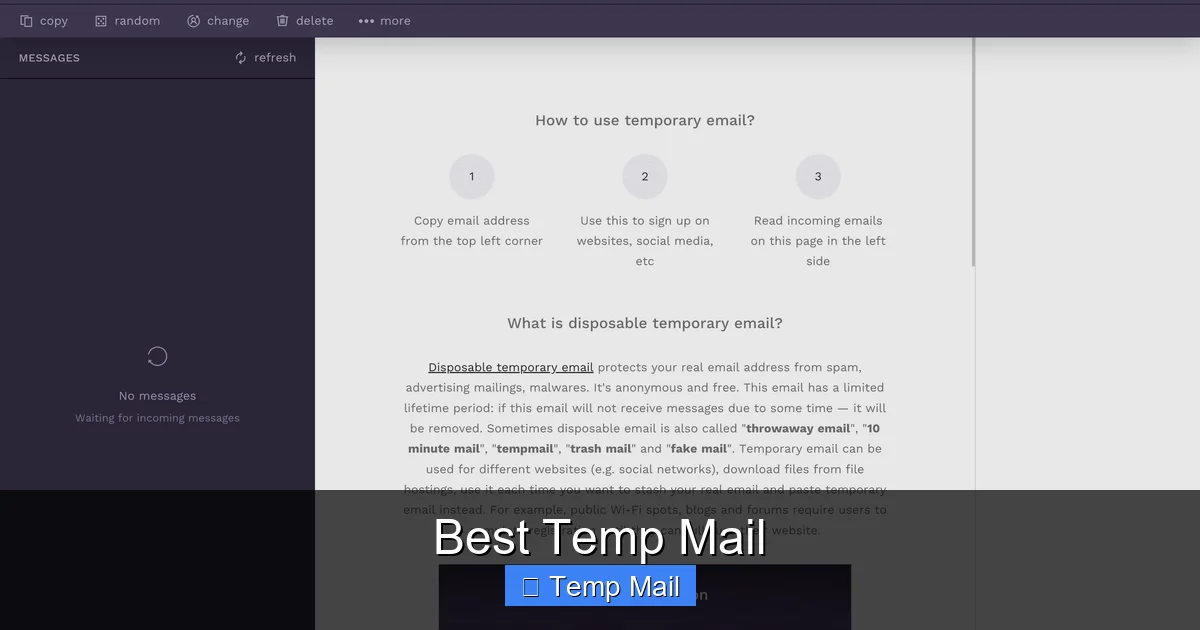
The technology behind it is surprisingly straightforward. These services generate random email addresses on their own domains. When you visit a temp mail website, it instantly assigns you a unique address and provides a public inbox that you can access on that same page. Any email sent to that address populates right there. No password, no login, no personal details required. Once the timer expires or you close the browser, that address and all its contents are permanently deleted from the server, never to be reused. It’s a brilliant, minimalist solution to a very modern problem: inbox overload and privacy erosion.
The Core Mechanics: How a Temp Mail Inbox Works
Imagine walking into a public library, picking up a random, numbered mailbox, and having all your mail delivered right to the library’s front desk for you to read on the spot. That’s the temp mail model. The service provider owns a pool of domains (like @tempmail.demo or @10minutemail.com). When you land on their site, their server randomly allocates one of millions of possible addresses from that pool to your browser session. This address is displayed prominently.
Simultaneously, the server creates a corresponding, password-less inbox linked to that address. When you click a “sign up” button on another website and enter your temp mail address, that site sends a verification email. The temp mail service’s server intercepts that email, strips out any dangerous attachments or scripts (a crucial safety feature), and displays the clean text and links in your temporary inbox window. You click the verification link directly from there. There is no “forwarding” to your real email; the interaction ends within the temp mail ecosystem. After the session times out, the server purges the address from its rotation and scrubs the data.
Why You Absolutely Need a Temporary Email Address
You might be thinking, “I just use a separate email for sign-ups.” That’s good practice! But a temp mail goes several steps further. It’s not just a filter; it’s a complete identity eraser for one-off interactions. The reasons to adopt this tool are compelling and span privacy, security, and pure convenience.
Visual guide about Best Temp Mail
Image source: temp-mail.io
1. The Ultimate Spam and Phishing Containment Field
How many times have you signed up for something “free” only to be bombarded with daily newsletters and “exclusive offers” you never wanted? Your primary email becomes a spam magnet. With temp mail, that promotional barrage is confined to an inbox that will self-destruct in an hour. Any phishing attempt with a malicious link or attachment is neutralized because the inbox is gone before you even think about clicking it again. It contains the threat entirely.
2. Reclaiming Your Digital Privacy and Data Footprint
Every email address you use is a data point. Companies build profiles by linking your email to your browsing behavior, purchases, and location. By using a disposable address for low-stakes interactions, you break that chain of data aggregation. You are not giving them a persistent identifier to track you across the web over months and years. It’s a small but significant act of digital self-defense, reducing the surface area for data brokers to exploit.
3. Bypassing “Email-Required” Gated Content
We’ve all been there: you want to read a crucial whitepaper, download a template, or see a case study, and the site demands your email first. Often, this is a lead generation tactic with no promise of valuable follow-up. A temp mail lets you gracefully bypass this wall without guilt or future inbox clutter. You get what you need instantly, and the marketer gets an address that leads to nowhere. It’s a fair exchange in the attention economy.
4. Testing Software and Online Services Anonymously
Are you a developer testing a new app’s registration flow? A curious user wanting to try a SaaS platform’s freemium tier without a sales call? A temp mail is perfect for this. You can create a test account, explore the features, and then abandon it without leaving a trace. For developers, it’s an invaluable tool for QA processes, ensuring the sign-up email logic works without polluting real user databases.
The Top Contenders: Best Temp Mail Services of 2024
Not all temp mail services are created equal. Some are bare-bones and fast, while others offer useful extra features. After extensive testing for speed, reliability, ad intrusiveness, and inbox longevity, here are the standout services that earn the “best” title for different use cases.
Visual guide about Best Temp Mail
Image source: temp-mail.io
1. Temp-Mail.org: The All-Rounder Champion
This is often the first name that comes to mind and for good reason. Temp-Mail.org is the quintessential, no-fuss disposable email provider. Its interface is clean, the inbox loads instantly, and the default 10-minute timer is perfect for quick verifications. It offers a helpful browser extension for Chrome and Firefox, allowing you to generate a new temp address with one click from any sign-up page. A unique feature is the ability to manually choose your inbox’s domain from a list (e.g., @tempmail.demo, @tmpmail.org), which can help bypass sites that block common temp domains.
- Best For: Everyday, quick sign-ups and downloads.
- Key Feature: Browser extension, domain selection, 10-minute default lifespan.
- Watch Out For: Ads on the site can be slightly intrusive; the inbox timer is relatively short.
2. 10MinuteMail.com: The Original Speedster
As the name implies, this service is laser-focused on one thing: getting you a working email in seconds that lasts for 10 minutes. The website is famously minimalist—just a giant email address and a countdown timer. There are no distracting menus, no frills. It’s the epitome of “in and out.” If your only goal is to click a verification link on a forum or a file hoster and never look back, 10MinuteMail is the fastest tool in the shed. The countdown is clear and visible, and you can extend the time by a few minutes if needed with a single click.
- Best For: Ultra-fast, single-purpose verifications where you don’t need to read lengthy emails.
- Key Feature: Blazing speed, extreme simplicity, no-frills design.
- Watch Out For: Very limited functionality; no extensions or domain choices. The 10-minute limit can be too short for some processes.
3. Guerrilla Mail: The Feature-Powered Veteran
Guerrilla Mail has been around for ages and has evolved into a more robust tool. While it still offers the classic 60-minute disposable inbox, it also provides options for a “persistent” address that lasts 24 hours (which you can manually reset). Its interface includes a basic “compose” function, allowing you to send emails *from* your temp address—a rare feature useful for replying to a one-time contact without revealing your real email. It also has a password-protected inbox option for a slight layer of privacy if you need to step away.
- Best For: Users who need a bit more control (longer time, send capability) without graduating to a full email service.
- Key Feature: Optional 24-hour persistent address, ability to send emails, password protection.
- Watch Out For: The interface is more cluttered with ads and options, which can be overwhelming for first-time users.
4. Maildrop.cc: The Minimalist’s Dream
If you abhor ads and love clean design, Maildrop.cc is a breath of fresh air. It has one of the most uncluttered, ad-free interfaces among major temp mail services. You simply visit the site, get a random @maildrop.cc address, and your inbox is ready. It focuses purely on receiving and viewing emails. The default lifespan is about 24 hours, but the inbox is cleared after a period of inactivity. It’s reliable, fast, and respects your attention span.
- Best For: Privacy-conscious users who dislike advertising and want a clean, simple experience.
- Key Feature: Ad-free minimalist interface, 24-hour default lifespan, reliable delivery.
- Watch Out For: Lacks advanced features like extensions or domain choice. Very simple.
How to Use Temporary Email: A Simple, Safe Step-by-Step Guide
Using a temp mail service is intentionally simple, but doing it correctly ensures you actually receive that crucial verification email. Follow this foolproof process.
Visual guide about Best Temp Mail
Image source: temp-mail.io
Step 1: Choose and Bookmark Your Service
First, decide which service fits your need from the list above. For general use, Temp-Mail.org is a great starting point. Bookmark the site. This is your new go-to tool.
Step 2: Generate Your Disposable Address
Navigate to your bookmarked site. The homepage will instantly generate a random email address for you, like xyz7k2@tempmail.demo. It will also show a countdown timer (e.g., 09:59). This is your temporary identity. Copy this address to your clipboard.
Step 3: Use It for the Sign-Up/Download
Go to the website or service where you need an email (a forum, a file download site, a newsletter gate). Paste the temp mail address into the email field and proceed with the sign-up or request. Complete any other required steps (CAPTCHA, etc.) and submit.
Step 4: Stay on the Inbox Page and Wait
This is the most critical step. Do not close the temp mail browser tab. Keep it open and watch the inbox. Within 30 seconds to 2 minutes, the verification email should arrive. It will appear as a list item in the inbox. Click on it to open and read the contents.
Step 5: Click the Verification Link
Inside the email, you’ll find a link (often blue and underlined) to confirm your email or access your download. Click this link directly from within the temp mail inbox. This opens the verification page in a new tab. Complete the process on the original site. You’re done! The temp mail will continue to show the email, but you can now close the tab.
Step 6: Let It Expire
Do nothing. The countdown timer will reach zero, and the service will automatically delete that email address and all its contents from its servers. The address will be recycled and given to a future user. Your digital footprint from that interaction is gone.
Pro Tip: If the email doesn’t arrive within a couple of minutes, first check the spam/junk folder of the temp mail inbox (some services have this folder). If it’s still missing, the website you signed up for may have detected the temp domain and blocked the email. In that case, you’ll need to use a different service or a real email.
The Flip Side: Pros and Cons of Temporary Email
Temp mail is a fantastic tool, but it has clear boundaries. Understanding its strengths and weaknesses is key to using it effectively and safely.
Pros: The Clear Advantages
- Ironclad Spam Prevention: Your primary inbox remains pristine.
- Enhanced Privacy: Limits personal data sharing with unknown entities.
- Zero Cost: All major services are completely free.
- No Commitment: No passwords to remember, no accounts to manage.
- Speed: Get a working email in under 5 seconds.
- Security Buffer: Malicious attachments are often stripped, and the ephemeral nature reduces long-term risk.
Cons: The Crucial Limitations
- No Account Recovery: If you forget a password for a site you signed up with temp mail, you’re locked out forever. The account is effectively dead.
- Blocked by Many Major Platforms: Google, Facebook, Twitter, Instagram, and most major banking or payment services (PayPal, Stripe) actively block known disposable email domains. They require persistent, verifiable identities.
- Short Lifespan: You cannot access that inbox later. If you need to refer back to a receipt or document sent to that temp mail after the timer expires, it’s gone.
- Not for Professional or Legal Use: Any official communication, contract, or business correspondence must use a permanent, reputable email address.
- Potential for Abuse: The anonymity can be misused for creating fake accounts, trolling, or fraudulent activity, which is why some sites are hostile to all temp mail.
- Limited Sending: Most services are receive-only. You generally cannot send emails *from* a temp address (Guerrilla Mail being a notable exception).
The Future of Disposable Email and Online Privacy
The temp mail industry is not static. As data privacy regulations like GDPR and CCPA tighten, and as users become savvier, disposable email is evolving. We’re seeing trends like browser-integrated privacy suites (like Brave’s built-in email forwarding) and password managers (like 1Password) offering their own masked email forwarding services. These are more sophisticated, often persistent until you choose to delete them, and are designed to be less likely to be blocked.
However, the cat-and-mouse game continues. As more sites block common temp domains, these services adapt by using newer, less-known domains and more sophisticated rotation techniques. The fundamental need—a way to interact online without surrendering your core identity—is only growing. The future likely holds a blend of integrated, reputable “masking” services for general use and the raw, anonymous temp mail for the most transient, low-stakes interactions where absolute anonymity is the goal. For the individual user, the takeaway is clear: be a strategic privacy practitioner. Use the right tool for the job. Reserve your permanent email for banks, family, and essential services. Use your temp mail as a disposable shield for everything else that tries to grab your attention and your data.
Conclusion: Embrace Strategic Disposability
In a digital world obsessed with data collection and perpetual engagement, the humble temp mail is a act of quiet rebellion. It’s not about being paranoid; it’s about being prudent. By adopting the simple habit of using a disposable email for non-essential sign-ups, you take back control of your primary inbox, slash spam, and minimize your passive data exhaust. You are not deleting your online presence, but you are judiciously containing it. Choose a service that fits your workflow from our recommended list, follow the safe usage steps, and respect its limitations. Remember, the best temp mail is the one you use wisely—for the trivial, the temporary, and the trials—while keeping your true digital home secure and clean for what truly matters.
Frequently Asked Questions
Is using temporary email legal?
Yes, using disposable email services is completely legal in most jurisdictions. It is a legitimate privacy tool. However, using it to commit fraud, create fake accounts for malicious purposes, or bypass terms of service agreements may violate laws or platform rules.
Can temp mail be traced back to me?
The email address itself is anonymous and not linked to your identity. However, the website you visit *while using the temp mail* can still log your IP address, browser fingerprint, and device information. So, while your email is disposable, your general internet activity on that site is not necessarily anonymous.
Why do some websites block temporary email addresses?
Websites block disposable email domains to prevent spam, abuse, and fraud. They want genuine users and to maintain clean mailing lists. Blocking temp mail is also a way to enforce their terms of service, which often require a real, contactable email for account recovery and communication.
What is the best temp mail for signing up on forums or download sites?
For most general sign-ups, Temp-Mail.org is the best all-around choice due to its speed, browser extension, and domain selection options. Maildrop.cc is excellent for a clean, ad-free experience. Always test a service with a specific site, as some may be more aggressive in blocking certain domains.
What’s the difference between temp mail and email masking services?
Temp mail is truly disposable and short-lived (minutes/hours). Email masking services (like those from Firefox Relay or Apple Hide My Email) create a forwardable alias that lasts until you delete it. Masked emails are less likely to be blocked by major sites because they forward to your real inbox and are often from reputable domains, but they are not truly anonymous as they link back to your main account.
Is it safe to click links in a temporary email inbox?
Generally, yes, but with caution. Reputable temp mail services strip out active scripts and potentially dangerous attachments from incoming emails, rendering them harmless text. However, the *link itself* will take you to the external website that sent the email. That website could be malicious. Always assess the sender and context before clicking any link, just as you would with a regular email.