Fast Temporary Email
Tired of spam clogging your main inbox? A fast temporary email is your instant, disposable solution. Created in seconds with no personal info, it’s perfect for one-time sign-ups, downloads, and verifying accounts without risking your primary email. Use it, forget it, and keep your real address private.
Ever felt that pang of hesitation before clicking “Sign Up” on a new website? You know the drill. They want your email. You give your primary, personal address—the one tied to everything important—and then the spam begins. Promotional newsletters you never asked for, “exclusive offers” that feel like junk, and the constant, low-grade anxiety that your email is now on some master list sold to who-knows-who. What if you could just… skip that? What if there was a way to get a working email address in the time it takes to blink? That’s the promise, and the reality, of a fast temporary email. It’s not a secret tool; it’s a straightforward privacy shield for the modern web.
We live in an age of data. Every online interaction is a potential data point collected, stored, and sometimes, exploited. Your email address is the golden key. It’s the primary identifier that links your accounts, your purchases, and your browsing habits. A fast temporary email service hands you a throwaway key for those interactions you’d rather not have on your permanent record. The defining word here is “fast.” This isn’t about setting up a complicated secondary account. This is about instant gratification for privacy. You click a button, and an inbox is born. You use it, you get the confirmation code or the download link, and then you walk away. No cleanup, no unsubscribe hassles, no lingering digital residue. It’s the digital equivalent of using a burner phone for a single, specific call.
This guide will walk you through everything you need to know about using fast temporary email services effectively and safely. We’ll demystify how they work, explore the best scenarios to use them (and the ones to avoid), compare popular features, and tackle the important questions of security and ethics. By the end, you’ll be equipped to navigate the web with a new layer of privacy, one disposable inbox at a time.
Key Takeaways
- Instant Creation: A fast temporary email address is generated the moment you visit the service website—no registration, no waiting.
- Maximum Privacy: It requires zero personal information, shielding your real identity and primary inbox from unwanted marketers and data breaches.
- True Disposability: These inboxes are designed to be short-lived, typically expiring after 10 minutes to 24 hours, ensuring no long-term digital footprint.
- Specific Use Cases: Ideal for forum registrations, software trials, gated content access, and any online action you don’t want linked to your main email.
- Not for Everything: Never use a temporary email for critical accounts (banking, main social media), password recoveries, or any service requiring long-term access.
- Built-in Security: Reputable services offer inbox encryption and do not log your activity, but they are not a substitute for encrypted, secure email for sensitive data.
- Easy Management: Most services provide a simple, web-based inbox interface to view incoming messages directly in your browser, no app needed.
📑 Table of Contents
- What Exactly Is a Fast Temporary Email?
- How Does a Fast Temporary Email Service Work? The Simple Tech
- Top 5 Practical Use Cases: When to Reach for a Fast Temp Mail
- Choosing a Fast Temporary Email Service: What to Look For
- Security and Privacy: The Real Protection (and Limits)
- Limitations and Ethical Use: Avoiding Pitfalls
- The Future and Alternatives: Beyond the Basic Burner
What Exactly Is a Fast Temporary Email?
Let’s start with a clear definition. A temporary email, also called a disposable email, throwaway email, or burner email, is an email address that is active for a very short, predetermined period. A “fast” temporary email service prioritizes speed and simplicity above all else. The entire user experience is designed to be frictionless: you arrive at the website, and an email address and corresponding inbox are ready for you immediately, often without you needing to click anything.
The Core Philosophy: Ephemeral Communication
The fundamental principle is ephemerality—things that are transient and disappear quickly. Unlike your permanent Gmail, Outlook, or Yahoo address, which you intend to keep for years, a temporary email exists for a single purpose and a single session. Its lifespan is measured in minutes or hours, not years. This built-in expiration date is its greatest strength. It automatically solves the problem of long-term accumulation. You don’t have to remember to delete the account because the service does it for you, ruthlessly and automatically. This philosophy directly combats the common practice of “email hoarding,” where old, unused accounts become security liabilities and clutter your digital life.
How “Fast” Transforms the Experience
The “fast” component is what separates a useful tool from a frustrating one. In the early days of disposable email, some services still required you to manually choose an address from a list or even create a password. A truly fast service eliminates every single step between you and your goal: which is to receive an email. The best ones generate a random address and load the corresponding inbox view simultaneously. You see the address you can copy and the empty inbox waiting for a message at the exact same moment. There is no cognitive load. No decision fatigue. It’s a pure, single-purpose tool. This speed is crucial when you’re in the middle of a workflow—like trying to access a whitepaper or verify a software download—and you need that email code within 60 seconds, not after a 2-minute setup process.
How Does a Fast Temporary Email Service Work? The Simple Tech
The magic behind a fast temporary email is surprisingly straightforward, relying on clever but simple server-side configurations. Understanding this helps set realistic expectations about what these services can and cannot do.
Visual guide about Fast Temporary Email
Image source: rocketnetworks.com.au
Server-Side Magic: Catch-All Domains and Wildcards
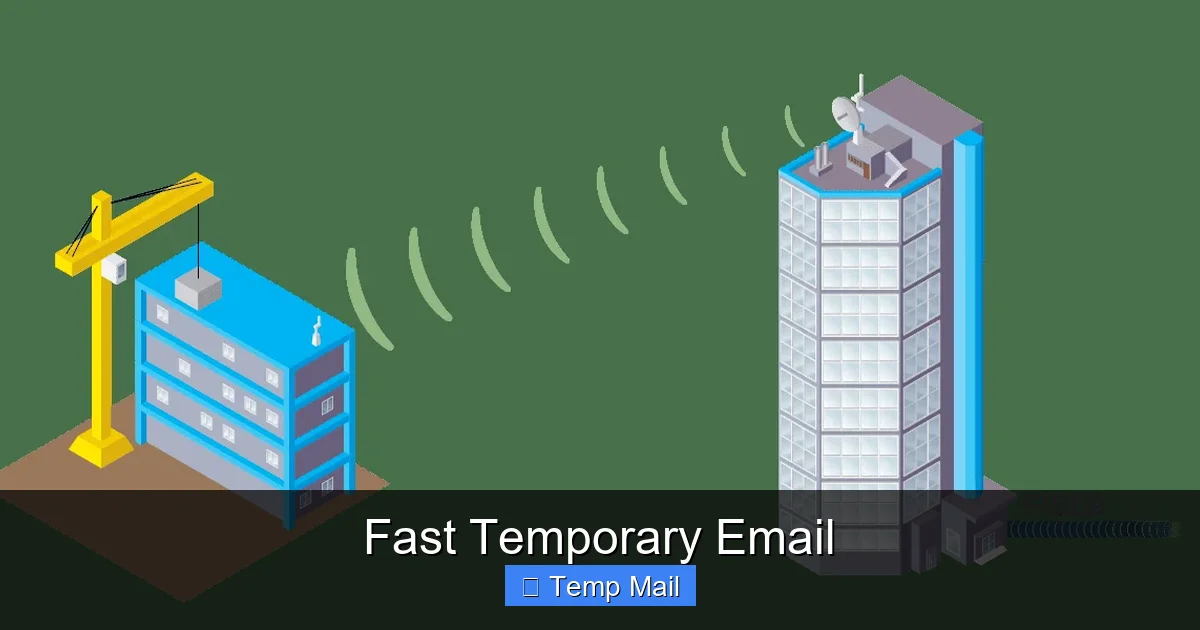
At the heart of most fast temporary email services is a domain they own (like tempmail.example or 10minutemail.com). They configure their mail server with a “catch-all” or “wildcard” setting. This means any email sent to anything@theirdomain.com will be accepted and delivered to a single, master inbox queue. There’s no need to pre-create “user123@theirdomain.com” as a specific account. The system is agnostic. When you visit the site and it gives you an address like “abc7xyz@tempmail.example,” it’s simply generating a random string. When an email arrives for that address, the server catches it, stores it, and the website’s interface polls that master queue to show you the new message. This is why the address generation is instant—no database entry for a new user is required. It’s all handled by the mail server’s configuration.
The Inbox Interface: A Real-Time View
Your “inbox” on a temporary email site isn’t a traditional, persistent mailbox like in Outlook. It’s a dynamic, real-time web page that queries the server’s catch-all queue for messages addressed to the random string it assigned to your browser session. Often, a unique token or session ID is used to link your browser to the correct subset of emails in the queue. This is why you usually can’t close the browser tab and come back later to the same inbox—the session link is lost. The inbox page itself will typically have a big, bold countdown timer showing how much time is left before the entire address and its messages are purged from the server. Refreshing the page manually updates the email list, simulating a live inbox experience.
No Storage, No Forwarding, No POP/IMAP
Because of this ephemeral design, you won’t find advanced features. There is no long-term storage. Emails are deleted when the timer hits zero. There is no email forwarding to your main account (that would defeat the purpose). And crucially, you cannot set up these temporary addresses in desktop or mobile email clients using POP or IMAP protocols. The entire access is confined to the provider’s web interface. This limitation is a trade-off for the unparalleled simplicity and speed. You are renting a digital P.O. box for 10 minutes, not moving into a digital house.
Top 5 Practical Use Cases: When to Reach for a Fast Temp Mail
Knowing *why* to use a temporary email is as important as knowing *how*. Misuse can lead to frustration (e.g., locking yourself out of an account you actually need). Here are the prime, practical scenarios where a fast temporary email shines.
Visual guide about Fast Temporary Email
Image source: rocketnetworks.com.au
1. Bypassing “Email Gating” for Content
This is the most common and legitimate use. You want to download a free ebook, access a research report, see a case study, or get a template. The website asks for your email in exchange. Using your primary email means you’ll likely be added to their marketing list. A temporary email gets you the download link instantly, and the address dies before any follow-up spam can arrive. Pro Tip: After entering the temp mail, check the inbox immediately. Some sites send the link in the first email; others send a “confirm your email” message you must click. Have that inbox tab open and ready.
2. Creating Test Accounts for Software or Services
You’re evaluating a new SaaS tool, project management app, or design software. They offer a free trial but require an email to sign up. Using a temp mail lets you explore the full trial period without commitment. The key is to use a temp mail from a service that lasts long enough (e.g., 24 hours or a few days) if you need extended testing. For a quick 5-minute sanity check, a 10-minute address is fine. This prevents your primary inbox from being flooded with “Your trial is ending!” upsell emails from dozens of services you tried once.
3. Registering on Forums or Commenting Platforms
You want to post a comment on a news site, join a hobbyist forum for a one-time question, or participate in a Reddit-like community that requires email verification. A temporary email is perfect here. It verifies your account so you can post, but it severs the connection immediately after. This protects you from any future data leaks on that forum or from targeted ads based on your forum participation. It’s especially wise for lesser-known or niche forums where privacy policies are unclear.
4. Avoiding Spam from One-Time Online Purchases
You’re buying a one-off item from an e-commerce store you’ve never heard of. They’ll inevitably add you to their promotional newsletter list. Using a temp mail for the order confirmation and shipping updates (though be cautious—some carriers may not send to clearly disposable domains) can keep your main email clean. Important Caveat: For actual purchases where you need order confirmations and shipping tracking, a temp mail is risky. If the address expires before your item ships, you’ll lose tracking info. Only use this for digital goods or extremely low-risk, low-value physical purchases where you can tolerate potential communication loss.
5. Signing Up for “Freebie” Sites and Sweepstakes
Sweepstakes, free sample offers, and “get a free gift card” sites are infamous for harvesting emails and selling them. They are the definition of low-trust, high-spam potential. A fast temporary email is the perfect weapon here. You get your entry or your “free” sample code, and the disposable address vanishes, taking the inevitable flood of promotional junk with it. It turns a potential privacy nightmare into a victimless transaction.
Choosing a Fast Temporary Email Service: What to Look For
Not all temp mail services are created equal. While the core function is the same, features, reliability, and user experience vary. Here’s what to consider when picking your go-to tool.
Visual guide about Fast Temporary Email
Image source: smart-space.co.uk
Speed & Simplicity of Interface
The #1 criterion. Open the site. Is there an email address and inbox already visible? Or do you have to click “Generate,” solve a CAPTCHA, or pick a domain? The fastest services show everything on the initial page load. The interface should be clean, with a large, easy-to-copy email address and a clear, uncluttered inbox view. Avoid services that bombard you with ads before showing your inbox; that’s a sign of a lower-quality operation.
Inbox Lifespan Options
How long does the inbox last? The classic “10-minute mail” is great for instant verification codes. But if you need to receive a weekly newsletter summary or a delayed report, you might need 1 hour, 6 hours, or 24 hours. Some services offer a dropdown to select your desired lifespan when generating the address. Choose a service that offers a duration that matches your likely use case. Having a 24-hour option is a valuable flexibility upgrade.
Domain Variety and Reliability
Some websites and services actively block known disposable email domains. If you find your verification email never arrives, the site may have blacklisted the domain your temp service uses. A good service will offer multiple domain options (e.g., @tempmail.com, @disposable.com, @throwaway.net). If one domain is blocked, try generating an address with a different one from the same service. Also, check the service’s reputation for uptime. If their mail server is down, your “fast” email is useless.
No Forced CAPTCHAs (or Simple Ones)
CAPTCHAs (“I’m not a robot”) are a necessary evil to prevent abuse. However, some services force you to solve a complex image puzzle every single time you refresh or generate a new address. This kills the “fast” experience. Look for services that either have no CAPTCHA, a simple one-time check, or an easy-to-solve one. Your time is valuable.
Additional Useful Features
- Reply Functionality: Rare, but some advanced services allow you to reply to incoming emails from the temporary address. This is useful for two-way communication in a short window, like confirming an appointment.
- Language Support: If you’re not a native English speaker, a service with a clear interface in your language is helpful.
- Mobile-Friendly Design: Since you’re often using this on the fly, a responsive site that works well on your phone is essential.
Examples of Popular Services (for illustration): Names like Temp-Mail, 10MinuteMail, Guerrilla Mail, and Tempail are well-known. They all offer the core “fast” experience but differ in the specifics above—domains offered, ad load, and exact lifespan options. Try a couple to see which workflow you prefer.
Security and Privacy: The Real Protection (and Limits)
Using a temporary email is a privacy tactic, not a security suite. It’s crucial to understand what protection it offers and, more importantly, what it does not offer.
What It Protects: Your Primary Identity and Inbox
The primary privacy win is segregation. The temporary address acts as a buffer. Any data breach at the site where you used it, any spam they send, any data broker who buys their email list—it all goes to the disposable address. Your real name, your primary email, and the history attached to it remain untouched. This significantly reduces your “attack surface” for phishing campaigns, which often use information from one breached site to craft believable attacks on your other accounts. It also keeps your primary inbox pristine, which is a quality-of-life and productivity benefit.
What It Does NOT Protect: The Content of Your Messages
This is the critical limitation. You must assume that the content of emails sent to a temporary address is visible to the service provider. The mail server is receiving and storing that message temporarily to show it to you. While reputable services claim not to log or mine this data, the technical reality is they have access to it. Therefore, never send sensitive personal information via a temporary email. This includes:
- Passwords or security codes for other accounts
- Financial information (bank details, credit card numbers)
- Government IDs or passport numbers
- Confidential business documents
- Private health information
For truly sensitive communication, you need end-to-end encrypted email services like ProtonMail or Tutanota, where even the provider cannot read your messages.
Encryption and HTTPS
Legitimate fast temporary email services will use HTTPS (the padlock in your browser) to encrypt the connection between your browser and their server. This prevents eavesdroppers on your network (like at a coffee shop) from seeing the emails as they are transmitted. However, HTTPS only protects data in transit. It does not encrypt the emails at rest on the service’s server. Again, this circles back to the rule: don’t put sensitive stuff in there.
The “Man-in-the-Middle” Risk with Shady Services
The biggest security risk comes from using a disreputable or ad-heavy temporary email site. Some malicious actors set up these services specifically to harvest the emails and their contents. They might inject ads that are malware vectors or log every message that passes through. This is why it’s wise to stick with well-known, community-vetted services that have been around for a while. If a site looks incredibly sketchy, with aggressive pop-ups and misleading download buttons, avoid it. Your privacy is the product in that scenario.
Limitations and Ethical Use: Avoiding Pitfalls
A tool is only as good as how you use it. Fast temporary email has clear limitations, and using it unethically can have consequences.
Inherent Limitations of the Model
- No Long-Term Access: You cannot recover a temporary inbox after it expires. If a site sends a “welcome back” email a week later, it’s gone. This makes temp mail useless for any account you genuinely need to maintain.
- No Account Recovery: If you use a temp mail to sign up for a service and then forget your password, you are permanently locked out. The service cannot email a reset link to an address that no longer exists. Use a temp mail only for accounts you intend to access once or twice.
- Blocked by Many Major Platforms: Google (Gmail), Microsoft (Outlook/Hotmail), Facebook, Instagram, Twitter/X, and many major banks and financial institutions actively block disposable email domains during sign-up. They do this to reduce fraud and spam. You cannot use a temp mail to create a Gmail account or a Facebook profile. This is by design.
- Attachment Issues: While most services will display incoming emails with attachments, the ability to download those attachments can be spotty. Large files or certain file types (like .exe) may be blocked or stripped by the temp mail service for security reasons. Don’t rely on it for receiving critical documents.
Ethical Use vs. Abuse
Using a temporary email to protect your privacy from aggressive marketing is ethical and smart. Using it to evade bans, commit fraud, or send anonymous harassment is not. Here’s the line:
- Ethical: Accessing a gated research paper, verifying a forum account to ask one question, signing up for a free trial you intend to evaluate.
- Abusive/Against Terms of Service: Creating multiple accounts on a platform to circumvent a suspension, using it to send threatening or spam emails, signing up for services with fraudulent intent, or using it to hide your identity while engaging in malicious activity. Many sites’ terms of service explicitly prohibit the use of disposable emails, and they have ways to detect them. Abuse can lead to IP bans or other actions.
The golden rule: if the action requires a genuine, ongoing relationship with the service, use your real email. If it’s a one-off transactional interaction where you want to minimize future contact, a temp mail is appropriate.
The Future and Alternatives: Beyond the Basic Burner
The landscape of online privacy is always evolving. While fast temporary email is a powerful tool today, it’s part of a broader ecosystem.
Will They Become Obsolete?
It’s unlikely. As long as websites and apps continue to use email as a universal login and verification tool—and as long as that practice leads to spam and data aggregation—there will be a demand for disposable addresses. However, we may see shifts. Some platforms are moving toward phone number verification (which has its own privacy issues). Others are embracing passwordless login via magic links or authenticator apps. These methods can reduce email dependency but don’t eliminate the need for a contact point entirely. For the foreseeable future, the disposable email will remain a vital tool in the privacy-conscious user’s kit.
When You Need Something More: Aliases and Forwarders
What if you need an email for a service that might last a few months, but you still don’t want to use your primary address? This is where email aliasing services come in. Services like SimpleLogin, AnonAddy, or Firefox Relay (for Mozilla accounts) create unique, forwardable email aliases that route to your real inbox. You can delete the alias at any time, stopping all future emails from that source. This is a more robust, long-term solution than a 10-minute temp mail but requires a bit more initial setup. It’s the perfect middle ground for subscriptions, newsletters, or online shopping accounts you want to keep separate but still receive.
The Ultimate Privacy Stack
A sophisticated privacy advocate might use a combination:
- Permanent, Secure Email: For banking, main social media, and critical accounts (e.g., ProtonMail).
- Alias Service: For newsletters, online shopping, and services you use regularly but don’t trust with your main address.
- Fast Temporary Email: For one-off sign-ups, downloads, and any interaction where you have zero intention of future engagement.
- Dedicated “Spam” Email: Some people still maintain a separate, free email account (like a second Gmail) solely for sign-ups, which they occasionally purge. This is less private than aliasing but more persistent than temp mail.
The fast temporary email is the quickest, lightest tool in this stack—the one you pull out for the most disposable tasks.
Frequently Asked Questions
Is using a fast temporary email legal?
Yes, using a disposable email service is perfectly legal. It’s simply a technical tool for receiving emails. The legality depends entirely on how you use it. Using it to protect your privacy from spam is legal. Using it to fraudulently sign up for services, evade bans, or send illegal content is illegal, just as it would be with a permanent email.
Are fast temporary emails safe to use?
They are safe for their intended purpose: receiving non-sensitive verification emails and newsletters. However, you should never use them for password recovery, banking, or sending private data. Always use HTTPS-secured services, and be aware that the provider can potentially see the content of emails sent to the address. For sensitive matters, use a secure, encrypted email provider.
How long does a fast temporary email last?
It varies by service. The classic duration is 10 minutes. Many services offer options from 10 minutes up to 24 hours, or even a few days. The countdown timer is always clearly displayed on the inbox page. Once the time expires, the address and all emails are permanently deleted from the server.
Can I send emails from a temporary address?
Generally, no. Fast temporary email services are designed almost exclusively for receiving emails. The ability to send outgoing mail is extremely rare and, if available, is usually very limited (e.g., only replying to a received message). Do not rely on a temp mail for any outgoing communication.
What’s the difference between a temporary email and a regular email?
The core differences are lifespan and purpose. A regular email (Gmail, Outlook) is persistent, personal, and meant for long-term identity and communication. You own it, manage it, and it stores history. A temporary email is anonymous, short-lived (minutes/hours), and meant for single-use, disposable interactions. It has no storage, no long-term identity, and is wiped automatically.
What should I absolutely never do with a temporary email?
Never use it for: 1) Any account where you need to recover a lost password. 2) Primary accounts for social media, banking, or cloud storage. 3) Communicating sensitive personal, financial, or health information. 4) Signing up for services where you must legally agree to terms and need a verifiable, persistent contact method. 5) Anything that violates a website’s Terms of Service.