Disposable Mail Inbox
A disposable mail inbox is a temporary email service that provides you with a random, short-lived email address. It’s designed for situations where you need to verify an account or download a file without using your primary, personal email. This tool is a frontline defense against spam, data harvesting, and inbox clutter, automatically deleting all messages after a set time, typically 10 minutes to 24 hours.
Have you ever hesitated to sign up for a free ebook, a software trial, or a forum because it meant handing over your primary email address? You know the drill: you provide your email, and soon your inbox is flooded with promotional newsletters, “special offers,” and who-knows-what-else. That feeling of your digital privacy being invaded is all too common. But what if you had a secret weapon, a digital throwaway identity just for those moments? Enter the disposable mail inbox—your temporary, no-strings-attached solution for navigating the web without compromise.
This isn’t some shady, underground tool. It’s a straightforward, legitimate service used by millions to manage their digital footprint. Think of it like using a burner phone for a single, quick call. You get the access you need, and then the number—and all its associated history—just vanishes. In this complete guide, we’re going to unpack everything about the disposable mail inbox. From the simple mechanics of how it works to the smart strategies for using it effectively (and the pitfalls to avoid), we’ll cover it all. By the end, you’ll know exactly when and how to leverage this powerful privacy tool to take back control of your inbox and your personal data.
Key Takeaways
- Core Purpose: A disposable mail inbox provides a temporary, anonymous email address for one-time online interactions, shielding your permanent email from spam and data collectors.
- Auto-Deletion: All emails and the inbox itself are automatically and permanently erased after a short, predetermined lifespan (e.g., 10 minutes, 1 hour, 1 day).
- No Registration: You never create an account or provide personal information to use a reputable disposable email service; the inbox is generated instantly for you.
- Limited Use Case: It is ideal for signing up for untrusted websites, downloading gated content, or accessing forum comments but is never suitable for important accounts like banking, social media, or work.
- Service Variability: Features, inbox lifespan, domain availability, and reliability vary significantly between different disposable mail providers.
- Not a Security Tool: While it enhances privacy, it does not encrypt your emails end-to-end; it should not be used for transmitting highly sensitive personal or financial data.
- Potential Blocking: Some websites and platforms actively detect and block known disposable email domains to prevent abuse.
📑 Table of Contents
- What Exactly Is a Disposable Mail Inbox?
- How Disposable Mail Services Work Under the Hood
- Key Benefits: Why Use a Disposable Inbox?
- Important Limitations and Risks to Consider
- Practical Scenarios: When to Use (and Not Use) Temp Mail
- Choosing the Right Disposable Email Service
- The Future of Disposable Mail and Digital Privacy
- Conclusion: Your Inbox, Your Rules
What Exactly Is a Disposable Mail Inbox?
At its heart, a disposable mail inbox is a service that gives you a working email address for a very short period. Unlike the email account you’ve probably had for years—tied to your name, password recovery, and countless important logins—this is a purely functional, anonymous inbox. It has no past, no connection to your identity, and no future. Its sole purpose is to exist long enough to complete a specific, low-stakes task and then self-destruct.
The Core Concept: Ephemeral Communication
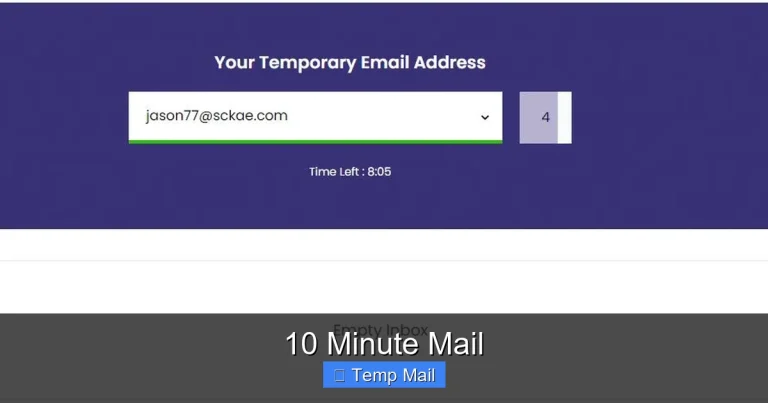
The word “ephemeral” is key here. It means lasting for a very short time. The entire philosophy behind a disposable mail inbox is ephemerality. When you visit a service like Temp-Mail.org or 10MinuteMail, the website instantly generates a random email address for you, such as abc123@temp-mail.org. That address is now live and can receive emails. You copy it, paste it into the website you’re visiting, and wait for the verification link or download file to arrive. Once the inbox’s timer (which you can often see on the page) hits zero, the address and every single email it ever received are wiped from the server’s memory. Poof. Gone. There is no “deleted items” folder to worry about; it’s a digital clean slate.
How It Differs from Your Regular Email
Your primary email is a persistent identity. It’s the key to resetting passwords, the recipient of bank statements, and the center of your professional and personal communications. A disposable mail inbox is the exact opposite. It’s a tool, not an identity. Here’s a quick comparison:
- Persistence: Your main email is permanent. A disposable one is temporary, with a lifespan measured in minutes or hours.
- Identity Link: Your main email is linked to your name, phone number, and recovery info. A disposable address is randomly generated and requires no personal details to create.
- Purpose: Your main email is for trusted, ongoing relationships (friends, family, banks, employers). A disposable inbox is for single-use, low-trust interactions with websites or services you don’t intend to have a long-term relationship with.
- Management: You actively manage your primary inbox, organizing, archiving, and deleting. You do not manage a disposable inbox; you simply use it and let it expire.
How Disposable Mail Services Work Under the Hood
It might seem like magic, but the tech behind a disposable mail inbox is beautifully simple. Understanding this process clarifies both its strengths and its limitations.
Visual guide about Disposable Mail Inbox
Image source: temp-mail.id
The Technical Flow: From Click to Cleanup
When you navigate to a disposable email website, here’s what happens in the background:
- Generation: The server assigns you a random username and pairs it with one of the service’s available domain names (e.g., @tempmail.com, @guerrillamail.com). This combination creates your unique, temporary email address.
- Inbox Creation: A dedicated, isolated inbox folder is created on the server specifically for that address. It is linked only to the random string of characters, not to any user session or IP address (in most cases).
- Reception: When an email is sent to your temporary address, the service’s mail server receives it and deposits it into your isolated inbox. The service then polls this inbox continuously and updates the webpage you’re viewing in real-time, so you see the new email appear without needing to refresh.
- Auto-Deletion: This is the crucial step. A countdown timer is started when the inbox is generated. Once this timer expires—whether it’s 10 minutes, 1 hour, or 1 day—a system process permanently deletes the inbox folder and all its contents from the server’s storage. The email address is then retired and can be reused by a future visitor.
Lifespan and Auto-Deletion Mechanics
The lifespan is the defining feature. Most services offer a default, like 10 minutes (10MinuteMail) or 1 hour (Temp-Mail). Some allow you to extend the time manually, often in increments (e.g., +10 minutes). The auto-deletion is not a soft delete; it’s a hard purge. This design has two primary benefits: it guarantees your temporary data doesn’t linger on someone else’s server, and it frees up server resources immediately. For the user, it means absolute peace of mind—no need to log in and manually delete your history. The system handles the cleanup.
Key Benefits: Why Use a Disposable Inbox?
So, with all the talk of “temporary” and “anonymous,” what are the concrete advantages? The benefits cluster around three main pillars: spam prevention, privacy protection, and sheer convenience.
Visual guide about Disposable Mail Inbox
Image source: maillog.org
Benefit 1: Your Ultimate Spam Shield
This is the #1 reason people use disposable mail inbox services. Every time you use your primary email to sign up for a service, you’re trusting that company with your address. Even if they have a “no spam” policy, your email can be shared, sold, or leaked in a data breach. A disposable address acts as a perfect firewall. You use it once, the service gets a meaningless, temporary email, and any spam they generate or sell goes to an inbox that will cease to exist in an hour. Your permanent inbox remains pristine. You’re essentially giving out a phone number that self-destructs after the first call.
Benefit 2: Enhanced Privacy and Anonymity
In an age of pervasive data collection, anonymity is a powerful tool. A disposable mail inbox requires zero personal information. No name, no phone number, no recovery email. This breaks the common tracking chain that links your online activity to your real-world identity. For users in regions with strict internet surveillance, for journalists sourcing tips, or for anyone simply wanting to browse and download without leaving a paper trail tied to their main email, this is invaluable. It allows you to interact with a website as a truly anonymous user, receiving the necessary information (like a download link) without revealing who you are.
Benefit 3: Unmatched Simplicity and Speed
There is no faster way to get an email address. No “Sign Up” button to click, no CAPTCHA to solve (usually), no password to create and remember. You visit the site, and you have an inbox ready to receive mail in under 3 seconds. This frictionless experience is perfect for moments of impulse: you see a great whitepaper behind a form, you want to read a comment section that requires login, you need to bypass a “emailwall” for a tool. The barrier to entry is zero, which means you’re more likely to use a protective measure instead of just sighing and handing over your real email.
Important Limitations and Risks to Consider
While powerful, a disposable mail inbox is not a silver bullet. Using it incorrectly can lead to frustration or even security issues. Understanding these limitations is critical for safe and effective use.
Visual guide about Disposable Mail Inbox
Image source: maillog.org
Limitation 1: It’s for Low-Stakes, Non-Critical Use Only
This is the golden rule. Never, ever use a disposable email for:
- Financial accounts: Banks, PayPal, investment platforms.
- Primary social media: Facebook, Twitter, Instagram, LinkedIn.
- Work or professional accounts: Your company email, Slack, project management tools.
- Any account with password recovery: If you forget your password and the reset link goes to an inbox that vanishes in an hour, you will be permanently locked out.
The rule of thumb is: if losing access to the account would cause significant inconvenience, financial loss, or damage to your reputation, do not use a disposable address.
Limitation 2: Service Reliability and Uptime
Most disposable mail services are free and supported by ads. This means they can sometimes be slow, experience downtime, or have buggy interfaces. If you’re in the middle of a time-sensitive download and the service crashes, you’re out of luck. Additionally, because the inboxes are public on the same server (you can often see a list of other active temporary addresses), there’s a tiny, theoretical risk of someone else guessing your random address and trying to read your mail, though reputable services isolate inboxes properly.
Limitation 3: Security and Encryption Gaps
Do not assume your emails in a disposable inbox are encrypted. While the connection to the website is typically HTTPS, the emails stored on the server are generally not end-to-end encrypted. The service provider technically has access to the content. Therefore, never send sensitive personal data (SSNs, credit card numbers, confidential documents) through a disposable address. Its purpose is privacy from the *recipient* (the website you’re signing up for), not from the *service provider* itself. Always read the privacy policy of the disposable service you use; some are more transparent about data logging than others.
Limitation 4: Being Blocked by Websites
Many popular platforms (like Google, Facebook, major streaming services) maintain lists of known disposable email domains and will outright block you from signing up with them. This is because these services are frequently abused for spam, fraud, and creating fake accounts. If you try to use your disposable address on such a site, you’ll get an error message like “Please enter a valid email address.” You’ll need to use your real email for those services, which is fine—they are trusted entities where you likely want a real account anyway.
Practical Scenarios: When to Use (and Not Use) Temp Mail
Knowing the theory is one thing; knowing when to apply it is another. Let’s walk through real-world situations.
Perfect For: The “Gated Content” Download
You’re researching a topic and find a fantastic industry report, template, or software demo that requires your email to download. You’ve never heard of this company before and have no interest in their newsletter. This is a classic disposable mail inbox moment. Use the temp address, get the download link, and let the inbox vanish. The company gets a “lead,” you get your file, and your primary inbox is spam-free. It’s a win-win.
Perfect For: One-Time Forum or Comment Section Access
You want to post a quick comment on a news article or ask a question in a technical forum, but the site insists you “create an account” to participate. Creating a full account with your real email for a single comment is overkill and invites future spam. Use a disposable address to verify the account, post your comment, and forget about it. The account will become inert, and the temp inbox will die, leaving no trace.
Perfect For: Testing Email-Triggered Features
Are you a developer testing a “send confirmation email” flow? Or a marketer checking if a lead magnet email lands in the inbox? A disposable mail inbox is a perfect testing ground. You can trigger the email, see how it renders, check the links, and then close the tab. No clutter, no test emails polluting your real work account.
Avoid For: Anything You Might Need to Access Later
This is the most common mistake. Did you use a disposable email to sign up for a free trial of a SaaS tool you genuinely want to use for a month? When the trial expires and you want to convert to a paid plan, you won’t be able to recover your account because the password reset link is going to an inbox that expired 23 hours ago. Always, always use your real email for any service where you might need ongoing access, support, or account recovery.
Choosing the Right Disposable Email Service
Not all disposable mail inbox providers are created equal. While the core function is the same, features and user experience differ. Here’s what to look for.
Essential Features to Look For
- No Registration Required: The best services work instantly from the homepage. If it asks for an email to “create an account,” avoid it—that defeats the purpose.
- Custom Domain Selection: Some services offer multiple domain names (e.g., @tmpmail.org, @tmpmail.net). If one domain gets blocked on a site you’re trying to access, you can refresh and get a new address with a different domain.
- Inbox Lifespan Options: Can you extend the time? Is the default 10 minutes, or is it a more generous 1 hour or 1 day? For complex sign-ups, a longer lifespan is helpful.
- Reply Functionality: Can you reply to emails from the disposable inbox? Most services allow it, which is useful if a company sends a “confirm your subscription” email that requires a reply. Check if this feature exists.
- Clean, Ad-Light Interface: Free services rely on ads, but some are overwhelmingly cluttered. A clean interface makes it easier to find the email you need quickly.
- Clear Privacy Policy: A reputable service will state that they do not log IP addresses or email content and that data is deleted immediately. Look for this transparency.
Top Service Comparisons (Examples)
Temp-Mail.org: A very popular, feature-rich option. Offers multiple domains, a 1-day default lifespan (extendable), and a clean interface. It’s a great all-around choice.
10MinuteMail: The original, ultra-simple service. The address lasts exactly 10 minutes, with a big, clear countdown. Perfect for the fastest, most urgent tasks. No frills, very reliable.
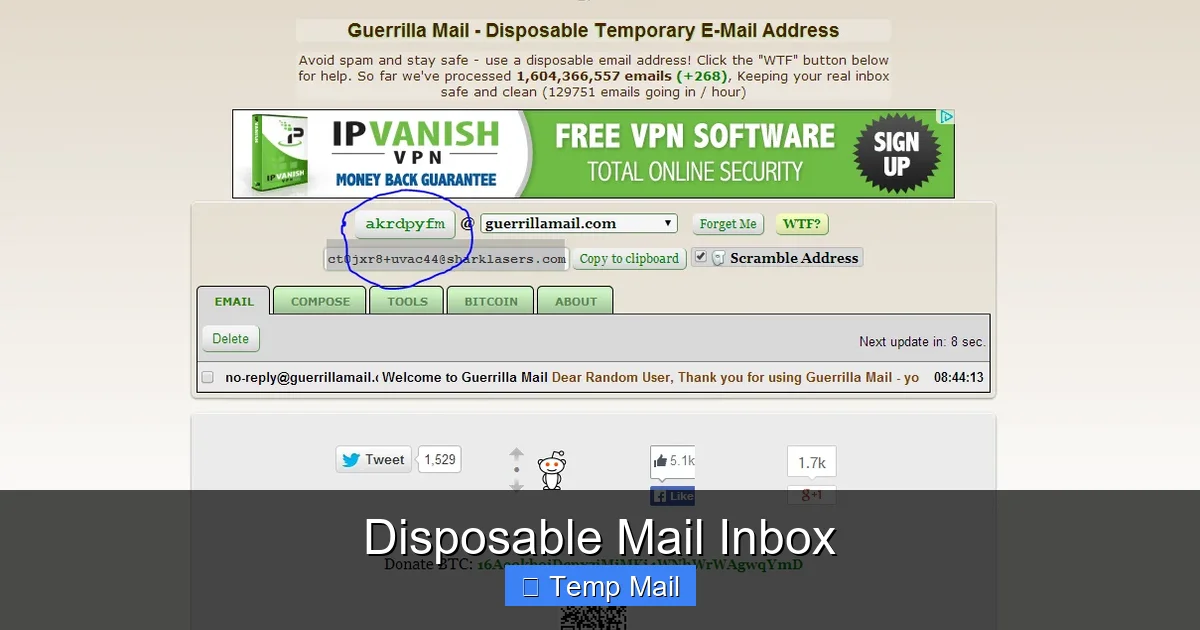
Guerrilla Mail: Provides a slightly longer default lifespan (60 minutes) and includes a basic password manager and the ability to create a “saved” address for a few hours if you need a bit more time. Good for moderately complex sign-ups.
Mohmal: Offers a unique “custom” option where you can choose your own username for a short time. It also has a Chrome/Firefox extension for quick access, which is very convenient.
Our Recommendation: Start with Temp-Mail.org for its balance of features and usability. Keep 10MinuteMail bookmarked for when you need something in a absolute hurry.
The Future of Disposable Mail and Digital Privacy
The rise of the disposable mail inbox is a direct symptom of a broken email ecosystem. When every website treats your email as a commodity to be harvested, tools that empower users to withhold that commodity become essential. We’re seeing trends that will shape its future:
- Increased Blocking: As abuse continues, more platforms will aggressively block disposable domains. This may push services to create more sophisticated, rotating domains to stay ahead of blocklists.
- Integration with Browsers & Password Managers: We may see native browser features or password manager add-ons that generate and manage disposable aliases seamlessly, similar to Apple’s “Hide My Email” feature, but for all browsers.
- Focus on Security: Expect more services to offer optional encryption and stricter no-logging policies to differentiate themselves in a crowded market and address security concerns.
- Regulatory Pressure: Stricter data privacy laws (like GDPR) may force companies to make it easier to opt-out of marketing emails, but the fundamental incentive to collect valid emails will remain, keeping the demand for disposable solutions high.
The disposable mail inbox is more than a convenience; it’s a statement. It says, “My email address is mine, and I will share it only on my terms.” As digital clutter and data harvesting grow, this simple tool will remain a critical part of the privacy-conscious user’s toolkit.
Conclusion: Your Inbox, Your Rules
The disposable mail inbox is a deceptively simple tool with profound implications for your digital hygiene. It’s the digital equivalent of a “Do Not Disturb” sign for your primary email account. By strategically using a temporary address for the countless low-trust, one-off interactions that define modern web browsing, you erect a powerful barrier against spam, data brokers, and unwanted marketing.
Remember the core principle: temporary for temporary, permanent for permanent. Use it for the ebook download, the forum sign-up, the trial account you might forget. Cherish and protect your real email for the pillars of your digital life: banking, primary social media, professional networks, and account recoveries. When used wisely, a disposable mail inbox isn’t just a tool for avoiding clutter; it’s an act of reclaiming your privacy, one temporary address at a time. So next time a website asks for your email, ask yourself: “Is this a relationship worth building, or just a transaction?” If it’s the latter, you now know exactly what to do.
Frequently Asked Questions
Is using a disposable mail inbox legal?
Yes, using a disposable email service is completely legal. It is a legitimate privacy tool. However, using it to commit fraud, evade legal requirements, or send malicious content is illegal, as the anonymity is not a shield for unlawful activity.
Are disposable emails safe from hackers?
They are safe from hackers targeting your identity because the inbox contains no personal data linking it to you. However, the emails themselves are not typically encrypted on the server, so the service provider could, in theory, read them. Never send sensitive information like passwords or financial data through a disposable address.
How long does a disposable email last?
The lifespan varies by service, typically ranging from 10 minutes to 1 day. Some services allow you to manually extend the time. The inbox and all its contents are permanently deleted the moment the timer expires.
Why do some websites block disposable email addresses?
Websites block them to prevent spam, fake account creation, and abuse. Disposable emails make it easy for bad actors to create numerous temporary accounts for scams, bot activity, or to post abusive content without consequence, so sites ban the domains to protect their platforms.
What is the best disposable mail service?
The “best” depends on your needs. For simplicity and speed, 10MinuteMail is excellent. For more features and longer lifespans, Temp-Mail.org is a top all-around choice. Look for a service that requires no registration, offers multiple domains, and has a clear privacy policy.
Can my disposable email be traced back to me?
Not through the email address itself, as it’s randomly generated and unlinked to your identity. However, your internet activity is never fully anonymous. Your IP address is visible to the disposable mail service and the website you visit. For true anonymity, you would need additional tools like a VPN or Tor.