
Random Email Generator
A random email generator is your digital bodyguard. It creates temporary, disposable email addresses that shield your real inbox from spam, data breaches, and unwanted marketing. Use these throwaway accounts for sign-ups, downloads, or any situation where you don’t trust a website with your primary email. They’re free, instant, and automatically delete after a short time, keeping your identity and main inbox clean and secure. It’s a simple tool for massive peace of mind in our data-driven world.
Key Takeaways
- Privacy Shield: A random email generator creates a barrier between your real identity and the online world, preventing companies and trackers from linking activities to your primary email address.
- Spam Annihilator: By using a disposable address for low-trust sign-ups (like forums or free downloads), you direct all future spam to the temporary inbox, which self-destructs, leaving your main email pristine.
- No Registration Required: Reputable services generate a working email address instantly on their homepage—no account creation, no password, no personal details needed to start.
- Limited Lifespan: These emails are temporary by design, typically expiring after 10 minutes to 1 hour, or once the browser tab is closed, ensuring they can’t be used for long-term account recovery.
- Not for Important Accounts: Never use a random email for critical services like banking, primary social media, or work accounts, as you will permanently lose access when the email expires.
- Inbox Functionality: The generated inbox is real and functional within the service’s web interface, allowing you to receive verification codes and view attachments for the short duration it’s active.
- Legal & Ethical Tool: Using a disposable email is a legitimate privacy practice. It is not illegal, but it violates the Terms of Service of some platforms that require verifiable, permanent contact information.
📑 Table of Contents
- What Exactly Is a Random Email Generator?
- How Does a Random Email Generator Work? The Simple Magic
- The Core Benefits: Why You Should Use One Today
- Top Practical Use Cases: When to Reach for a Disposable Address
- Choosing the Right Temporary Email Service
- Security & Privacy: Addressing the Common Concerns
- Limitations and Critical “Don’ts”
- The Future of Privacy: Where Do We Go From Here?
- Conclusion: Embrace Disposable, Protect the Essential
What Exactly Is a Random Email Generator?
Imagine you’re about to download a useful PDF guide or sign up for a webinar. The website asks for your email address. You hesitate. You know that even reputable sites can leak data, and sketchy ones will sell your address to every spammer on the planet. Your primary inbox is sacred. So what do you do? You reach for a random email generator.
At its core, a random email generator is a web-based service that provides you with a temporary, disposable email address—complete with an inbox—in seconds. Think of it as a burner phone for your digital correspondence. The address is randomly generated (hence the name), not tied to your identity, and exists for a very short, predetermined period. It’s a frontline defense in the battle for online privacy.
The “Temp Mail” Difference
While often called a “random email generator,” these tools are more accurately described as temporary email or disposable email services. The key difference from a regular email provider is impermanence. There is no long-term storage, no password recovery, and no intention for you to use it beyond a single transaction. Its sole purpose is to receive one or two verification emails and then vanish into the digital ether.
How Does a Random Email Generator Work? The Simple Magic
The technology behind a random email generator is surprisingly straightforward, which is why these services are so fast and lightweight. There’s no complex setup on your end. Here’s the step-by-step process of what happens when you visit a site like Temp-Mail.org or 10MinuteMail.com.
Visual guide about Random Email Generator
Image source: yttags.com
Step 1: Instant Address Creation
You land on the service’s homepage. Behind the scenes, the server immediately generates a unique email address using a random string of characters (e.g., abc7x9@domain.com) and assigns it to a temporary inbox database. This entire process takes milliseconds. The address is displayed prominently on your screen, ready to copy.
Step 2: The Functional Inbox
Alongside your new address, you’ll see an inbox window. This isn’t a fake placeholder; it’s a real, functional webmail interface connected to your temporary address. Any email sent to that address within the next 10-60 minutes will appear here, complete with sender, subject, and body. You can often view HTML content and download attachments directly in this browser window.
Step 3: Receiving the Email
You use the disposable address to sign up for that website. The site sends a verification link or code to your temporary address. Within seconds (or minutes, depending on the sender’s server), the email populates in your temp inbox. You click the link or copy the code, complete your task, and close the browser tab.
Step 4: Automatic Destruction
This is the crucial part. Once the service’s timer expires (often 10 minutes to 1 hour) or you close the browser tab (in some configurations), the email address and all its contents are permanently deleted from the server. The address is then recycled and made available for a new user. There is no trace, no backup, and no way to recover it.
The Core Benefits: Why You Should Use One Today
Using a random email generator isn’t about being shady; it’s about being smart and protective. The benefits extend far beyond just avoiding a few spam emails. Let’s break down the major advantages.
Visual guide about Random Email Generator
Image source: randomgenerate.io
1. Unmatched Privacy Protection
Your email address is a primary key to your digital identity. It’s used for login, password recovery, and tracking. Data brokers and advertisers build extensive profiles by linking your email to your browsing history, purchases, and social media. A disposable email breaks this chain. The activity associated with that temp address is isolated and fleeting, preventing it from being added to your permanent digital profile.
2. The Ultimate Spam Filter
Let’s be honest: most “free” online offers are a trade. You give your email, they give you a PDF or a trial, and then your inbox is flooded with “special offers” forever. A random email generator makes this trade one-sided. You get the resource, and the spam goes to an inbox that self-destructs. It’s like giving out a PO box that catches fire after the package is delivered.
3. Zero Commitment, Zero Risk
There’s no “I agree to the Terms of Service” for the temp mail provider itself (beyond basic usage). You don’t create a profile. You don’t set a password. There is nothing for hackers to steal from the temp mail service because your data isn’t stored there. The only risk is if the website you’re signing up for is actively malicious and tries to exploit the email service itself, which is rare with major providers.
4. Bypass “Email-Only” Gating
Countless useful tools, software trials, industry reports, and whitepapers are locked behind an email gate. While some are worth the trade, many are not. A disposable email lets you access these resources without subjecting your primary inbox to the inevitable follow-up nurture sequences. It democratizes access to information without the privacy cost.
5. Simplified Testing for Developers & Marketers
For professionals, temp emails are gold. QA testers can create multiple accounts on a platform to test user flows without managing hundreds of real Gmail accounts. Marketers can test email deliverability and formatting by sending to a disposable address without polluting their own analytics. It’s a clean, efficient sandbox.
Top Practical Use Cases: When to Reach for a Disposable Address
Knowing the theory is good, but seeing the exact scenarios is what makes this tool indispensable. Here are the most common and effective ways to use a random email generator.
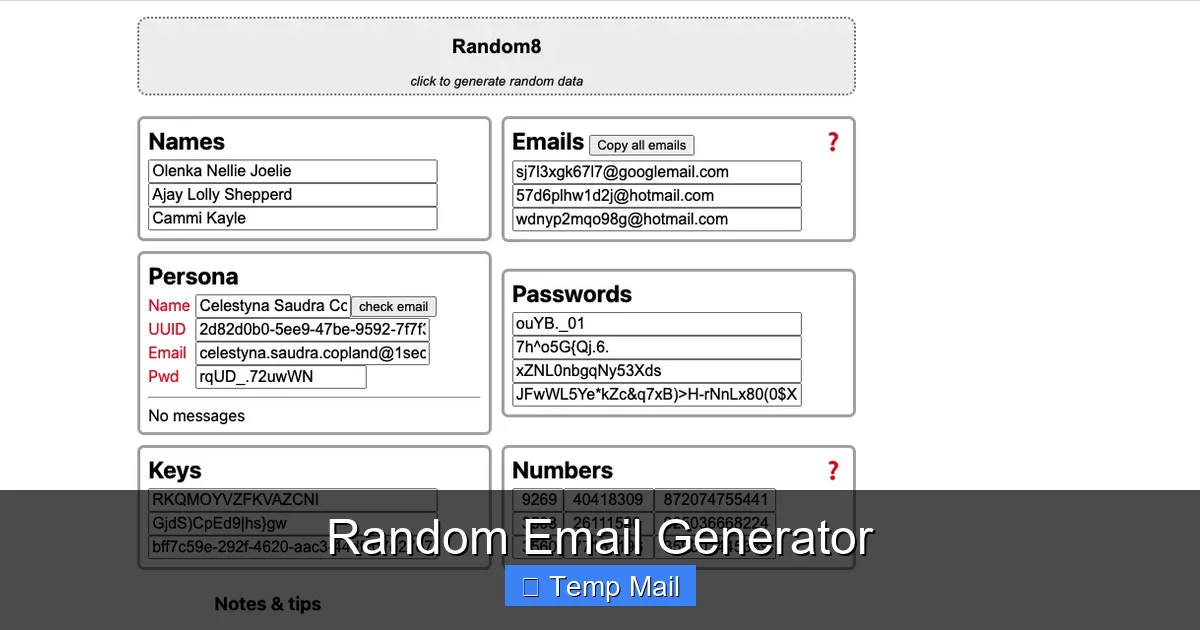
Visual guide about Random Email Generator
Image source: repository-images.githubusercontent.com
Downloading Gated Content
This is the #1 use case. You want an e-book, a research paper, a stock photo, or a software trial. The form requires an email. Use your disposable address. Download the file. Check the temp inbox for the link if it’s sent via email. Close the tab. Done. The publisher gets their lead metric, you get your resource, and your primary email remains spam-free.
Signing Up for Low-Trust Websites
You’re joining a new forum, a gaming site, a comment section on a controversial news article, or a one-time service you’ll never use again. These are classic data-harvesting or high-spam environments. A temporary email is perfect here. You can still verify your account and participate, but you have zero long-term liability.
Creating Test Accounts
You need a second account on a platform to separate personal and professional notifications, but you don’t want to manage another full-time email. A disposable address can get you past the initial sign-up. Caution: You must add a real, permanent email for account recovery immediately after signing up, or you will lose access when the temp email dies.
Protecting Your Identity on Public Wi-Fi
When using a coffee shop or airport Wi-Fi, your digital security is already lower. If you need to register for a service or Wi-Fi portal itself, using your main email on an unsecured network is an added risk. A disposable address minimizes the potential damage if that session is intercepted.
Avoiding “Oops, I Subscribed” Moments
Ever accidentally signed up for a newsletter because a checkbox was pre-ticked? It happens. If you used a disposable email for that site, the unwanted newsletter goes to the void. No need to hunt for the unsubscribe link in your main inbox months later.
Choosing the Right Temporary Email Service
Not all random email generators are created equal. While the core function is similar, features, usability, and reliability vary. Here’s what to look for when selecting a service.
Essential Features Checklist
- No Registration: The best services work instantly from the homepage. If they ask for your email to “create an account,” run away. That defeats the purpose.
- Custom Domain Selection: Some services offer multiple domain options (e.g., @tempmail.com, @dispostable.com). This can be useful if a particular domain is blocked by a website you’re trying to sign up for.
- Inbox Refresh & Manual Deletion: Look for a clear “Refresh” button to manually check for new emails and a way to manually delete specific emails or the entire inbox before the timer expires.
- Browser Tab Persistence: Understand the policy. Does the inbox expire only on a timer, or does closing the browser tab immediately destroy it? Timer-based is more reliable if you need to step away.
- Attachment Support: Can you download files sent to the disposable address? Most major services allow this, but it’s worth confirming if you expect to receive PDFs or images.
- Ad Load: Free services are ad-supported. A few banners are tolerable, but a site buried in pop-ups, redirects, and misleading “Download” buttons is a poor user experience and a potential malware risk.
Popular & Reputable Services
While I cannot endorse specific commercial products, several names consistently appear in discussions for reliability and simplicity. Services like Temp-Mail, 10MinuteMail, Guerrilla Mail, and Mailinator (with caveats about public inboxes) are long-standing options. Test a couple. See which interface you prefer and which one consistently receives your verification emails without being blocked by the target site.
Red Flags to Avoid
Avoid any service that: 1) Demands your real email to start. 2) Shows aggressive, deceptive ads that mimic site buttons. 3) Promises “unlimited” or “permanent” disposable emails—the model is inherently temporary. 4) Has a poor reputation in tech forums for logging IP addresses or not actually deleting emails.
Security & Privacy: Addressing the Common Concerns
Handing any data to a third party always raises questions. Let’s address the elephant in the room: is using a random email generator safe?
Is It Secure? What About My Data?
The security model is based on isolation and impermanence. The service provider does not know who you are. They assign an inbox to a randomly generated string, not to your IP address or browser fingerprint in any persistent, identifiable way (check their privacy policy). Since the data is deleted quickly, there is no long-term database for hackers to steal or for the provider to subpoena. Your main risk is the website you’re using the disposable email on—that’s the entity you don’t trust. The temp mail is your shield against them.
Can Someone Else Access My Temp Inbox?
Yes, and that’s by design. The inbox is not password-protected. Anyone who knows the exact, randomly generated email address can view its contents by visiting the service’s site. This is why you must use a unique, randomly generated address each time. The chance of someone guessing your specific temp address is astronomically low. However, you should never use a disposable address for anything truly sensitive, as the contents are technically public to anyone with the link.
Are There Legal or Ethical Implications?
Using a disposable email is perfectly legal. It’s a standard privacy tool. The ethical consideration comes with the Terms of Service (ToS) of the website you’re visiting. Many platforms explicitly require a “valid, permanent” email address for account creation to prevent abuse, fraud, and spam. Using a temp mail to create an account on such a site is a violation of their ToS. They may block the address or ban the account if discovered. It’s a calculated risk you take for privacy. For one-time downloads where no account is created, this is rarely an issue.
Limitations and Critical “Don’ts”
A random email generator is a powerful tool, but it has clear boundaries. Understanding its limitations is key to using it effectively and avoiding disaster.
What You Should NEVER Do With a Disposable Email
- Do NOT use it for any account you need to recover long-term. This includes your primary email, bank accounts, investment platforms, government services (IRS, DMV), main social media profiles, or work/school logins. When the email vanishes, you will be permanently locked out with no recourse.
- Do NOT use it for password resets on important accounts. If your main email is your recovery method for a bank account, and you change it to a disposable one, you’ve just locked yourself out of your own money.
- Do NOT expect long-term communication. You cannot have a conversation via a disposable address. If a customer service rep replies a week later, the email is gone.
- Do NOT use it for professional or contractual obligations. Any agreement, contract, or official business communication requires a verifiable, permanent point of contact.
Inherent Limitations
Even in appropriate use cases, there are hurdles. Some sophisticated websites actively block known disposable email domains. You might try to sign up and get an error saying the email is invalid. In this case, you may need to try a different temp mail service or, ultimately, decide if the site is trustworthy enough to use your real email. Also, because the inbox is public to the address holder, you should never receive sensitive personal data (like a scanned ID or credit card statement) to a disposable address.
The Future of Privacy: Where Do We Go From Here?
The rise of disposable email is a symptom of a larger problem: the default business model of the internet treats personal data as a currency. As privacy regulations like GDPR and CCPA increase user awareness, tools that offer anonymity and data minimization will become more mainstream.
We may see tighter integration of privacy features into browsers and operating systems. Imagine a native “create disposable email” button right next to the password field. Email providers like ProtonMail and Tutanota already offer alias features (forwarding addresses that can be disabled), which is a more permanent but still controllable form of this concept. The random email generator is the most extreme, low-commitment version of this privacy-first trend.
For now, it remains a simple, powerful, and free tool in the privacy arsenal. It won’t solve all data collection problems, but it effectively cuts off one of the most common and persistent vectors: the spam funnel built on your primary email address.
Conclusion: Embrace Disposable, Protect the Essential
A random email generator is not a tool for secrecy; it’s a tool for intentionality. It forces you to ask a simple question with every online form: “Is this interaction worth linking to my real identity?” For the countless times the answer is “no,” the disposable email is your answer. It reclaims control from the default assumption that you must surrender your primary contact details for every digital interaction. By creating a digital barrier—a temporary, anonymous outpost—you protect your main inbox from becoming a spam-ridden wasteland and your identity from being endlessly packaged and sold. Use it wisely for its intended purpose: the low-stakes, high-noise world of gated content and throwaway sign-ups. Keep your permanent email permanent, sacred, and reserved for the people and services you truly trust. In doing so, you turn a simple act of signing up into a small but significant victory for your digital privacy.
Frequently Asked Questions
Is using a random email generator legal?
Yes, using a disposable email service is completely legal. It is a legitimate privacy tool. However, using it to create an account on a website that explicitly requires a “permanent” email address in its Terms of Service may violate those terms and could result in that account being suspended.
Can I receive attachments with a temporary email?
Most reputable random email generators allow you to receive and download attachments (like PDFs or images) directly within their web-based inbox interface. However, you should always be cautious with unexpected attachments, even from seemingly legitimate sources, as they could contain malware.
How long does a disposable email last?
p>The lifespan varies by service but is typically between 10 minutes and 1 hour. Some services destroy the inbox as soon as you close the browser tab, while others use a countdown timer. The address and all its emails are permanently deleted after that period.
Can I use a random email for Facebook or Google?
Technically, you might be able to sign up, but you absolutely should not. These are critical accounts for identity and recovery. Using a disposable email will guarantee you lose access forever when the email expires, as you cannot reset the password. Major platforms also often block known disposable domains during sign-up.
Are temporary emails safe from hackers?
p>The primary security model is that the inbox has no password and is only accessible via the unique, random URL. The risk is low because the address is hard to guess and short-lived. The bigger risk is using the disposable address on a malicious website that could try to exploit the email service itself, though this is uncommon with major providers. The service itself is generally safe for its intended, low-risk use.
What happens if I need to recover an account I made with a disposable email?
p>You can’t. Recovery will be impossible because the email address no longer exists. This is why the cardinal rule is to never use a disposable email for any account where you might need password reset links, security notifications, or important communications in the future. Always use your primary, permanent email for those.


