
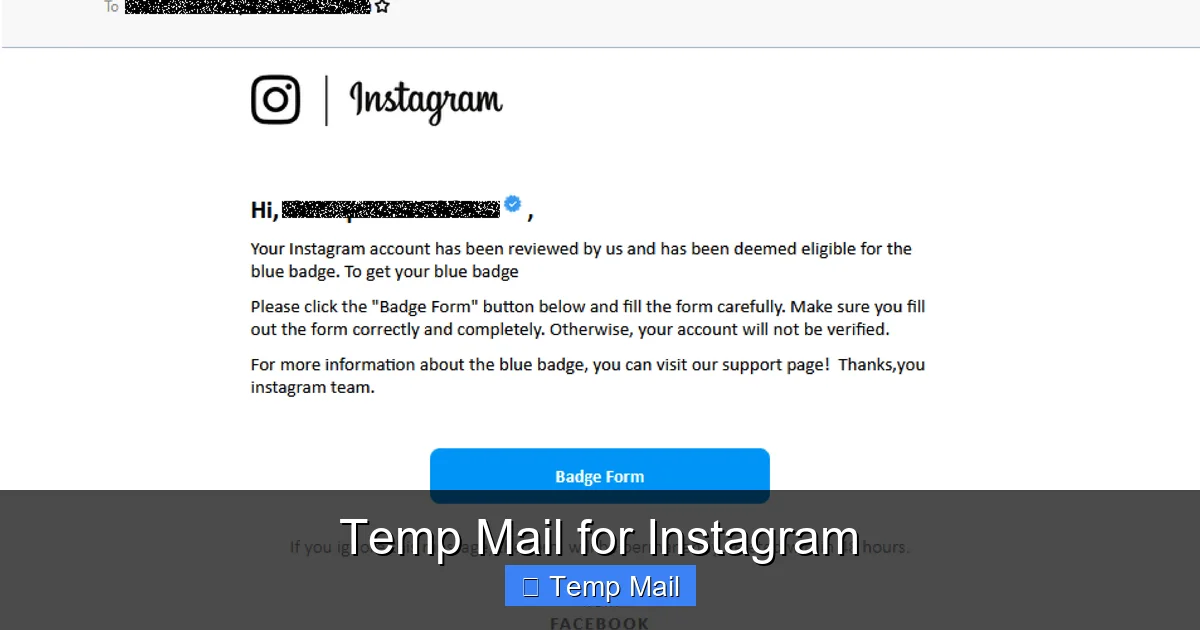
Temp Mail for Instagram
Using a temporary email for Instagram can shield your primary inbox from spam and offer a layer of anonymity during sign-up. However, this practice directly violates Instagram’s Terms of Service and carries a high risk of your account being permanently disabled. This guide explores how temp mail works, its legitimate testing uses, and the critical reasons you should avoid it for your main Instagram presence, offering safer privacy alternatives instead.
So, you’re thinking about signing up for Instagram but don’t want to use your real email. Maybe you’re worried about spam. Maybe you’re just testing the waters. The idea of a “temp mail for Instagram” probably popped up. It sounds like a quick, clever hack—a burner email for a burner social account. Let’s pull back the curtain on this common tactic. I’m going to walk you through exactly what temporary email is, how people use it with Instagram, and—most importantly—why it’s a incredibly risky move that could cost you your account. Think of this as your friendly, no-nonsense guide to navigating this digital shortcut safely, or better yet, avoiding it altogether.
First, let’s get on the same page. A temporary email service (or temp mail, disposable email) gives you a random, working email address that lasts for a short time—usually 10 minutes to a few hours. You use it to receive a single verification link, then you forget about it. No password, no long-term commitment. Services like Temp-Mail, 10MinuteMail, and Guerrilla Mail are popular examples. The appeal for Instagram is obvious: keep your primary inbox clean and add a tiny layer of separation between your real identity and your social profile. But this convenience comes with a massive, flashing red warning label from Instagram itself.
Key Takeaways
- Temp mail provides a disposable inbox for one-time sign-ups, helping avoid spam on your main email.
- Instagram’s Terms of Service explicitly prohibit using temporary or disposable email addresses for account creation.
- Using temp mail for Instagram carries a very high probability of your account being flagged and banned, often without warning.
- The primary legitimate use case is for developers or testers creating dummy accounts to test features, not for personal use.
- Safer alternatives exist, such as using a dedicated, secondary email address from a provider like Gmail or Outlook.
- Instagram employs sophisticated detection systems that easily identify emails from known temp mail domains.
- Losing an Instagram account tied to a temp email means permanent loss of access, as password recovery becomes impossible.
📑 Table of Contents
- Why People Consider Temp Mail for Instagram
- How Instagram’s Systems Detect and Hate Temp Mail
- The Severe Consequences: Why Your Account Will Likely Be Banned
- The One Legitimate Use Case: Testing and Development
- Safe and Smart Alternatives to Temp Mail for Instagram
- Step-by-Step: How to Sign Up for Instagram the Right Way
Why People Consider Temp Mail for Instagram
Understanding the motivation is key. It’s not just about being “sneaky.” Real concerns drive people to seek out disposable emails for platforms like Instagram.
Spam and Marketing Avoidance
Let’s be honest: when you sign up for any online service, you’re often added to marketing lists. Your inbox can quickly fill with promotional emails. Using a temp mail for that initial Instagram sign-up seems like a perfect filter. The verification email goes to the burner, and it vanishes. Your main email, the one you use for banking and important work, stays pristine. This is the most common and understandable reason.
Privacy and Anonymity Concerns
Not everyone wants their primary email tied to their social media hobby or side project. Some users are researching sensitive topics, exploring their identity in a safe space, or simply value compartmentalization. A temporary email creates a small buffer, making it slightly harder (though not impossible) to directly link the Instagram account back to their core digital identity. For activists, journalists, or those in delicate personal situations, this perceived anonymity can feel crucial.
Bypassing Restrictions and Creating Multiple Accounts
Instagram’s rules are clear: one person, one account. Well, mostly. People sometimes want multiple accounts for business, pets, or niche hobbies. Instagram’s systems try to prevent this by tracking email addresses and device IDs. Using a new temp mail for each new account is a crude attempt to circumvent this detection. Similarly, users who have been previously banned or restricted might see a temp mail as a way to get a “fresh start” with a new account. This is where the practice moves from cautious privacy into direct, serious violation of the platform’s rules.
How Instagram’s Systems Detect and Hate Temp Mail
Instagram, owned by Meta, is a tech giant with advanced security and anti-abuse systems. They are not fooled by a simple disposable email. Here’s how they spot it.
Domain Blacklists and Real-Time Checks
Instagram maintains and constantly updates massive blacklists of domains known to provide temporary email services. When you enter an email during sign-up, their systems perform an instant lookup. If your email ends in “@tempmail.demo” or any of thousands of other flagged domains, it’s rejected immediately. You’ll often get an error message saying the email is invalid or to try another. They don’t even need to wait for you to click a link; the domain itself is the red flag.
Behavioral Analysis and Pattern Recognition
Even if you somehow get past the initial check (some newer or less-known temp services might slip through for a moment), Instagram’s algorithms are watching behavior. They look for patterns: an account created with an email that was only active for a few minutes, never used for login again. They see accounts created from the same IP address using a series of different, unrelated email domains in a short time. This “spammy” or “bot-like” creation pattern is a major trigger for review or automatic disablement.
The Verification Link Lifespan Problem
Here’s the brutal, practical catch. You sign up with a temp mail. Instagram sends the verification link. You click it within the temp mail’s 10-minute window. Your account is now “verified.” But what happens in 1 hour when the temp mail inbox self-destructs? The email address no longer exists. If Instagram ever needs to contact you—for a security alert, a copyright claim, or a routine check—the email will bounce. An account with an unreachable email is a major red flag for security and is often disabled preemptively. You’ve created an account with a built-in expiration date for communication.
The Severe Consequences: Why Your Account Will Likely Be Banned
Let’s cut to the chase: using a temp mail for a personal Instagram account is not a matter of *if* you’ll have problems, but *when*. The consequences are severe and often final.
Immediate Sign-Up Rejection
As mentioned, the first barrier is the domain blacklist. Most of the time, you won’t even get to the verification step. The sign-up form will flatly reject the email address. This is Instagram’s first line of defense, and it’s very effective against popular services.
Delayed Account Disabling
If you slip through the initial net, your account is living on borrowed time. Instagram’s systems run periodic checks. They may discover the email domain is temporary during a later audit. Or, if you ever try to change the email on the account (to a real one), they may re-verify the original sign-up method and flag it. The result is an email saying your account was disabled for violating the Terms of Service, specifically for providing false or misleading information during sign-up. There is almost never an appeal process for this. The ban is permanent.
Total and Irreversible Loss of Access
This is the worst part. With a temp mail, you have no way to recover a disabled account. The password reset link would go to the deleted inbox. The “need help” recovery forms require access to that same email or a linked phone number (which you may not have added). Your photos, your followers, your memories—all gone forever. You created a digital asset with no key, and Instagram has now locked the door forever. It’s a permanent loss over a temporary convenience.
The One Legitimate Use Case: Testing and Development
Is there *any* acceptable reason to use temp mail with Instagram? Yes, but it’s narrow and technical.
For QA Testers and Developers
If you are building an app that integrates with Instagram’s API, or you are a quality assurance tester for a social media management tool, you may need to create dozens or hundreds of test accounts. Using your personal email for each is impossible. In this controlled, professional context, using a temporary or throwaway email service is a standard practice. The goal is to test functionality, not to build a lasting personal brand or social network. These accounts are meant to be ephemeral.
For Security Research (Ethical Hacking)
Security researchers might use disposable emails to sign up for platforms to test for vulnerabilities without exposing their real identity or risking their personal accounts. This is done within the bounds of authorized, ethical testing programs (like bug bounties) and not for malicious purposes.
The Critical Distinction: Intent and Expectation
The key difference is intent and expectation of permanence. A developer or tester expects the account to be temporary. They are not investing time, content, or emotional value into it. A regular user intends to build a profile, gain followers, and use the platform long-term. Using a tool designed for 10-minute tasks for a 10-year project is a fundamental mismatch that leads to disaster.
Safe and Smart Alternatives to Temp Mail for Instagram
Okay, so temp mail is a bad idea for your main Instagram. But what if you still want some separation? You have excellent, safe options that comply with Instagram’s rules.
Create a Dedicated Secondary Email Address
This is the gold standard solution. Sign up for a free email account with a major provider (Gmail, Outlook, ProtonMail, Yahoo) that you use only for social media and online shopping. This keeps promotional emails out of your primary inbox. The email is permanent, verifiable, and fully compliant with Instagram’s Terms. You can even set up filters in this secondary inbox to automatically sort social media notifications. It’s a clean, professional, and safe approach.
Use an Email Alias or “+” Trick
If your main email provider supports it (Gmail does), you can use email aliases. For example, if your email is you@gmail.com, you can sign up for Instagram as you+instagram@gmail.com. All emails will still land in your main inbox, but you can set up a filter to automatically label or archive emails sent to that alias. It’s a great way to segment sign-ups without creating a whole new account. Some providers like FastMail and Outlook also offer robust alias features.
ProtonMail for Enhanced Privacy
If your primary concern is privacy from data-hungry platforms, consider using a privacy-focused email provider like ProtonMail. It offers end-to-end encryption and is based in Switzerland with strong privacy laws. It’s a legitimate, permanent email service that Instagram will accept. You get a higher degree of privacy than Gmail, without the risk of a temp mail ban. You maintain full control and access.
Add a Recovery Phone Number (Crucial!)
Regardless of which email you use, immediately add a verified phone number to your Instagram account. This is your ultimate recovery lifeline. If you ever lose access to your email, Instagram can send a recovery code via SMS. This simple step dramatically increases your account security and recovery options. It’s the single most important thing you can do after choosing a compliant email.
Step-by-Step: How to Sign Up for Instagram the Right Way
Let’s walk through the secure, compliant process. It’s almost as easy as the temp mail method, but without the landmines.
Step 1: Choose Your Compliant Email
Decide on your strategy. Create a new Gmail/Outlook account specifically for this purpose, or use an alias from your main account. Have it ready. Ensure you can access its inbox.
Step 2: Start the Instagram Sign-Up
Download the Instagram app or go to instagram.com. Click “Create New Account.” Enter your chosen email address. It will be accepted. No error messages about invalid domains.
Step 3: Complete Profile and Verify
Fill in your username, password, and basic profile info. Instagram will send a verification code to your email. Open your legitimate inbox, find the email (check spam folder if needed), and enter the 6-digit code. Your account is now active and verified.
Step 4: IMMEDIATELY Add a Phone Number
This is non-negotiable. Go to your profile, tap the menu (three lines), Settings and privacy, then Account center, then Personal details, then Contact information. Add your mobile phone number and verify it via SMS. Do this now, before you forget. This is your recovery parachute.
Step 5: Enjoy Your Account with Peace of Mind
You now have an Instagram account built on a solid foundation. Your email is permanent, your recovery is set, and you are 100% compliant with Instagram’s policies. You can build your profile, gain followers, and use all features without the constant dread of a surprise ban. The slight inconvenience of managing a second email is a tiny price to pay for security and longevity.
Frequently Asked Questions
Is using temp mail for Instagram against the rules?
Yes, absolutely. Instagram’s Terms of Service explicitly state you must provide accurate and current information, including a valid email address. Using a disposable or temporary email is a direct violation and is grounds for immediate account disablement.
Will Instagram know if I use a temporary email?
Almost certainly, yes. Instagram maintains extensive blacklists of temporary email domains. Even if a new one slips through initially, their behavioral systems will flag the account when the email address becomes inactive or unreachable during routine checks.
What happens if my Instagram account created with temp mail gets banned?
You will likely lose all access permanently. The account will be disabled, and you cannot recover it because password reset links will go to the now-deleted temp inbox. All content, followers, and the username will be lost with no recourse.
What is the safest alternative to a temp mail for Instagram?
The safest alternative is to create a dedicated, permanent secondary email address from a major provider like Gmail, Outlook, or ProtonMail specifically for social media. Pair this with adding a verified phone number to your Instagram account for recovery.
Can I change the temp email on my Instagram account to a real one later?
You can attempt to change the email in your settings, but this action may trigger a review of your account’s original sign-up information. If Instagram detects the original email was temporary, they may still disable the account for the past violation, even after you’ve “corrected” it.
Is there any legitimate reason to use temp mail with Instagram?
Only in highly specific, non-personal contexts like software testing, quality assurance, or authorized security research where the account’s temporary nature is the intended outcome. It is not appropriate for anyone building a personal or business presence they wish to maintain.


