Temp Mail for Paypal
Using a temporary email for PayPal is a high-risk strategy with severe consequences. While the appeal of privacy and avoiding spam is understandable, PayPal’s systems actively detect and block disposable email addresses. Attempting this can lead to immediate account suspension, loss of funds, and permanent bans. This article details exactly why temp mail fails with PayPal, the platform’s strict policies, and provides practical, secure alternatives to protect your identity and financial security without resorting to disposable inboxes.
Let’s be honest. Signing up for yet another online service sometimes feels like handing out your personal email to every marketer on the internet. The promise of a “temp mail” or “disposable email” is incredibly tempting. You get a random inbox for 10 minutes, use it to confirm an account, and then forget it exists. No spam in your primary inbox. Simple. But what about for something as important as your PayPal account? The idea of using a temp mail for PayPal might seem like a clever hack for privacy, but it’s a path that leads straight to trouble. This isn’t just about spam; it’s about your money, your financial identity, and the strict rules of a global payment platform. We’re going to break down everything you need to know, from the technical “how” to the very real, very serious “why not.”
Key Takeaways
- Temp mail is a temporary, disposable email service designed for short-term use, not for critical accounts like PayPal.
- PayPal explicitly prohibits disposable emails in its User Agreement and employs advanced detection to block them.
- Using temp mail for PayPal almost always results in account limitation, suspension, or permanent closure.
- The primary risks include losing access to funds, failing verification, and being unable to recover a locked account.
- Safer alternatives like dedicated email addresses, email aliases, and enhanced privacy settings achieve the same goals without the risk.
- Your financial account security and recovery options are paramount; never sacrifice them for minor spam prevention.
📑 Table of Contents
- What Exactly is a Temporary Email Service?
- Why the Idea of Temp Mail for PayPal Seems Tempting
- The Non-Negotiable Reality: PayPal’s Policies and Detection
- Consequences: What *Actually* Happens When You Try
- Safer, Smarter Alternatives for Privacy and Security
- How to Secure Your PayPal Account: Beyond the Email
- Conclusion: Your Financial Identity is Worth Protecting
What Exactly is a Temporary Email Service?
Before we dive into PayPal, we need to understand the tool. A temporary email service is a web-based platform that generates a random, anonymous email address for you to use instantly, without any registration or personal details. These inboxes are public, often share the same address among multiple users for short periods, and automatically delete all messages after a set time—usually 10 minutes to a few hours.
The Mechanics of a Disposable Inbox
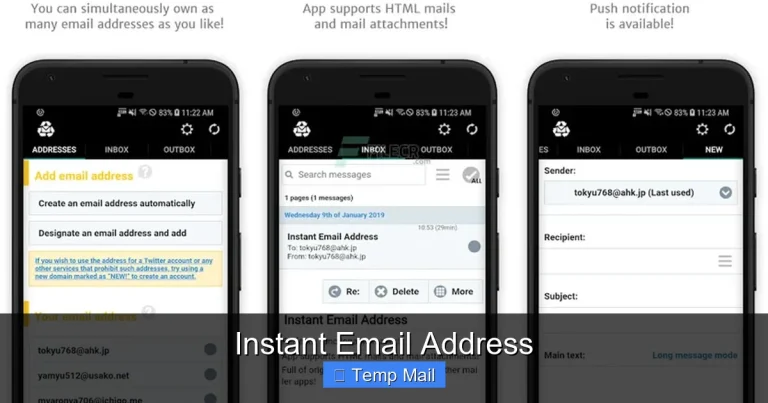
You visit a site like Temp-Mail.org, Guerrilla Mail, or 10MinuteMail. The site instantly gives you an address, something like randomstring123@tempmail.net. A box on the screen shows incoming emails. You copy that address, paste it into a website’s sign-up form, and then refresh the page to see the confirmation email. Once the timer runs out or you close the browser, that address and all its data are gone forever. There’s no password, no recovery option, no persistent storage.
Common Legitimate Uses (That Aren’t Financial Accounts)
These services have valid purposes! They’re perfect for downloading a free PDF from a sketchy site, testing a form submission on a new website as a developer, or accessing a one-time forum post that requires an email you’ll never use again. The key is the low-stakes nature of the transaction. Nothing of value is tied to that email long-term. The moment you need to prove ownership, receive important notifications, or recover access, the temporary model collapses.
Why the Idea of Temp Mail for PayPal Seems Tempting
So why would anyone even consider this for a payment processor? The motivations are usually rooted in privacy and convenience concerns, but they are based on a misunderstanding of how PayPal functions.
The Desire for Anonymity and Spam Avoidance
You might not want your primary Gmail or Yahoo address linked to your financial transactions. You might fear PayPal’s marketing emails or partner offers. The logic is: “If I use a throwaway email, they can’t spam me, and my main inbox stays clean.” This is a valid concern for many, but the solution is catastrophically wrong for this use case.
A Misunderstanding of “Email Verification”
Some users think the email is only needed for the initial “click the link to verify” step. Once that’s done, they assume the email’s job is over. They don’t realize that PayPal uses that email address as the primary channel for all critical communications: security alerts, password resets, dispute notifications, tax documents, and account statements. An inbox that vanishes after an hour means you will never see these vital messages.
The “It Worked Once” Anecdote
There are isolated, years-old forum posts where someone claims they signed up for a personal PayPal account with a temp mail years ago and “it worked.” This is dangerous folklore. PayPal’s detection systems have improved dramatically. Even if it somehow slipped through initially, the account would be flagged during the first review, during a withdrawal, or when trying to link a bank account. The temporary email will fail at the first real test.
The Non-Negotiable Reality: PayPal’s Policies and Detection
This is the core of the issue. PayPal does not just “prefer” you use a real email; its entire operational and security model depends on it. Their User Agreement is explicit.
What the PayPal User Agreement Actually Says
Buried in the legal text, you’ll find clauses requiring you to provide “accurate and complete information” and prohibiting the use of “disposable email addresses” or “temporary email services.” By signing up, you agree to these terms. Using a temp mail is a direct violation. It’s not a gray area; it’s a breach of contract.
How PayPal Detects Disposable Emails
They don’t just rely on a public list (though they have those). Their systems are sophisticated:
- Domain Blacklists: They maintain and constantly update internal and third-party lists of known disposable email domains (e.g., @tempmail.net, @guerrillamail.com).
- Behavioral Analysis: An account created with a domain known for high fraud rates is immediately suspect. The pattern of use—no long-term engagement, inability to receive emails beyond the first hour—is a red flag.
- Email Bounce Detection: When PayPal sends a security alert or statement and it bounces (because the temp inbox is gone), it triggers an automatic security review.
- Cross-Referencing: If that same disposable domain is used to create multiple accounts (which it often is), it creates a network of linked, suspicious accounts.
Consequences: What *Actually* Happens When You Try
Let’s move from theory to the painful outcome. The moment PayPal’s systems flag your account, a cascade of problems begins. There is no “warning” or “second chance” for this specific violation.
Immediate Account Limitation or Suspension
The first sign is being unable to send money, withdraw funds to your bank, or make purchases. You log in to a message: “Your account is limited.” The resolution center will ask for proof of identity and ownership. The fatal flaw becomes apparent: you cannot prove ownership of the randomstring123@tempmail.net address because you never owned it. It’s a dead end.
Permanent Account Closure and Fund Forfeiture
If the limitation cannot be resolved (which it cannot), PayPal will permanently close the account. Their User Agreement includes a clause that allows them to confiscate any remaining balance in the account after a period (often 120 days) to cover potential liabilities, chargebacks, or fees. You could permanently lose hundreds or thousands of dollars.
Complete Loss of Transaction History
Need a record of your sales for taxes? A receipt for a dispute? Gone. With the account closed and the email address vanished, all your transaction history is locked away. You have no way to access statements, proof of payments, or records of disputes. This creates massive headaches for personal finance and business record-keeping.
Being Blacklisted by PayPal
This is the most severe long-term consequence. Your name, address, phone number, and any linked bank account or card details are likely added to PayPal’s internal blacklist. You will be unable to create a new personal or business account with those identifiers in the future. You are effectively banned from the platform.
Safer, Smarter Alternatives for Privacy and Security
Okay, so temp mail is off the table. But your desire for a cleaner inbox and more control over your digital footprint is completely reasonable. Here are the secure, approved methods to achieve those goals with PayPal.
Option 1: The Dedicated PayPal Email Address
Create a new, separate email address solely for your PayPal account. Use a reputable provider like Gmail, Outlook, or ProtonMail. Do not use this email for anything else—no social media, no newsletters, no online shopping. This keeps your PayPal notifications siloed. You can set up filters and forwarding rules to your main inbox if you want, but the source address is permanent and verifiable. This is the gold standard.
Option 2: Use an Email Alias Service
This is the best of both worlds for privacy. Services like SimpleLogin, AnonAddy, or Firefox Relay (and built-in aliases from Apple iCloud or DuckDuckGo) let you create unique, forwardable aliases that point to your real inbox. For example: paypal@youralias.simplelogin.co forwards to you@gmail.com. You can disable this alias at any time if spam starts, but the underlying email is real and permanent. PayPal sees a valid, working email domain, but you maintain control and privacy.
Option 3: Leverage PayPal’s Own Privacy Features
PayPal offers settings to reduce unwanted contact. In your account settings, you can opt out of marketing emails and partner offers. While this doesn’t hide your email from PayPal (it can’t), it minimizes the noise. For payments, use the option to “Pay with PayPal” on websites without sharing your email address with the merchant; the merchant only sees a transaction ID.
Option 4: The “Business” Account for High-Volume Users
If you’re a seller or freelancer, a PayPal Business account allows you to use a business-name email (like info@yourbrand.com). This separates your personal and financial identities completely. It looks more professional and keeps your personal email out of the equation for client payments.
How to Secure Your PayPal Account: Beyond the Email
Choosing the right email is step one. But securing your PayPal account requires a holistic approach. Think of your email as the key to your house; you need strong locks on the door, too.
Enable Two-Factor Authentication (2FA) Immediately
Do not rely on SMS texts for 2FA. Use an authenticator app like Google Authenticator, Authy, or Microsoft Authenticator. This generates a code on your device, making it nearly impossible for a hacker to access your account even if they compromise your email password.
Use a Unique, Strong Password
Your PayPal password should be long, random, and used nowhere else. A password manager is essential for creating and storing this.
Regularly Review Account Activity
Log in weekly and check the “Activity” tab. Look for logins from unfamiliar devices or locations. Set up login alerts via the authenticator app or email (to your dedicated/alias email).
Keep Your Recovery Information Current
Ensure your linked phone number and security questions (if used) are up-to-date and private. This is your backup if you ever get locked out for a legitimate reason. A temp email provides zero recovery options.
Conclusion: Your Financial Identity is Worth Protecting
The convenience of a temp mail for PayPal is an illusion—a phantom promise that vanishes the moment you need it most. The risks are not theoretical; they are written in PayPal’s policies and enforced by automated systems designed to protect the financial ecosystem. Losing access to your PayPal account means losing a critical financial tool, potentially losing money, and creating a complex problem that can take months to resolve, if it’s resolvable at all.
True privacy and control come from informed, deliberate choices, not from hiding. By using a dedicated email address or a reputable alias service, you achieve the spam-free inbox you want while respecting the platform’s rules and, more importantly, safeguarding your own financial future. Invest 10 minutes to set up a proper email solution now. It’s a tiny price to pay for the peace of mind that comes knowing your money, your history, and your access are secure and in your hands. Don’t gamble with the essential for the sake of the trivial.
Frequently Asked Questions
Can I use a temporary email to sign up for a PayPal account?
Technically, you might get through the initial sign-up, but PayPal’s systems actively detect and block disposable email domains. Your account will be flagged and likely suspended or closed during verification or when you try to perform essential actions like adding a bank account.
What happens if PayPal finds out I used a temp mail?
PayPal will limit or permanently close your account. You will be unable to send, receive, or withdraw money. Any remaining balance may be forfeited after a holding period. You will also be prevented from creating new accounts with your personal information.
Can I change my PayPal email from a temp mail to a real one later?
No. Once an account is associated with a disposable email and flagged, the limitation process begins. You typically cannot log in to change the primary email. The account is treated as fraudulent from the start, and the only path is closure, not correction.
What is the best alternative to a temp mail for PayPal?
Create a new, free email address from a major provider (Gmail, Outlook) used only for PayPal. For better privacy, use an email alias service (like SimpleLogin or Firefox Relay) that forwards to your main inbox. This gives you a unique, controllable address that is still a legitimate, permanent email.
Is there any security risk in using my real email for PayPal?
The risk of using your real email is minimal compared to the certainty of disaster with a temp mail. PayPal is a major financial institution with robust security. The real risk is using a weak, reused password. Protect your PayPal email with a unique, strong password and two-factor authentication (2FA) via an app, not SMS.
How do I delete a temp email I accidentally used for PayPal?
You cannot delete it to fix the problem. The damage is done the moment you submitted it. The temp service will delete the inbox automatically after its time expires, but PayPal’s records already show the violation. The only action is to stop using that account and understand it will be closed, but you cannot reverse the policy violation.