Temporary Email No Spam
Tired of your primary inbox being flooded with unwanted promotional emails and potential malware? A temporary email no spam service provides you with a disposable, secure email address that self-destructs after use. It acts as a protective shield, allowing you to sign up for websites, download files, or access content without ever revealing your real email address or risking your privacy. This simple tool is essential for regaining control over your digital footprint and maintaining a clean, spam-free primary inbox.
Key Takeaways
- Primary Shield: A temporary email acts as a sacrificial barrier, intercepting spam, marketing emails, and potential phishing attempts before they reach your permanent, personal inbox.
- Privacy by Design: These services require no personal information to create an address, ensuring your identity and real email remain completely anonymous and untraceable to the sites you visit.
- Effortless Management: Instantly generate a new email address with one click, use it for a single purpose, and forget it. The inbox auto-deletes after a set time (usually 10 minutes to 1 hour), eliminating manual cleanup.
- Versatile Utility: Ideal for one-time sign-ups, accessing gated content, downloading software trials, testing website registration flows, and bypassing email verification on non-critical platforms.
- Not for Critical Use: Never use a temporary email for important accounts (banking, primary social media, job applications), password recovery, or any service where long-term access and communication are vital.
- Enhanced Security: By preventing your primary email from being exposed in data breaches, you significantly reduce your risk of targeted phishing attacks, credential stuffing, and identity theft.
- Simple & Free: Most reputable temporary email services are completely free, require no registration, and work directly from your web browser with no software installation needed.
📑 Table of Contents
- The Inbox Avalanche: Why We All Need a Temporary Email
- How Does a Temporary Email Service Actually Work?
- The Unbeatable Benefits: Why Ditch Your Primary Email for Junk Sign-Ups?
- Perfect Use Cases: When to Reach for a Temporary Email
- Choosing the Right Temporary Email Service: What to Look For
- Security and Limitations: The Crucial Caveats You Must Know
- Conclusion: Reclaim Your Digital Peace of Mind
The Inbox Avalanche: Why We All Need a Temporary Email
Open your primary email inbox right now. What do you see? A thrilling mix of personal messages from friends, important work updates, and… a mountain of newsletters you never signed up for, promotional offers from stores you shopped at once five years ago, and subject lines that scream “URGENT!” but are just another attempt to sell you something. This is the modern digital plague: email spam. It’s not just annoying; it’s a productivity killer, a privacy risk, and a vector for malware and phishing scams. Every time you use your real email to sign up for a new app, download a free PDF, or enter a contest, you’re potentially handing over a key to your digital home. What if you had a spare key you could give out freely, knowing it would self-destruct after the guest left? That’s the core promise of a temporary email no spam service. It’s not a magic trick; it’s a fundamental shift in how we manage our digital identities, putting you back in control of who gets to knock on your inbox’s door.
The concept is beautifully simple. Instead of typing yourname@gmail.com into every web form, you generate a random, unique email address from a disposable email service. You use that disposable address for that specific, often low-stakes, interaction. The website sends its welcome email or download link to that disposable address. You click the link, get what you need, and then… that email address and its entire inbox vanish into the digital ether, usually within 10 to 60 minutes. No trace. No lingering subscriptions. No spam waiting for you tomorrow. It’s like using a public payphone for a quick call instead of giving out your personal mobile number. In this article, we’ll dive deep into the world of temporary email, exploring how it works, its undeniable benefits, the perfect use cases, how to choose a reliable service, and the crucial limitations you must understand. By the end, you’ll be equipped to deploy this powerful tool strategically to reclaim your inbox and fortify your online privacy.
How Does a Temporary Email Service Actually Work?
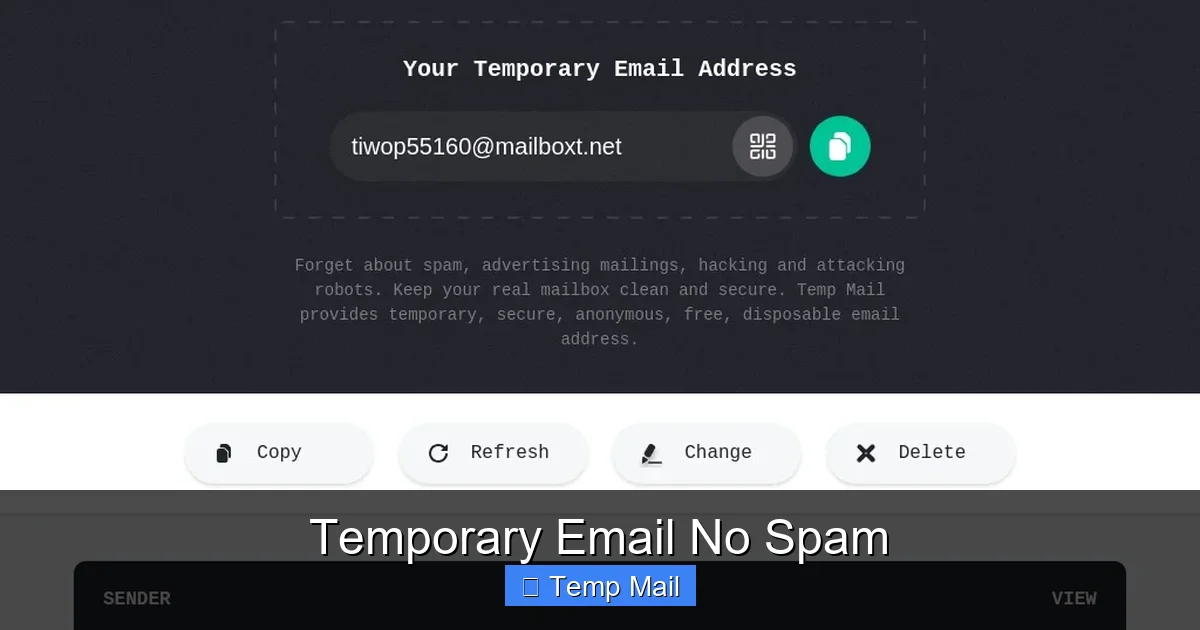
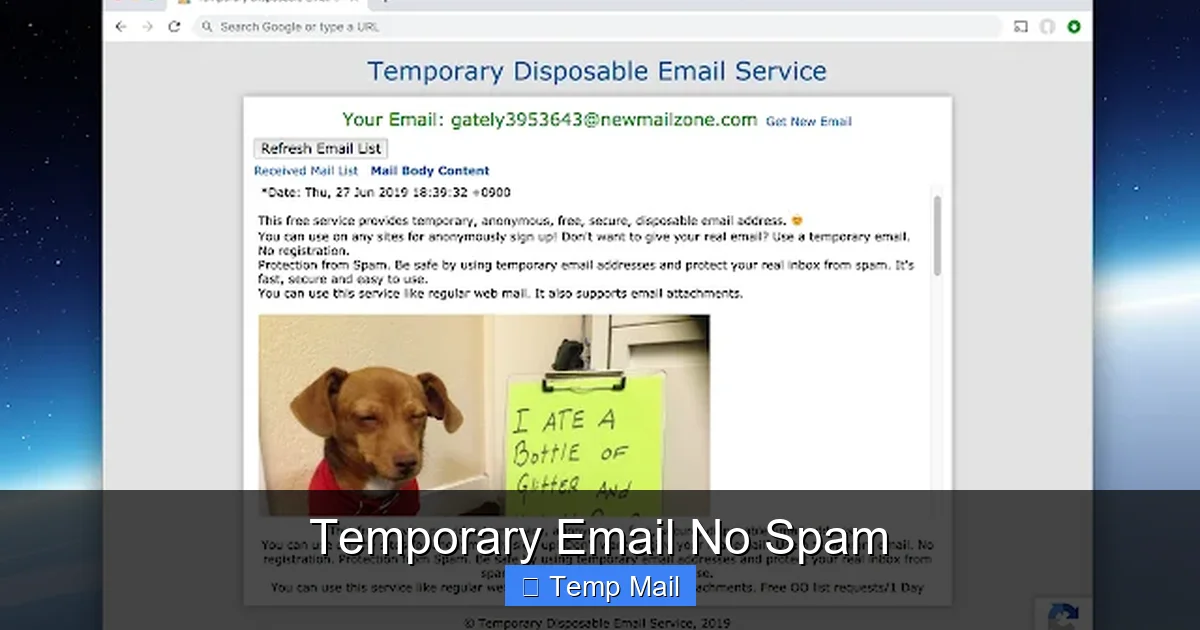
Behind the scenes of that one-click email generation is a surprisingly straightforward technical process. Understanding it helps demystify the service and builds trust in its operation. When you visit a site like Temp-Mail.org, Guerrilla Mail, or 10MinuteMail, you are connecting to a server that hosts a massive pool of available, randomly generated email addresses (e.g., abc123@domain.com).
Visual guide about Temporary Email No Spam
Image source: inspirationfeed.com
The Technical Dance of Disposable Addresses
Here’s the step-by-step: First, the service’s server automatically assigns you one of these unused addresses and presents it to you on the webpage. It also creates a private, temporary inbox linked exclusively to that address. This inbox exists only in the server’s volatile memory (RAM) for a short duration. When you copy that address and paste it into a third-party website’s sign-up form, that website sends its verification or content email to the domain managed by the temporary service. The service’s server receives that email, recognizes the recipient address as one of its active temporary accounts, and deposits the email into the corresponding private inbox. You, the user, can then view this inbox by refreshing the service’s webpage, which polls the server for new messages addressed to your temporary alias. The magic happens in the expiration timer: once the set time limit (10, 30, 60 minutes) elapses, the server purges the address from its active pool and wipes the inbox contents from memory. That email address is now permanently retired and will never be reassigned. There is no database linking that random address back to your IP address or any personal data, ensuring true anonymity.
No Registration, No Trails
A critical feature of reputable temporary email no spam services is the complete absence of a sign-up process. You do not create an account. You do not provide a recovery email. You simply visit the site, get an address, and use it. This is the cornerstone of its privacy claim. Because there is no user account database, there is no centralized list of who used which disposable address when. The service provider itself cannot map your activity back to you. The only log, if any, is a transient server log of the temporary address being active from a particular IP for a few minutes, which is typically wiped quickly. This stands in stark contrast to free email providers like Gmail or Yahoo, which build extensive profiles based on your account activity, scan emails for advertising, and have permanent records.
The Unbeatable Benefits: Why Ditch Your Primary Email for Junk Sign-Ups?
Using a disposable email isn’t just about convenience; it’s a proactive defense strategy for your digital life. The benefits cascade from the core principle of isolation.
Visual guide about Temporary Email No Spam
Image source: inspirationfeed.com
1. Ultimate Inbox Hygiene and Zero Spam
This is the most obvious and valuable benefit. Your primary inbox becomes a sanctuary for only the emails you truly want and expect. No more newsletters from a forum you joined a decade ago. No more “special offers” from a shopping site you used once. No more “your account has been compromised” phishing emails that target your main address because it’s been exposed in a breach. By funnelling all non-essential website interactions through a disposable address, you cut off the primary supply line for spam. The promotional emails and data-breach notifications go to an inbox that deletes itself, leaving your real inbox pristine.
2. Ironclad Anonymity and Privacy Protection
Every website you interact with asks for an email, and many use it as a unique identifier to track your behavior across the web. With a temporary email, you break that tracking chain. Since the address is random and unlinked to you, the website cannot associate that activity with your real identity. This is invaluable for whistleblowers, activists, journalists, or anyone researching sensitive topics. It also prevents companies from building a more complete profile of you based on the myriad of small, one-off services you might try.
3. A Bulwark Against Security Threats
Spam is not just annoying; it’s dangerous. Malicious attachments, links to phishing sites designed to steal your credentials, and sophisticated social engineering attacks often start with an email. By ensuring these emails never land in your primary inbox, you dramatically reduce the chance of accidentally clicking a malicious link where your real passwords and financial info are stored. Furthermore, if a website you use suffers a data breach, hackers will not obtain your email address from their database if you used a disposable one. This protects you from targeted follow-up attacks like credential stuffing (where hackers try your email/password from one breach on other popular sites).
4. Unmatched Convenience and Zero Commitment
There is no “unsubscribe” process for a disposable email because the entire address ceases to exist. You don’t have to hunt for the tiny unsubscribe link in a marketing email (which, ironically, often just confirms your email is active and valid, leading to *more* spam). You don’t have to manage filters or labels. The solution is self-cleaning. The convenience of clicking a button, getting an address in 2 seconds, using it, and walking away is unparalleled for low-stakes tasks.
Perfect Use Cases: When to Reach for a Temporary Email
Knowing *when* to use a disposable email is as important as knowing how. The strategy is to use it for any interaction that is transactional, temporary, or non-critical to your long-term identity or access.
Visual guide about Temporary Email No Spam
Image source: lh3.googleusercontent.com
Signing Up for Content Gates and Lead Magnets
How many times have you wanted to read an article, watch a video, or download a useful template (an eBook, a whitepaper, a stock photo) only to be stopped by an email gate? “Enter your email to access this content.” This is a classic lead generation tactic. The content is often of questionable long-term value, and you know it will likely trigger a sales email sequence. A temporary email no spam is perfect here. Get the download link, access the content, and the subsequent “nurture sequence” emails vanish into the void.
Downloading Software Trials and Freemium Tools
Want to try a new photo editor, project management tool, or antivirus suite? Most require an email for the trial download and subsequent login. You may never use the software again, but if you use your primary email, you’ve signed up for a lifetime of upgrade offers and newsletters. Use a disposable address. Download the trial, test it for a week, and let the email trail disappear. No guilty inbox clutter later.
Accessing Public Wi-Fi or Forum Registrations
Many public Wi-Fi networks (in airports, cafes, hotels) require you to register an email to get the password. This is a notorious spam vector. Also, many online forums, comment sections on news sites, or hobbyist community boards require an account to post. If it’s a one-time comment or you just need the Wi-Fi for a few hours, a temporary email is the ideal, low-risk credential.
Testing Website and App Registration Flows
Are you a developer, QA tester, or just a curious user testing a new app’s sign-up process? Using your real email for multiple test accounts is messy and clutters your inbox with test notifications. Disposable emails allow you to create as many test accounts as needed without consequence, making development and user acceptance testing much cleaner.
One-Time Coupons and Promo Codes
Saw a great discount code that requires an email sign-up to reveal? Use the disposable address. Get the code, use it at checkout, and abandon the temporary inbox. The retailer gets their “lead,” you get your discount, and no long-term relationship (or spam) is established.
Choosing the Right Temporary Email Service: What to Look For
Not all disposable email services are created equal. While the core function is similar, features, reliability, and user experience vary. Here’s your checklist for selecting a provider that truly delivers a temporary email no spam experience.
Core Criteria: Speed, Simplicity, and Lifespan
The best services load instantly, generate an address immediately without any clicks beyond landing on the page, and present a clear, easy-to-read inbox. Look for a configurable inbox lifespan. While 10 minutes is standard for extreme anonymity, 60 minutes is often more practical for tasks like waiting for a download link that might take a few minutes to arrive. Avoid services that require you to solve CAPTCHAs to generate an address or refresh the inbox—this is a nuisance and often a sign of a lower-quality service being abused by spammers.
Domain Variety and Address Randomness
A good service offers multiple domain names (e.g., @tempmail.com, @dispostable.com, @guerrillamail.com). This is useful if a particular website blocks emails from known disposable domains (some do). You can often switch domains to bypass such blocks. The address itself should be truly random and long enough to be virtually unguessable, preventing others from randomly trying to access your temporary inbox.
Essential Features: Reply Functionality and Attachment Support
Can you reply to emails from the temporary inbox? Some services allow it, which can be handy for a quick confirmation reply. However, this feature is less common and sometimes a paid upgrade. More importantly, check if the service supports email attachments. If you’re downloading a PDF, software .exe, or image, you need to be able to click and download it from the temporary inbox interface. Most reputable free services support this, but it’s worth confirming.
Red Flags to Avoid
- Excessive Advertising: A few ads are expected for a free service, but if the page is dominated by pop-ups, misleading download buttons, or adult ads, the provider is likely low-quality and potentially malicious itself.
- Forced Registration: If it asks you to create an account to “save” your inbox or gain more time, it’s not a true disposable service. Walk away.
- Unclear Privacy Policy: A legitimate service will have a clear, concise privacy policy stating they do not log or store your emails/activity. If it’s missing or vague, be suspicious.
- Slow or Unreliable Inbox: If emails take more than 60 seconds to appear after you know they’ve been sent, or if the inbox frequently fails to load, find another service.
Security and Limitations: The Crucial Caveats You Must Know
A temporary email no spam is a powerful tool, but it is not a silver bullet. Understanding its limitations is critical to using it safely and effectively.
The Inherent Ephemeral Nature: Your Data Is Gone
This is the biggest limitation and the most important rule: anything sent to a temporary address is permanently lost the moment the inbox expires. If a website sends your account credentials, a receipt for a paid service, or a critical password reset link to that disposable address, you will be locked out forever. There is no “forgot password” recovery because there is no permanent account to recover. This is why the rule is absolute: never, ever use a temporary email for any service where you need long-term access, financial transactions, or official communication. This includes: banking, primary email accounts, social media main profiles, government services, university portals, job application sites, and any subscription service you pay for.
Service Reliability and Uptime
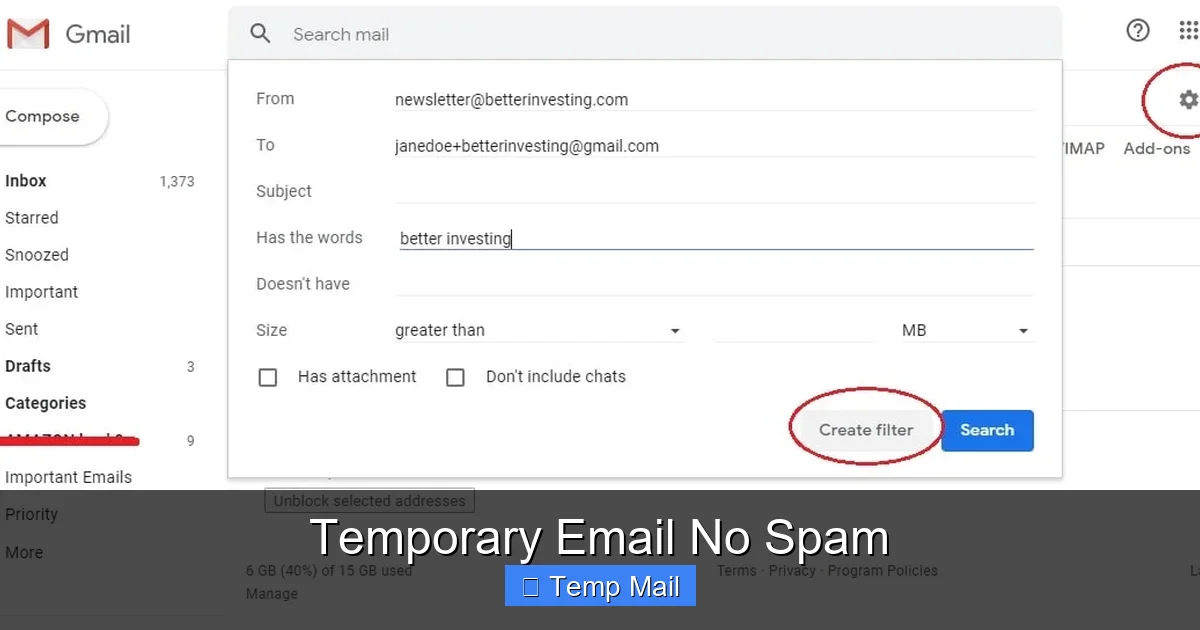
These free services operate on minimal infrastructure. They can sometimes be slow, experience downtime, or be blocked by certain corporate firewalls. If you’re relying on a temporary email to receive a crucial download link for a time-sensitive project, you’re taking a risk. Always have a backup plan. For important but non-critical sign-ups, you might use a secondary, permanent “throwaway” email address (like a dedicated Gmail for newsletters) instead of a disposable one.
Blocking by Major Platforms
Many major platforms—Google, Microsoft, Facebook, Twitter, Instagram, LinkedIn—explicitly block email domains known to be disposable. They do this to prevent abuse, fake account creation, and spam. If you try to sign up for a Google Account with a temporary email, it will be rejected outright. This is a feature, not a bug, from their perspective. It means you cannot use disposable emails for core platform accounts, which aligns perfectly with the “use it only for non-critical things” rule. Before relying on a disposable service for a specific site, you might test with a throwaway address first.
Best Practices for Safe Usage
To maximize security: use the service in a private browser window (incognito mode) to avoid cookie tracking from the disposable site itself. Never use the same temporary address twice for different sites. Generate a fresh one for each new interaction. Be aware that while the service provider doesn’t track you, the website you’re signing up with *does* now have a record that “some user at this disposable domain” signed up. If they perform aggressive IP tracking or device fingerprinting, they might link multiple activities from the same IP to the same person, but they won’t know your real email. The anonymity is from the *email provider*, not from the destination website’s other tracking methods.
Conclusion: Reclaim Your Digital Peace of Mind
The temporary email no spam is more than a convenience tool; it’s a fundamental piece of modern digital hygiene. In an online ecosystem designed to harvest your email address as a commodity, it empowers you to give away a meaningless token instead of the key to your digital life. The peace of mind that comes from an inbox free of unsolicited noise is tangible. It saves time, reduces cognitive load, and significantly lowers your attack surface for phishing and data-breach-related fraud.
Incorporate this tool into your daily digital routine. When you see that email field on a website you’re trying for the first time, pause. Ask yourself: “Is this relationship permanent and critical, or is this a one-off interaction?” If it’s the latter—and it often is—reach for a disposable address. Let the spam go to a dead end. Protect your primary email like the valuable asset it is, because in today’s world, your email address is the master key to your online identity. Guard it fiercely, use disposable alternatives for everything else, and enjoy the serenity of a truly personal inbox.
Frequently Asked Questions
Is using a temporary email legal and safe?
Yes, using a temporary email service is perfectly legal in virtually all jurisdictions. It is a safe and legitimate tool for protecting your privacy. The safety comes from using it correctly: only for non-critical, one-time interactions. The risk arises if you use it for important accounts where you need to recover access, as you will permanently lose access when the email expires.
Can a temporary email be traced back to me?
Not through the temporary email service itself. Reputable services do not require any personal information, do not create user accounts, and purge all logs quickly. The random address has no link to your identity. However, the website you sign up with may log the IP address you used at the time of sign-up. If you are engaging in illegal activity, law enforcement could potentially subpoena the website’s logs, but they would not get your email from the disposable provider.
Why would a website block a temporary email domain?
Websites, especially major platforms, block disposable email domains to combat spam, fraud, and fake account creation. These addresses are often used to create numerous abusive or bot accounts. By blocking them, the site aims to ensure each user has a verifiable, permanent contact method, which increases accountability and reduces their own abuse moderation workload.
What happens if I need to reset a password for a site I signed up with using a temporary email?
You will be unable to reset the password. The password reset link will be sent to the disposable address, which no longer exists. This is why the cardinal rule is to never use a temporary email for any account where you need to maintain long-term access or that involves financial value. You would have to contact the site’s customer support (if possible) and likely prove your identity through other means, which may not be feasible.
Are there any costs associated with using these services?
The vast majority of basic temporary email services are completely free. They are supported by advertising on their own websites. Some services offer premium “pro” plans with longer inbox lifespans (24 hours or more), custom domain options, or ad-free interfaces for a small monthly fee, but the core 10-60 minute service is almost always free.
Can I send emails from a temporary address?
Generally, no. The primary function of a disposable email service is to *receive* emails for a short period. The ability to *send* outgoing emails is rare in free services and, if available, is usually a paid feature. The design philosophy is one-way communication: you provide the address to receive a single piece of information (a link, a code, a file) from the sender.