Temporary Email for Freelancers
Temporary email services are a freelancer’s secret weapon for maintaining privacy, avoiding spam, and streamlining sign-ups without compromising their primary professional inbox. By generating disposable addresses, you can safely test platforms, access gated content, and shield your real contact details from data brokers and unwanted solicitations. This simple tool enhances security and organization, letting you focus on client work instead of inbox clutter.
Key Takeaways
- Privacy Shield: A temporary email acts as a protective barrier, preventing your primary, professional email from being exposed to marketers, scrapers, and potential data breaches on low-trust websites.
- Spam annihilation: By using disposable addresses for non-essential sign-ups (e.g., e-books, forums, tool trials), you keep your main inbox pristine and focused on high-priority client communications.
- Enhanced security: It reduces the risk of phishing attacks and credential-stuffing attempts targeting your main email, which is often the key to other critical accounts like banking or cloud storage.
- Professional image preservation: You avoid the unprofessional look of a cluttered inbox full of promotional emails when sharing your screen with clients or during important video calls.
- Cost-effective & effortless: Most reputable temporary email services are free, require no setup, and work instantly in your browser, offering immediate value with zero financial investment.
- Workflow efficiency: Quickly create an email for a one-time task without the mental overhead of creating and later deleting a new permanent account, saving time and cognitive load.
- Boundary setting: It helps enforce clear boundaries between your freelance business and personal/side-project activities, keeping your professional identity separate and secure.
📑 Table of Contents
- Your Inbox, Your Castle: Why the Modern Freelancer Needs a Disposable Email
- How Does a Temporary Email Service Actually Work? (No Tech Degree Required)
- Top-Tier Temporary Email Tools for the Freelance Professional
- Best Practices: How to Use Temporary Email Without Shooting Yourself in the Foot
- Common Pitfalls: What Can Go Wrong (And How to Prevent It)
- Integrating Temporary Email into Your Freelance Ecosystem
- The Conclusion: A Simple Habit for a More Secure Freelance Business
Your Inbox, Your Castle: Why the Modern Freelancer Needs a Disposable Email
Let’s be honest. The freelance life is a beautiful mix of freedom and chaos. You’re the CEO, the marketing team, the accountant, and the IT support. One minute you’re crafting a brilliant client proposal, the next you’re wrestling with a confusing software sign-up page that demands your email address just to see the pricing. You sigh, type in your trusted professional email—the one on your business cards and LinkedIn—and hit submit. A week later, that inbox is flooded with newsletters from a company you barely remember, and your “important” filter is now sifting through a mountain of promotional noise. Sound familiar?
This is where a temporary email for freelancers transitions from a tech-savvy trick to an essential business tool. It’s not about being paranoid; it’s about being prudent. Your primary email address is now a high-value digital asset. It’s tied to your PayPal, your cloud storage, your password manager, and your professional reputation. Every time you paste it into a random web form, you’re potentially handing a copy of that key to a third party you don’t know and may not trust. A disposable email service gives you a throwaway key for those uncertain doors, keeping your master key safe in your pocket.
The Spam Avalanche and the Data Broker Economy
The web runs on an economy of data. Many “free” services and content platforms aren’t selling you a product; they’re selling access to your attention and your contact information. When you sign up with your main email, you’re often added to a list that gets sold, shared, or leaked. For a freelancer, this isn’t just annoying; it’s a productivity killer. Important client emails get buried under a deluge of “20% off your first order!” from a website you visited once in 2018. Using a temporary email is like using a different name at a noisy bar—you get the drink (the e-book, the tool trial) without giving out your real phone number (your primary email).
Privacy Isn’t Hiding; It’s Strategic Control
As a freelancer, you might work with clients in different countries, on sensitive projects, or in competitive niches. Do you really want a random forum you signed up for for research to have an email that could, through data correlation, be linked to your client list or your LinkedIn? Data brokers compile profiles from hundreds of such data points. A temporary email breaks that chain. It allows you to explore, research, and test services online without creating a permanent, searchable record that ties your activities to your core professional identity. It’s a simple act of digital hygiene.
How Does a Temporary Email Service Actually Work? (No Tech Degree Required)
The beauty of these services is their stunning simplicity. There’s no complex setup, no software to install, and certainly no need to understand SMTP servers or DNS records. Here’s the step-by-step reality:
Visual guide about Temporary Email for Freelancers
Image source: freelancecorner.co.uk
- You visit a website. Go to a site like Temp-Mail.org, 10MinuteMail.com, or GuerillaMail.com.
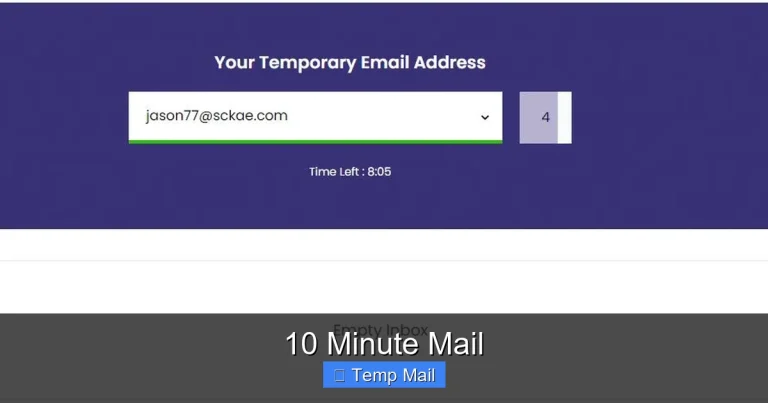
- You get an address. Instantly, the site generates a random email address for you (e.g., abc123@tempmail.demo) and displays an inbox on the same page.
- You use it. Copy that email and paste it into the form for the ebook, forum, or software trial you need.
- You receive mail. Any verification link or message sent to that disposable address appears right there in the web-based inbox. No password needed.
- It vanishes. After a set time (usually 10 minutes to 1 hour, sometimes up to a day) or after you close the browser tab, the address and all its messages are permanently deleted from the service’s servers.
That’s it. It’s like a digital hotel room—you check in, use it for your immediate purpose, and check out without leaving a forwarding address.
Behind the Scenes: Why It’s Secure (Enough for Most Tasks)
You might wonder, “Is this even safe?” For its intended purpose—receiving a single verification link or a downloadable PDF—it is perfectly secure. The communication is still encrypted (HTTPS). The “risk” is that anyone with the unique URL to your temporary inbox could, in theory, see the emails. But since the address is random and the inbox is ephemeral, the window for this is tiny and the target value is low. The real security comes from the fact that you are not reusing a critical password or identity. You’re using a burner for a one-time task, which is a core security principle.
Top-Tier Temporary Email Tools for the Freelance Professional
Not all temp mail services are created equal. Some are cluttered with ads, some have too short a lifespan, and some offer features that actually benefit a busy freelancer. Here’s a curated look at the best options.
Visual guide about Temporary Email for Freelancers
Image source: c8.alamy.com
Temp-Mail.org: The Reliable Workhorse
This is often the first result for a reason. It’s clean, ad-supported, and incredibly reliable. You get a random address that lasts for an unknown but usually sufficient period (until you close the tab or the session expires). It allows you to reply to emails from the inbox, which is a rare and useful feature if you need a quick back-and-forth to complete a sign-up. For the freelancer who just needs to grab a resource and bounce, it’s perfect.
10MinuteMail.com: The Classic Sprint
As the name implies, this service gives you a 10-minute window. This is fantastic for when you’re in a hurry and know the verification email will arrive instantly. The pressure of the countdown timer ensures you don’t accidentally use it for something important later. It’s a great tool to have in your browser bookmarks for those “I need this NOW” moments.
Guerilla Mail: The Feature-Packed Option
Guerilla Mail goes a step further. You can actually choose your own temporary address username (e.g., yourprojectname@guerrillamail.com), which makes it easier to remember if you need it for a slightly longer process. It also offers a slightly longer lifespan and even a basic password protection feature for the inbox. This is ideal if you’re doing a multi-step sign-up that might take 30-45 minutes and you want to be able to close your browser and come back.
Pro Tip: Browser Extensions for Seamless Workflow
Some freelancers use browser extensions like “Temp Mail” or “DropMail” that add a button to your toolbar. One click generates a new address and opens a small pop-up inbox. This integrates the process directly into your browsing flow, making it even faster and reducing context switching. It’s the ultimate efficiency hack for the freelance researcher or tool-hoarder.
Best Practices: How to Use Temporary Email Without Shooting Yourself in the Foot
Using a temp mail service is simple, but using it wisely is what separates a pro from someone who accidentally locks themselves out of an account. Here’s your rulebook.
Visual guide about Temporary Email for Freelancers
Image source: terawork.com
The Golden Rule: Never, Ever for Anything Critical
This cannot be stressed enough. Do not use a temporary email for:
- Any financial account (PayPal, Stripe, bank accounts)
- Your primary cloud storage (Google Drive, Dropbox, iCloud)
- Password manager accounts
- Official business registrations, contracts, or legal documents
- Client-facing primary contact points
The email will vanish. The password reset link will be lost forever. You will be locked out, and customer support will be helpless. These are the keys to your kingdom; keep them on a permanent, secure chain.
Create a System: The “Purpose-Address” Method
Don’t just use a random address for everything. Develop a simple mental (or literal) note-taking system. For example:
- Research & Competitor Intel: Use a specific temp address prefix like research-@tempmail.demo.
- Software Trials & E-books: Use trials-@guerrillamail.com.
- Forum & Community Sign-ups: Use a fresh, random address each time.
This helps you mentally track what you’ve signed up for and prevents you from accidentally using the wrong address for a slightly more important task. It also helps you identify which sources are spammy—if the “research” address gets bombarded, you know that particular source sold your data.
Always Check the Sender Before Clicking
Phishing doesn’t stop at your main inbox. A temporary inbox can be a phishing target too. Before you click that “Verify Your Account” link in your disposable inbox, hover over it. Does the URL match the supposed sender? Is it asking for a password you never set? Remember, you used this email for a low-stakes site. That site will never ask for your main PayPal password. Treat temp mail with the same basic skepticism you’d give any email.
Common Pitfalls: What Can Go Wrong (And How to Prevent It)
Even with the best intentions, freelancers can stumble. Here are the most common mistakes and how to avoid them.
Pitfall 1: The Accidental Permanent Link
You sign up for a project management tool with your temp email. You love it. You upgrade to a paid plan, add your team, and store crucial client data there. Then your temp email expires. The system has no way to contact you for billing alerts or password resets. You’ve just tied your business operations to an evaporating address. Prevention: The moment you decide a service is “keeper” material, immediately update your account settings to your primary, permanent email. Do this within the first 24 hours of sign-up.
Pitfall 2: The “I’ll Just Use It for This One Thing” Lie
You tell yourself, “I’ll only use this temp address for the freelance newsletter I want to read.” Then, six months later, you try to log in to that same newsletter platform to find an old article. The email is gone. You’ve lost access to your own reading history. Prevention: If you think you might want to log back into something—even just a newsletter—use your main email or create a dedicated “newsletter-only” permanent alias (many email providers like Gmail and Outlook allow this). Treat temporary email as a one-way ticket.
Pitfall 3: Overlooking the “Reply-To” Trap
Some services, when you sign up with a temp email, set the “reply-to” field in their system to that same disposable address. If a client or collaborator replies to a notification you received in your temp inbox, their reply goes to an address that no longer exists. Prevention: For any service where you expect a human to reply to you (e.g., a platform where clients might contact you through a messaging system that emails you), use your primary email from the start.
Integrating Temporary Email into Your Freelance Ecosystem
Think of a temporary email service not as a standalone tool, but as a component of your larger freelance security and organization stack.
Pair It with a Dedicated “Shield” Email (The Hybrid Approach)
Some freelancers create a secondary, permanent email address specifically for “semi-important” sign-ups—like newsletters they genuinely want or tools they use regularly but aren’t core to their business. This address is separate from their primary client-facing email. You can then use a true disposable email for everything else. This creates a three-tier system: 1) Primary (clients, finance), 2) Secondary (regular tools/newsletters), 3) Disposable (one-off research, trials). It’s the ultimate in compartmentalization.
Use It for Client Onboarding Research (Ethically)
Before you sign a contract with a new client, you might want to research their industry or test a tool they use. Use your temp email for this research sign-ups. This ensures that if the client relationship ends, your research trail (linked to your temp email) doesn’t remain connected to your professional identity. It’s a clean break. Note: Never use it for direct communication with the client or for signing the contract itself.
Automate the Clean-Up (Mindfully)
Since these inboxes auto-delete, they are self-cleaning. This is a huge advantage over creating a bunch of “junk” email accounts that you then have to log into and delete manually. The ephemeral nature is a feature, not a bug, for one-off tasks. Embrace the automatic purge. It’s one less digital chore on your plate.
The Conclusion: A Simple Habit for a More Secure Freelance Business
Freelancing already demands you wear a dozen hats. Adding “chief email security officer” to that list shouldn’t be complicated. Adopting the use of a temporary email for freelancers is one of the lowest-effort, highest-impact habits you can build. It takes three seconds to generate an address, paste it, and move on. That tiny action pays dividends in a cleaner inbox, reduced phishing risk, and greater peace of mind.
It’s not about being secretive; it’s about being strategic. Your primary email address is your professional home base. You wouldn’t put your home address on every random flyer you pick up. Don’t put your digital home address on every web form you encounter. Guard it, compartmentalize it, and use the disposable keys for the fleeting doors of the internet. In the beautiful chaos of freelance life, a little intentional digital hygiene goes a very long way. Start today. Open a new tab, grab a temporary address, and use it on the next non-essential sign-up you encounter. Feel the difference. Your future, less-cluttered self will thank you.
Frequently Asked Questions
Is using a temporary email legal for freelancers?
Yes, using a temporary email service is completely legal. These services are legitimate tools for privacy and spam prevention. The legality only becomes an question if you use the disposable address for fraudulent activities, which applies to any communication tool.
Can I use a temporary email for platforms like Upwork, Fiverr, or PayPal?
Absolutely not. Critical platforms that handle your payments, identity verification, or client contracts must use a permanent, secure email address that you control indefinitely. Using a temporary email here will result in lost access, failed verification, and account suspension.
Will a temporary email affect my professionalism with clients?
No, as long as you use it correctly. You should never give a temporary email to a client or use it for official project communication. It’s strictly for your own backend activities (research, tool trials). Your client-facing email should always be your polished, permanent professional address.
Are temporary email services secure? Can they be hacked?
For its intended purpose—receiving a single verification link—the risk is very low. The inboxes are isolated and short-lived. The greater security risk comes from not using them: exposing your primary email to countless databases. However, never send sensitive personal data (like ID scans or credit card info) to a temporary address, as you have no control over the server’s long-term security.
What happens if I need to reset a password for an account I signed up with a temporary email?
You will be permanently locked out of that account. The password reset email will be sent to an address that no longer exists or is accessible. This is why the golden rule exists: never use a temporary email for any account you might need to access again in the future.
Do temporary emails have storage limits or time limits?
Yes, both. They have very small storage (often just enough for a few verification emails) and a strict time limit, usually ranging from 10 minutes to 24 hours. Some services allow you to extend the time manually. These limits are precisely what make them useful for disposable purposes.