Temporary Email Alternative to Gmail
Tired of your Gmail inbox overflowing with spam? A temporary email alternative offers a simple, powerful solution. These disposable inboxes let you sign up for websites, download files, or verify accounts without ever revealing your primary email address. They’re free, require no registration, and automatically delete messages after a short time, keeping your permanent inbox clean and your personal information safe from data harvesters and unwanted marketers.
Key Takeaways
- Privacy Shield: Temporary emails act as a protective buffer, preventing your real email address from being collected, sold, or misused by websites and advertisers.
- Spam Annihilator: By using a disposable address for one-time sign-ups or downloads, you effectively eliminate spam, phishing attempts, and promotional newsletters from ever reaching your primary inbox.
- Zero Commitment: Most services require no sign-up, password, or personal details to create an address. You generate, use, and forget it.
- Inherently Disposable: Emails and the inbox itself are automatically purged after a set period (usually hours or days), ensuring no long-term digital footprint is left behind.
- Not for Important Accounts: Never use a temporary email for critical accounts like banking, primary social media, or password recovery for essential services, as you will permanently lose access.
- Variable Uptime & Features: Free services can be unstable, have limited inbox sizes, and may block certain attachments or domains. Reliability varies significantly between providers.
- A Tool, Not a Replacement: Think of a temporary email as a specialized tool for specific, low-stakes tasks, not as a full-time replacement for a robust email service like Gmail.
📑 Table of Contents
- What Are Temporary Emails? (And Why They’re Not “Fake”)
- Top Temporary Email Alternatives to Gmail: Service Comparison
- When and Why to Use a Temporary Email (The Practical Use Cases)
- Security and Privacy: The Double-Edged Sword
- Limitations and Pitfalls: Why It’s Not a Full Gmail Replacement
- How to Choose and Use a Temporary Email Service: A Step-by-Step Guide
- The Future and Ethical Considerations
- Conclusion: Your Inbox, Your Rules
What Are Temporary Emails? (And Why They’re Not “Fake”)
Let’s clear the air right away. A temporary email, also called a disposable or throwaway email, is a real, functioning email address that exists for a short, predefined period. It’s not “fake” in the sense of being a hallucination—it’s a legitimate address that can both send and receive emails. However, it’s designed to be ephemeral. Its sole purpose is to serve as a temporary email alternative to Gmail (and other permanent providers) for situations where you need an inbox but don’t want to commit your primary, personal email address.
The core philosophy is simple: compartmentalization. You use your permanent Gmail (or Outlook, ProtonMail, etc.) for your identity—your friends, family, work, and critical accounts. You use a temporary email address as a shield for everything else. This practice is a cornerstone of modern digital hygiene, directly combating the pervasive issues of data harvesting, spam, and credential stuffing attacks that plague permanent email users.
The Architecture of Disposability
Unlike Gmail, which ties an address permanently to your Google account and all its associated services, temporary email services operate on a different model. They typically generate a random email address on their domain (e.g., abc123@temp-mail.org) and associate it with a temporary session, often identified by a random token in the URL. There is no password, no account recovery, and no user profile. The inbox is simply a queue that displays emails sent to that specific random address.
When the timer expires—which can be anywhere from 10 minutes to several days—the server deletes the address and all its contents forever. The address is then recycled and made available for another user. This automated lifecycle is what makes it “disposable.” You are not a user; you are a transient visitor using a resource that is designed to be consumed and discarded.
Top Temporary Email Alternatives to Gmail: Service Comparison
The market is flooded with temporary email providers, each with its own quirks, strengths, and weaknesses. Choosing the right temporary email alternative to Gmail depends on your specific needs: ease of use, domain options, inbox lifespan, and whether you need to send replies. Here’s a breakdown of some of the most reliable and popular options.

Visual guide about Temporary Email Alternative to Gmail
Image source: clean.email
Guerrilla Mail: The Veteran Workhorse
One of the oldest and most recognized names in the space. Guerrilla Mail (guerrillamail.com) is incredibly straightforward. Visit the site, and you’re immediately given a random address (you can change the domain and local part). It features a basic but functional inbox, the ability to send short replies, and a default 60-minute inbox timer (extendable). Its biggest strength is reliability and name recognition. Many websites that block known temp mail domains might still allow Guerrilla Mail, though this is a constant cat-and-mouse game.
Temp-Mail: Feature-Rich and Flexible
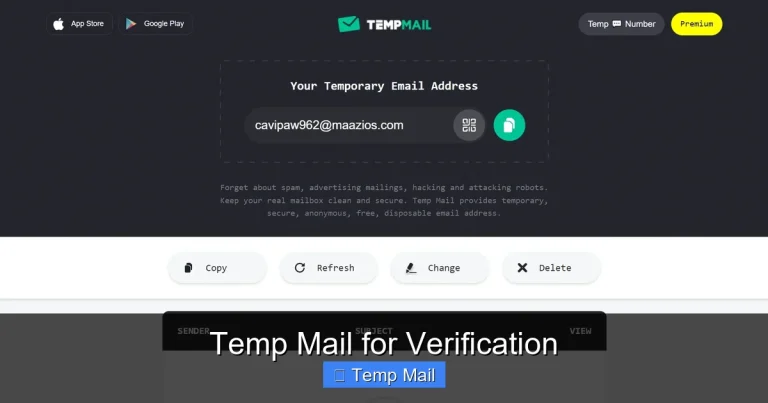
Temp-Mail (temp-mail.org) is a powerful contender with a more modern interface. It offers multiple domain choices (like @temp-mail.org, @tempr.email), a longer default inbox lifespan (up to 48 hours if you don’t close the browser tab), and the crucial ability to create a custom username on some domains. This is a huge plus if you need an address that’s semi-recognizable for a specific purpose. It also supports file attachments (with size limits) and has a browser extension for quick access.
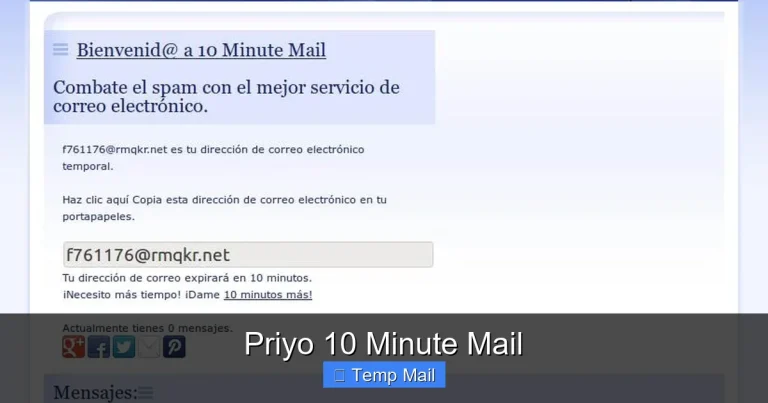
10MinuteMail: For the Ultra-Short Haul
As the name suggests, 10MinuteMail (10minutemail.com) specializes in the shortest possible lifespans. The address is valid for exactly 10 minutes, with a clear, prominent countdown timer. This is perfect for the most fleeting tasks—like instantly verifying a forum account you’ll never use again—where you want the absolute minimum exposure time. Its simplicity is its feature; there’s almost nothing to it, which reduces complexity and potential tracking.
Mailinator (Public Inboxes): The Public Forum
Mailinator (mailinator.com) operates on a unique public-inbox model. Any address at @mailinator.com is public. If you pick test123@mailinator.com, anyone else on the planet who also picks that same address can see the emails you receive. This makes it unsuitable for anything containing personal data, but it’s fantastic for testing application email flows in development or for receiving public confirmations where privacy isn’t a concern. Its “Premium” service offers private inboxes.
ProtonMail’s Temporary Addresses: The Secure Bridge
This is a unique and important entry. ProtonMail (proton.me/mail), a renowned secure email provider, offers a feature that allows paid users to create up to 5 disposable email addresses that forward to their main, encrypted ProtonMail inbox. These are not truly temporary in the same way—they don’t auto-delete—but they are alias addresses. You can delete the alias at any time, instantly stopping all mail to it. This is the closest you can get to a temporary email alternative to Gmail that also maintains the security, privacy, and permanence of a respected service. It’s ideal for those who want compartmentalization without sacrificing reliability or encryption.
When and Why to Use a Temporary Email (The Practical Use Cases)
Knowing how to use a temp mail is useless without knowing when. The strategic application of a disposable address is what unlocks its value. Here are the most common, practical scenarios where a temporary email alternative to Gmail shines.
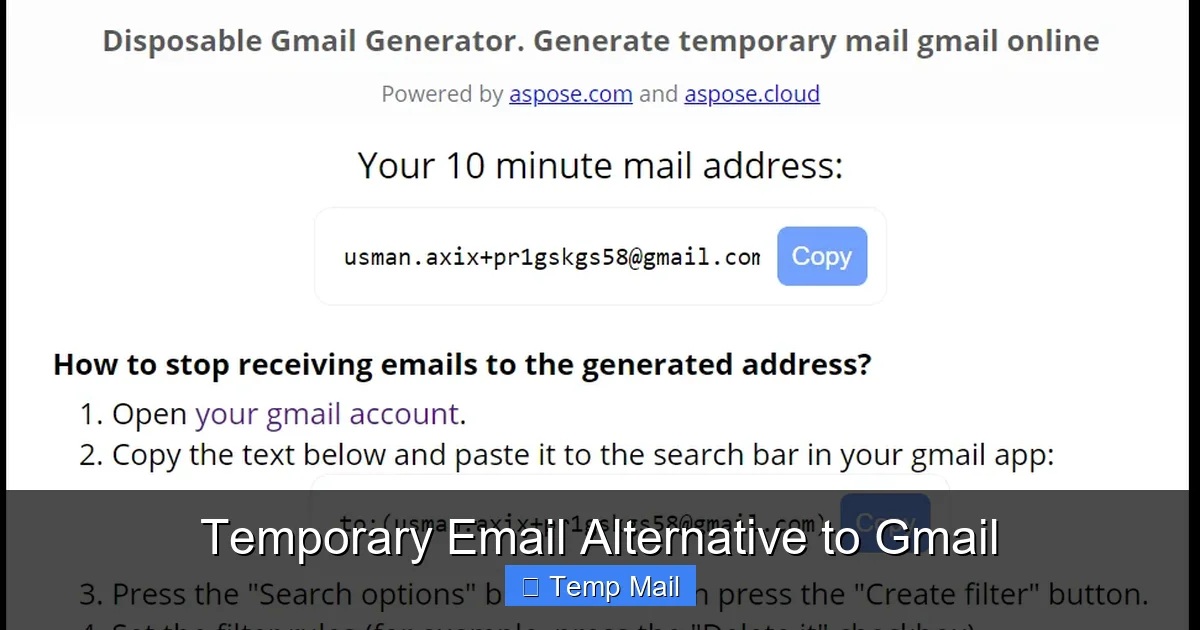
Visual guide about Temporary Email Alternative to Gmail
Image source: blog.aspose.com
1. The One-Time Download or Content Gate
You’ve found a fantastic e-book, software trial, or research paper, but the website demands your email address to send the download link. This is the #1 use case. Using your Gmail here guarantees that company’s newsletter (and likely their data broker partners) will email you forever. Instead, grab a temp mail, get the link, download the file, and abandon the address. The spam never touches your primary inbox.
Practical Tip: Use a service with a longer inbox life (like 24-48 hours) for downloads, in case the link email is delayed.
2. Registering for Low-Stakes Online Services
You need to create an account for a:
- One-time use coupon or discount site
- Online forum you’ll browse once
- Free trial for a SaaS tool you’re evaluating
- Gaming platform for a single session
- Commenting on a news article or blog
In all these cases, the account is not your identity. It’s a utility. Sacrificing the temp mail after use is no loss.
3. Testing Email Functionality (For Developers & Marketers)
If you’re building a website or app and need to test sign-up flows, password reset emails, or notification systems, a temp mail is indispensable. You can trigger dozens of test emails without cluttering a real inbox or worrying about hitting sending limits. Services like Mailinator are built specifically for this public-testing paradigm.
4. Bypassing Regional or Platform Restrictions
Some services block entire email domains (like @gmail.com) in certain regions or require a “non-free” email provider. A temp mail from a less common domain can sometimes slip through these blocks, allowing you to access content or sign up for a service that would otherwise be closed to you.
5. Protecting Your Identity on Marketplaces & Classifieds
When selling an item on Facebook Marketplace, Craigslist, or a similar platform, you often communicate via platform-based email forwards. If you need to provide an email for a serious buyer to send contact info, a temp mail gives you a layer of anonymity. You can communicate for the transaction and then discard the address, preventing the buyer from having your permanent contact information for future unsolicited contact.
Security and Privacy: The Double-Edged Sword
This is the most critical section. While a temporary email alternative to Gmail offers privacy *from the sites you use it on*, it introduces its own set of security and privacy considerations. You must understand the trade-offs.
Visual guide about Temporary Email Alternative to Gmail
Image source: blog.aspose.com
The Privacy Benefit: You Are the Product (For Someone Else)
Gmail’s business model is famously based on scanning your emails to serve targeted ads. A temp mail service, by contrast, typically has no incentive to profile you. They don’t know who you are, and the data in the inbox is transient. From the perspective of the website you sign up for, they get an email address they can’t tie to your real identity, your location, or your browsing history. This is a massive win for privacy. You’ve successfully prevented one more entity from building a profile on “you.”
The Security Risk: The Service Itself
The flip side is that you are trusting a completely unknown, often free, operator with any emails you send or receive. Never, ever use a temporary email for:
- Password resets for important accounts (you’ll lose access)
- Sending or receiving sensitive personal data (SSN, bank details, private documents)
- Any communication that requires legal confidentiality
- Account verification for services you intend to keep long-term
The operator of the temp mail service could, in theory, log all emails passing through their servers. While most reputable ones claim not to, there is no verification. You are operating on trust. Furthermore, many free services display ads on their inbox page, which can be a vector for malware or tracking cookies.
The Inbox Hijack Risk
Because many temp mail inboxes are public or easily guessable (e.g., Mailinator), there is a real risk of someone else stumbling upon your inbox and reading your emails. This is why you must treat every temp mail as a postcard, not a sealed letter. Assume anything you receive there could be seen by others.
Best Practice: Use a service that generates a truly random, unique address (like most do) rather than a public domain like @mailinator.com for anything remotely sensitive.
Limitations and Pitfalls: Why It’s Not a Full Gmail Replacement
It’s tempting to think a temporary email could just be your new main inbox. It cannot. Understanding its limitations is key to using it effectively and safely.
The One-Way Street (Often)
Many temp mail services are receive-only. You can get emails, but you cannot initiate contact from that address. This makes it useless for any situation where you need to be proactively contacted by a person or business using that address as a reply-to. Gmail is a two-way communication tool; most temp mail is a one-way drop-box.
Unreliable Uptime and Domain Blacklisting
Free temp mail providers can be unstable. Their servers may go down, emails may be delayed, or they may simply disappear one day. More commonly, popular websites and services actively maintain and update blacklists of known temporary email domains. If you try to sign up for a service like Facebook, LinkedIn, or a major bank using a temp mail, it will almost certainly be rejected. These platforms see temp mail as a high-risk, low-commitment user and block them preemptively.
No Search, No Folders, No Organization
Forget about Gmail’s powerful search, labels, and filters. A temp mail inbox is a simple, chronological list of messages for that specific address. Once the address expires, the history is gone. There is no archiving. This reinforces its purpose: it’s for a single, atomic task, not for ongoing correspondence.
Attachment Limitations
Many services impose strict limits on file attachment sizes (often 1-5MB) or block certain file types (.exe, .zip) entirely for security reasons. Gmail, with its 25MB limit and integration with Google Drive, is far more capable for file exchange.
Psychological “Disposability” Trap
Because the address feels “throwaway,” users might become careless. They might use it for slightly more important things “just this once,” or sign up for a service they think they’ll only need for a month, only to need it a year later and find the address gone. This leads to lost account access and frustration. The rule must be absolute: if you might need to access this account or communication in the future, do not use a temp mail.
How to Choose and Use a Temporary Email Service: A Step-by-Step Guide
Armed with knowledge, let’s walk through the process of selecting and utilizing a temporary email alternative to Gmail correctly.
Step 1: Define Your Need
Ask yourself: What is the single purpose of this address?
- “I need to download a file.” Prioritize inbox lifespan (24-48 hours) and attachment support.
- “I’m verifying a throwaway forum account.” Speed and simplicity are key. A 10-minute service is fine.
- “I’m a developer testing email flows.” Use a public-inbox service like Mailinator or a dedicated testing tool.
- “I want a privacy-respecting alias for online shopping.” Consider a paid alias service like ProtonMail’s or SimpleLogin/AnonAddy, which offer more permanence and control than a classic temp mail.
Step 2: Select a Provider
Based on your need, pick from the list in Section 2. For general, all-purpose use, Temp-Mail.org or Guerrilla Mail are excellent starting points. If you need to send a reply, verify that the service supports it. If you need a custom username, choose Temp-Mail. Bookmark 2-3 reliable providers in case one is blocked by a specific website.
Step 3: The Generation Process
Navigate to the provider’s website. You will instantly see an email address generated for you. Do not close this browser tab! The address is tied to that session. If you close the tab, you will likely lose access to the inbox (unless the service uses a token in the URL you can bookmark). Copy the email address.
Step 4: Use It and Monitor
Paste the temp mail address into the sign-up or download form on the other website. Complete the process. Keep the temp mail tab open in the background. Check it periodically for the verification email or download link. Most services have a manual “Refresh” button to check for new mail.
Step 5: The Disposal
Once you have received the necessary email (link, code, file), your job is done. Do not use this address for anything else. Simply close the browser tab. The service will automatically delete the inbox and recycle the address after its set time. You have successfully compartmentalized that interaction.
Advanced Tip: Some browser extensions (like those for Temp-Mail) allow you to generate and manage addresses from a toolbar icon, improving workflow without keeping a tab open.
The Future and Ethical Considerations
The cat-and-mouse game between temp mail services and websites that block them is perpetual. As websites get better at detecting and blocking disposable domains, temp mail providers evolve by offering more domains, changing IP addresses, and mimicking legitimate email patterns. This arms race highlights a fundamental tension: the right to privacy versus a business’s desire for verified, engaged users.
From an ethical standpoint, using a temp mail is not dishonest. You are not lying; you are providing a valid, working email address for a purpose that does not require your identity. The “deception” is in the website’s assumption that the email they collect will be a permanent channel to you—an assumption you are under no obligation to fulfill for non-critical services. However, it’s important to use this power responsibly. Do not use a temp mail to evade bans on forums where you are a contributing member, to commit fraud, or to hide malicious activity. The tool is for privacy from unwanted communication, not for anonymity in unethical behavior.
The long-term solution lies in a shift in internet norms, where providing an email for a simple download is not the default, or where privacy-focused email services (like ProtonMail) with robust aliasing features become the norm. Until then, the humble temporary email remains a vital, if blunt, instrument in the privacy toolkit of any savvy internet user.
Conclusion: Your Inbox, Your Rules
A temporary email alternative to Gmail is not about replacing your primary digital home. It’s about building a secure, private annex to it. Gmail (or your provider of choice) remains the place for your identity, your relationships, and your critical digital assets. The temporary email is the back door, the service entrance, the disposable cover you use for the noisy, messy, and often predatory world of one-off internet interactions.
By consciously choosing when to use which tool, you reclaim control. You stop the relentless bleed of your primary email address into the data economy. You declutter your mind and your inbox. You practice a small but significant act of digital self-defense. The next time a website whispers, “Enter your email to continue,” you now have a powerful, simple answer: not with your real one. Use a temp mail. Get what you need. Walk away clean. That’s not just convenience; that’s sovereignty.
Frequently Asked Questions
Is using a temporary email legal?
Yes, using a temporary email is completely legal. It is simply using a different, valid email address. The legality depends on how you use it. Using it to receive a download link or sign up for a free service is fine. Using it to commit fraud, evade legal obligations, or send threats is illegal, just as it would be with any other email address.
Are temporary emails safe from hackers?
They are safe in one sense: they limit exposure. If a temp mail service is breached, only the emails in that specific, short-lived address are compromised, not your entire permanent identity. However, you cannot trust them for sensitive data. The service operator could potentially read emails, and public-inbox services mean anyone can see your messages. Never send passwords, financial info, or private documents to a temp mail.
How long do temporary emails last?
It varies by provider. Lifespans range from 10 minutes (10MinuteMail) to 48 hours (Temp-Mail). Some allow you to extend the life by interacting with the inbox page. Always check the specific service’s countdown timer. Assume the address is gone forever once that timer hits zero.
Can I send emails from a temporary address?
Sometimes. Some services like Guerrilla Mail and Temp-Mail allow you to send short reply emails from the disposable address. Many are receive-only. Sending capability is often limited to prevent spam abuse. You generally cannot use them to start new email threads or send attachments freely.
Will websites know I’m using a temporary email?
Often, yes. Most major platforms (social media, banks, Google services) maintain updated blacklists of temporary email domains and will block sign-up attempts. Smaller blogs, forums, and download sites may not check and will accept them. There’s no guarantee, but using a less common provider can sometimes bypass basic checks.
What is the best temporary email alternative to Gmail?
There is no single “best” service. For general use, Temp-Mail.org offers a great balance of features, custom usernames, and a 48-hour lifespan. For absolute simplicity and speed, 10MinuteMail is perfect. For a more secure, integrated option if you already use ProtonMail, their disposable alias feature (for paid users) is the gold standard for privacy-conscious users. Always have 2-3 providers bookmarked as a backup.