Temp Mail Online
Temp mail online provides a disposable email address that shields your real inbox from spam, phishing, and data breaches. It’s the perfect tool for signing up to websites, verifying accounts, or accessing gated content without sacrificing your personal privacy. By automatically deleting messages after a short period, these services ensure your primary email remains clean and secure.
Key Takeaways
- Privacy Shield: Temp mail online acts as a protective barrier, preventing websites and services from collecting your primary email address and linking it to your identity.
- Spam Eliminator: By using a disposable address for one-time sign-ups, you completely avoid promotional emails, newsletters, and potential phishing attempts cluttering your permanent inbox.
- No Registration Required: Most reputable temp mail services generate an address instantly—no personal details, no passwords, and no account creation necessary.
- Automatic Ephemeral Nature: Inboxes and their contents are automatically deleted after a set time (usually 1 hour to 48 hours), ensuring no digital trail remains.
- Use-Case Specific: Ideal for forum registrations, app downloads, discount code claims, and any scenario where you doubt the long-term trustworthiness of an email collector.
- Not for Critical Accounts: Never use temp mail for banking, primary social media, job applications, or any service requiring account recovery, as you will permanently lose access.
- Variable Reliability: Some websites actively block known disposable email domains. Always have a backup plan (like a secondary real email) if a service rejects your temp address.
📑 Table of Contents
- What Exactly Is Temp Mail Online?
- How Does Temp Mail Online Actually Work? (The Step-by-Step)
- Primary Use Cases: When and Why You Should Use Temp Mail Online
- The Security and Privacy Landscape: Is Temp Mail Online Safe?
- Choosing the Right Temp Mail Online Service: A Practical Guide
- The Limitations and Pitfalls: What Temp Mail Online Can’t Do
- The Future of Disposable Email: Trends and Evolution
- Conclusion: Embracing Strategic Anonymity
What Exactly Is Temp Mail Online?
Let’s talk about a modern digital annoyance: spam. You want to download a useful PDF, enter a contest, or try a new app, but the website demands an email address. You hesitantly type in your primary Gmail or Outlook address, and within days, your inbox is flooded with unwanted promotions, newsletters you never signed up for, and, worst of all, sophisticated phishing attempts. This is where temp mail online enters the scene as a hero in disguise.
In its simplest form, temp mail online is a service that provides you with a temporary, disposable email address. Think of it like a burner phone for your digital correspondence. This address exists for a very short period—often just long enough to receive a single verification link or download file—and then it, and all its messages, vanish into thin air. There’s no long-term commitment, no password to remember, and no connection to your real identity. It’s email designed for anonymity and convenience in a world where every click seems to be tracked.
The Core Principle: Ephemeral Communication
The fundamental philosophy behind temp mail online is impermanence. Unlike your permanent email, which is a persistent digital identity tied to your name, phone number, and often other accounts, a temporary address is a one-time-use tool. Its lifecycle is pre-programmed: creation, active receipt of messages, and automatic destruction. This model directly counters the common business practice of harvesting email addresses to build massive marketing databases. By providing a dead-end address, you give them nothing of long-term value.
How Does Temp Mail Online Actually Work? (The Step-by-Step)
The magic of temp mail online lies in its beautiful simplicity. There’s no complex software to install or arcane settings to configure. The entire process is designed for speed and zero friction. Here’s exactly what happens when you use a typical service.
Visual guide about Temp Mail Online
Image source: blog.aspose.com
Step 1: Instant Generation (The “No-Login” Advantage)
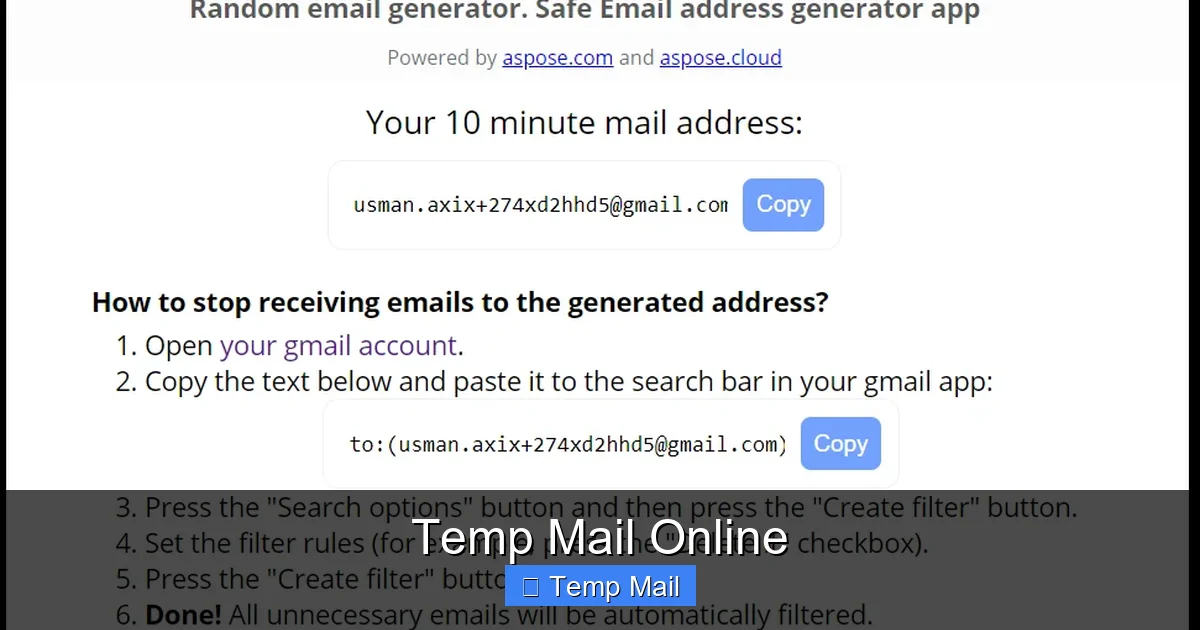
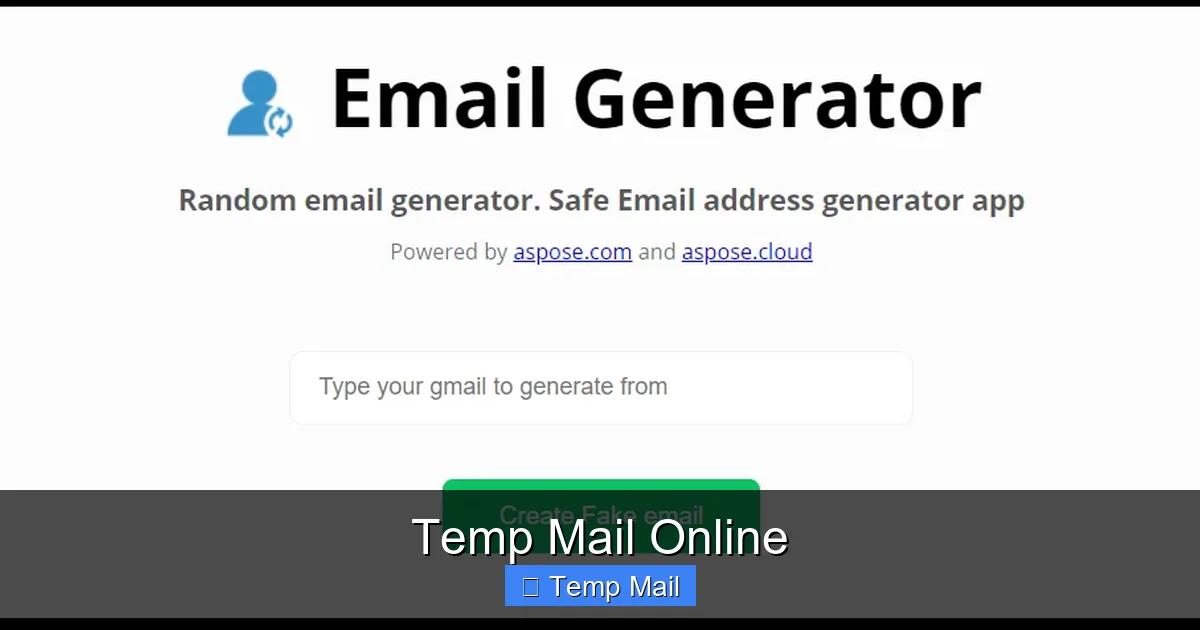
You navigate to a provider’s website, like Temp-Mail.org, 10MinuteMail.com, or Guerrilla Mail. Immediately, without a single click, the service generates a random email address for you. It will look something like abc123@tempmail.demo or user987@guerrillamail.com. This address is now live and active. You can copy it to your clipboard. Notice what’s missing? There is no “Sign Up” button. No request for your name, no password creation, no CAPTCHA. The service understands that if it asks for anything from you, it defeats the purpose of privacy. You are a completely anonymous visitor.
Step 2: Use It & Receive Mail
You take that generated address and paste it into the website or app that requires an email. You request the verification code or download link. The service you’re signing up with sends an email to your temporary address. Behind the scenes, the temp mail online provider’s servers receive that email and make it visible in a simple, web-based inbox interface on their site. You simply refresh the inbox page on the provider’s website, and the new email appears, complete with any links or codes. You click the link or copy the code, complete your task on the original site, and you’re done.
Step 3: Automatic Self-Destruction
This is the crucial part. The clock is ticking from the moment the address is created. Most services set a timer ranging from 10 minutes to 48 hours. Once that timer expires, the email address is permanently deactivated. The inbox is wiped clean. Any future emails sent to that address bounce back to the sender with an “address does not exist” error. From the provider’s end, all records of that address and its contents are purged from their servers. You can close the browser tab and forget it ever happened. There is no recovery, no “forgot password” link. This is by design.
Primary Use Cases: When and Why You Should Use Temp Mail Online
Knowing *how* it works is one thing; knowing *when* to use it is the key to maximizing your digital hygiene. Temp mail online isn’t a replacement for your main email—it’s a specialized tool for specific, often low-stakes, scenarios. Using it correctly is a hallmark of a savvy internet user.
Visual guide about Temp Mail Online
Image source: blog.aspose.com
1. Signing Up for “Sketchy” or One-Time Services
This is the #1 use case. You find a free online tool, a downloadable template, or a gaming server that requires an email to proceed. You’ve never heard of the company before, the website design looks dated, or you simply have zero intention of maintaining a long-term relationship with them. Using your primary email here is a gamble. With temp mail online, you eliminate that risk entirely. The service gets a valid email format to complete its process, and you get your file or access without selling your digital soul.
2. Bypassing Gated Content
How many times have you wanted to read a whitepaper, see a research study, or access a “free” webinar recording, only to be stopped by a form demanding your email? Many of these forms are lead generation tools for marketing departments. Using a temp mail online address lets you download the content you wanted while keeping your primary inbox free from the ensuing drip-feed campaign. It’s a fair exchange: they get a metric (a “lead”), and you get the content without commitment.
3. Forum and Comment Section Registrations
Participating in a niche forum to ask a single question or comment on an article often requires registration. Many forums are poorly moderated and are spam magnets. Creating a permanent account with your real email exposes you to potential data leaks if the forum is hacked and to constant notification spam. A temp mail online address is perfect for this. Register, post your comment or question, and walk away. The account will die with the email address.
4. Testing Email-Dependent Features
Are you a developer testing a “forgot password” flow? A marketer setting up a lead magnet? You need to see how an email looks and functions without using a real, valuable address. Temp mail online is a developer’s secret weapon. You can trigger the email, view it in the temporary inbox, test the link, and repeat the process with a new address, all without cluttering a real account or worrying about cleanup.
5. Avoiding Personal Data Harvesting
Beyond spam, many companies use your email as a primary key to link your activity across the web. They sell this aggregated data to advertisers and data brokers. By consistently using a disposable address for non-essential interactions, you fragment your digital footprint. It becomes much harder for any single entity to build a comprehensive, monetizable profile of “you” because the email you used on Site A is dead and unrelated to the email you might use on Site B.
The Security and Privacy Landscape: Is Temp Mail Online Safe?
This is the most critical section. The concept of “privacy” can be nuanced. Using a temp mail online service protects you *from* the outside world (spammers, data harvesters), but what about the service itself? We must examine the two sides of the security coin: your protection from others, and your protection *by* the provider.
Visual guide about Temp Mail Online
Image source: repository-images.githubusercontent.com
How It Protects YOU (The Upside)
The primary privacy benefit is isolation. Since the address is not linked to your name, phone, or other accounts, a data breach at the website you signed up for only compromises that disposable address. Your bank, your work, your family—none of that is affected. Furthermore, because the inbox is public on the provider’s site (anyone with the URL can see it if they guess the address), you should never use it for sensitive information. But for a 6-digit code? Perfectly safe. The ephemeral nature means even if someone maliciously accessed the temp mail provider’s logs, your address and its contents would be gone moments later, leaving no historical data to steal.
Potential Risks and Provider Trust (The Downside)
The elephant in the room is the temp mail online provider itself. A dishonest provider could, in theory:
- Log IP Addresses: Some may record your IP address when you visit, potentially linking activity to your approximate location.
- Read Your Emails: Since the emails are stored on their servers in plain text (to display them to you), a malicious operator could read the verification codes or content you receive.
- Sell Access: An unethical provider might sell the right to “monitor” inboxes for certain keywords to third parties.
This is why choosing a reputable, well-known provider is non-negotiable. Established services have a business model based on providing a useful, private tool (often ad-supported). They gain nothing by betraying user trust, as their entire value proposition is privacy. Look for providers with clear, transparent privacy policies that state they do not log IPs, do not associate inboxes with visitors, and delete data promptly. Open-source projects or those with a long, clean history are generally safer bets than obscure, newly launched sites.
Choosing the Right Temp Mail Online Service: A Practical Guide
Not all temp mail online services are created equal. Your experience can vary dramatically based on your choice. Here’s what to look for when selecting your go-to disposable email tool.
Key Features to Prioritize
First, assess the user interface. Is it clean, fast, and ad-light? Some providers bombard you with aggressive pop-ups and misleading download buttons that look like your actual file link. A good service has a clear distinction between the inbox and advertisements. Second, check the domain availability. Some websites block entire domains like “tempmail.com” or “10minutemail.com.” Using a provider with multiple, less-common domains (e.g., using “@mail.tm” or “@dropmail.me”) increases your chances of the address being accepted. Third, consider the timer. Do you need 10 minutes for a quick code, or 24 hours to access something later? Choose a service that offers a duration matching your typical use case.
Red Flags to Avoid
Steer clear of any service that requires you to create an account to generate an email. That’s a direct violation of the core premise. Be wary of sites that ask for a “CAPTCHA” on every page load—it’s often a tactic to slow you down and make you more likely to click an ad. Also, if the provider’s own website is filled with grammatical errors, broken links, or looks like it was built in 2005, it’s a sign of low technical competence, which often correlates with poor security practices.
Our Recommended Approach: Have a Primary and a Backup
Smart users don’t rely on a single temp mail online provider. Keep two or three reputable sites bookmarked. If Website X rejects the address from Provider A, you instantly switch to Provider B. This simple habit saves you from being locked out of a needed service. Some advanced users even use browser extensions that generate disposable addresses from a custom domain they control, but for most people, sticking to two well-vetted public services is the perfect balance of simplicity and reliability.
The Limitations and Pitfalls: What Temp Mail Online Can’t Do
Understanding the boundaries of temp mail online is as important as knowing its strengths. Using it in the wrong context can lead to real-world problems, like lost accounts or security lockouts.
Permanent Access is Impossible
This is the golden rule. You cannot recover a temp mail inbox. If you close the browser tab and lose the URL, that inbox is gone forever. If the timer expires before you check it, the email is gone. Therefore, you must treat the moment you generate the address as a single, critical transaction. Copy the address, use it immediately, and stay on the provider’s page until you’ve received the needed email. Do not navigate away.
Account Recovery is a Non-Starter
Never, under any circumstances, use a temp mail online address for an account you care about maintaining. This includes your main social media profiles, online banking, primary cloud storage, email accounts themselves, or any service with a “forgot password” function. When you inevitably need to reset your password, the reset email will be sent to an address that no longer exists. You will be permanently locked out. This is the most common and costly mistake new users make.
Blocked by Major Platforms
Google, Microsoft, Facebook, Twitter, and many other major platforms actively maintain and update lists of disposable email domains. They do this to reduce fraud and spam. If you try to sign up for a Google Account with a temp mail online address, it will be rejected instantly. This is a feature, not a bug, from their perspective. You must use a real, permanent email for these essential services.
No Sending Capability (Usually)
Most temp mail online services are receive-only. You cannot compose and send emails from your disposable address. It is an inbox, not an outbox. This is intentional, as allowing outgoing mail would open the door to immense abuse for spam and fraud. Your interaction is strictly limited to receiving the verification or download link you requested.
The Future of Disposable Email: Trends and Evolution
The landscape of temp mail online is not static. As data privacy regulations like GDPR and CCPA tighten, and as user awareness grows, these services are evolving. We are seeing a trend toward more integrated privacy suites. Imagine a browser that has a built-in, intelligent disposable email generator that automatically suggests a temp address when you hover over an email form field. Some password managers are beginning to experiment with this feature.
Furthermore, the concept is expanding beyond just email. We now see “temp phone” services for SMS verification and even “temp card” services for online payments. The core principle is the same: provide a ephemeral, isolated token for a specific interaction to protect the permanent asset (your real phone number, your bank card, your primary email). As our digital lives become more interconnected and our personal data more valuable, the demand for these tactical privacy tools will only increase. The future isn’t about having one secret identity; it’s about having the tools to create and discard hundreds of context-specific identities at will, with temp mail online being the foundational tool in that arsenal.
Conclusion: Embracing Strategic Anonymity
Temp mail online is more than just a spam-fighting hack; it’s a fundamental tool for practicing intentional digital hygiene. It represents a conscious choice to withhold your permanent identity from entities that have not earned your trust. In an ecosystem where “if you’re not paying for the product, you are the product,” using a disposable email is a small but powerful act of reclaiming agency. It fragments your data trail, declutters your primary inbox, and saves you from the cascade of marketing emails that follow a single thoughtless click.
The key is to use it wisely and within its designed parameters. Treat it as a shield for low-stakes interactions, not a cloak for your essential digital identity. By understanding how it works, selecting a reputable provider, and respecting its limitations, you can enjoy a cleaner, safer, and more private online experience. So the next time a website asks for your email, pause. Ask yourself: “Is this a relationship I want to maintain?” If the answer is no, reach for your temp mail online tool and engage with confidence, knowing you’ll leave no trace behind.
Frequently Asked Questions
Is using temp mail online legal?
Yes, using a disposable email service is completely legal in virtually all jurisdictions. It is a legitimate privacy tool, similar to using a VPN or private browsing mode. The legality only becomes an issue if the temporary address is used for illegal activities like fraud, harassment, or sending threats, which applies to any communication medium.
Can temp mail online be traced back to me?
Not through the email address itself, as it contains no personal information. However, your internet activity is never perfectly anonymous. Your Internet Service Provider (ISP) can see that you visited the temp mail provider’s website. A determined adversary with legal authority could potentially subpoena the provider’s logs (if they kept any) to see an IP address that accessed a specific inbox at a specific time. Reputable providers minimize this risk by not logging IPs and purging data quickly.
How long do emails last in a temp mail inbox?
The lifespan varies by provider, but it’s always short. Common timeframes are 10 minutes, 1 hour, 6 hours, 24 hours, or 48 hours from the moment the email address is generated. The countdown is usually displayed on the provider’s page. Once the timer hits zero, the inbox and all its contents are permanently deleted.
What’s the difference between temp mail online and a regular email alias?
A regular email alias (like those offered by some paid email services or Apple’s “Hide My Email”) is still a permanent, forwardable address tied to your main account. You can send from it, and emails sent to it arrive in your primary inbox. You control it long-term. Temp mail online is a fully separate, isolated inbox that is receive-only, has a fixed short lifespan, and is not connected to any of your other accounts. It is designed to be abandoned.
Can I use temp mail for WhatsApp, Telegram, or Facebook?
Almost certainly not. Major social media and messaging platforms explicitly block known disposable email domains during sign-up to prevent spam, fake accounts, and abuse. They require a verifiable, permanent email address for account creation and recovery. Attempting to use a temp mail address will result in an immediate rejection.
What should I do if a website rejects my temp mail address?
First, try a different temp mail online provider. The website may be blocking only that specific domain. If all common disposable domains are blocked, the site is serious about verified identities. In this case, you have two options: 1) Use a secondary, real email address you reserve for such sign-ups, or 2) Decide if the service is important enough to warrant using your primary email. Often, a rejection is a signal that the site values account authenticity, which may be a positive for security.