Fake Email Generator
A fake email generator, or temp mail service, provides a temporary, disposable email address for short-term use. Its primary purpose is to protect your real inbox from spam, unwanted marketing, and potential data breaches when signing up for websites or downloading content. While incredibly useful for privacy, it’s crucial to understand its limitations, potential security risks, and the legal boundaries of its use to avoid misuse.
Key Takeaways
- Primary Purpose: Fake email generators create temporary inboxes to shield your primary email from spam, data leaks, and unwanted correspondence.
- Core Mechanism: They work by generating a random address linked to a public, auto-deleting inbox accessible via a web interface, with no personal registration required.
- Valid Use Cases: Ideal for website sign-up testing, accessing gated content, verifying accounts for one-time use, and preventing spam in your main inbox.
- Significant Risks: Emails are not private (inbox is public), lack long-term storage, and cannot be used for critical accounts (banking, social media) due to security and recovery issues.
- Legal & Ethical Boundaries: Using them to fraudulently create accounts, bypass bans, or engage in illegal activities violates Terms of Service and can have legal consequences.
- Provider Variability: Services differ in inbox lifespan, domain options, attachment support, and ad presence; choosing a reputable provider matters for basic security.
- Not a Security Tool: It is a privacy convenience tool, not a security solution. Do not use it for sensitive communications or password recovery on important accounts.
📑 Table of Contents
- What Exactly is a Fake Email Generator?
- Why Do People Use Temporary Email Addresses?
- The Flip Side: Risks, Limitations, and Dangers
- Legal and Ethical Boundaries: Where Drawing the Line Matters
- How to Choose a Reliable Fake Email Generator Service
- The Future of Disposable Email and Privacy Tech
- Conclusion: A Powerful Tool for a Specific Job
What Exactly is a Fake Email Generator?
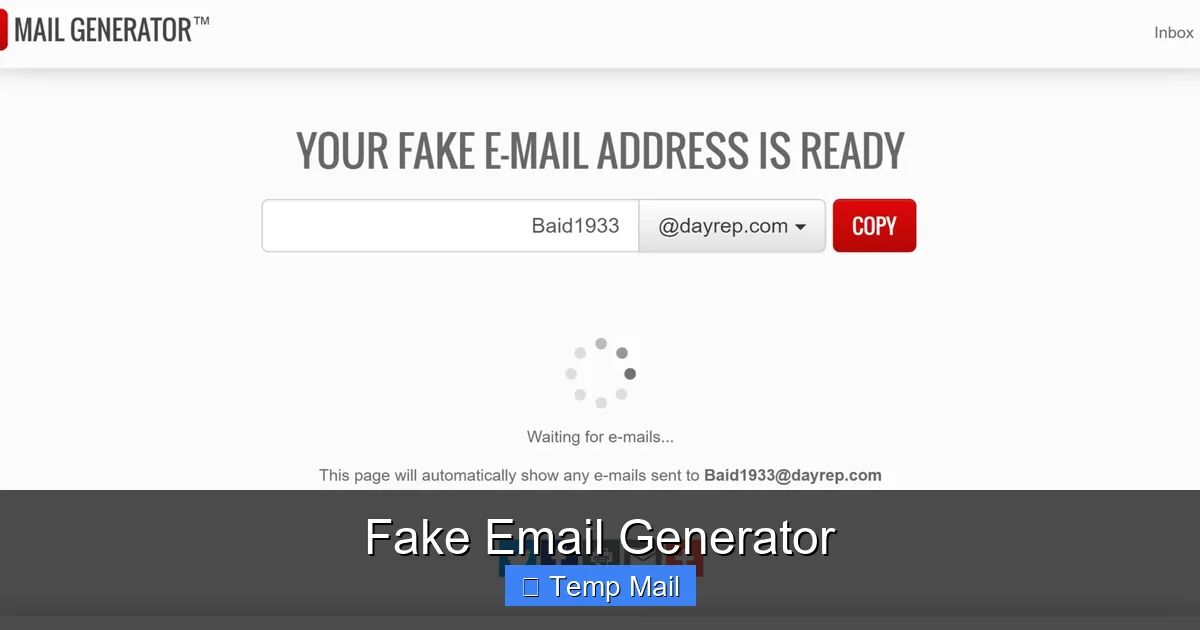
Have you ever hesitated to sign up for a free online course, download a software trial, or access an article because it demanded your email address? You knew it might lead to a flooded inbox with promotional newsletters and spam. This is the exact problem a fake email generator, more formally known as a temporary or disposable email service, aims to solve. At its core, it’s a web-based tool that instantly provides you with a working, but completely temporary, email address and an inbox to go with it.
Think of it as a digital burner phone. You get a number—or in this case, an email address like randomstring123@tempmail.net—that you can use for a specific, short-term purpose. You can receive a single verification email or a few messages, and then the address and all its contents vanish into the digital ether, usually after a set period (like 10 minutes, 1 hour, or 1 day) or after the browser tab is closed. There’s no password, no long-term login, and no personal information required from you to create it.
The appeal is immediate and powerful: unfiltered access to online content and services without sacrificing your primary email address or personal privacy. It acts as a protective buffer between your real identity and the often-aggressive world of online data collection and marketing funnels.
The Technical Magic Behind the Disposable Inbox
How can a service provide a functional email address without you creating an account? The magic lies in its public, auto-managed architecture. When you visit a temp mail website, the server automatically generates a unique email address for your current session. This address is tied to a randomly created inbox on their backend system.
This inbox is not secured by a password that you set. Instead, it’s linked to a unique, complex session identifier stored in your browser’s cookies or local storage. When you visit the temp mail site, it reads this identifier and shows you *only* the inbox associated with it. Anyone else who stumbles upon the same website will see a completely different, random inbox. The email address itself is often a subdomain or a dedicated domain owned by the service (e.g., @mailinator.com, @guerrillamail.com).
When an email is sent to your disposable address, the temp mail service’s mail server receives it, stores it temporarily in the public inbox linked to that address, and makes it visible to anyone who has the session ID for that specific inbox. Once the inbox’s time limit expires or the session is cleared, the server permanently deletes the address and all contained emails from its system.
Why Do People Use Temporary Email Addresses?
The utility of a fake email generator isn’t just about avoiding spam; it’s a versatile tool for navigating the modern web with more control. Let’s break down the most common and legitimate use cases that make these services so popular.
Visual guide about Fake Email Generator
Image source: watchmetech.com
1. Dodging Spam and Marketing Overload
This is the number one reason. Every time you give your real email to a new website, you’re trusting them with your contact information. Even reputable companies can have data breaches, or their marketing partners can sell or misuse your data. A temporary email ensures that any promotional emails, newsletters, or “exclusive offers” are sent to an address that will self-destruct, keeping your primary inbox clean and for correspondence with people you actually know and trust.
2. Accessing Gated Content Without Commitment
How many times have you wanted to read an article, whitepaper, or research report but hit a “Subscribe to our newsletter” wall? Using a temp mail lets you bypass that gate instantly. You get the content you wanted, and the company gets a valid (but disposable) email for their mailing list, which you never have to check or unsubscribe from. It’s a low-friction way to access information without long-term obligation.
3. Testing Website Sign-Ups and Account Creation
For developers, QA testers, or even regular users setting up a new account, a disposable email is perfect for the initial verification step. You can test if a sign-up flow works, receive the confirmation link, and then abandon the account without leaving a trace of a real email behind. This is invaluable for testing multiple account scenarios without polluting your own inbox.
4. One-Time Downloads and Software Trials
Sites offering free e-books, templates, or software trials often require an email to send the download link. A temporary address is perfect for this single transaction. You receive the file, use it, and the email trail disappears. There’s no risk of being added to a nurturing email campaign for a product you’re not interested in.
5. Protecting Identity on Forums and Public Platforms
When joining a new forum, commenting on a controversial blog post, or using a platform where anonymity might be desired, a temp mail prevents that service from having a direct link to your real identity via your primary email address. It adds a layer of operational security for your online activities.
The Flip Side: Risks, Limitations, and Dangers
While incredibly useful for privacy, fake email generators are not without significant drawbacks and dangers. Understanding these limitations is critical for using them safely and effectively. They are tools of convenience, not instruments of security.
Visual guide about Fake Email Generator
Image source: clean.email
Zero Privacy and Absolute Publicness
This is the most critical risk to grasp. The inbox is public. Anyone who knows or guesses the temporary email address can, in theory, access the same inbox you see. The service does not authenticate users. While the addresses are long and random, if someone else generates the same address (a statistical improbability but possible) or you share the URL, anyone can read your incoming emails. Never use a disposable email for any communication containing sensitive personal data, financial information, or private messages.
No Account Recovery or Long-Term Access
Because there is no password and no account, if you close the browser tab and lose the session, or if your internet disconnects, you almost certainly cannot retrieve that inbox again. The email address is gone. This makes it useless for any service where you might need to reset a password or receive a future notification. You will be locked out of any account created with a disposable email forever.
Blocked by Major Platforms
Google (Gmail), Microsoft (Outlook/Hotmail), Facebook, Twitter, Instagram, Apple, and most major financial institutions actively block email domains from known disposable email providers. They detect these domains and will prevent you from creating an account with them. This is a security measure to prevent fraud and spam. You cannot use a temp mail for essential services.
Malware and Phishing Delivery Vector
Since the service provides no filtering, any email sent to your disposable address—including malicious attachments or phishing links—will appear directly in your inbox. Your regular email provider’s spam filters are bypassed. You must exercise the same caution with a disposable inbox as you would with any unknown sender. Do not download suspicious files or click links, even on a “throwaway” address.
Legal and Terms of Service Violations
Using a temporary email to create an account on a platform that explicitly forbids it (which is nearly all of them in their Terms of Service) is a violation. While unlikely to lead to criminal charges for casual use, it can result in the immediate suspension of that account. Using it to circumvent a ban, create fake reviews, or engage in fraud is unethical and can have legal repercussions.
Legal and Ethical Boundaries: Where Drawing the Line Matters
The technology itself is neutral—it’s a tool. The legality and ethics depend entirely on how it is used. Navigating this correctly is essential.
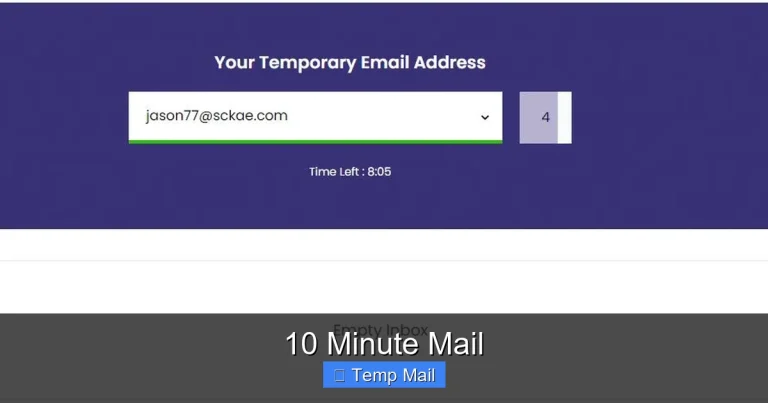
Visual guide about Fake Email Generator
Image source: scrapebox.com
Ethical & Legal Use: Using a temp mail to read a free article, test a sign-up form, get a download link for a free template, or protect your main inbox from a newsletter you don’t care about is widely considered fair game. You are using the service as intended: for transient, low-stakes interactions where you have no intention of maintaining a long-term relationship with the sender.
Unethical & Potentially Illegal Use: Using a disposable email to:
- Create fraudulent accounts (e.g., fake social media profiles for scams, fake seller/buyer accounts on marketplaces).
- Bypass a permanent ban from a service or forum.
- Evade law enforcement or legal accountability for online actions.
- Send spam or phishing emails from an anonymous source.
- Access services you are not legally entitled to (e.g., age-restricted content, geo-blocked services).
These actions violate Terms of Service universally and can constitute fraud, identity theft, or other crimes depending on jurisdiction. The anonymity provided by a temp mail is not a shield against legal consequences if you engage in serious wrongdoing. Platforms have other ways to track users (IP addresses, device fingerprints, payment information).
How to Choose a Reliable Fake Email Generator Service
Not all temp mail services are created equal. While they all share the core function, features, reliability, and user experience vary. Here’s what to look for when selecting one.
Inbox Lifespan and Customization
How long does the inbox last? Some give you 10 minutes, others 1 hour, some 1 day, and a few let you extend it manually. Consider your need. For a quick verification code, 10-15 minutes is fine. For a download link you might use later, a 1-hour or 1-day lifespan is better. Some services allow you to choose your own random address or select from a few domains.
Domain Variety and Reputation
Some services offer multiple domains (e.g., @mailinator.com, @maildrop.cc, @tmpmail.org). Using a less common domain might sometimes be less likely to be blocked by a website, though major platforms block all known lists. Be aware that some domains are more notorious for spam and are therefore more aggressively blocked.
User Interface and Features
Look for a clean, simple interface that clearly shows new emails. Useful features include:
- Auto-refresh: Inbox updates automatically without manual reload.
- Reply Functionality: Some services allow you to reply to emails received (though the reply will come from the disposable address).
- Attachment Support: Can you download files sent to the temp address? Most do, but it’s worth confirming.
- Language Options: If you’re not comfortable with English.
Ad Load and User Experience
Most free temp mail services are ad-supported. You will encounter pop-ups, banner ads, and sometimes misleading “download” buttons that are actually ads. A service with a less intrusive ad load provides a better experience. Some offer a premium, ad-free version for a small fee.
Privacy Policy and Data Handling
Read the privacy policy. Do they log your IP address? Do they claim to delete all data after the inbox expires? A reputable service will state that emails are automatically deleted and not logged. Be wary of services that seem to promise “security” or “encryption”—they are fundamentally public inboxes.
The Future of Disposable Email and Privacy Tech
The rise of disposable email is a direct symptom of the broken email ecosystem, where user privacy is often the cost of “free” services. As data privacy concerns grow globally (with regulations like GDPR and CCPA), the demand for tools that give users control will increase.
We may see integration of disposable email functionality directly into privacy-focused browsers (like Brave) or password managers (like Bitwarden). Browser extensions that auto-generate and manage disposable aliases for you are already emerging. Furthermore, email providers themselves might adopt more robust “masking” features, where you create unique, forwardable aliases that can be disabled at will—a more secure cousin to the fully public disposable inbox.
Ultimately, the future points toward user-centric identity management, where you don’t have to hand over your core communication channel (your primary email) for every minor online interaction. Temporary email is a crucial and pragmatic step in that direction, serving as a daily tool for millions to reclaim a small piece of their digital privacy.
Conclusion: A Powerful Tool for a Specific Job
A fake email generator is not a magic bullet for all your online privacy needs, but it is an exceptionally effective tool for a very specific set of jobs. Its value lies in its simplicity and disposability. It allows you to interact with the web’s countless forms, gates, and trial offers without leaving a permanent trail back to your primary identity.
The key takeaway is to use it with clear eyes and defined boundaries. Embrace it for what it is: a temporary shield against spam and data harvesting for low-stakes interactions. Never, under any circumstances, use it for securing important accounts, private communications, or any activity that requires accountability or long-term access. By respecting its limitations and understanding its risks, you can wield this tool to keep your real inbox pristine and your primary identity more secure in an increasingly data-hungry digital landscape.
Frequently Asked Questions
Is using a fake email generator legal?
Yes, creating and using a temporary email address is generally legal. The legality depends on how you use it. Using it to avoid spam or access gated content is fine. Using it to commit fraud, evade bans, or engage in illegal activities is illegal, regardless of the tool used.
Can websites detect a disposable email address?
Yes, most major websites and platforms (like Google, Facebook, banks) actively check against known lists of disposable email domains. They will block sign-up attempts from addresses like @mailinator.com or @tempmail.org. Smaller or less security-focused sites may not have these checks.
Are temporary emails safe from hackers?
No, they are inherently less safe. The inbox is public and not password-protected by you. Anyone who knows the address can access the inbox. Furthermore, they lack the advanced spam and malware filtering of major providers. You should never use them for sensitive information.
What happens to emails after the disposable address expires?
The service permanently deletes the email address and all messages from its servers. The address is then recycled and may be given to a different user in the future. You will lose access to any emails sent to it.
Can I send emails from a fake email generator?
Some services offer a limited “reply” or “send” function, usually from the same disposable address. However, this is often restricted, and the ability to send is not the primary function. Most disposable services are designed for receiving only.
Should I use a disposable email for online banking or social media?
Absolutely not. You must use a permanent, secure email address that you control for any critical account like banking, primary email, social media, or government services. You need reliable password recovery and two-factor authentication, which a disposable email cannot provide.