Instant Email Address
An instant email address is a temporary, disposable email account you can create in seconds without any registration. It’s a privacy shield for online sign-ups, file downloads, and forum registrations, keeping your primary inbox free from spam and potential data breaches. Use it for one-time verifications where you don’t need long-term communication, but never for critical accounts like banking or primary services.
You’re trying to download a free PDF guide or sign up for a webinar. You click the link, get to the form, and hit the wall: “Enter your email address.” You sigh. Do you use your main Gmail? That’s a one-way ticket to more promotional newsletters and potential data leaks. Do you create a new “junk” email account? That takes time you don’t have. What if there was a way to get a fully functional email address… instantly? No password, no security questions, no recovery phone number. Just an inbox, ready to go in the time it takes to blink. That’s the promise of an instant email address, and it’s a game-changer for navigating our spam-filled digital world.
This isn’t about secret spy tools or hacking. It’s about a simple, legitimate service called temporary or disposable email. Think of it as a public locker for your digital mail. You get a key (the inbox URL), you put something in it (the verification email), you retrieve what you need, and then you walk away, leaving the locker empty for the next person. An instant email address is your digital burner phone—useful for a specific, fleeting purpose and then meant to be discarded. In this guide, we’ll unpack everything you need to know: how these magical inboxes appear out of thin air, exactly when and how to use them, the hidden pitfalls to avoid, and how to choose a reliable service. By the end, you’ll be a master of inbox hygiene, protecting your primary email with a savvy, temporary shield.
Key Takeaways
- Instant Creation: An instant email address is generated for you immediately upon visiting a provider’s website, requiring zero personal information or sign-up steps.
- Disposable by Design: These addresses are temporary and typically expire after a short period (e.g., 10 minutes to 24 hours) or when you close the browser tab.
- Primary Use: Spam Prevention: Its core function is to act as a buffer, absorbing promotional emails and spam so they never reach your permanent, personal email account.
- Limited Functionality: You can receive emails (including verification links) but almost always cannot send emails from a disposable address. It’s a one-way inbox.
- Not for Critical Accounts: Never use an instant email address for important services like online banking, social media main accounts, or any platform where account recovery is essential.
- Privacy vs. Security Trade-off: While it hides your real email, the provider can see all emails sent to that address. Do not use it for sensitive personal or financial information.
- No Long-Term Storage: Once the address expires or the session ends, all received emails and the address itself are permanently deleted from the server.
📑 Table of Contents
- What Exactly Is an Instant Email Address?
- The Core Benefits: Why You Need an Instant Email
- Perfect Use Cases: When to Reach for a Disposable Inbox
- The Critical Limitations and Risks You Must Know
- How to Choose a Reliable Instant Email Service
- Advanced Tips and Best Practices
- The Future and Ethical Considerations
- Conclusion: Your Digital Bouncer
What Exactly Is an Instant Email Address?
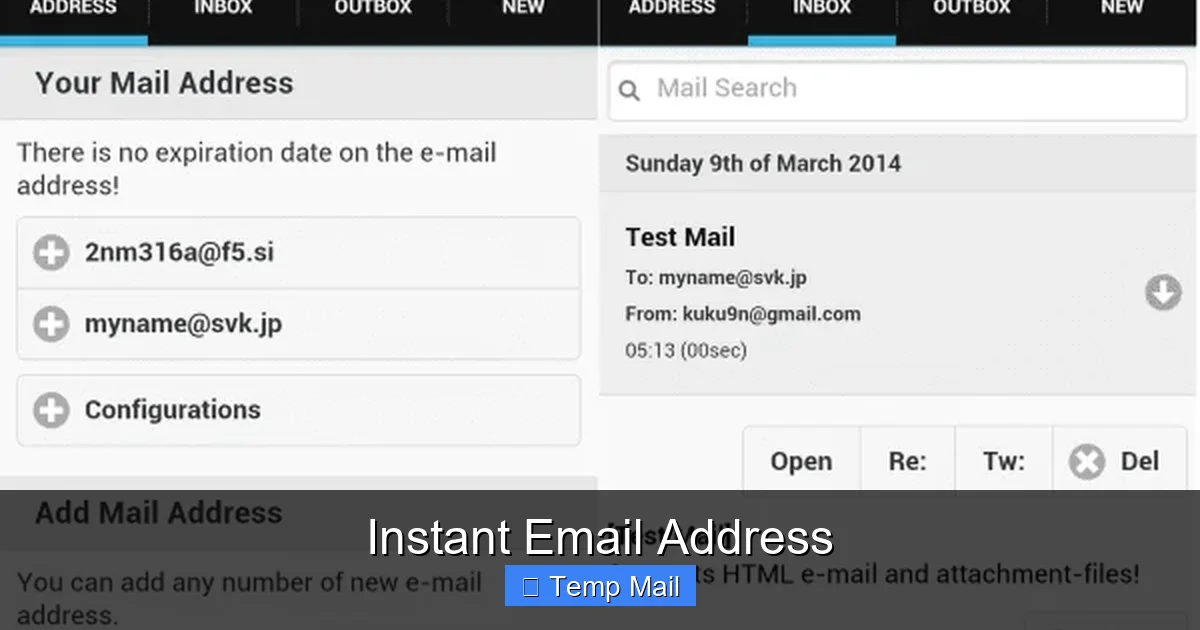
At its core, an instant email address is a temporary email inbox provided by a web-based service. The “instant” part is literal. You navigate to a website like Temp-Mail.org, Guerrilla Mail, or 10MinuteMail, and before you can even think about creating a password, a fully formed email address is already displayed on your screen, often alongside a button to open its inbox. There is no “Sign Up” button. There is no “Create Account” form. The address is generated algorithmically from a large pool of available domains, and the inbox is assigned to your unique browser session.
The Technology Behind the Magic
These services maintain vast databases of domain names they own or partner with (e.g., @tempmail.com, @guerrillamail.info). When you visit, their server randomly selects an unused username from a massive list and pairs it with one of their domains. The inbox for that specific address is then “activated” and linked to your session via a unique token stored in your browser’s cookies or local storage. All emails sent to that random address are routed to a central server, filtered, and displayed only in *your* specific browser window. The moment you close the tab or the service’s timer runs out, that token becomes obsolete. The address is recycled back into the pool for someone else to use, and any emails stored for it are wiped from the server.
Key Characteristics at a Glance
- No Registration: The defining feature. You provide nothing. No name, no password, no phone number.
- Randomly Generated: Your address is usually a jumble of letters and numbers (e.g., a7b9c3@tempmail.net), not something you choose or remember.
- Ephemeral Lifespan: Lifespan varies by provider. Some last 10 minutes, others 1 hour, some up to 24 hours. Some expire when you close the browser.
- Inbox-Only: You can receive and read emails, including clicking verification links. You almost universally cannot send emails from this address.
- Publicly Shared: Because addresses are random and recycled, thousands of users might use the same “base” address (like abc123@domain.com) at different times.
The Core Benefits: Why You Need an Instant Email
Why go through the trouble of using a separate service? The benefits cluster around two powerful concepts: privacy and convenience. Let’s break down why millions use these tools daily.
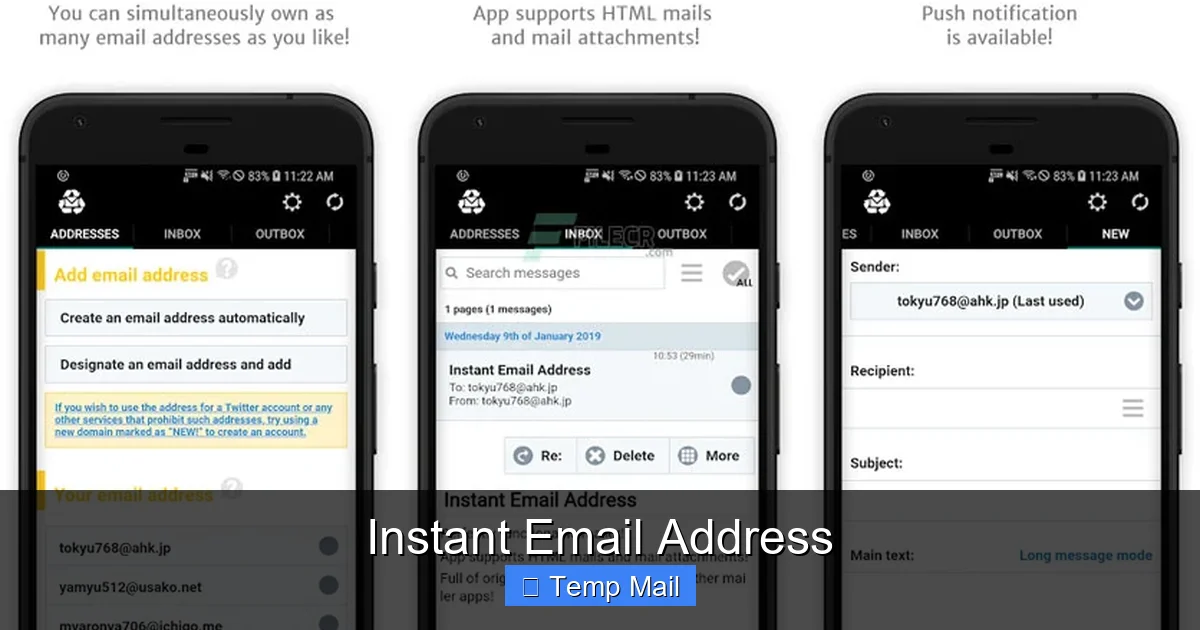
Visual guide about Instant Email Address
Image source: image.winudf.com
Benefit 1: An Unbreakable Spam Barrier
This is the number one reason. Every time you use your primary email to sign up for a discount code, a free e-book, or a new app, you are trusting that company with your digital home address. Even if they have a “no spam” policy, data breaches happen, and your email gets sold to marketers. Your primary inbox becomes a firehose of promotions, newsletters you never read, and “important updates” that are just ads. An instant email address acts as a sacrificial lamb. You give it to the low-trust website. Any spam they generate or sell goes to the disposable inbox, which self-destructs. Your real email remains pristine, used only for people and services you truly trust—your family, close friends, your bank, and essential subscriptions.
Benefit 2: Zero-Cost, Zero-Commitment Privacy
Creating a new “junk” Gmail or Outlook account requires your phone number for verification, which links your identity. An instant email requires nothing. It is the closest thing to truly anonymous email reception on the internet. You don’t create a profile. You don’t set security questions. There is no “forgot password” link because there is no password to forget. This is pure, frictionless privacy. For users in regions with high surveillance, journalists, activists, or anyone simply wanting to browse a controversial forum without leaving a personal trail, this anonymity is invaluable.
Benefit 3: Bypassing Mandatory Sign-Ups
How often have you abandoned a download because it demanded an email for a “free” resource? An instant email removes that friction. Need that whitepaper? Use the disposable inbox. Want to read that article past the paywall that asks for an email? Use the disposable inbox. Trying to test a software feature that requires an account? Use the disposable inbox. It empowers you to access resources without sacrificing your contact information. You reclaim control over when and where you share your primary email.
Benefit 4: Lightning-Fast and Effortless
The process is faster than making a cup of coffee. Click a link. See your address. Copy it. Paste it into the form. Switch to the inbox tab (or click the inbox button). Wait 30 seconds for the verification email to arrive. Click the link. Done. There is no account creation wizard, no email verification to your main account (defeating the purpose), no password manager entry. It’s a 10-second detour that saves you from a lifetime of spam.
Perfect Use Cases: When to Reach for a Disposable Inbox
Knowing when to use an instant email address is as important as knowing how. Here are the prime scenarios where it’s not just helpful, but the smartest move.
Visual guide about Instant Email Address
Image source: assets.jalantikus.com
1. Accessing Gated Content
This is the bread and butter. Blogs, news sites, and software companies often gate valuable content (e-books, research reports, template libraries) behind an email form. They use your email for lead generation. Use your disposable address, get the content, and walk away. The follow-up spam goes to the trash.
2. One-Time Software or Service Trials
Signing up for a 14-day trial of a SaaS tool? Use the disposable email. You’ll get the access link, can test the features, and the inevitable “Your trial is ending!” marketing emails will vanish with the inbox. This is crucial for tools you’re just evaluating.
3. Downloading Files from Low-Trust Sites
That shady-looking site with the “FREE DOWNLOAD” button for a cracked software or movie? They often require an email to generate a download link, primarily to spam you or infect your device with malware via email links. Using a disposable address here is a critical safety step. If the download link never arrives, you just close the tab and your digital footprint is clean.
4. Registering on Forums or Comment Sections
Want to post a comment on a controversial news article or join a technical forum for a one-time question? Many forums require registration. Using your main email links your online persona to that discussion forever. A disposable email lets you participate anonymously, and you never have to remember a login for a forum you won’t use again.
5. Creating Test Accounts for Developers
If you’re a developer testing user flows, registration forms, or email notification systems, you need a way to receive those test emails without cluttering your work inbox. An instant email service is a perfect, on-demand testing inbox. You can even use browser automation tools to interact with the disposable inbox programmatically.
6. Protecting Your Identity on Public Wi-Fi
When using a coffee shop or airport Wi-Fi, you’re on a shared network. If you sign into a new service with your primary email on that network, you’re potentially exposing that credential. Using a disposable email for any new sign-up on public Wi-Fi adds a layer of identity separation.
The Critical Limitations and Risks You Must Know
An instant email address is a powerful tool, but it is a specialized tool, like a screwdriver. Using it for the wrong job—like trying to hammer a nail—will cause problems. Understanding its limitations is non-negotiable for safe use.
Visual guide about Instant Email Address
Image source: eztempmail.com
Limitation 1: You Can Receive, But You Almost Never Can Send
Disposable inboxes are strictly receive-only. The entire architecture is designed for one-way communication: the outside world sends *to* you. There is no SMTP server setup for you to compose and send an email *from* that address. If a service requires you to verify your email by sending a reply or a code, a disposable address will fail. This is why they are only for receiving verification links or download codes.
Limitation 2: No Account Recovery, Ever
Forget your password for a service you signed up with a disposable email? You’re locked out forever. There is no “ forgot password” reset because the email address no longer exists or is inaccessible to you. The service has no way to verify you are the owner of that now-expired inbox. This makes disposable emails completely unsuitable for any account you need to maintain long-term, like social media, cloud storage, or banking.
Limitation 3: They Are Public and Shared
Because addresses are random and recycled, the inbox you are looking at might have been used by dozens of other people in the past few hours for different websites. While most services isolate sessions, it’s a shared digital space. You should never use a disposable address for anything requiring confidentiality between you and the sender. A misaddressed email from someone else could appear in your session.
Limitation 4: Security and Privacy of the Provider
You are trusting the disposable email service itself. While they don’t ask for your info, they can see every single email that arrives in the inbox you are viewing. A malicious or compromised provider could log that data. Reputable services clear emails quickly, but you are placing faith in their privacy policy and security practices. Do not use them for receiving password resets for sensitive accounts, as the provider could theoretically intercept that reset link.
Limitation 5: They Can Be Blocked
Many major platforms (Google, Facebook, Microsoft, LinkedIn, many banking sites) actively block known disposable email domains. They do this to prevent fraud, spam, and abuse. If you try to sign up for a critical service with a instant email address, the sign-up will often be rejected at the domain level. This is a good thing—it prevents you from accidentally locking yourself out of an important account.
How to Choose a Reliable Instant Email Service
Not all disposable email providers are created equal. Some are ad-supported free-for-alls, while others offer premium features. Here’s what to look for.
Essential Criteria for Selection
- Inbox Lifespan: Does it match your need? 10 minutes for a quick download? 1 hour for a longer verification process? Look for a clear timer.
- Domain Variety: A service with multiple domains (e.g., @tempmail.com, @tmpmail.org) is less likely to have all its domains blocked by a single website.
- No Forced Registration: The whole point is instant use. If a service tries to make you create an account to “save” your inbox, avoid it. That defeats the purpose.
- Clear Privacy Policy: Read it. Does it state they do not log or sell email content? How long do they retain data on their servers? The best ones purge emails immediately after the session or timer expires.
- Ad Experience: Free services rely on ads. Are they intrusive pop-ups and misleading “download” buttons? Or are they relatively clean banner ads? A terrible ad experience can make the service unusable or even a malware risk.
- Custom Domain Option (Premium): Some paid services let you use your own domain with their disposable system. This is for power users or businesses wanting branded, temporary addresses.
Popular and Reputable Providers (As of 2024)
Temp-Mail.org: One of the most popular. Offers a clear 10-minute default timer (extendable), multiple domains, and a straightforward interface. Very reliable for general use.
Guerrilla Mail: A veteran in the space. Provides a slightly longer default session (60 minutes), allows you to choose your own random username from a list, and has a simple, no-frills design.
10MinuteMail.com: The original. It’s famously stark—just a timer and an inbox. It’s reliable but basic. Perfect for the fastest, most no-nonsense use case.
Maildrop.cc: Focuses on simplicity and privacy. Does not require JavaScript (good for security-conscious users). Inboxes last 24 hours but are publicly searchable by address, so use a random username.
Tempail.com: Offers a unique “extend” button to add more time to your inbox, which is helpful for longer verification processes. Clean UI, good mobile support.
Important: Always have a backup provider. If your first choice is down or the target website blocks its domain, switch to another instantly.
Advanced Tips and Best Practices
Using an instant email address is simple, but using it well requires a few habits to maximize benefit and minimize risk.
Pro Tip 1: Use a Dedicated Browser or Incognito Window
Since your session is tied to your browser, using a standard Chrome window means if you accidentally close the tab, the inbox is gone. For anything important (like a verification you need to complete), open the disposable email service in a dedicated incognito/private window. This isolates the session. Better yet, use a separate browser profile or a privacy-focused browser like Firefox Focus for all your disposable email activities. This prevents cookie and session bleed-over.
Pro Tip 2: The “Copy-Paste” Dance – Do It Right
1. Open the disposable email site in one tab. 2. Open the website you’re signing up to in a second tab. 3. Copy the generated email address from the first tab. 4. Paste it into the sign-up form in the second tab. 5. Submit the form. 6. Switch back to the first tab and hit the “Check Inbox” or “Refresh” button. Do not rely on auto-refresh; some services need a manual nudge. Keep the inbox tab open and visible until you’ve received and clicked the necessary link.
Pro Tip 3: Know When to Walk Away
If you’ve used a disposable address to sign up for a service and you later realize you do want to keep that account long-term, you have a problem. The only solution is to go into that service’s account settings and change the email to your primary, permanent address while you still have access. Do this immediately after verifying the account with the disposable address, before you forget the login details. If you can’t log in because you used a random password from a password manager and the reset email is gone, the account is lost.
Pro Tip 4: Never Use for Financial or Identity Services
This cannot be stressed enough. Banks, PayPal, cryptocurrency exchanges, government portals (IRS, DMV), and primary email providers (to recover your main email) will either block disposable domains or, if you somehow use one, will lock you out permanently when you need to reset a password. The risk of permanent account loss is catastrophic here. The rule is absolute: If losing access to the account would cause significant financial or personal harm, do not use a disposable email.
Pro Tip 5: Understand the “Reply-To” Trap
Sometimes, a verification email might say, “Reply to this email to confirm.” Since you can’t send from the disposable address, this will fail. The email is designed for a permanent inbox where you can hit “Reply.” If you encounter this, the service is not compatible with disposable email. Close the tab and consider if you really need to sign up at all.
The Future and Ethical Considerations
The ecosystem of instant email address services is a cat-and-mouse game. As more people adopt them for privacy, more websites try to block them. This leads to an arms race: new disposable domains pop up, blocklists are updated, and privacy-conscious users seek new solutions.
The Arms Race with Blocklists
Services like StopForumSpam and FakeFilter maintain public lists of known disposable email domains. Website administrators plug these lists into their registration forms to automatically reject sign-ups from these domains. This is why you’ll see a message like “Please use a real email address.” This is a defensive measure against spam and fake accounts, but it also penalizes legitimate users seeking privacy. The disposable email providers constantly register new domains to stay ahead.
Ethical Use vs. Abuse
There is a moral line. Using an instant email to download a free e-book or test a service is ethical privacy protection. Using it to create hundreds of fake social media accounts for spam, botting, or harassment is abuse. It’s this abuse that gives disposable email a bad name and fuels the blocklists. The ethical user uses these tools sparingly and for their intended purpose: protecting one’s primary identity from low-trust, high-spam environments. Responsible use helps keep these valuable privacy tools available for everyone.
Alternatives and the Evolving Landscape
For those needing a slightly more permanent but still private solution, consider:
- Alias Services (e.g., SimpleLogin, AnonAddy, Firefox Relay): These create unique, forwardable email aliases that route to your real inbox. You can delete an alias if it starts spamming. They are more permanent than a 10-minute disposable but offer the same core benefit: you can delete the alias to stop the flow.
- ProtonMail’s “Disposable Addresses” Feature: For paying users, ProtonMail allows you to generate up to 15 different “+address” variations (e.g., user+newsletter@protonmail.com) that all deliver to your main encrypted inbox. You can disable any alias that gets spammy.
These hybrid solutions are becoming popular as they offer more control than a purely ephemeral instant email address but more privacy than your main address.
Conclusion: Your Digital Bouncer
An instant email address is one of the simplest, most powerful privacy tools in your digital arsenal. It’s not a cloak of invisibility, but it is an excellent digital bouncer. It stands at the door of your primary inbox, deciding what gets through and what is turned away into the void. Its value lies in its impermanence and its utter lack of commitment. You get in, you get what you need, and you get out, leaving no trace behind.
Use it wisely. Respect its limitations. Never entrust it with anything precious. For the countless daily interactions where a website just wants an email to tick a box—the free download, the webinar sign-up, the forum you’ll visit once—let the disposable address take the hit. Keep your primary email pristine, a channel reserved for human connections and vital services. In an online world obsessed with data collection, that simple act of using a temporary address is a small, daily assertion of your right to privacy. It’s a 10-second action that says, “My inbox, my rules.” Now, go forth and sign up for that thing you’ve been avoiding—without the spam.
Frequently Asked Questions
Is an instant email address safe to use?
For its intended purpose—receiving verification emails for low-trust websites—it is safe and enhances your overall security by protecting your primary email from spam and potential breaches. However, it is not secure for private communications, as the provider and anyone with the inbox URL can see the emails. Never use it for sensitive personal or financial information.
How long does an instant email address last?
It varies by provider. Common lifespans are 10 minutes, 1 hour, or 24 hours. Some expire the moment you close the browser tab. The countdown timer is always displayed, so you know exactly how much time you have to retrieve your emails.
Can I send emails from an instant email address?
No. Disposable email services are designed solely for receiving emails. You cannot compose or send messages from the temporary address. This is a fundamental limitation, as these services do not provide outgoing mail (SMTP) servers.
Are instant email addresses legal?
Yes, using a disposable email service is completely legal. The service itself is a legitimate business. The legality depends on how you use it. Using it to sign up for a website’s service while violating their Terms of Service (which often prohibit disposable emails) could get your account banned, but it is not a criminal act.
What happens if I need to recover an account later?
You cannot. If you sign up for a service using a disposable email and later need to reset your password, the reset email will be sent to an address that no longer exists or that you cannot access. The account will be permanently lost. This is why you must only use disposable emails for accounts you do not intend to keep.
Do I have to pay for an instant email address?
No. The vast majority of instant email services are completely free and supported by advertising. Some offer premium plans with features like longer inbox lifespans, custom domains, or ad-free interfaces, but the core functionality of receiving a temporary email is always free.